
1. Einleitung
The MINIWARE MHP50 is a compact and portable mini heating station designed for precision heating tasks, particularly in electronics soldering and preheating applications. Its small form factor, detachable design, and dual power input options make it a versatile tool for various work environments. This manual provides essential information for the safe and effective operation and maintenance of your MHP50 heating station.

Image 1.1: The MINIWARE MHP50 Mini Heating Station, showcasing dank seines kompakten Designs und des integrierten Displays.
2. Sicherheitshinweise
Please read and understand all safety instructions before using the MINIWARE MHP50 heating station. Failure to follow these instructions may result in electric shock, fire, or serious injury.
- Gefahr durch hohe Temperaturen: The heating plate reaches temperatures up to 350°C. Avoid direct contact with the heating surface during operation and cool-down. Use appropriate heat-resistant tools.
- Belüftung: Ensure adequate ventilation in your workspace to dissipate heat and any fumes generated during soldering.
- Stromversorgung: Use only approved power adapters (DC 19-24V or USB Type-C PD 20V). Do not use both power inputs simultaneously.
- Brennbare Materialien: Keep flammable materials, liquids, and gases away from the heating station.
- Kinder und Haustiere: Bewahren Sie das Gerät außerhalb der Reichweite von Kindern und Haustieren auf.
- Feuchtigkeit: Do not expose the device to moisture or operate it in wet conditions.
- Wartung: Vor der Reinigung oder Durchführung von Wartungsarbeiten die Stromzufuhr unterbrechen.
- Schaden: Betreiben Sie das Gerät nicht, wenn es beschädigt ist. Wenden Sie sich an den Kundendienst, um Unterstützung zu erhalten.
3. Produktüberschreitungview und Funktionen
The MHP50 heating station is engineered for efficiency and portability, incorporating several key features:
- Kompaktes Design: Its small size allows for easy transport and use in confined spaces.
- Abnehmbare Teile: The heating unit and controller base are separable, facilitating easier storage and potential future upgrades.
- Integrierte Belüftung: An internal fan automatically adjusts its speed based on temperature, ensuring efficient cooling and component protection.
- Leuchtanzeigen: The base unit features a display screen and a breathing light that changes color to indicate heating status and temperature levels.
- Duale Stromversorgung: Supports both DC 5525 (19-24V, max 150W) and USB Type-C PD (20V, max 100W) for flexible power options. Note: Do not use both simultaneously.
- Schnelles Aufheizen: Capable of heating from 28°C to 300°C in approximately 150 seconds.
- AL50 Heating Plate: Features an aluminum heating surface with an anodized finish for even heat distribution.

Image 3.1: The MHP50's split design, showing the detachable heating unit and controller base for flexible replacement and transport.
4. Einrichtung
4.1 Auspacken und Zusammenbau
- Carefully remove the MHP50 heating station from its packaging.
- Stellen Sie sicher, dass alle Komponenten vorhanden und unbeschädigt sind.
- If the heating unit and controller base are separated, gently align and connect them. The connection is typically magnetic or uses a simple locking mechanism.
4.2 Stromanschluss
The MHP50 supports two types of power input:
- DC 5525-Anschluss: Connect a DC 19-24V power adapter (max 150W) to the DC 5525 port.
- USB Typ-C PD-Anschluss: Connect a USB Type-C PD 20V power adapter (max 100W) to the Type-C port.
Wichtig: Do not connect both DC and USB Type-C power sources simultaneously. Choose only one power input.

Image 4.1: Illustration of the dual power input options (DC 5525 and USB Type-C PD) for the MHP50, with a warning against simultaneous use.
5. Bedienungsanleitung
5.1 Einschalten und erste Anzeige
Once connected to a power source, the device will power on automatically. The integrated LED display will show the current temperature and other operational parameters.
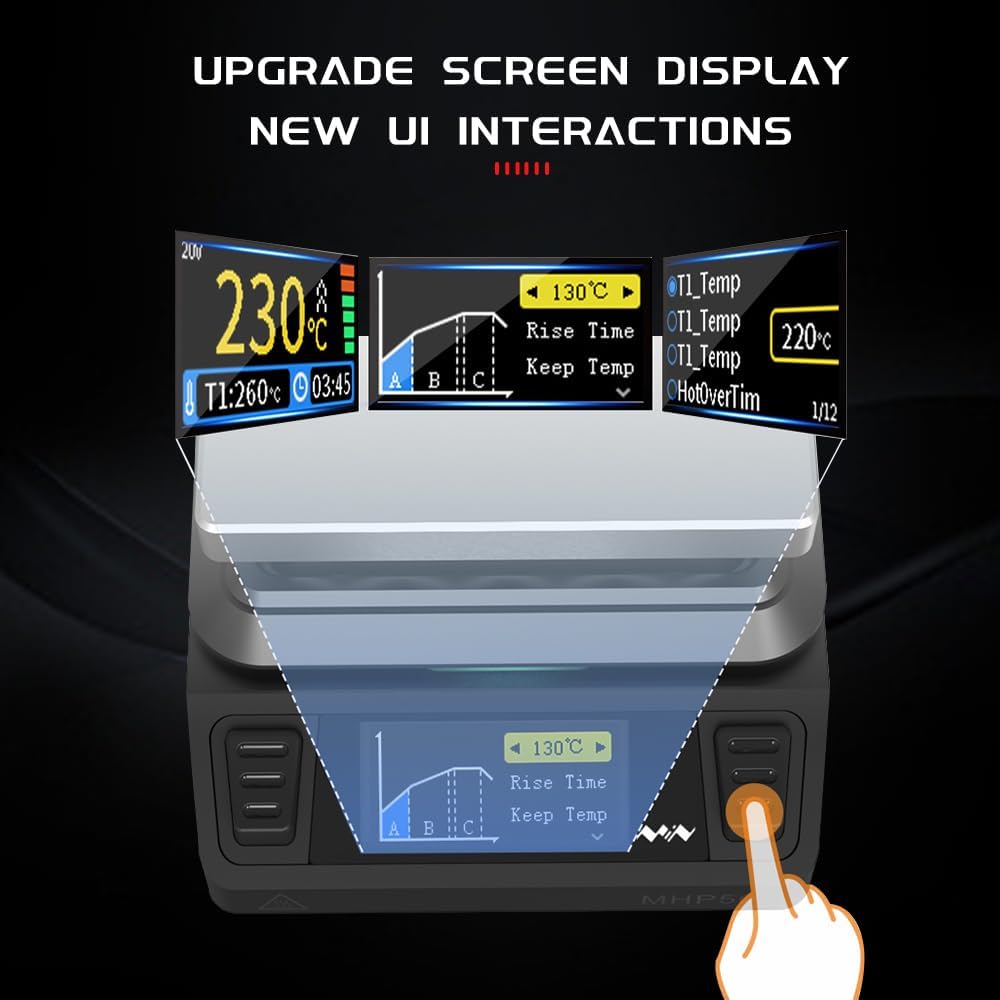
Image 5.1: The MHP50's upgraded screen display, showing temperature, rise time, and other user interface elements.
5.2 Temperatur einstellen
Use the control buttons on the base unit to navigate the menu and set the desired heating temperature. Refer to the on-screen prompts for specific adjustments. The temperature range is typically 100°C to 350°C.
5.3 Heating Process and Indicators
Once the target temperature is set, the heating station will begin to warm up. The breathing light on the base unit provides visual feedback on the heating status:
- Grünes Licht: Indicates low temperature (below 50°C).
- Gelbes Licht: Zeigt eine Zunahme anasing Temperatur.
- Weißes Licht: Indicates temperature approaching target.
- Rotlicht: Indicates high temperature (above 200°C) or target temperature reached.
- Blaues Licht: May indicate firmware upgrade mode.
- Rotes Flackern: Indicates a warning or error.

Image 5.2: Explanation of the MHP50's color light indications for temperature status and warnings.
5.4 Using the Heating Station
Place the component or PCB requiring heating directly onto the AL50 heating plate. Monitor the temperature on the display. Always use appropriate tools and safety precautions when handling hot items.
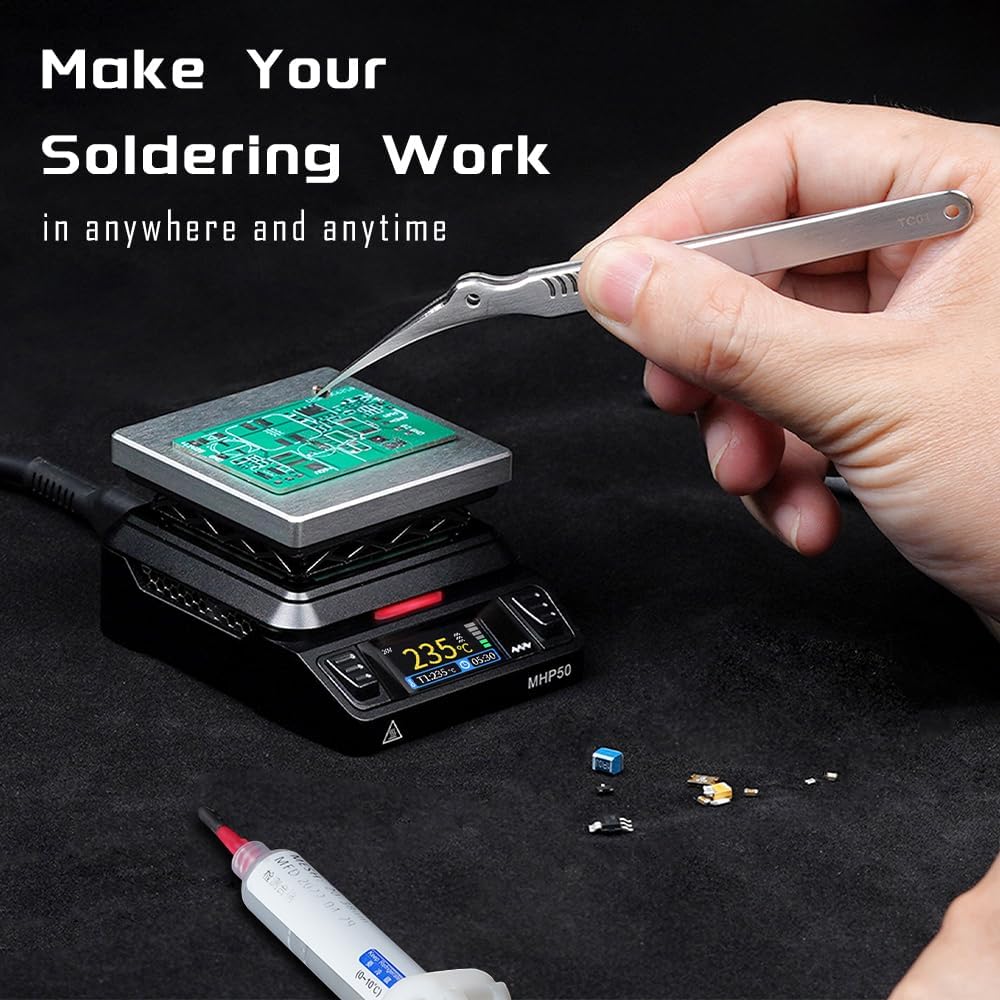
Image 5.3: The MHP50 in operation, demonstrating its use for soldering tasks on a circuit board.
6. Wartung
Proper maintenance ensures the longevity and optimal performance of your MHP50 heating station.
- Reinigung: Disconnect the power supply before cleaning. Allow the device to cool completely. Wipe the heating plate and body with a soft, dry cloth. Do not use abrasive cleaners or solvents.
- Lagerung: Bewahren Sie das Gerät bei Nichtgebrauch in einer trockenen, staubfreien Umgebung auf.
- Inspektion: Periodically inspect the power cables and connectors for any signs of damage.
7. Fehlerbehebung
If you encounter issues with your MHP50 heating station, refer to the following common problems and solutions:
- Das Gerät lässt sich nicht einschalten:
- Ensure the power adapter is correctly connected and providing the correct voltage (DC 19-24V or USB PD 20V).
- Verify that only one power source is connected.
- Überprüfen Sie die Steckdose.
- Heating plate not reaching temperature:
- Confirm the set temperature is within the operational range (100°C-350°C).
- Ensure the power supply meets the wattage requirements (150W for DC, 100W for USB PD).
- Check for any error messages on the display or a red flickering light.
- Red flickering light:
- This indicates a warning or error. Consult the device's on-screen error codes if available, or power cycle the device. If the issue persists, contact support.
8. Spezifikationen
| Besonderheit | Spezifikation |
|---|---|
| Modell | MHP50 (AL50) |
| Temperaturbereich | 100 °C - 350 °C |
| Temperaturstabilität | 350°C (Upper Rating) |
| Stromquelle | DC 5525 (19-24V, max 150W) / USB Type-C PD (20V, max 100W) |
| Bandtage | 20V (Gleichstrom) |
| Wastage | 150 W |
| Heizplattenmaterial | AL50 (Aluminum with anodized surface) |
| Anzeigetyp | LED |
| Artikelgewicht | 4.9 Unzen (140 Gramm) |
| Verpackungsabmessungen | 5 x 5 x 4 Zoll |
| Hersteller | MINIWARE |
| UPC | 756839844055 |
9. Garantie und Support
For warranty information, technical support, or service inquiries, please contact MINIWARE customer support through their official website or the retailer from whom the product was purchased. Please have your product model (MHP50) and purchase details available when contacting support.