
1. Produktüberschreitungview
The Amkette Hush Pro Astra is a wireless mouse designed for comfort and efficiency. It features 2.4 GHz wireless connectivity, silent switches for quiet operation, an ergonomic design, and adjustable DPI settings for precise control. The mouse also includes an On/Off switch and a smart auto-sleep function to conserve battery life.
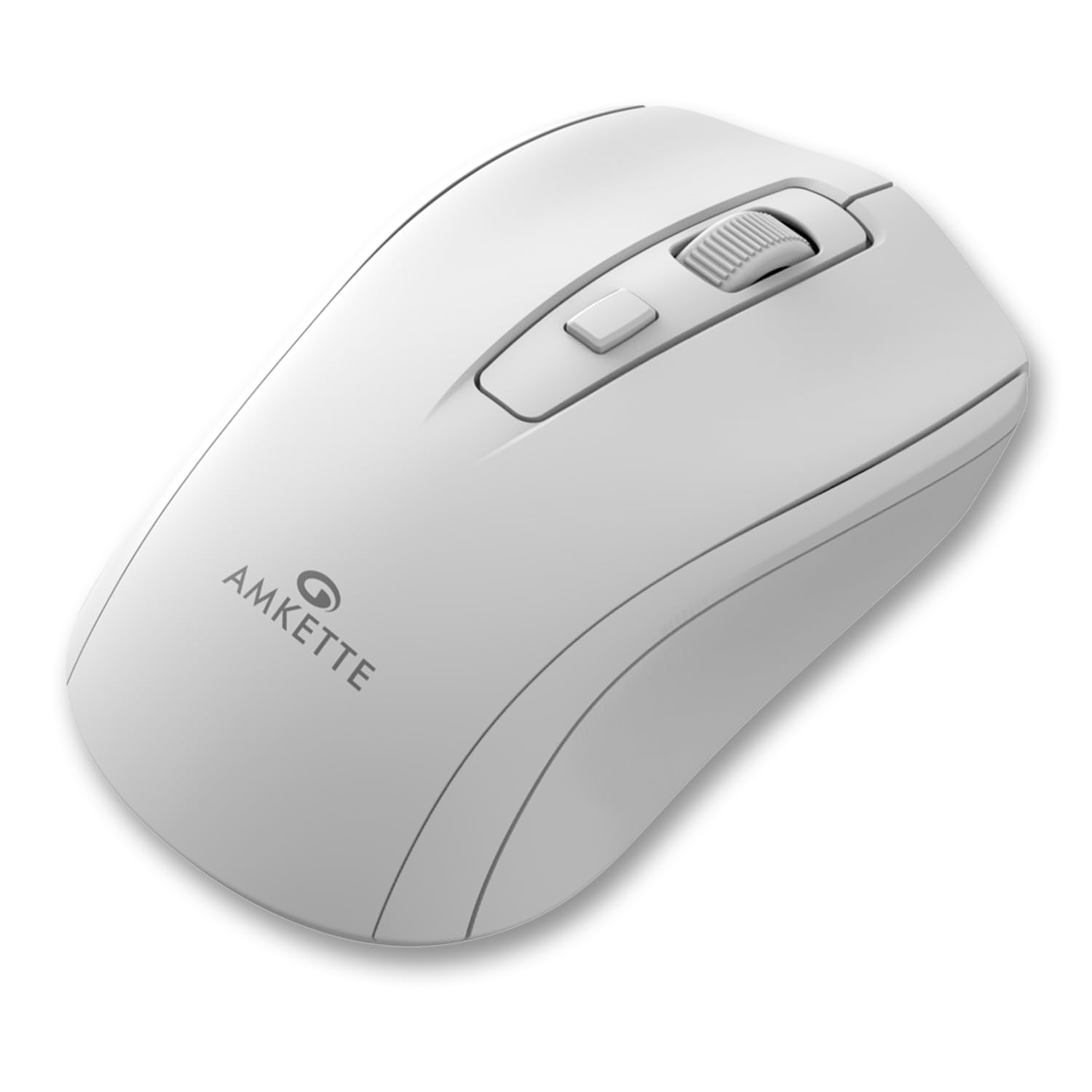
Figure 1: Amkette Hush Pro Astra Wireless Mouse (White)
Hauptmerkmale:
- Advanced 2.4 GHz Wireless Connectivity: Ensures a stable, lag-free connection.
- Geräuschlose Schalter: Provides noiseless clicks for an undisturbed work environment.
- Ergonomisches Design: Shaped for comfortable long-term use.
- Einstellbare DPI-Einstellungen: Three levels (800-1000-1200 DPI) for customizable cursor sensitivity.
- Ein-/Ausschalter: For manual power control.
- Smart Auto Sleep Function: Spart automatisch Akku, wenn das Gerät nicht verwendet wird.
- Kompakt und tragbar: Easy to carry in a laptop bag.

Figure 2: Ergonomic grip design with matte finish for enhanced comfort.

Figure 3: Silent click switches for quiet operation.

Figure 4: Universal compatibility with Windows, Mac OS, Chrome OS, and Linux.
2. Einrichtungsanweisungen
2.1 Packungsinhalt
Before you begin, ensure your package contains the following:
- Amkette Hush Pro Astra Wireless Mouse
- USB Nano Empfänger
Note: 1 AA battery is required and not included in the box.
2.2 Einlegen der Batterie
- Suchen Sie das Batteriefach auf der Unterseite der Maus.
- Gently slide the battery cover open.
- Legen Sie eine AA-Batterie ein und achten Sie darauf, dass die Plus- (+) und Minus- (-) Anschlüsse mit den Markierungen im Inneren des Batteriefachs übereinstimmen.
- Schließen Sie den Batteriedeckel, bis er sicher einrastet.

Figure 5: Battery compartment and On/Off switch location.
2.3 Anschließen der Maus
- Remove the USB Nano receiver from its storage slot, usually located within the battery compartment or on the underside of the mouse.
- Plug the USB Nano receiver into an available USB port on your computer (PC, Mac, Laptop, etc.).
- Schalten Sie die Maus mit dem Ein-/Ausschalter an der Unterseite ein.
- Ihr Computer sollte die benötigten Treiber automatisch erkennen und installieren. Die Maus ist innerhalb weniger Sekunden einsatzbereit.

Figure 6: Connecting the USB Nano receiver to a laptop.
3. Bedienungsanleitung
3.1 Ein-/Ausschalten
To turn the mouse on or off, use the slide switch located on the underside of the mouse. Slide it to the 'ON' position for use and 'OFF' to conserve battery when not in use.
3.2 DPI-Anpassung
The mouse features a dedicated DPI button, usually located behind the scroll wheel. Press this button to cycle through three different DPI (Dots Per Inch) settings: 800, 1000, and 1200. A higher DPI setting results in faster cursor movement, while a lower DPI setting provides more precise control.

Figure 7: DPI button and available sensitivity levels.
3.3 Funktion für geräuschloses Klicken
The Amkette Hush Pro Astra is equipped with silent switches, significantly reducing the clicking noise. This feature is ideal for quiet environments, ensuring minimal disturbance during use.
3.4 Smart Auto Sleep Function
To extend battery life, the mouse will automatically enter a sleep mode after a period of inactivity. To wake the mouse, simply move it or click any button.
4. Wartung
4.1 Reinigung
- Verwenden Sie ein weiches, trockenes Tuch, um die Oberfläche der Maus abzuwischen.
- Bei hartnäckigen Verschmutzungen leicht dampBefeuchten Sie das Tuch mit Wasser oder einer milden Reinigungslösung. Vermeiden Sie aggressive Chemikalien.
- Die Maus darf nicht in Wasser oder andere Flüssigkeiten getaucht werden.
- Clean the optical sensor on the underside periodically with a cotton swab to ensure smooth tracking.
4.2 Speicherung
- When not in use for extended periods, turn off the mouse using the On/Off switch.
- Store the USB Nano receiver inside the mouse's designated slot to prevent loss.
- Keep the mouse in a cool, dry place away from direct sunlight and extreme temperatures.
5. Fehlerbehebung
5.1 Maus reagiert nicht
- Batterie prüfen: Stellen Sie sicher, dass die AA-Batterie korrekt eingesetzt ist und ausreichend geladen ist. Tauschen Sie sie gegebenenfalls aus.
- Stromschalter: Verify that the On/Off switch on the underside of the mouse is in the 'ON' position.
- Empfängeranschluss: Ensure the USB Nano receiver is securely plugged into a working USB port on your computer. Try a different USB port.
- Erneut koppeln: In rare cases, the mouse and receiver might lose connection. Try unplugging and re-plugging the receiver, then turn the mouse off and on again.
5.2 Unregelmäßige Cursorbewegung
- Sensor reinigen: Reinigen Sie den optischen Sensor an der Unterseite der Maus.
- Oberfläche: Verwenden Sie die Maus auf einer sauberen, nicht reflektierenden und gleichmäßigen Oberfläche. Vermeiden Sie Glas oder stark reflektierende Oberflächen.
- Interferenz: Move the mouse closer to the USB receiver. Other wireless devices or large metal objects might cause interference.
5.3 Kurze Akkulaufzeit
- Ausschalten Wenn nicht benutzt: Always turn off the mouse using the On/Off switch when not in use for extended periods.
- Batteriequalität: Use high-quality AA alkaline batteries.
- Automatischer Schlaf: The mouse has an auto-sleep function, but manual power-off provides maximum battery conservation.
6. Spezifikationen
| Besonderheit | Spezifikation |
|---|---|
| Marke | Amkette |
| Modellnummer | 516 |
| Serie | Hush Pro Astra |
| Konnektivitätstechnologie | 2.4-GHz-Funk (USB-Nano-Empfänger) |
| Bewegungserkennungstechnologie | Optisch |
| DPI-Einstellungen | 800-1000-1200 DPI (Adjustable) |
| Besonderheit | Silent Clicks, Ergonomic Design, On/Off Switch, Smart Auto Sleep Function |
| Stromquelle | Batteriebetrieben (1 AA-Batterie erforderlich, nicht im Lieferumfang enthalten) |
| Betriebssystemkompatibilität | Linux, Windows 7, Windows XP, Mac OS, Chrome OS |
| Technische Daten | 11 x 6 x 0.1 cm |
| Artikelgewicht | 30 g |
| Farbe | Weiß |
7. Garantie und Support
7.1 Garantieinformationen
The Amkette Hush Pro Astra Wireless Mouse comes with a hassle-free 1 Jahre Herstellergarantie Ab Kaufdatum. Diese Garantie deckt Herstellungsfehler bei normalem Gebrauch ab.
7.2 Kundendienst
For any assistance, queries, or warranty claims, please contact our support team. You can reach them via call or WhatsApp for prompt assistance with any issues.
Please refer to the product packaging or the official Amkette webDie aktuellsten Kontaktdaten finden Sie auf der Website.
8. Produktvideos
Video 1: Amkette Hush Pro Astra Wireless Mouse Overview. This video highlights the ergonomic design, adjustable DPI settings, and silent click features of the mouse.
Video 2: Amkette Hush Pro Astra Wireless Mouse Features. This video demonstrates the advanced 2.4 GHz connectivity, silent operation, and portability of the mouse.