
1. Einleitung
Welcome to the user manual for your Tuanzi Soyes S10 MAXo 4G Mini Rugged Smartphone. This device is designed for durability and performance, featuring IP68 waterproofing, dust resistance, and shock protection. It operates on Android 11 and includes a Push-to-Talk (PPT) walkie-talkie function, making it suitable for various environments and uses. Please read this manual carefully to ensure proper use and maintenance of your device.

Image: The Tuanzi Soyes S10 MAXo smartphone demonstrating its waterproof capabilities.
2. Produktüberschreitungview
2.1 Hauptmerkmale
- Robustes Design: IP68 waterproof, anti-dust, anti-shock for enhanced durability.
- Kompakte Größe: Dimensions of 108mm*53mm*17.5mm, making it highly portable.
- Betriebssystem: Android 11 for a modern and efficient user experience.
- Prozessor: Octa-core processor for smooth performance.
- Erinnerung: Available in 6GB+128GB or 8GB+256GB configurations.
- Anzeige: 3.5-inch HD screen.
- Batterie: 2400mAh Lithium-Ion battery.
- Konnektivität: 4G network support, NFC, Bluetooth, WiFi, Hotspot sharing.
- Sicherheit: Gesichtserkennung.
- Spezialfunktionen: PPT Walkie Talkie (public network intercom), Flashlight, OTG function.
2.2 Gerätekomponenten
Familiarize yourself with the physical components of your S10 MAXo smartphone.
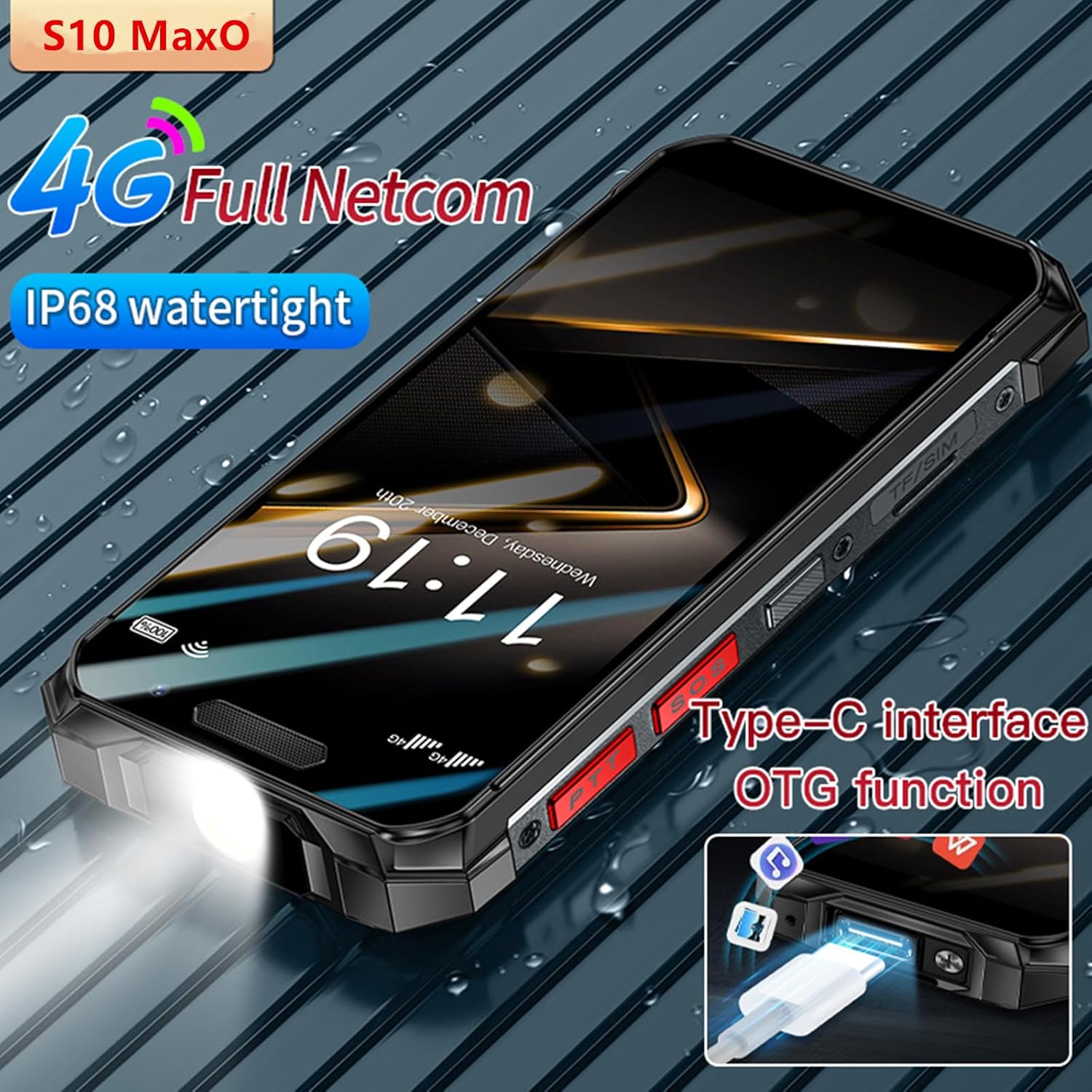
Image: The Type-C charging port and its OTG (On-The-Go) data transfer capability.

Image: The dedicated Push-to-Talk (PTT) buttons located on the side of the device.

Image: The rear camera setup of the S10 MAXo smartphone.
3. Einrichtung
3.1 Einlegen der SIM-Karte und der SD-Karte
- Suchen Sie das SIM-/SD-Kartenfach an der Seite des Telefons.
- Verwenden Sie das mitgelieferte SIM-Auswurfwerkzeug, um das Fach zu öffnen.
- Legen Sie Ihre Nano-SIM-Karte(n) und/oder microSD-Karte vorsichtig in die dafür vorgesehenen Steckplätze ein. Achten Sie auf die richtige Ausrichtung.
- Drücken Sie die Ablage vorsichtig wieder in das Telefon hinein, bis sie bündig mit dem Gerätegehäuse abschließt.
3.2 Erste Inbetriebnahme und grundlegende Einrichtung
- Halten Sie die Power-Taste gedrückt, bis der Bildschirm aufleuchtet.
- Folgen Sie den Anweisungen auf dem Bildschirm, um Ihre Sprache auszuwählen, eine WLAN-Verbindung herzustellen und Ihr Google-Konto einzurichten.
- You may be prompted to transfer data from an old device or set up Face Recognition.
4. Bedienungsanleitung
4.1 Grundlegende Telefonfunktionen
- Anrufe tätigen: Öffnen Sie die Telefon-App, wählen Sie die Nummer und tippen Sie auf das Anrufsymbol.
- Senden von Nachrichten: Öffne die Nachrichten-App, starte eine neue Konversation, gib den Empfänger und deine Nachricht ein.
- Verwenden des Touchscreens: Zum Auswählen tippen, zum Navigieren wischen, zum Zoomen zusammenziehen.
4.2 Gesichtserkennung
To set up Face Recognition for unlocking your device:
- Gehe zu Einstellungen > Sicherheit und Datenschutz > Gesichtsentsperrung.
- Befolgen Sie die Anweisungen auf dem Bildschirm, um Ihr Gesicht zu registrieren.
- Ensure you are in a well-lit area and hold the phone at eye level during registration.

Image: Demonstrating the face recognition feature for secure unlocking.
4.3 Taschenlampenfunktion
The S10 MAXo features a dedicated flashlight. To activate it, press the designated flashlight button on the side of the device, or access it via the quick settings panel.

Image: The integrated flashlight on the S10 MAXo.
4.4 NFC (Nahfeldkommunikation)
NFC allows for quick, short-range wireless communication. To enable NFC:
- Gehe zu Einstellungen > Verbundene Geräte > Verbindungseinstellungen > NFC.
- Toggle NFC to 'On'.
- You can now use NFC for contactless payments, pairing with accessories, or sharing content by tapping your phone to another NFC-enabled device.

Image: Using the NFC function for quick interactions.
5. Walkie Talkie Function (PPT Intercom)
The S10 MAXo supports a public network intercom function, allowing for Push-to-Talk (PPT) communication. This feature enables 'one-to-one', 'one-to-many', and 'many-to-many' communication modes.
5.1 Activating PPT Intercom
- Ensure your device has an active 4G network connection.
- Locate the dedicated PPT buttons on the side of your phone.
- Access the pre-installed intercom application (if applicable) or download a compatible public network intercom app from the Google Play Store.
- Follow the app's instructions to set up your intercom channel or group.
- Press and hold the PPT button to transmit your voice, and release to listen.
This function supports voice, photo, video, and data transmission over the public network.
6. Wartung
To ensure the longevity and optimal performance of your Tuanzi Soyes S10 MAXo, follow these maintenance guidelines:
- Reinigung: Verwenden Sie ein weiches,amp Reinigen Sie das Gerät mit einem Tuch. Vermeiden Sie aggressive Chemikalien oder scheuernde Materialien.
- Wasserbeständigkeit: While IP68 rated, ensure all port covers are securely closed before exposing the phone to water or dust. Avoid prolonged submersion or high-pressure water jets.
- Temperatur: Do not expose the phone to extreme temperatures (very hot or very cold) as this can affect battery life and internal components.
- Laden: Use only the provided charger and cable or certified compatible accessories to prevent damage to the battery.
7. Fehlerbehebung
Sollten Sie Probleme mit Ihrem Gerät haben, versuchen Sie die folgenden Lösungen:
- Gerät lässt sich nicht einschalten: Stellen Sie sicher, dass der Akku geladen ist. Schließen Sie das Ladegerät an und warten Sie einige Minuten, bevor Sie versuchen, das Gerät erneut einzuschalten.
- Schlechtes Netzsignal: Prüfen Sie, ob Ihre SIM-Karte richtig eingelegt ist. Begeben Sie sich in ein Gebiet mit besserer Netzabdeckung.
- Apps stürzen ab/frieren ein: Close the problematic app and reopen it. If the issue persists, restart the phone. Consider clearing the app's cache or reinstalling it.
- Batterie entlädt sich schnell: Reduzieren Sie die Bildschirmhelligkeit, schließen Sie nicht benötigte Apps und deaktivieren Sie unnötige Funktionen wie GPS oder Bluetooth, wenn Sie diese nicht benötigen.
- Touchscreen reagiert nicht: Restart the device. If the issue continues, contact customer support.
8. Spezifikationen
| Besonderheit | Spezifikation |
|---|---|
| Marke | Tuanzi |
| Modell | S10 MAXo |
| Betriebssystem | Android 11 |
| Anzeigegröße | 3.5 Zoll |
| Bildschirmauflösung | 640 x 480 (Max 640 x 360) |
| Prozessor | Achtkern |
| Speicher (RAM+ROM) | 6 GB + 128 GB / 8 GB + 256 GB |
| Batteriekapazität | 2400 mAh Lithium-Ionen |
| Wasserdichtigkeit | IP68 |
| Biometrische Sicherheit | Gesichtserkennung |
| Kamerafunktionen | Front Camera, Video Capture Resolution 1080p |
| Konnektivität | 4G, NFC, Bluetooth, WiFi, Hotspot |
| Sonderfunktionen | PPT Walkie Talkie, Flashlight, OTG |
9. Garantie und Support
For any problems or concerns regarding your Tuanzi Soyes S10 MAXo smartphone, please contact the seller directly via the messaging system on the platform where you purchased the device. The seller aims to reply with a solution within 12 hours.
Bitte bewahren Sie Ihren Kaufbeleg für eventuelle Garantieansprüche auf.