
Einführung
Thank you for choosing the deli 4V Cordless Electric Screwdriver. This powerful and versatile tool is designed for various tasks, including light fixtures, home furnishings, electronics, and general repairs. Featuring a 3.6V rechargeable battery with a 1500mAh capacity, USB-C charging, and a high 5 N.m torque, this screwdriver offers efficiency and convenience for everyday use. This manual provides essential information for safe operation, setup, maintenance, and troubleshooting. Please read it thoroughly before using the product.
Sicherheitshinweise
Beachten Sie beim Umgang mit Elektrowerkzeugen stets die grundlegenden Sicherheitsvorkehrungen, um das Risiko von Bränden, Stromschlägen und Verletzungen zu verringern.
- Halten Sie den Arbeitsbereich sauber: Überladene Bereiche laden zu Verletzungen ein.
- Vermeiden Sie gefährliche Umgebungen: Benutzen Sie keine Elektrowerkzeuge in damp oder nassen Orten oder Regen aussetzen. Halten Sie den Arbeitsbereich gut beleuchtet.
- Kinder fernhalten: Alle Besucher sollten in sicherem Abstand zum Arbeitsbereich gehalten werden.
- Kleiden Sie sich angemessen: Do not wear loose clothing or jewelry. They can be caught in moving parts. Wear non-slip footwear. Wear hair covering to contain long hair.
- Augenschutz tragen: Tragen Sie immer eine Schutzbrille.
- Sicheres Arbeiten: Verwenden Sie clamps or a vise to hold work when practical. It's safer than using your hand and frees both hands to operate the tool.
- Übernehmen Sie sich nicht: Sorgen Sie jederzeit für einen guten Stand und das Gleichgewicht.
- Pflegen Sie Werkzeuge sorgfältig: Halten Sie Werkzeuge scharf und sauber für eine bessere und sicherere Leistung. Befolgen Sie die Anweisungen zum Schmieren und Wechseln von Zubehör.
- Werkzeuge trennen: Disconnect the tool from the power source before servicing, when changing accessories, or when not in use.
- Vermeiden Sie ein versehentliches Starten: Ensure the switch is in the off position before plugging in.
- Auf beschädigte Teile prüfen: Vor der weiteren Verwendung des Werkzeugs sollte eine beschädigte Schutzvorrichtung oder ein anderes Teil sorgfältig überprüft werden, um sicherzustellen, dass es ordnungsgemäß funktioniert und seine beabsichtigte Funktion erfüllt.
- Use Correct Accessory: Do not use accessories not specifically designed for this tool.
- Never Force the Tool: Es wird die Arbeit besser und sicherer in der Geschwindigkeit erledigen, für die es entwickelt wurde.
Packungsinhalt
Bitte prüfen Sie, ob alle unten aufgeführten Artikel in Ihrem Paket enthalten sind. Sollten Artikel fehlen oder beschädigt sein, kontaktieren Sie bitte unseren Kundenservice.
- deli 5 N.m Power Screwdriver (Model EDL-DP04-E3B1)
- 10x S2 Alloy Steel Bits
- 1x 60mm Magnetic Extension Rod
- 1x USB-A auf USB-C Ladekabel
- 1x Benutzerhandbuch
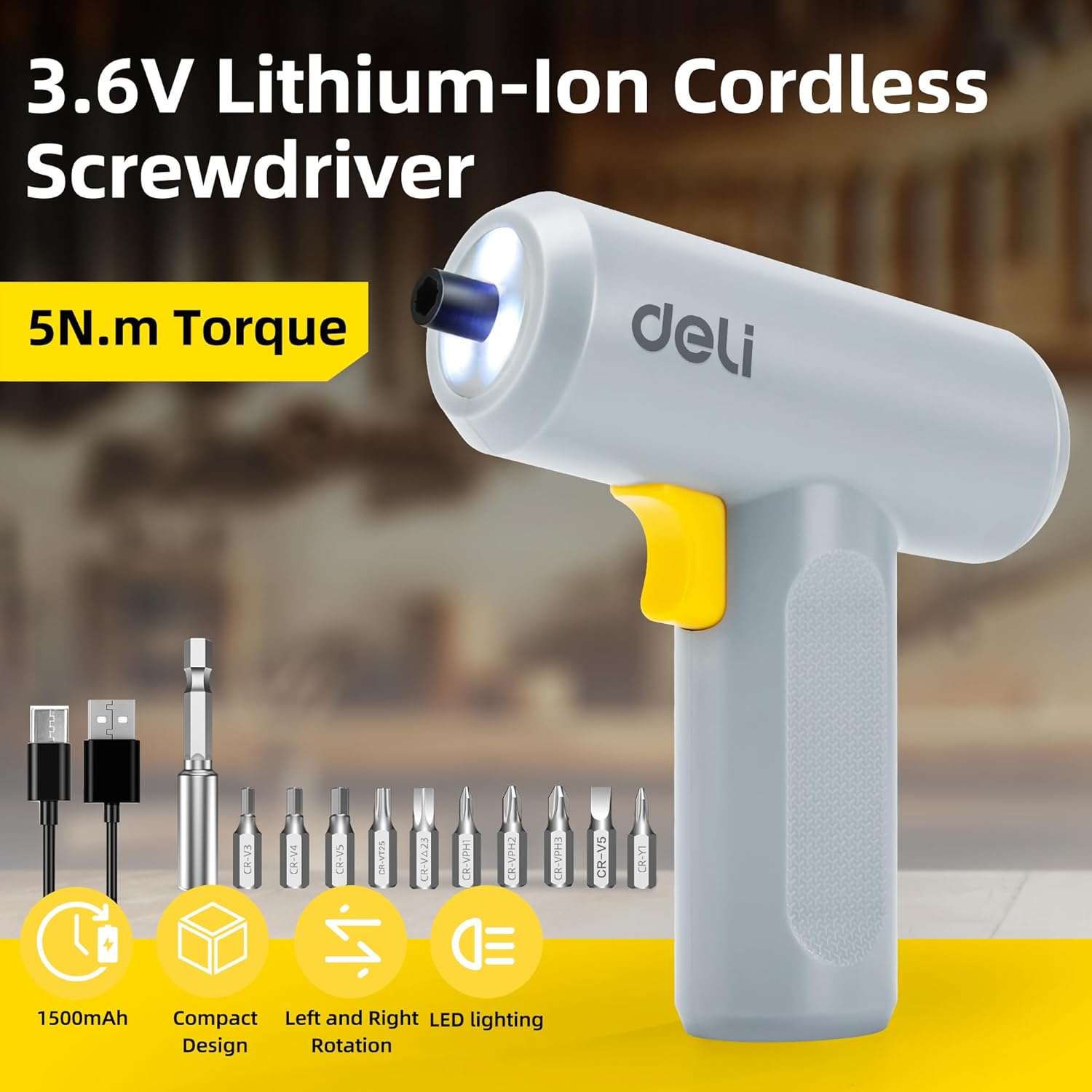
Image: The deli electric screwdriver shown with its complete set of accessories, including the 10 S2 steel bits, magnetic extension rod, and USB-C charging cable.
Produkt überview
Familiarize yourself with the components and features of your deli electric screwdriver.

Image: A detailed diagram highlighting the key components of the deli electric screwdriver, including the magnetic chuck, circular LED light, two-way start button, 1500mAh battery, USB-C fast charging port, and its ergonomic design.
- Magnetic Chuck: Hält Schraubendreherbits sicher.
- Runde LED-Leuchte: Illuminates the work area, especially useful in narrow or dimly lit spaces.
- Two-Way Start Button: Allows for easy forward and reverse rotation with a single control.
- 1500mAh Akku: High-capacity lithium-ion battery for extended use.
- USB-C Fast Charging Port: Komfortable und moderne Ladeschnittstelle.
- Ergonomic and Minimalist Design: Provides a comfortable and secure grip for safe operation.
Aufstellen
1. Aufladen des Schraubendrehers
Before first use, fully charge the screwdriver's internal battery.
- Locate the USB-C charging port on the bottom of the screwdriver handle.
- Connect the provided USB-A to USB-C charging cable to the screwdriver.
- Plug the USB-A end of the cable into a compatible USB power adapter (not included), computer USB port, or power bank.
- The charging indicator light (if present, typically near the charging port) will illuminate to show charging status. Refer to the indicator behavior for full charge status.
- A full charge can power the screwdriver to drive approximately 300 screws.
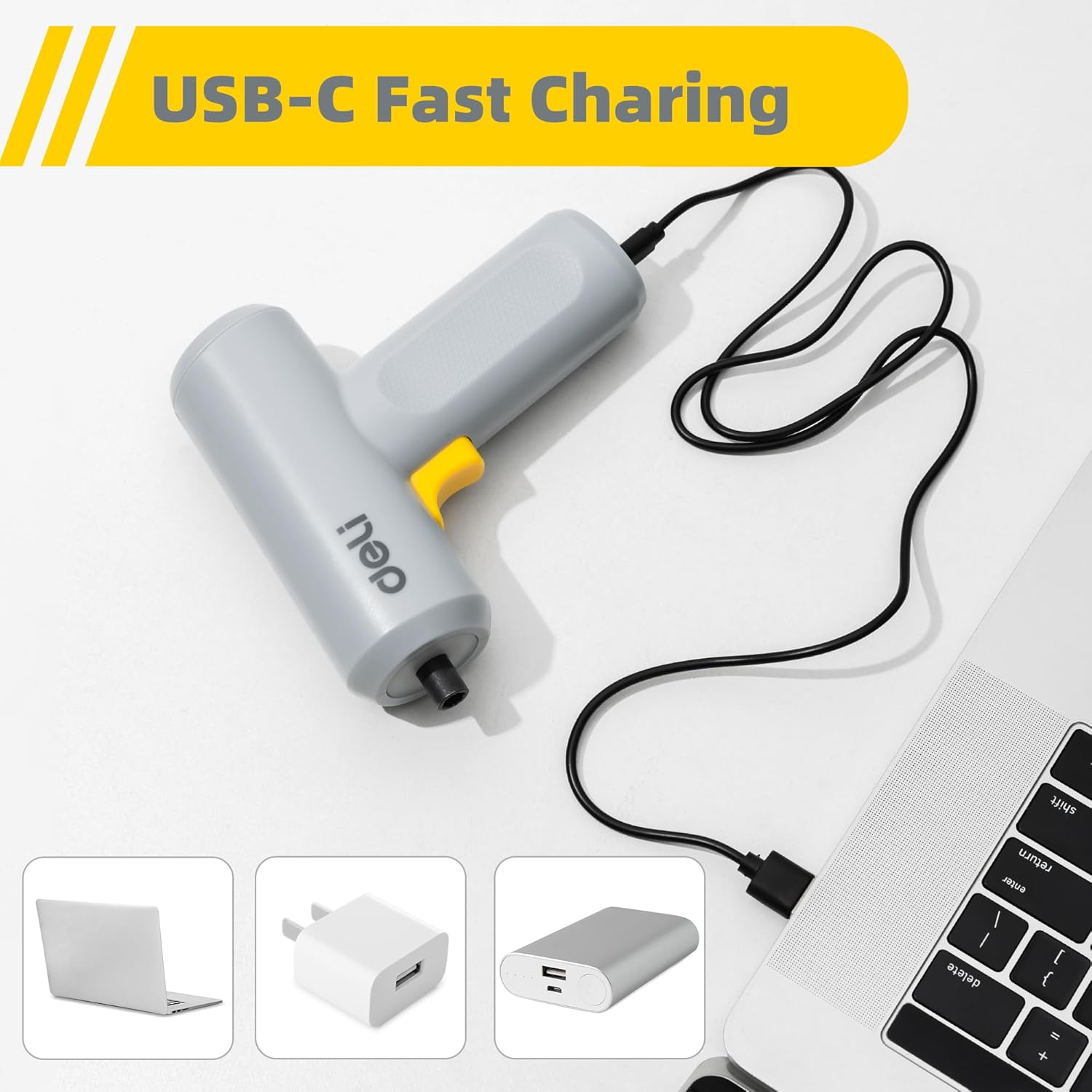
Image: The deli electric screwdriver being charged via its USB-C port, demonstrating its compatibility with various USB power sources such as laptops, wall adapters, and power banks.

Abbildung: Eine illustrative Darstellung view of the screwdriver's internal battery, highlighting its 1500mAh capacity and the capability to drive up to 300 screws per charge.
2. Einsetzen der Schraubendreherbits
The screwdriver uses a magnetic chuck for quick and secure bit changes.
- Select the appropriate S2 alloy steel bit for your task from the included set.
- Insert the hex end of the bit directly into the magnetic chuck at the front of the screwdriver. The magnetic chuck will hold the bit firmly in place.
- For hard-to-reach areas, first insert the selected bit into the 60mm magnetic extension rod, then insert the extension rod into the screwdriver's magnetic chuck.
- Um einen Bohrer zu entfernen, ziehen Sie ihn einfach gerade aus dem Bohrfutter heraus.

Image: The deli electric screwdriver positioned next to its assortment of S2 steel bits and the extension rod, illustrating the circular LED light at the front.
Bedienungsanleitung
1. Powering On and Direction Control
The screwdriver features an innovative two-way start button for intuitive operation.
- To drive screws (forward rotation), press the "R" (Right/Forward) side of the two-way button.
- To remove screws (reverse rotation), press the "L" (Left/Reverse) side of the two-way button.
- Zum Stoppen des Schraubendrehers den Knopf loslassen.

Bild: Eine Nahaufnahme view of the screwdriver's yellow two-way start button, clearly marked with 'L' for reverse and 'R' for forward rotation.
2. Verwendung des LED-Lichts
The screwdriver is equipped with a circular LED light that automatically illuminates when the screwdriver is in operation.
- The three LEDs form a ring light strip around the chuck, providing clear visibility of your work area.
- This feature is particularly useful when working in dimly lit conditions or in confined spaces.
Image: The deli electric screwdriver with its circular LED light activated, illustrating how it illuminates the work area, especially in tight or dark spots.
Wartung
- Reinigung: Regularly wipe the screwdriver body with a soft, dry cloth. Do not use harsh chemicals or abrasive cleaners. Ensure no liquids enter the tool.
- Bit Care: Keep the S2 steel bits clean and free from debris. Store them in a dry place to prevent rust. Replace worn or damaged bits to ensure optimal performance and prevent damage to screw heads.
- Batteriespeicher: If storing the screwdriver for an extended period, ensure the battery is partially charged (around 50%) and store it in a cool, dry place. Avoid storing it in extreme temperatures. Recharge periodically to maintain battery health.
- Allgemeine Inspektion: Periodically check the screwdriver for any signs of damage, loose parts, or wear. Do not operate a damaged tool.
Fehlerbehebung
| Problem | Mögliche Ursache | Lösung |
|---|---|---|
| Der Schraubendreher lässt sich nicht einschalten. | Batterie ist leer. | Charge the screwdriver using the provided USB-C cable. |
| Der Schraubendreher hat nicht genug Kraft oder setzt während des Gebrauchs aus. | Niedrige Batterieladung. | Laden Sie den Akku vollständig auf. |
| Bit slips in the chuck. | Bit not fully inserted or chuck is dirty. | Ensure the bit is fully inserted. Clean the magnetic chuck if necessary. |
| Screws are stripped or damaged. | Incorrect bit size or excessive force. | Use the correct bit size for the screw head. Apply appropriate pressure and avoid over-tightening. |
| Die LED-Leuchte geht nicht an. | Screwdriver not operating or malfunction. | Ensure the screwdriver is powered on. If the issue persists, contact customer support. |
Technische Daten
| Besonderheit | Spezifikation |
|---|---|
| Marke | Delikatessen |
| Modellnummer | EDL-DP04-E3B1 |
| Bandtage | 4 Volt (DC) |
| Akku-Typ | Lithium-Ionen |
| Batteriekapazität | 1500 mAh |
| Maximaler Drehmoment | 5 Newtonmeter (Nm) |
| Leerlaufdrehzahl | 250 U/min |
| Chuck Größe | 0.25 Zoll (Hex) |
| Ladeanschluss | USB-C |
| Material | Acrylnitril-Butadien-Styrol (ABS), legierter Stahl |
| Im Lieferumfang enthaltene Komponenten | 10 S2 Steel Bits, Magnetic Extension Rod, USB-A to USB-C Charging Cable |
Garantie und Support
Informationen zur Garantie und technische Unterstützung finden Sie auf der Ihrem Produkt beiliegenden Garantiekarte oder wenden Sie sich direkt an den Hersteller. Bewahren Sie Ihren Kaufbeleg als Kaufnachweis auf.
Manufacturer: deli
For further assistance, you may visit the official deli store online: deli Official Store