
1. Einführung und Endeview
Thank you for choosing the aosu 5MP Outdoor Security Camera, Model C5E2CH11. This advanced security camera is designed to provide comprehensive surveillance for your outdoor spaces. It features 5-megapixel high-resolution video, 24/7 continuous recording, intelligent auto-tracking, and precise human, pet, and vehicle detection. With its full-color night vision, 360-degree panoramic view, IP65 waterproof rating, and 2.4GHz WiFi connectivity, the C5E2CH11 offers reliable and smart protection. This manual will guide you through the setup, operation, and maintenance of your new security camera.
2. Produktmerkmale
2.1 High-Resolution Imaging with Enhanced Night Vision
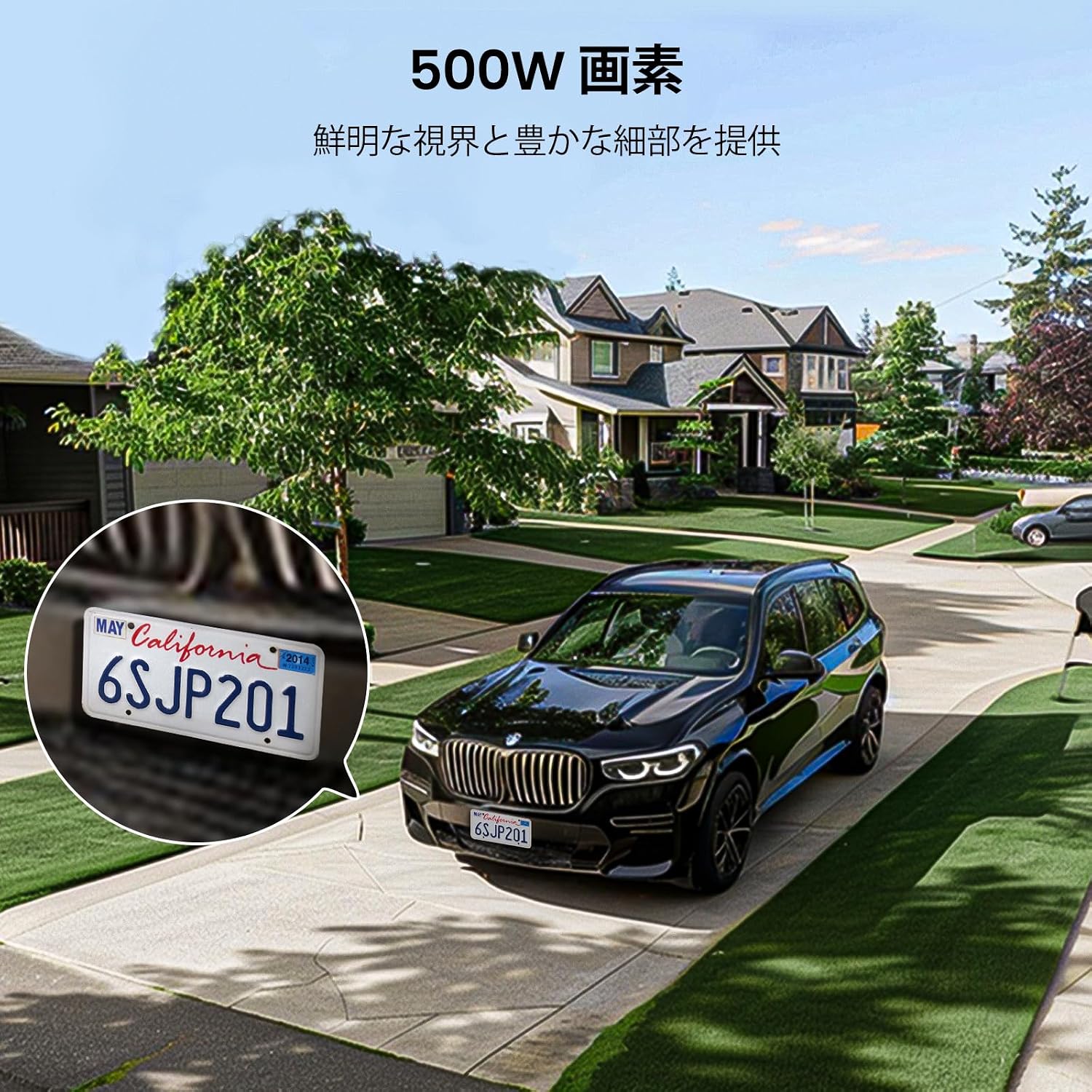
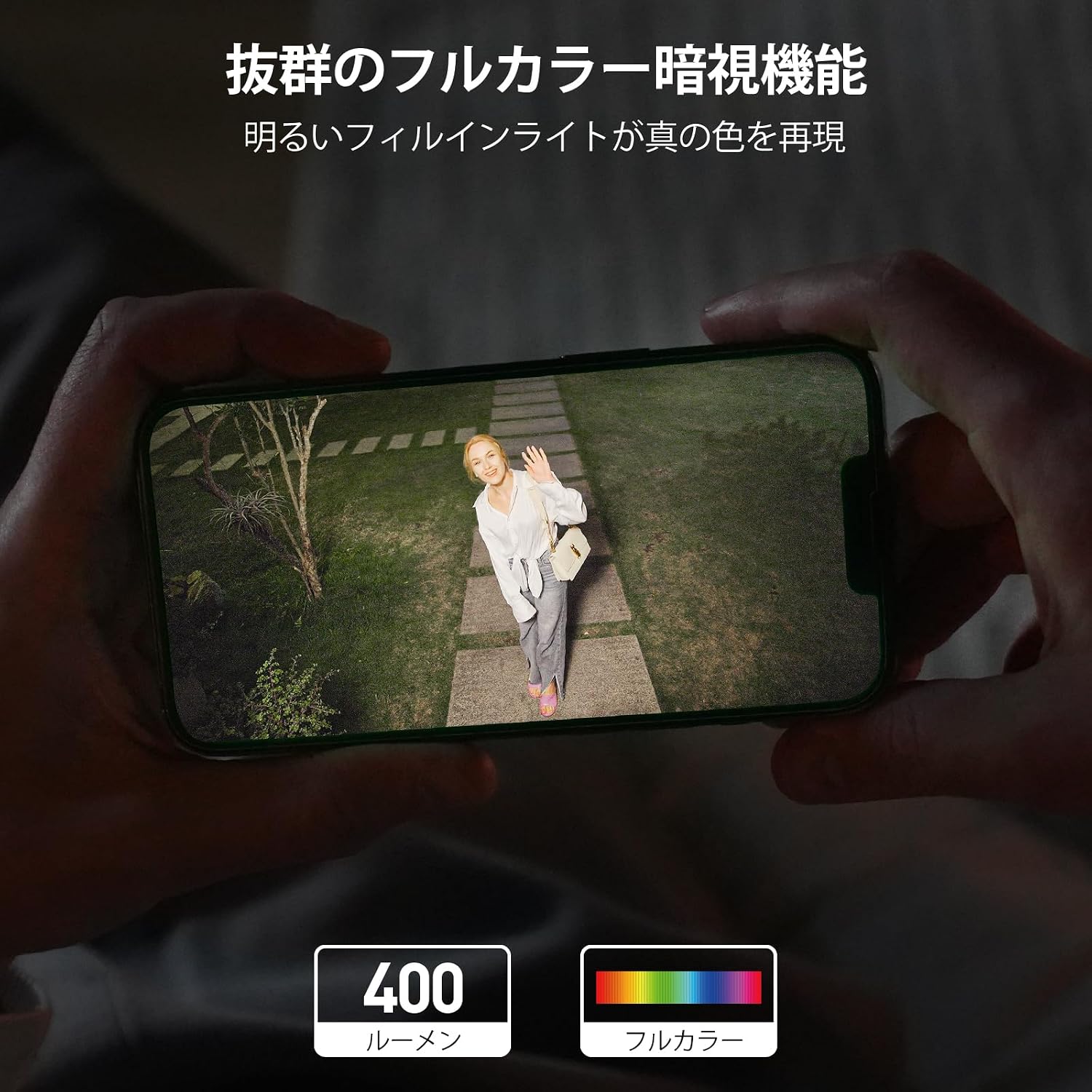
The camera features a 5-megapixel sensor and high-transparency optics, providing ultra-high resolution for clear and detailed images with accurate colors. Equipped with a full LED light strip, it delivers 400 lumens of brightness, extending the illuminated area and enabling full-color night vision that appears as bright as daytime.
2.2 Continuous Recording, Automatic Patrol, and Weatherproof Design
This Wi-Fi security camera operates with a single power cable, simplifying installation. It supports 24-hour continuous recording with stable signal transmission. The camera can be set to automatically patrol 360 degrees hourly for a week, monitoring all surrounding changes. Its IP65 waterproof rating ensures reliable outdoor performance.
2.3 Intelligent Human Detection and 360-Degree Auto-Tracking
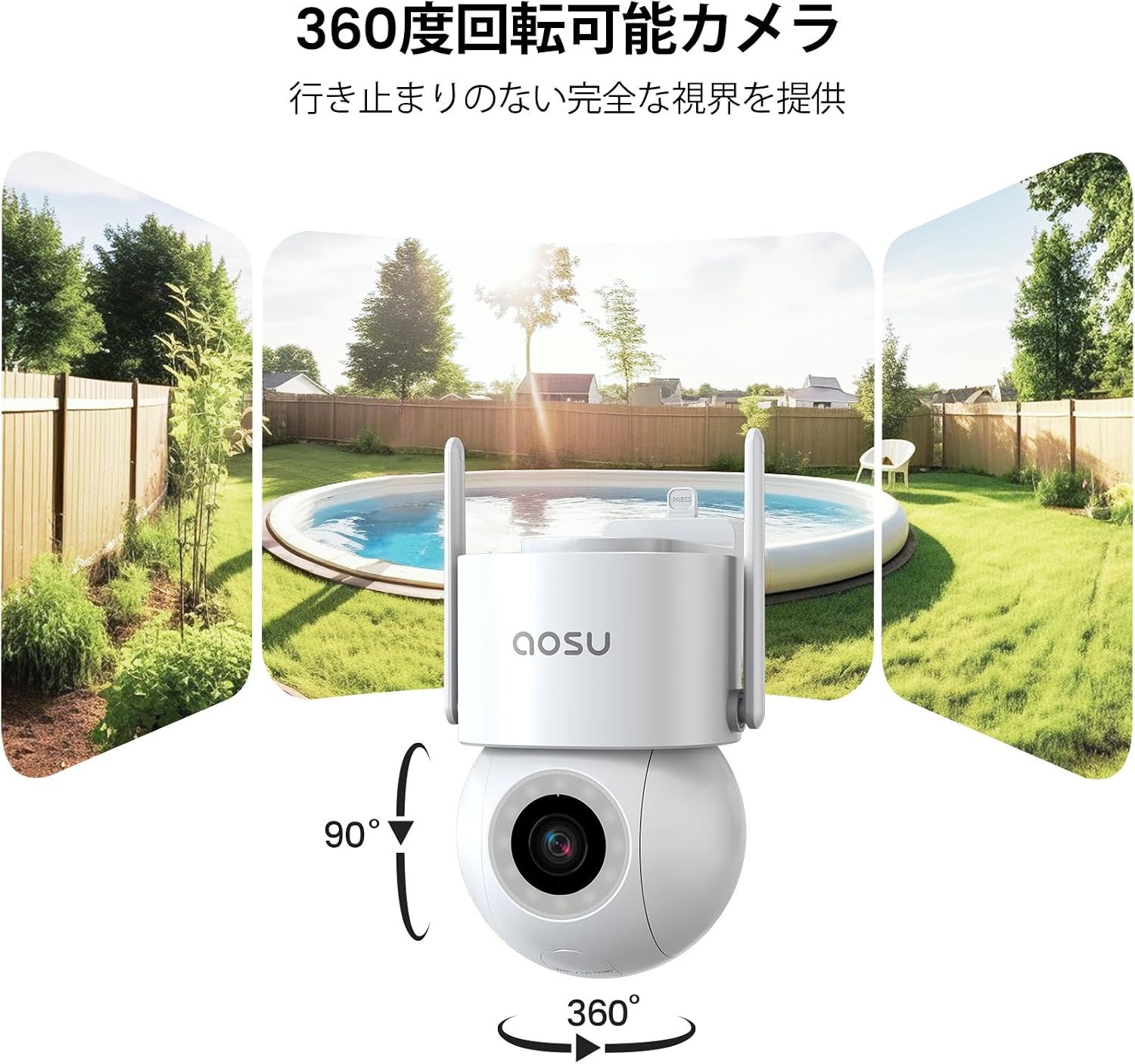
The camera automatically detects and tracks human subjects as they approach, continuing until they leave the monitored area. With 360-degree horizontal and 90-degree vertical rotation, it eliminates blind spots, ensuring complete event capture. Manual rotation and angle adjustment are also available via the app.
2.4 Audible and Visual Alarms with Instant Notifications
The security camera offers multiple deterrents against unauthorized access. During active protection periods, if an intruder is detected, the camera activates a bright light and an audible alarm. Simultaneously, it sends immediate notifications to your smartphone app and saves the video footage als Beweis.


2.5 Flexible Recording Storage and Dedicated App Support
Verwalten Sie Ihre Kamera und view recordings using the dedicated "aosu" app. Videos are stored chronologically for easy searching and playback. Storage options include cloud storage and local microSD card storage (up to 128GB, sold separately). For any inquiries before or during use, please contact customer support via Amazon's "Order History" -> "Purchase History" -> "Question" section. Support is available weekdays from 10:30 AM to 7:30 PM JST, with responses typically within one business day.
3. Installationsanleitung
Follow these steps to set up your aosu 5MP Outdoor Security Camera. Ensure you have downloaded the "aosu" app and created an account before proceeding.
- Auspacken: Carefully remove all components from the packaging. Verify that all included accessories (screws, expansion pipes, mounting sheet, power adapter, manual) are present.
- Einschalten: Connect the camera to a power source using the provided power adapter. The camera will perform a self-test, indicated by its lights and automatic rotation. This is normal.
- App-Installation: Download the "aosu" app from your smartphone's app store (iOS or Android). Register for an account if you haven't already.
- Gerät hinzufügen: Open the aosu app and follow the on-screen instructions to add a new device. You will typically scan a QR code on the camera or in the app to initiate pairing.
- WiFi Verbindung: Connect the camera to your 2.4GHz WiFi network. Ensure your smartphone is also connected to the same 2.4GHz network during setup.
- Montage: Choose a suitable outdoor location for installation. Use the mounting sheet to mark drill holes, then secure the camera using the screws and expansion pipes. Ensure the camera has a clear field of view and is within WiFi range.
Setup-Videos:
4. Bedienungsanleitung
The aosu security camera is primarily controlled via the dedicated "aosu" smartphone application. Ensure your camera is powered on and connected to your WiFi network.
4.1 Live View und Wiedergabe
- Open the aosu app and select your camera from the device list to access the live view.
- Um zu review aufgenommenes footage, navigate to the playback section within the app. Videos are organized chronologically for easy access.
4.2 Schwenk-, Neige- und Zoomsteuerung (PTZ)
- Im Live view, use the on-screen controls to manually adjust the camera's horizontal (pan) and vertical (tilt) angles.
- The camera supports digital zoom. Pinch to zoom in or out on the live or recorded video.
- Set up automatic patrol routes within the app to have the camera periodically scan predefined areas.
4.3 Bewegungserkennung und Alarme
- Configure motion detection sensitivity and detection zones in the app settings.
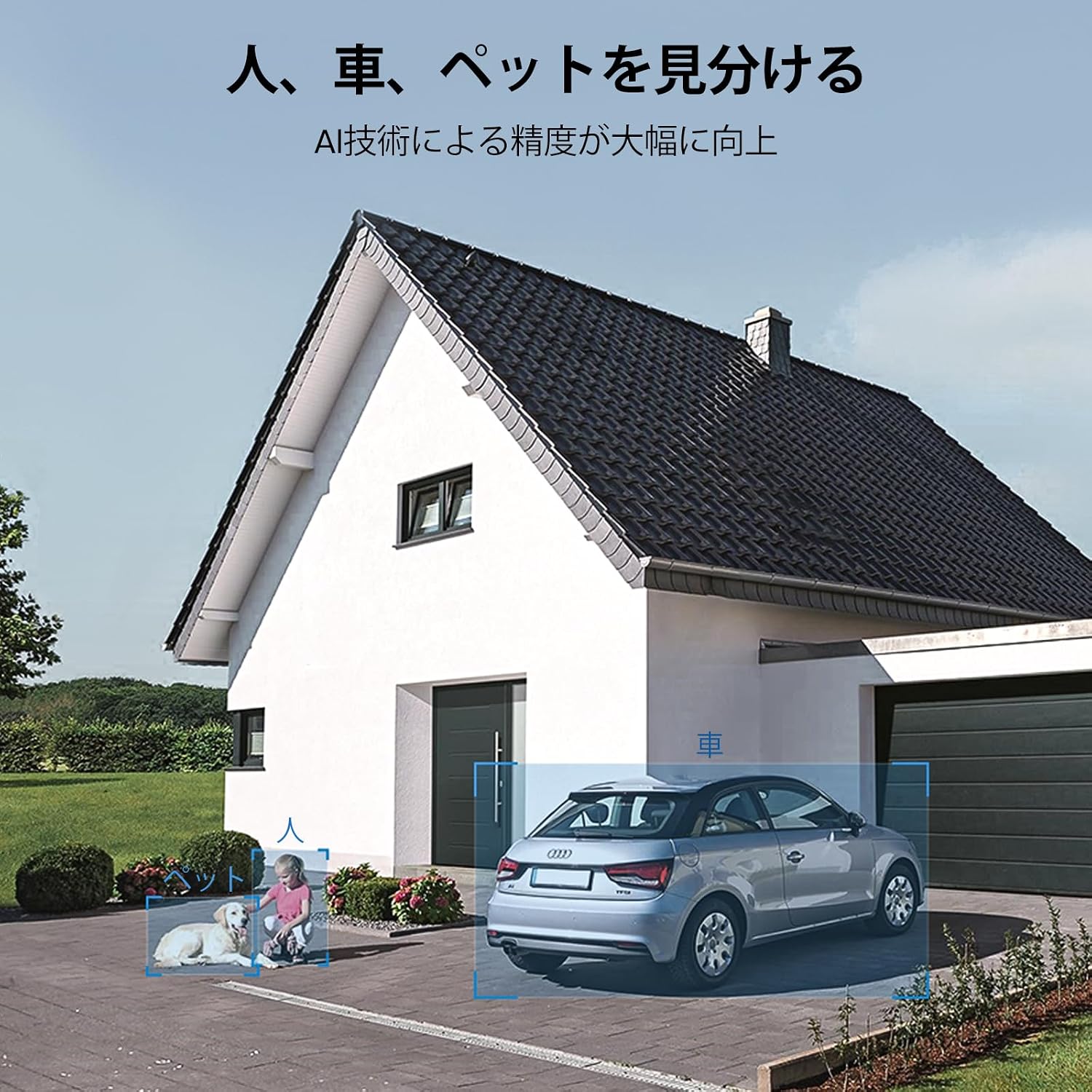
- Enable human, pet, and vehicle detection for more precise alerts.
- Customize alarm settings to activate the built-in light and siren when an intruder is detected.
- Stellen Sie sicher, dass App-Benachrichtigungen auf Ihrem Smartphone aktiviert sind, um sofortige Benachrichtigungen zu erhalten.
4.4 Zwei-Wege-Audio
- Verwenden Sie das Mikrofonsymbol im Live-Chat. view über den Lautsprecher der Kamera sprechen.
- Das in die Kamera eingebaute Mikrofon ermöglicht es Ihnen, Audio vom Standort der Kamera zu hören.
4.5 Speicherverwaltung
- Access cloud storage options and manage your subscription through the aosu app.
- If using a microSD card (up to 128GB, sold separately), insert it into the designated slot. The app will allow you to format and manage the card.
4.6 Familienfreigabe und Smart-Home-Integration
- Share camera access with family members through the app's sharing features.
- Die Kamera ist mit Alexa kompatibel und ermöglicht so die Sprachsteuerung und Integration in Ihr Smart-Home-Ökosystem.
5. Wartung
To ensure optimal performance and longevity of your aosu security camera, follow these maintenance guidelines:
- Linsenreinigung: Regularly clean the camera lens with a soft, lint-free cloth to remove dust, dirt, or smudges that may affect image clarity. Avoid abrasive cleaners.
- Gehäusereinigung: Wipe the camera's exterior housing with a damp Bei Bedarf mit einem Tuch sauber halten.
- Verbindungsprüfung: Periodically inspect the power cable and mounting hardware to ensure they are securely connected and free from damage.
- Software-Updates: Keep the aosu app and camera firmware updated to the latest versions to benefit from new features, improvements, and security patches. Check the app regularly for update notifications.
- Umweltaspekte: While the camera is IP65 waterproof, avoid directing high-pressure water jets directly at the device. Ensure proper drainage around the installation area.
6. Fehlerbehebung
If you encounter issues with your aosu security camera, please refer to the following common troubleshooting steps:
- Kamera verbindet sich nicht mit WLAN:
- Stellen Sie sicher, dass Ihr WLAN-Netzwerk mit 2.4 GHz arbeitet. Die Kamera unterstützt keine 5-GHz-Netzwerke.
- Check the WiFi signal strength at the camera's location. Move the camera closer to the router if necessary.
- Überprüfen Sie, ob das in der App eingegebene WLAN-Passwort korrekt ist.
- Starten Sie Ihren Router und die Kamera neu.
- Schlechte Bildqualität:
- Reinigen Sie das Kameraobjektiv.
- Stellen Sie sicher, dass sich keine Hindernisse im Sichtfeld der Kamera befinden. view.
- Überprüfen Sie Ihre Internetverbindungsgeschwindigkeit. Eine langsame Verbindung kann die Qualität des Livestreams beeinträchtigen.
- Bewegungserkennung funktioniert nicht:
- Überprüfen Sie, ob die Bewegungserkennung in den App-Einstellungen aktiviert ist.
- Passen Sie die Erkennungsempfindlichkeit und die Erkennungszonen an.
- Stellen Sie sicher, dass die Firmware der Kamera auf dem neuesten Stand ist.
- Keine Benachrichtigungen:
- Check your smartphone's notification settings for the aosu app.
- Ensure the camera has an active internet connection.
- Verify that alarm settings are correctly configured in the app.
- MicroSD Card Not Recording/Recognized:
- Stellen Sie sicher, dass die microSD-Karte korrekt eingesetzt ist.
- Formatieren Sie die microSD-Karte über die App.
- Check if the microSD card is faulty or exceeds the maximum supported capacity (128GB).
Wichtiger Hinweis: According to aosu statistics, only about 3% of all after-sales cases are due to hardware defects. The majority are software-related issues that can be resolved by adjusting software settings. If you are unable to resolve an issue, please contact customer support.
7. Spezifikationen
| Besonderheit | Spezifikation |
|---|---|
| Empfohlene Verwendung | Sicherheit im Außenbereich |
| Marke | aosu |
| Modellname | C5E2CH11 |
| Konnektivitätstechnologie | Nur 2.4-GHz-WLAN |
| Besondere Merkmale | PTZ Technology, Two-Way Audio, Night Vision |
| Innen-/Außenbereich | Innenbereich, Außenbereich |
| Kompatible Geräte | Smartphone |
| Stromquelle | Netzkabel |
| Verbindungsprotokoll | W-lan |
| Montagetyp | Wandmontage, Schraubbefestigung |
| Farbe | Weiß |
| Außenmaterial | Plastik |
| Waterproof Type | Wasserbeständig (IP65) |
| Zimmertyp | Office, Kids Room, Hallway, Classroom |
| Lichtquellentyp | LED |
| Still Image Effective Resolution | 5 Megapixel |
| Wasserdichtigkeit | IP65 |
| Auflösung des Fotosensors | 3 Megapixel |
| Kontrollmethode | App |
| Kabelloser Typ | W-lan |
| Videopixel | 5 Megapixel |
| Fachgebiet View | 360 Grad |
| Motortyp | Digital Zoom |
| Zoomvergrößerung (digital) | 6x |
| Product Body Size | 13.4 x 16.8 x 19.8 cm |
| Anzahl der Einheiten | 1.00 Anzahl |
| Herstellername | aosu |
| Im Lieferumfang enthaltene Komponenten | Screws and Expansion Pipes, Mounting Sheet, Instruction Manual, Security Camera Body, Power Adapter |
| Ursprungsland | China |
| Special Purpose | Überwachung |
| UPC | 783970046079 |
| Bandtage | 100 Volt |
| Batterien erforderlich | NEIN |
| Videoaufnahmeformat | MPEG-4 |
| Nachtsichtbereich | 20 Meter |
| Nachtsicht | Farb-Nachtsicht |
| Anzahl der Infrarot-LEDs | 4 |
| Interner Speichertyp | microSD |
| Max Flash Memory Supported Size | 128 GB |
8. Garantie und Support
aosu provides dedicated customer support to ensure your satisfaction with the product.
8.1 Garantieinformationen
The aosu 5MP Outdoor Security Camera comes with a ein Jahr Garantie from the date of purchase. This warranty covers hardware issues that are confirmed by our online customer service as irreparable through software adjustments.
8.2 Kundendienst
For any questions or issues regarding your camera, whether before or during use, please contact aosu customer support through Amazon:
- Navigieren Sie zu Ihrem "Order History" auf Amazon.
- Select the relevant purchase from your "Purchase History".
- Klicken Sie auf das "Question" option to send a message to our support team.
Supportzeiten: Weekdays, 10:30 AM to 7:30 PM (Japan Standard Time).
We aim to respond to all inquiries within one business day.