
1. Einleitung
Vielen Dank für Ihren Einkauf.asing the LogiLink SP0063 Bluetooth 5.1 TWS Speaker. This compact yet powerful speaker delivers clear and robust sound, offering stable and fast connectivity via Bluetooth 5.1. It supports True Wireless Stereo (TWS) for an enhanced audio experience with two speakers simultaneously. The integrated hands-free function allows you to answer calls without needing to pick up your smartphone. This manual provides essential information for setting up, operating, and maintaining your speaker.
2. Sicherheitshinweise
- Setzen Sie den Lautsprecher keinen extremen Temperaturen, direkter Sonneneinstrahlung oder hoher Luftfeuchtigkeit aus.
- Vermeiden Sie, den Lautsprecher fallen zu lassen oder starken Stößen auszusetzen.
- Das Gerät darf nicht selbst zerlegt, repariert oder verändert werden. Wenden Sie sich für Reparaturen an qualifiziertes Servicepersonal.
- Halten Sie den Lautsprecher von Wasser und anderen Flüssigkeiten fern. Dieses Produkt ist nicht wasserdicht.
- Verwenden Sie ausschließlich das mitgelieferte Ladekabel oder ein zertifiziertes gleichwertiges Kabel.
- Außerhalb der Reichweite von Kindern aufbewahren.
3. Packungsinhalt
Bitte prüfen Sie das Paket auf folgende Artikel:
- 1 x LogiLink SP0063 Bluetooth Speaker
- 1 x Micro USB Charging Cable (30 cm)
- 1 x Handschlaufe
- 1 x Benutzerhandbuch

Image: Micro USB Charging Cable for charging the speaker.

Image: The included wrist strap for easy portability.
4. Produktüberschreitungview
The LogiLink SP0063 is a compact and portable Bluetooth speaker designed for convenience and quality audio. It features intuitive controls and a durable design.
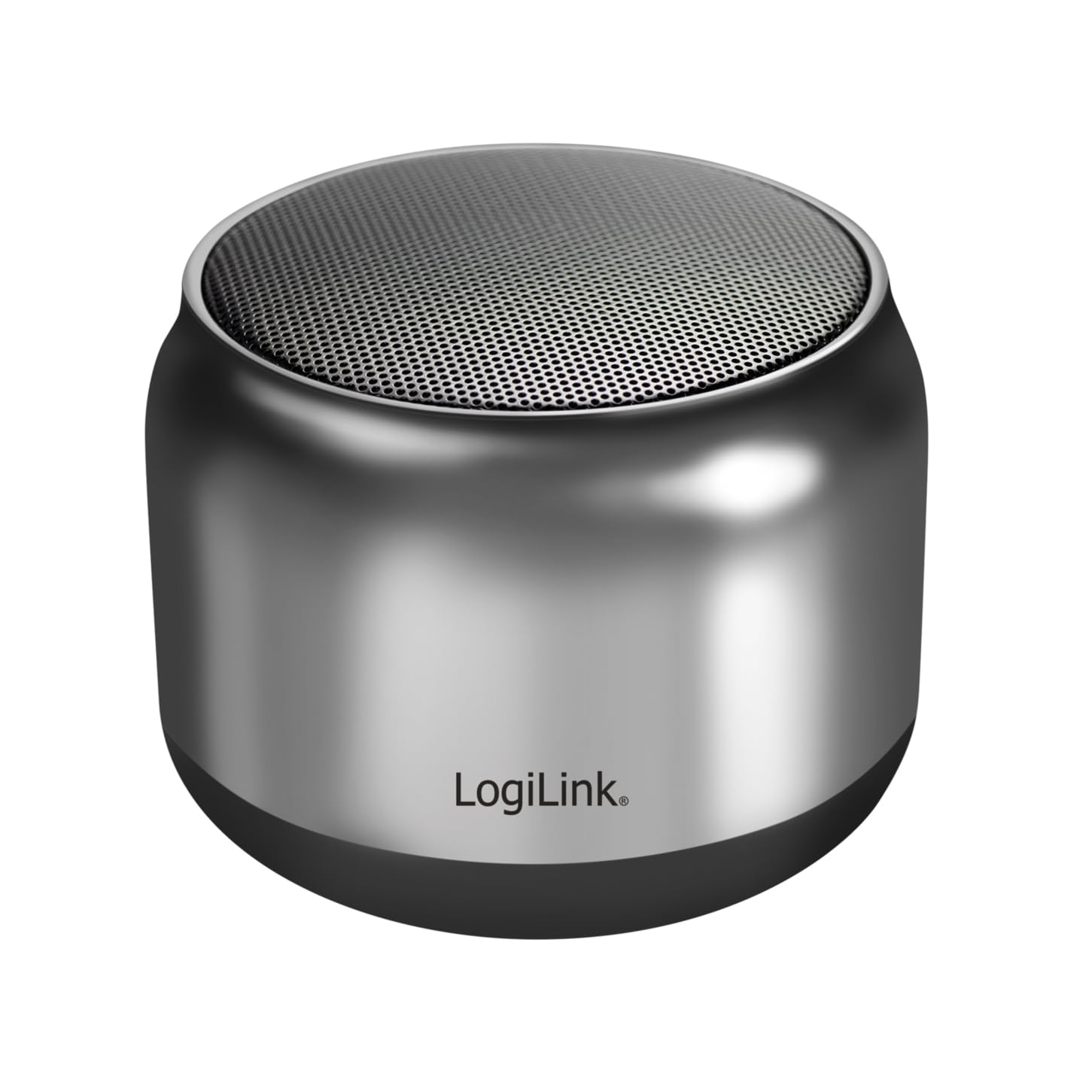
Image: The LogiLink SP0063 Bluetooth speaker on a table, emitting sound waves.
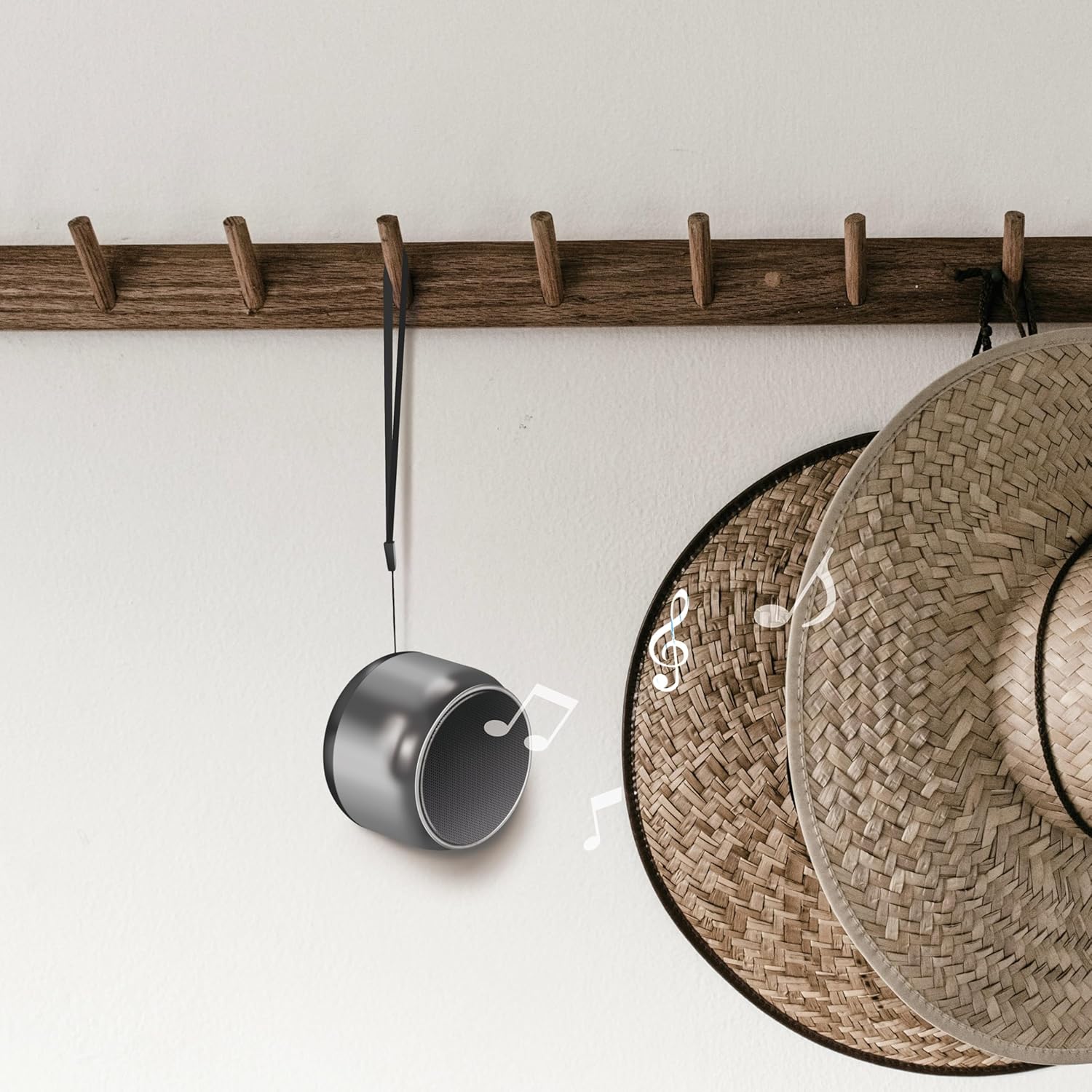
Image: The speaker hanging by its wrist strap, demonstrating its portability.
4.1. Bedienelemente und Anschlüsse

Bild: Oben view of the speaker showing the control buttons. These buttons allow you to manage power, playback, and calls.
- Netzschalter: Zum Ein- oder Ausschalten des Lautsprechers gedrückt halten.
- Wiedergabe-/Pause-Taste: Drücken Sie diese Taste, um Musik abzuspielen oder anzuhalten.
- Lauter/Nächster Titel: Kurz drücken für Lautstärke erhöhen, lang drücken für nächsten Titel.
- Lautstärke verringern/vorheriger Titel: Kurzes Drücken verringert die Lautstärke, langes Drücken springt zum vorherigen Titel.
- Anrufknopf: Drücken Sie, um Anrufe anzunehmen/zu beenden.
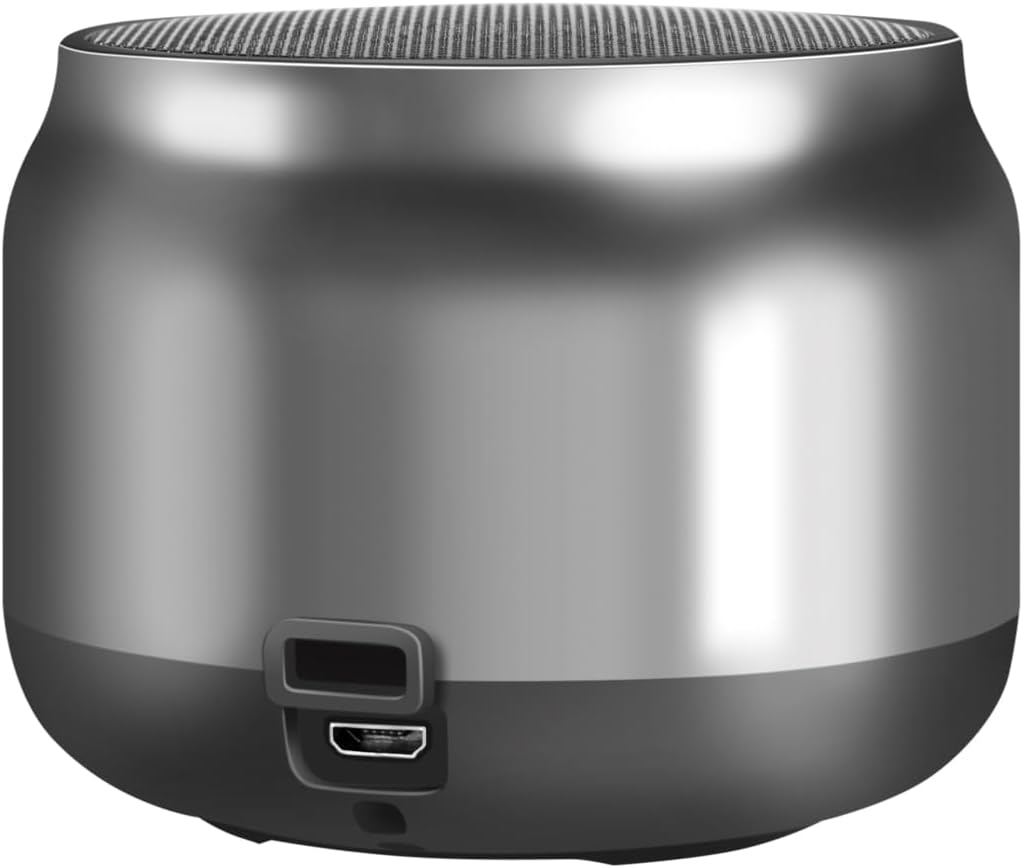
Abbildung: Rückseite view of the speaker, highlighting the Micro USB charging port.
- Micro-USB-Anschluss: Wird zum Aufladen des Lautsprechers verwendet.
- LED-Anzeige: Shows charging status and Bluetooth connection status.
5. Einrichtung
5.1. Laden Sie den Lautsprecher auf
- Connect the Micro USB charging cable to the speaker's Micro USB port.
- Connect the other end of the USB cable to a 5V/0.5A (2.5W) USB power adapter or a computer's USB port.
- The LED indicator will illuminate during charging. Once fully charged, the LED indicator may change color or turn off (refer to specific LED behavior in your product's quick start guide if available).
- Eine vollständige Ladung ermöglicht eine Wiedergabezeit von bis zu 10.5 Stunden.
5.2. Ein-/Ausschalten
- So schalten Sie das Gerät ein: Press and hold the Power button for approximately 3 seconds until you hear an audible prompt or the LED indicator flashes.
- So schalten Sie das Gerät aus: Press and hold the Power button for approximately 3 seconds until you hear an audible prompt or the LED indicator turns off.
5.3. Bluetooth-Kopplung
So verbinden Sie Ihren Lautsprecher mit einem Bluetooth-fähigen Gerät:
- Ensure the speaker is charged and powered on. The LED indicator will flash, indicating it's in pairing mode.
- Aktivieren Sie auf Ihrem Gerät (Smartphone, Tablet, Computer) Bluetooth und suchen Sie nach verfügbaren Geräten.
- Select "SP0063" from the list of found devices.
- Once connected, the speaker will emit an audible confirmation, and the LED indicator will stop flashing and remain solid.
- The speaker has a wireless range of up to 10 meters in open air.
5.4. True Wireless Stereo (TWS)-Kopplung
To pair two LogiLink SP0063 speakers for a stereo sound experience:

Image: Two LogiLink SP0063 speakers connected via True Wireless Stereo (TWS) for a richer audio experience.
- Ensure both SP0063 speakers are powered off.
- Turn on both speakers simultaneously. They will automatically attempt to pair with each other.
- Once successfully paired, one speaker will act as the master (left channel) and the other as the slave (right channel). You will hear an audible confirmation.
- Now, connect your Bluetooth device to the master speaker (the one whose LED is flashing for pairing).
- Beide Lautsprecher geben nun Audio in Stereo wieder.
6. Bedienung des Lautsprechers
6.1. Musikwiedergabe
After successfully pairing with your device, you can control music playback using the speaker's buttons:
- Abspielen/Pause: Press the Play/Pause button once to play or pause the current track.
- Nächster Titel: Long press the Volume Up button to skip to the next track.
- Vorheriges Lied: Long press the Volume Down button to go to the previous track.
- Lautstärkeregelung: Short press the Volume Up or Volume Down buttons to adjust the volume.

Image: The LogiLink SP0063 speaker actively playing music, indicated by sound waves.
6.2. Freisprechen
The built-in microphone allows you to make and receive calls directly through the speaker when connected to your smartphone.

Image: Illustration of the built-in microphone function, showing icons for answering and hanging up calls.
- Anruf annehmen: When a call comes in, press the Call button once to answer.
- Anruf beenden: During a call, press the Call button once to end the conversation.
- Anruf ablehnen: During an incoming call, press and hold the Call button for 2 seconds to reject the call.
- Wahlwiederholung letzte Nummer: Double-press the Call button to redial the last number.
7. Wartung
- Reinigung: Reinigen Sie den Lautsprecher mit einem weichen, trockenen Tuch. Verwenden Sie keine Scheuermittel oder Lösungsmittel.
- Lagerung: Bei längerer Nichtbenutzung sollte der Lautsprecher an einem kühlen, trockenen Ort aufbewahrt werden.
- Batteriepflege: Um die Akkulaufzeit zu verlängern, laden Sie den Lautsprecher regelmäßig auf, auch wenn Sie ihn nicht häufig benutzen. Vermeiden Sie es, den Akku über längere Zeiträume vollständig zu entladen.
8. Fehlerbehebung
If you encounter issues with your LogiLink SP0063 speaker, please refer to the following common solutions:
| Problem | Mögliche Ursache | Lösung |
|---|---|---|
| Der Lautsprecher lässt sich nicht einschalten. | Schwache Batterie. | Laden Sie den Lautsprecher mit dem mitgelieferten USB-Kabel vollständig auf. |
| Kopplung mit Bluetooth-Gerät nicht möglich. | Lautsprecher nicht im Kopplungsmodus; Bluetooth am Gerät deaktiviert; Gerät zu weit entfernt. | Ensure speaker is on and LED is flashing. Enable Bluetooth on your device. Move device closer to speaker (within 10m). Forget previous pairings on your device and try again. |
| Kein Ton oder geringe Lautstärke. | Lautstärke am Lautsprecher oder Gerät zu niedrig; Lautsprecher nicht angeschlossen. | Erhöhen Sie die Lautstärke sowohl am Lautsprecher als auch an Ihrem angeschlossenen Gerät. Stellen Sie sicher, dass der Lautsprecher ordnungsgemäß gekoppelt ist. |
| TWS-Kopplung fehlgeschlagen. | Speakers not reset; incorrect pairing sequence. | Ensure both speakers are powered off before attempting TWS pairing. Power them on simultaneously and allow them to connect to each other first, then connect your device to the master speaker. |
| Klangverzerrung. | Lautstärke zu hoch; Gerät zu weit entfernt; Störungen. | Reduce volume. Move device closer to speaker. Avoid obstacles between speaker and device. |
9. Spezifikationen
Here are the technical specifications for the LogiLink SP0063 Bluetooth Speaker:
- Modell: SP0063
- Bluetooth-Version: 5.1
- Drahtlose Reichweite: Bis zu 10 Meter (im Freien)
- Lautsprechereinheit: 52 mm diameter, 5 W
- Lautsprecher Empfindlichkeit: 88 ± 3 dB
- Impedanz: 4 Ohm
- Batterie: Integrated 1200 mAh Lithium-ion battery
- Akkulaufzeit: Bis zu 10.5 Stunden
- Ladeanschluss: Micro USB
- Ladeeingang: 5 V / 0.5 A (2.5 W)
- Unterstützte Audioformate: MP3, WAV
- Abmessungen (T x B x H): 7.6 x 7.6 x 6 cm
- Artikelgewicht: 212 Gramm
- Farbe: Dunkelgrau
- Besondere Merkmale: True Wireless Stereo (TWS) connection, Lightweight, Integrated Microphone, Portable
- Audioausgabemodus: Stereo
- Energiequelle: Batteriebetrieben
- Hersteller: 2direct GmbH
- Ursprungsland: China
10. Garantie und Support
LogiLink products are manufactured with quality and reliability in mind. For warranty information, technical support, or service inquiries, please refer to the warranty card included with your purchase or visit the official LogiLink webWebsite für Kontaktdaten.