
1. Einleitung
Thank you for choosing the LanLuk 200W GaN IV 8-Port USB-C Charging Station. This device is designed to provide efficient and safe charging for a wide range of electronic devices, including laptops, smartphones, tablets, and more. Please read this manual carefully before use to ensure proper operation and to maximize the lifespan of your product.
2. Sicherheitshinweise
- Das Gerät darf weder Wasser, Feuchtigkeit noch extremen Temperaturen ausgesetzt werden.
- Lassen Sie das Gerät nicht fallen und setzen Sie es keinen starken Stößen aus.
- Das Gerät darf nicht auseinandergenommen, verändert oder selbst repariert werden. Dadurch erlischt die Garantie und es können Schäden oder Verletzungen entstehen.
- Verwenden Sie nur das mitgelieferte Netzkabel.
- Ensure proper ventilation around the charging station during use to prevent overheating.
- Außerhalb der Reichweite von Kindern aufbewahren.
- Unplug the charging station from the power outlet when not in use or during electrical storms.
3. Packungsinhalt
Überprüfen Sie, ob alle Artikel in Ihrem Paket vorhanden sind:
- 1 x LanLuk 200W 8-in-1 USB-C Charging Station
- 1 x Netzkabel
- 1 x Bedienungsanleitung (evtl. nicht in deutscher Sprache).
4. Produktüberschreitungview
The LanLuk 200W GaN IV 8-Port USB-C Charging Station features advanced GaN IV technology for higher energy efficiency, upgraded heat dissipation, and a compact design. It provides a total of 200W power output across 8 ports, allowing you to charge multiple devices simultaneously.
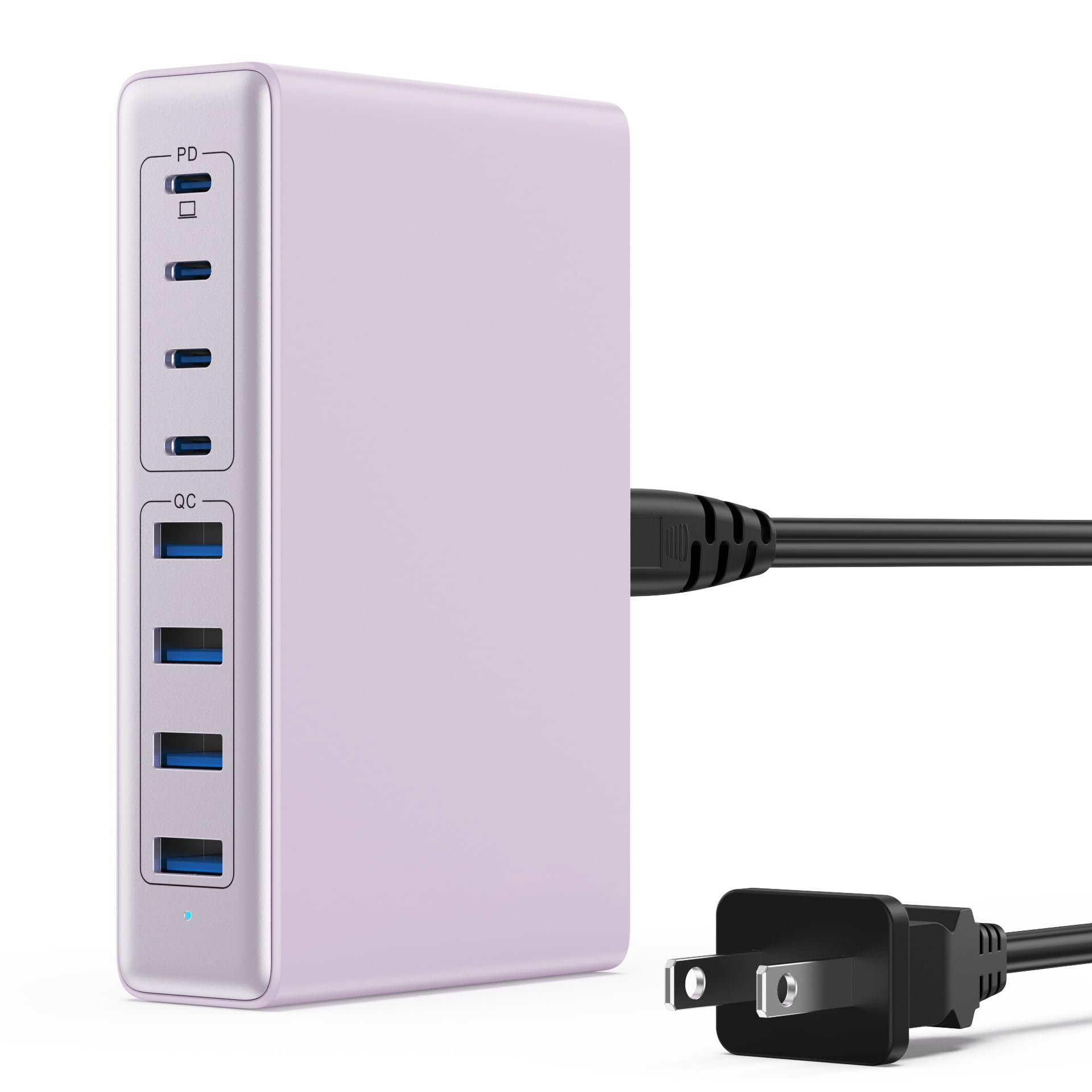
Image: The LanLuk 200W GaN IV 8-Port USB-C Charging Station in purple.
Hauptmerkmale:
- GaN IV Technology: Utilizes the latest Gallium Nitride (GaN) IV chip for enhanced efficiency, reduced heat, and a smaller form factor.
- 200 W Gesamtleistung: Delivers optimal power to charge up to 8 devices simultaneously at full speed.
- 8 Ladeanschlüsse: Includes 4 USB-C ports (PD 3.0) and 4 USB-A ports (QC 4.0) for broad compatibility.
- 65W Leistungsabgabe (PD): One dedicated USB-C port provides up to 65W, capable of fast-charging laptops like MacBook Pro/Air, Dell XPS, and more.
- Mehrfachschutzsystem: Built-in intelligent IC with six safety protections: over-voltage, over-current, over-charge, over-temperature, static electricity, and short circuit.
- Universelle Kompatibilität: Supports a wide range of devices including iPhones, iPads, Android phones, laptops, gaming consoles (Steam Deck, Nintendo Switch), smartwatches, and headphones.
- Tragbares Design: Compact size (approximately 5 inches by 3 inches) with a 1.5M/5FT AC extension power cord for flexible placement.
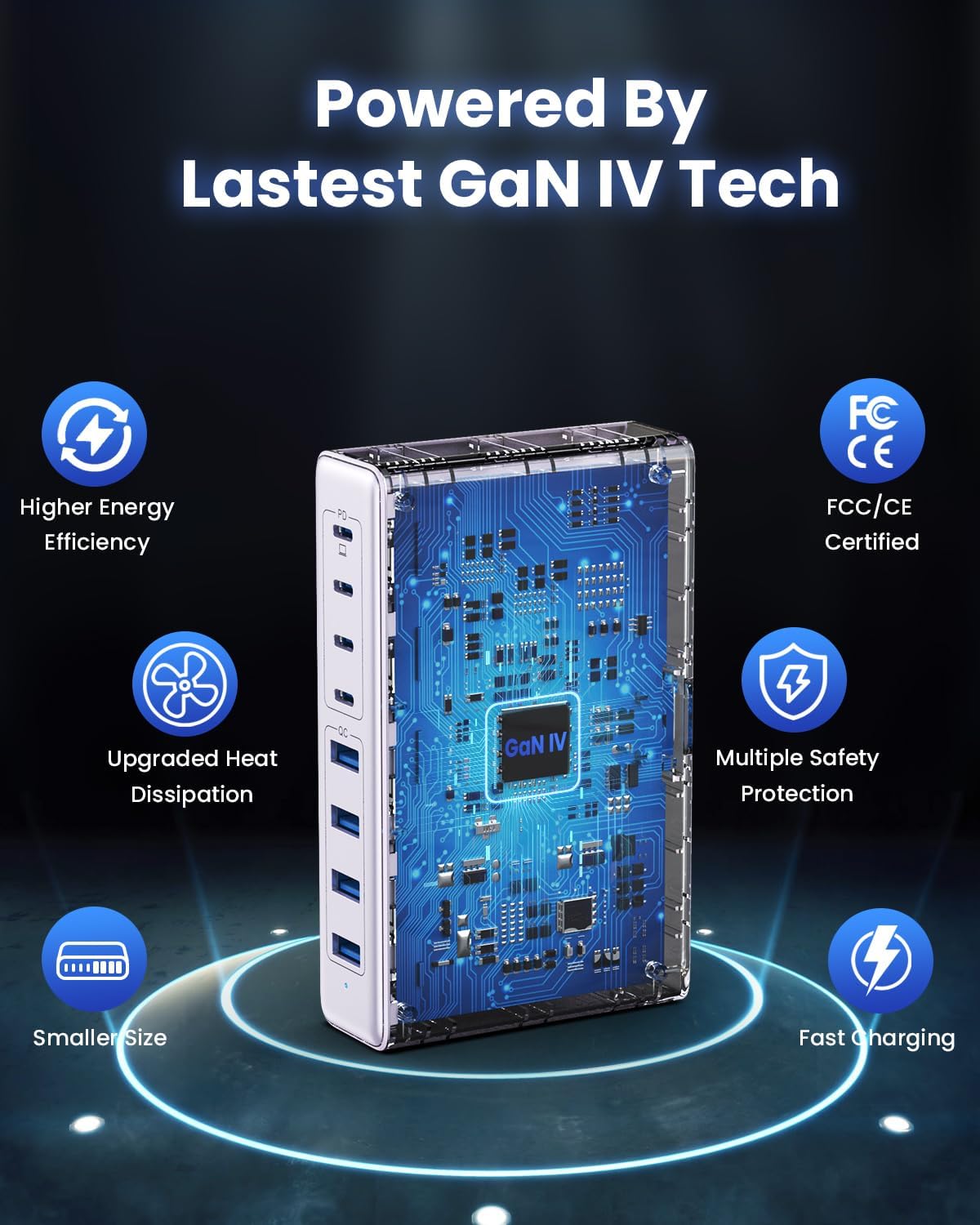
Image: Diagram illustrating the benefits of GaN IV technology, including higher energy efficiency, upgraded heat dissipation, smaller size, multiple safety protections, and fast charging.

Image: Visual representation of the charging station connecting to 8 different devices (4 USB-C, 4 USB-A).

Image: Infographic showing the universal compatibility with laptops/tablets (MacBook Pro, Dell XPS, iPad Pro), smartphones (iPhone, Samsung Galaxy, Google Pixel), and gaming devices/others (ROG ALLY, Steam Deck, AirPods, Switch).

Image: Illustration highlighting the USB-C1 port's 65W output, perfect for laptops, showing a MacBook charging.
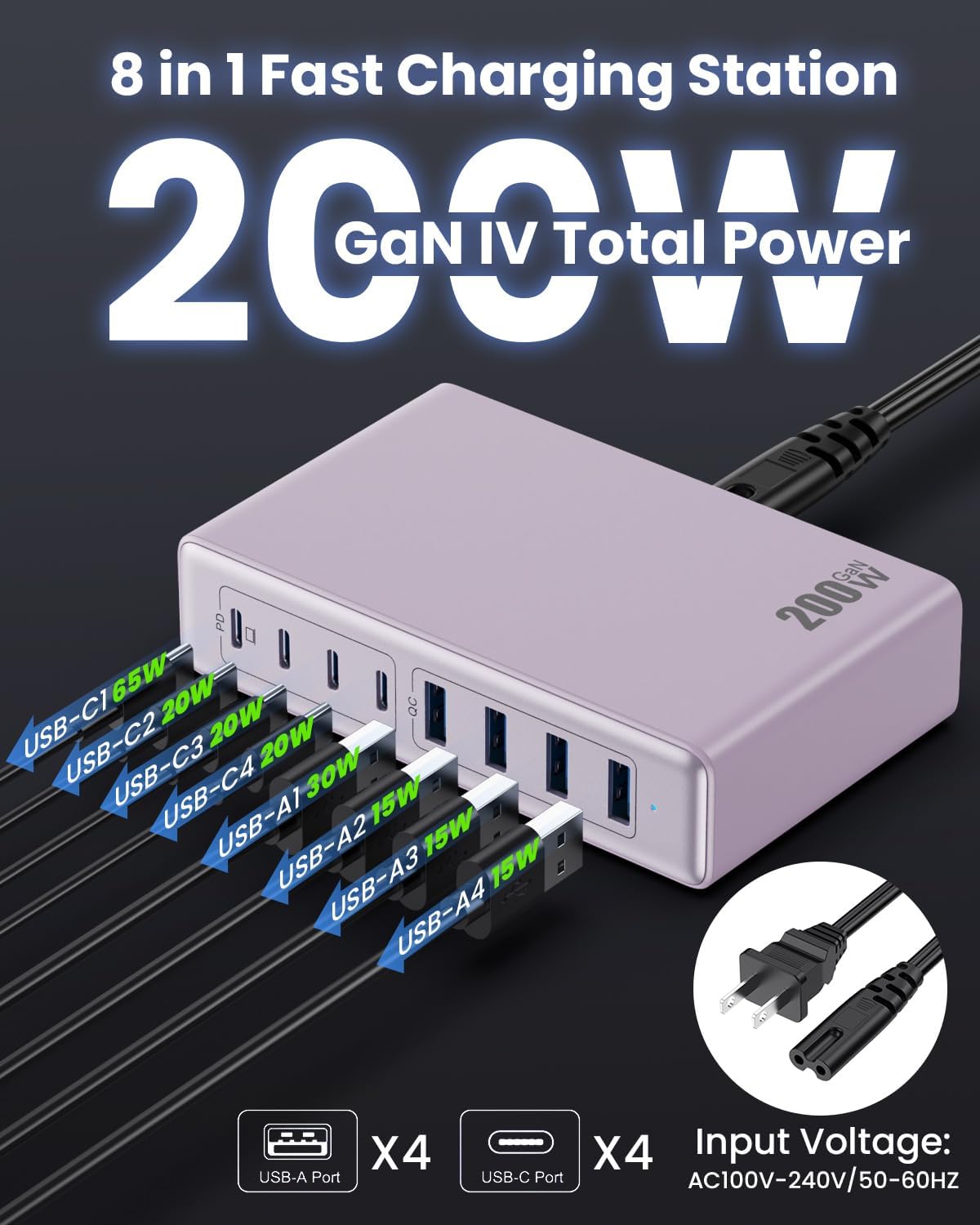
Bild: Detailliert view of the charging station's ports and their individual power outputs (USB-C1 65W, USB-C2 20W, USB-C3 20W, USB-C4 20W, USB-A1 15W, USB-A2 15W, USB-A3 15W, USB-A4 15W).

Image: Comparison chart showing the LanLuk charger's advantages over other chargers in terms of total max output, one port output, number of ports, devices charged, portability, and sustainability.
5. Einrichtung
- Auspacken: Nehmen Sie die Ladestation und sämtliches Zubehör vorsichtig aus der Verpackung.
- Netzkabel anschließen: Insert the included power cord into the AC input port on the back of the charging station.
- In die Steckdose stecken: Plug the other end of the power cord into a standard AC wall outlet (100-240V, 50/60Hz).
- Bereit zum Benutzen: The charging station is now ready to charge your devices.
6. Bedienungsanleitung
- Identify Port Type: Determine whether your device requires a USB-C or USB-A connection.
- Gerät verbinden: Plug your device's charging cable into the appropriate port on the charging station. For optimal laptop charging, use the 65W PD USB-C1 port.
- Beginnen Sie mit dem Laden: Your device should begin charging automatically. The intelligent chip will identify the device and deliver the optimal charging current.
- Aufladen des Monitors: Some devices may display a charging indicator.
- Trennen: Once charging is complete, safely disconnect your device from the charging station.
7. Spezifikationen
| Besonderheit | Beschreibung |
|---|---|
| Marke | LanLuk |
| Modellnummer | HX-P21 |
| Wastage | 200 Watt (Gesamt) |
| Anzahl USB-Anschlüsse | 8 (4 USB-C, 4 USB-A) |
| USB-C-Ausgang | PD USB C (up to 65W on one port) |
| USB-A-Ausgang | QC4.0 USB-A |
| Eingangslautstärketage | 100-240 Volts (AC), 50-60 Hz |
| Ausgangsstrom | 4 Amps (max.) |
| Material | Plastic (ABS and PC fireproof materials) |
| Besondere Merkmale | GaN IV Technology, Fast Charging, Lightweight Design, Charging Indicator, Universal Compatibility, Short Circuit Protection |
| Maße | Approximately 5 inches x 3 inches (portable) |
| Stromquelle | Kabelgebundene Elektrik |
8. Fehlerbehebung
- Gerät lädt nicht:
- Stellen Sie sicher, dass die Ladestation ordnungsgemäß an eine funktionierende Steckdose angeschlossen ist.
- Prüfen Sie, ob das Ladekabel sowohl mit der Ladestation als auch mit Ihrem Gerät fest verbunden ist.
- Um ein defektes Kabel oder einen defekten Anschluss auszuschließen, versuchen Sie es mit einem anderen Ladekabel oder -anschluss.
- Verify your device is compatible with the charging station's output specifications.
- Langsames Laden:
- Stellen Sie sicher, dass Sie ein Schnellladekabel für Ihr Gerät verwenden.
- For laptops, use the dedicated 65W PD USB-C1 port.
- Charging multiple devices simultaneously may distribute the total power, potentially reducing individual port speeds.
- Check if your device supports fast charging protocols (PD, QC).
- Überhitzung:
- Ensure the charging station has adequate ventilation and is not covered.
- If excessive heat persists, discontinue use and contact customer support.
9. Wartung
- Reinigung: Trennen Sie die Ladestation vor der Reinigung vom Stromnetz. Wischen Sie die Oberfläche mit einem weichen, trockenen Tuch ab. Verwenden Sie keine flüssigen Reiniger oder Sprays.
- Lagerung: Bewahren Sie das Gerät bei Nichtgebrauch an einem kühlen, trockenen Ort ohne direkte Sonneneinstrahlung und Feuchtigkeit auf.
- Kabelpflege: Avoid bending or crimping charging cables excessively to prevent damage.
10. Garantie und Support
LanLuk provides a 3 Jahr Garantie for free replacement. If you encounter any issues or have questions regarding your product, please contact our customer support team for assistance.
Kundendienst: Bitte beachten Sie die Kontaktinformationen auf der Produktverpackung oder unsere offizielle Website. webWebsite für Unterstützung.