
1. Einleitung
Thank you for choosing the LogiLink LED017 LED Desk LampDieses Handbuch enthält wichtige Informationen für die sichere und effiziente Nutzung Ihres neuen Schreibtisches.ampBitte lesen Sie diese Anweisungen vor Gebrauch sorgfältig durch und bewahren Sie sie zum späteren Nachschlagen auf.
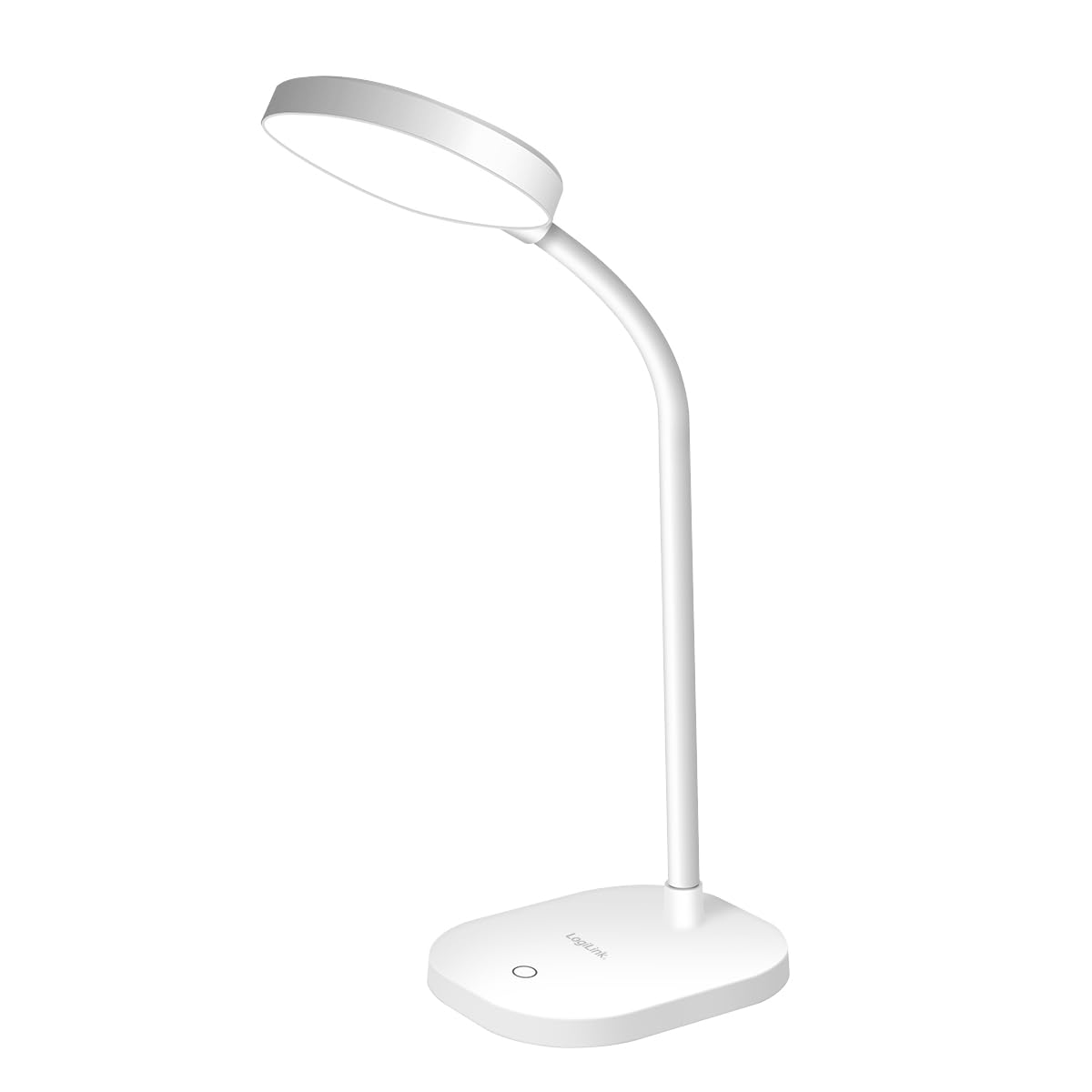
Image 1.1: LogiLink LED017 LED Desk Lamp
This image shows the LogiLink LED017 LED Desk Lamp from a front perspective, highlighting its compact design and flexible gooseneck.
2. Produktmerkmale
The LogiLink LED017 LED Desk Lamp is designed for optimal illumination and user comfort. Key features include:
- Flimmerfreie Beleuchtung: Verringert die Augenbelastung und -ermüdung bei längerem Gebrauch.
- Einstellbare Helligkeit: Three distinct brightness levels controlled by a touch sensor.
- Flexibler Schwanenhals: A 360° adjustable neck allows for precise light positioning.
- Augenschonende Technologie: Provides uniform lighting with no ghosting.
- Stromversorgung über USB-C: Convenient power supply via a USB-C cable.
- Kompaktes und leichtes Design: Easy to place and move.
- Rutschfeste Unterseite: Gewährleistet Stabilität auf verschiedenen Oberflächen.

Image 2.1: Eye-Caring Features
This image illustrates the eye-caring benefits of the lamp, highlighting its flicker-free, no ghosting, and uniform lighting capabilities.
3. Packungsinhalt
Bitte prüfen Sie das Paket auf folgende Artikel:
- LogiLink LED017 LED-Schreibtisch Lamp
- USB-C-Stromkabel
- Benutzerhandbuch (dieses Dokument)

Image 3.1: Product Packaging
This image displays the retail packaging of the LogiLink LED017 LED Desk Lamp, das l zeigtamp and its key features on the box.
4. Einrichtungsanweisungen
- Auspacken: Entfernen Sie vorsichtig das lamp und sämtliches Zubehör aus der Verpackung.
- Platzierung: Platzieren Sie das lamp on a stable, flat surface such as a desk or table. Ensure the non-slip base is securely positioned.
- Strom anschließen: Insert the USB-C end of the power cable into the USB-C port located on the back of the lamp's Basis.
- Energiequelle: Connect the other end of the USB-C cable to a compatible USB power adapter (5V/1A recommended, not included) or a USB port on a computer.
- Schwanenhals anpassen: Gently bend the flexible gooseneck to position the lamp Kopf wie gewünscht.

Image 4.1: USB-C Power Port
Dieses Bild zeigt eine Nahaufnahme. view of the USB-C power input port located on the base of the lamp.
5. Bedienungsanleitung
The LogiLink LED017 lamp features intuitive touch control for easy operation.
- Ein-/Ausschalten: Berühren Sie leicht das Stromsymbol auf dem lamp's Basis, um das l zu drehenamp on. Touch it again to turn the lamp aus.
- Helligkeit anpassen: Wenn das lamp is on, repeatedly touch the power icon to cycle through the three available brightness levels (Low, Medium, High).
- Positionierung: Adjust the flexible gooseneck to direct the light precisely where needed. The 360° flexibility allows for various angles and heights.

Image 5.1: Brightness Levels
This image demonstrates the three distinct brightness levels of the LogiLink LED017 LED Desk Lamp, from dim to bright.

Image 5.2: Flexible Gooseneck
This image highlights the flexible gooseneck design of the lamp, allowing users to adjust the light direction easily.
6. Wartung
Um die Langlebigkeit und optimale Leistung Ihres Geräts zu gewährleistenampBefolgen Sie diese einfachen Wartungsrichtlinien:
- Reinigung: Trennen Sie dasamp Vor der Reinigung vom Stromnetz trennen. Mit einem weichen, trockenen Tuch abwischen.ampDie Oberfläche des Produkts sollte nicht mit Scheuermitteln, Lösungsmitteln oder aggressiven Chemikalien behandelt werden, da diese die Oberfläche beschädigen können.
- Lagerung: Bei der Lagerung des lamp Für eine längere Lagerung sollte es sauber und trocken sein. Bewahren Sie es an einem kühlen, trockenen Ort ohne direkte Sonneneinstrahlung auf.
- LEDs: Die LED-Lichtquelle ist fest integriert und kann nicht vom Benutzer ausgetauscht werden. Versuchen Sie nicht, die Leuchte zu zerlegen.amp Kopf.
7. Fehlerbehebung
If you encounter any issues with your LogiLink LED017 lampBitte beachten Sie die folgende Anleitung zur Fehlerbehebung:
| Problem | Mögliche Ursache | Lösung |
|---|---|---|
| Lamp geht nicht an. |
|
|
| Die Helligkeitswerte ändern sich nicht. |
|
|
| Lamp flackert. |
|
|
8. Spezifikationen
| Modell | LED017 |
| Marke | LogiLink |
| Lichtquelle | 16 x SMD 2835 LEDs |
| Leistung | 5 Watt |
| Eingang | 5 V / 1 A |
| Lichtstrom | 240 lm |
| Farbtemperatur | 5000 K |
| Helligkeitsstufen | 3 (adjustable via touch control) |
| Schwanenhals-Flexibilität | 360° |
| Schutzklasse | IP20 |
| Stromversorgung | USB-C |
| Standby-Verbrauch | 0.01 Watt |
| Abmessungen (L x B x H) | 11.8 x 10 x 42.5 cm |
| Gewicht | 233.5 g |
| Material | Aluminium (Basis) |
| Farbe | Weiß |
| Energieeffizienzklasse | F (EPREL-Link) |

Image 8.1: Energy Efficiency Label
This image displays the EU energy efficiency label for the LogiLink LED017 LED Desk Lamp, indicating its energy class F.
9. Sicherheitshinweise
Bitte lesen und befolgen Sie diese Sicherheitsvorkehrungen, um Verletzungen oder Schäden am Produkt zu vermeiden:
- Dieses Produkt ist nur für den Gebrauch in Innenräumen vorgesehen.
- Setzen Sie das l nicht ausamp Wasser oder hoher Luftfeuchtigkeit ausgesetzt.
- Versuchen Sie nicht, das Gerät zu zerlegen, zu reparieren oder zu modifizieren.amp. This will void the warranty and may cause electric shock or fire.
- Behalte das lamp Von Wärmequellen, direkter Sonneneinstrahlung und brennbaren Materialien fernhalten.
- Ensure the power adapter used is compatible with the lamp's specifications (5V/1A).
- Schauen Sie nicht über längere Zeit direkt in die LED-Lichtquelle, da dies zu Augenbeschwerden führen kann.
- Außerhalb der Reichweite von Kindern aufbewahren.
- Wenn das lamp is damaged, discontinue use immediately and contact customer support.
10. Garantie und Support
LogiLink products are manufactured with quality and reliability in mind. For specific warranty terms and conditions, please refer to the warranty card included with your purchase or visit the official LogiLink webWebsite.
For technical support, troubleshooting assistance beyond this manual, or to inquire about replacement parts, please contact LogiLink customer service through their official webWebsite oder die mit Ihrem Produkt gelieferten Kontaktinformationen.