
1. Einleitung
The Rollei LUX 100 Bi-Color LED light is a professional continuous light source designed for photographers, videographers, and content creators. It offers exceptional flexibility, mobility, and ease of use, allowing for precise lighting results in various environments. This manual provides essential information for the safe and effective operation of your device.
Zu den Hauptmerkmalen gehören:
- Powerful 100W output.
- Continuous brightness adjustment from 0% to 100%.
- Einstellbare Farbtemperatur von 2700K (warm) bis 6500K (kalt).
- Ultra-flat and lightweight design for maximum portability.
- Dual power options: battery (with optional grip/V-mount) or mains power.
- Smart control via a dedicated mobile application or an optional remote control.
- 10 pre-programmed lighting effects for creative versatility.
2. Sicherheitshinweise
Bitte lesen Sie diese Sicherheitshinweise vor der Benutzung des Geräts sorgfältig durch, um Verletzungen oder Schäden zu vermeiden.
- Do not expose the device to water or high humidity. This product is not waterproof.
- Avoid direct eye exposure to the LED light. The intense light can cause eye damage.
- Ensure proper ventilation during operation to prevent overheating. The integrated fan helps with cooling.
- Use only the original power adapter or compatible power sources specified by Rollei.
- Bewahren Sie das Gerät außerhalb der Reichweite von Kindern auf.
- Versuchen Sie nicht, das Gerät selbst zu zerlegen oder zu reparieren. Wenden Sie sich an qualifiziertes Servicepersonal.
- Vor der Reinigung oder bei längerem Nichtgebrauch die Stromversorgung unterbrechen.
3. Packungsinhalt
Überprüfen Sie, ob alle Artikel in Ihrem Paket vorhanden sind:
- 1x Rollei LUX 100 Bi-Color COB Continuous Light
- 1x Power Supply with Cable
- 1x Reflektor
- 1x Diffuser Ball
- 1x Schutzkappe
- 1x Benutzerhandbuch

Image 3.1: Contents of the Rollei LUX 100 Bi-Color package, showing the light, power adapter, reflector, and diffuser.
4. Produktüberschreitungview
Familiarize yourself with the main components of your Rollei LUX 100 Bi-Color LED light.
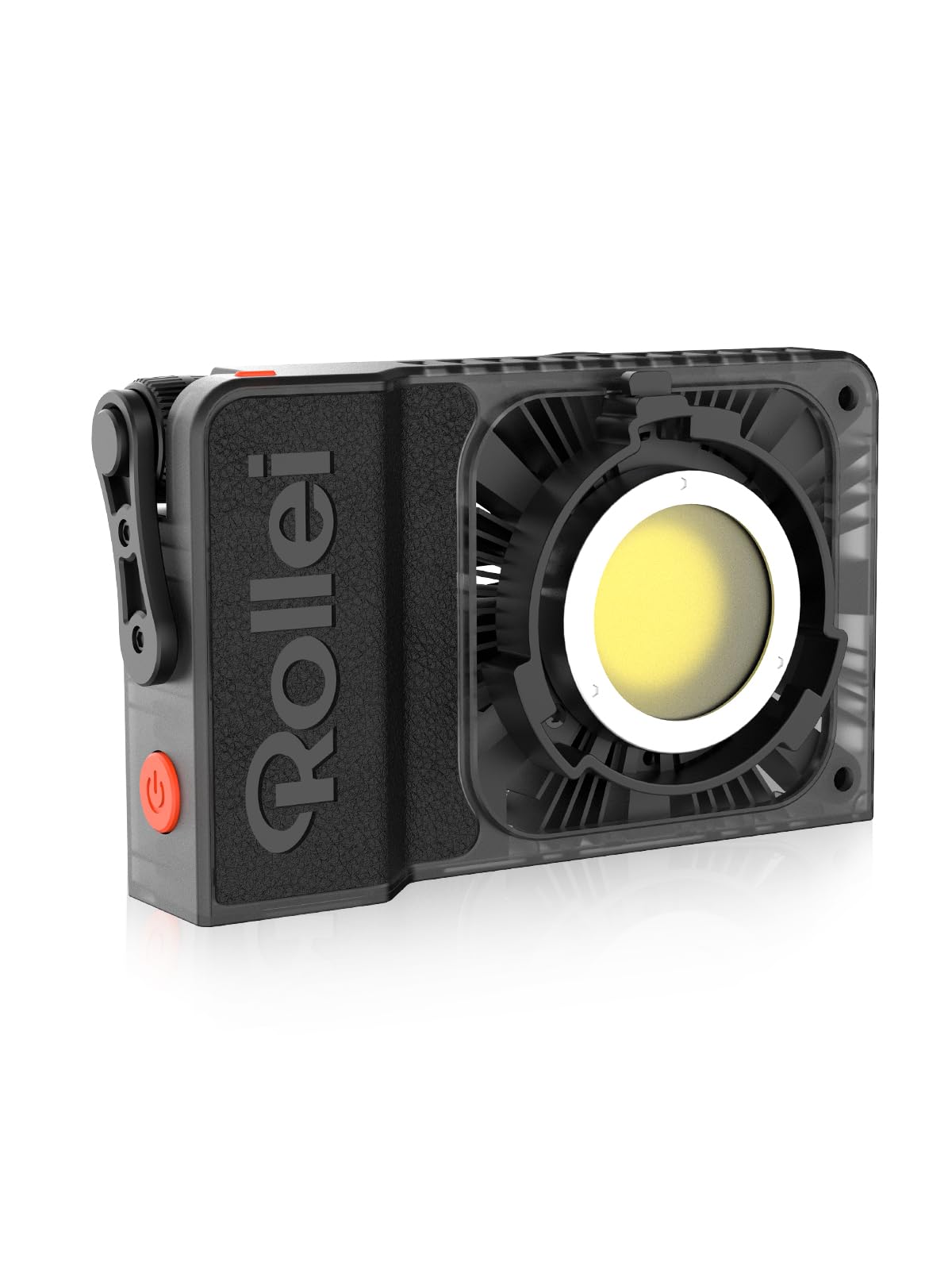
Bild 4.1: Vorderseite view of the Rollei LUX 100 Bi-Color LED light with reflector attached.

Bild 4.2: Nahaufnahme view of the Rollei LUX 100 Bi-Color light, highlighting the COB LED and reflector.
The device features control dials for brightness and color temperature, a display screen for settings, a cooling fan, and mounting points for accessories and stands.
5. Einrichtung
5.1 Stromanschluss
The LUX 100 Bi-Color can be powered in two ways:
- Netzstrom: Connect the provided power adapter to the DC input port on the light and then to a wall outlet.
- Batterieleistung: For mobile use, connect an optional LUX 99Wh Power Grip or a V-Mount battery (e.g., V-Mount 99Wh Pro Black) to the light. Ensure the battery is fully charged before use.
5.2 Montage der Leuchte
The light can be mounted on various stands or supports:
- Attach the light to a compatible light stand using its mounting point.
- For handheld operation, an optional battery grip can be attached.

Image 5.1: The Rollei LUX 100 Bi-Color light attached to an optional battery grip for handheld use.
5.3 Anbringen von Zubehör
To modify the light output, attach the reflector or diffuser ball:
- Align the accessory with the light's front mounting mechanism and twist to secure it.
- Ensure accessories are firmly attached before operation.

Image 5.2: Hands demonstrating the attachment of a reflector to the Rollei LUX 100 Bi-Color light.
6. Bedienungsanleitung
6.1 Ein-/Ausschalten
Zum Ein- und Ausschalten des Lichts den Netzschalter an der Seite des Geräts gedrückt halten.
6.2 Helligkeit anpassen
Rotate the brightness control dial to adjust the light intensity from 0% to 100%. The current brightness level will be displayed on the screen.
6.3 Farbtemperatur anpassen
Rotate the color temperature control dial to change the color temperature from 2700K (warm white) to 6500K (cool white). The selected color temperature will be shown on the display.

Image 6.1: Illustration of the Rollei LUX 100 Bi-Color's adjustable brightness and color temperature range from 2700K to 6500K.
6.4 Intelligente Steuerung per App
The Rollei LUX 100 Bi-Color can be controlled wirelessly via the Rollei Candela|LUX LED mobile application (available for iOS and Android).
- Download and install the Rollei Candela|LUX LED app on your smartphone.
- Stellen Sie sicher, dass Bluetooth auf Ihrem Smartphone aktiviert ist.
- Power on the LUX 100 Bi-Color light.
- Open the app and follow the on-screen instructions to pair your device. NFC pairing may also be available.
- Once connected, you can adjust brightness, color temperature, and access 10 pre-programmed lighting effects directly from the app.
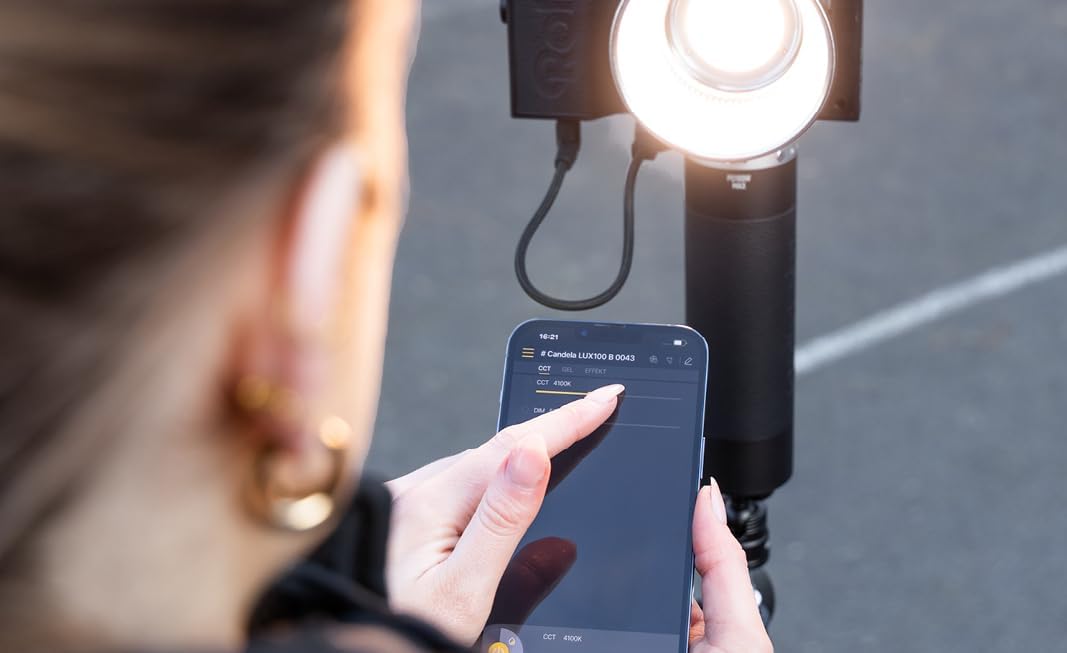
Image 6.2: A user controlling the Rollei LUX 100 Bi-Color light settings via the mobile application on a smartphone.
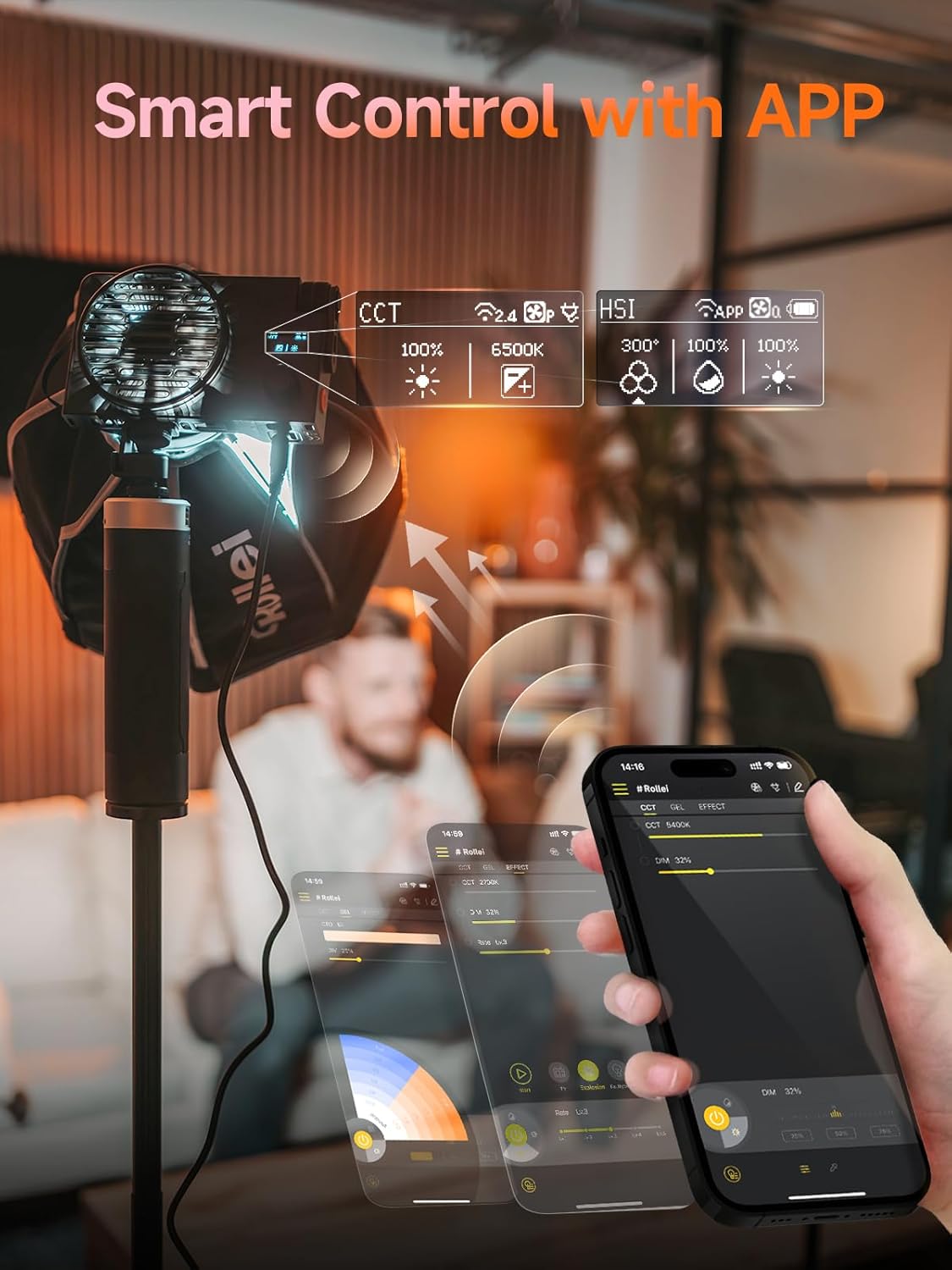
Abbildung 6.3: Detailansicht view of the Rollei LUX 100 Bi-Color app interface, showing controls for CCT, HSI, and effects.
6.5 Lichteffekte
The LUX 100 Bi-Color includes 10 pre-programmed lighting effects to enhance your creative projects. These effects can be selected and adjusted via the mobile app or an optional remote control.

Image 6.4: The Rollei LUX 100 Bi-Color light displaying various effect icons, indicating its versatile lighting capabilities.
7. Wartung
7.1 Reinigung
To clean the device, use a soft, dry cloth. Do not use liquid cleaners or solvents, as they may damage the surface or internal components. Ensure the device is powered off and unplugged before cleaning.
7.2 Speicherung
Store the LUX 100 Bi-Color in a cool, dry place, away from direct sunlight and extreme temperatures. If storing for an extended period, remove any attached batteries.
8. Fehlerbehebung
If you encounter issues with your Rollei LUX 100 Bi-Color, refer to the following common problems and solutions:
| Problem | Mögliche Ursache | Lösung |
|---|---|---|
| Licht geht nicht an. | No power supply, low battery, faulty cable. | Check power adapter connection. Ensure battery is charged or replace it. Try a different power outlet. |
| Fan is loud during operation. | Normal operation at high power, dust accumulation. | The fan operates to cool the unit, especially at higher power settings. Ensure vents are clear. If excessively loud, contact support. |
| Insufficient brightness. | Brightness set too low, power source limitation. | Increase brightness setting. If using battery, ensure it can supply sufficient power (e.g., 60W for 100% output). |
| App-Steuerung funktioniert nicht. | Bluetooth off, app not paired, device too far. | Ensure Bluetooth is active on your phone. Re-pair the device in the app. Move closer to the light. |

Image 8.1: Diagram illustrating the ultra-quiet cooling system of the Rollei LUX 100 Bi-Color, designed to minimize noise during recordings.
9. Spezifikationen
Detailed technical specifications for the Rollei LUX 100 Bi-Color LED light:
- Modellnummer: 20182
- Abmessungen (L x B x H): 15.7 x 4.3 x 9.3 cm
- Gewicht: 345g (light only), 1.14 kg (product with accessories)
- Leistungsabgabe: 100 W
- Farbtemperaturbereich: 2700K - 6500K (Bi-Color)
- Helligkeitsanpassung: 0% - 100% (continuous)
- Konnektivität: Bluetooth
- Kompatible Geräte: Mobile phones (via Rollei Candela|LUX LED app) and other Bluetooth-compatible devices
- Stromversorgung: Dual (Battery / Mains)
- Hersteller: Rollei
- Ursprungsland: China

Image 9.1: Visual representation of the compact and lightweight design of the Rollei LUX 100 Bi-Color, showing its dimensions and weight.
10. Garantie und Support
Rollei provides comprehensive support for its products.
- Ersatzteilverfügbarkeit: 2 years within the EU.
- Exchange Guarantee: Full 24-month exchange guarantee.
- Kundendienst: Our experts are available to assist you.
Kontaktinformationen:
- Telefon: +49 40 270 750 277
- Verfügbarkeit: Monday - Friday, 10:00 AM to 4:00 PM (CET)
For further assistance, please visit the official Rollei webWebsite oder wenden Sie sich an den Kundendienst.