
1. Einleitung
This manual provides essential information for the safe and effective installation and operation of your KUIDAMOS Remote Battery Charger Terminal Posts. These posts are designed to provide convenient access to battery terminals for charging and power connections in various applications, including automobiles, RVs, marine vessels, yachts, racing cars, and agricultural vehicles.
2. Produktmerkmale
- Fernzugriff: Facilitates easy access to battery terminals by installing the charging column through a body panel.
- Sicherheitsdesign: Supplied in pairs (red and black) with protective caps to prevent accidental short circuits and ensure safe operation.
- Hohe Leistung: Rated for 250A current with a UL94 V-0 fire rating, ensuring stable and reliable performance.
- Langlebige Konstruktion: Manufactured from high-strength PC and brass materials for impact resistance and longevity.
- Vielseitige Anwendung: Suitable for power systems in automobiles, RVs, ships, yachts, racing cars, and agricultural vehicles.
3. Spezifikationen
| Attribut | Wert |
|---|---|
| Artikelmodellnummer | KUIDAMOSbm3w6gx0ua |
| Material | PC and Brass |
| Nennstrom | 250 A |
| Feuerbeständigkeit | UL94 V-0 |
| Bolzengröße | 3/4 Zoll |
| Durchmesser des Montagelochs | 1-1/4 Zoll |
| Verpackungsabmessungen | 3.54 x 3.15 x 1.97 Zoll |
| Artikelgewicht | 11.68 Unzen |
4. Installationsanweisungen
Before beginning installation, ensure the vehicle's battery is disconnected to prevent electrical hazards. Wear appropriate safety gear, including eye protection and gloves.
- Montageort vorbereiten: Select a suitable flat surface on a body panel where you wish to install the remote battery posts. Ensure there is sufficient clearance behind the panel for the stud and wiring.
- Bohren Sie ein Befestigungsloch: Drill a 1-1/4 inch (approximately 32mm) diameter hole at the chosen location. Ensure the hole is clean and free of burrs.
- Beiträge einfügen: Insert the threaded stud of each battery post (one red, one black) through the drilled hole from the outside of the panel.
- Secure Posts: From the inside of the panel, place the washer and then thread the nut onto the stud. Tighten securely to hold the post firmly in place.
- Verkabelung anschließen: Connect your battery cables to the 3/4 inch studs on the remote posts. Ensure the red post is connected to the positive (+) terminal and the black post to the negative (-) terminal of your battery system. Use appropriate crimp terminals for secure connections.
- Attach Protective Caps: Place the red and black protective caps over the respective posts to prevent accidental contact and short circuits.
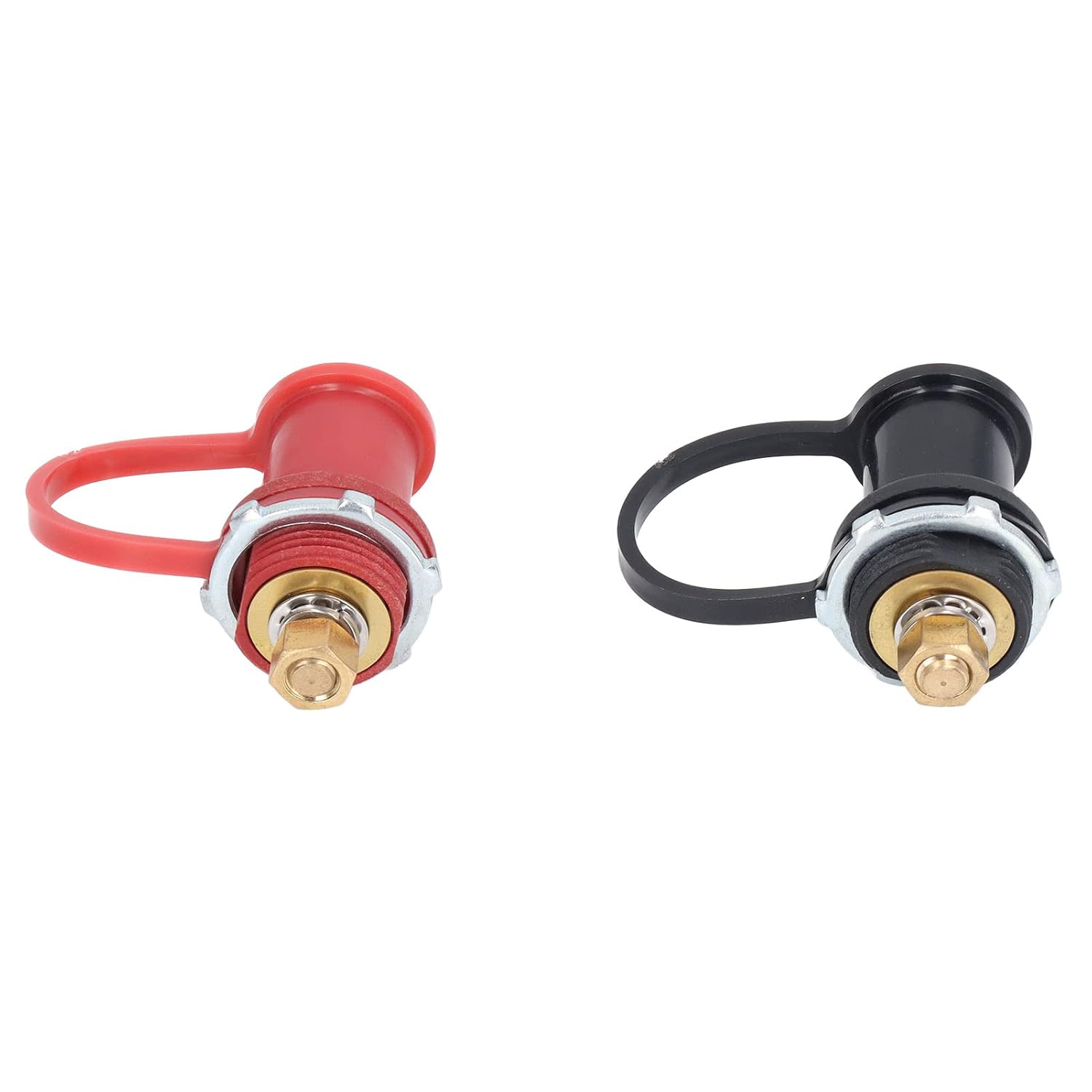
Bild 1: Überview of the KUIDAMOS Remote Battery Charger Terminal Posts (red for positive, black for negative).

Abbildung 2: Oben view of the posts, indicating 'POSITIVE' and 'NEGATIVE' for correct polarity.

Abbildung 3: Seite view of the posts with protective caps removed, illustrating the brass studs and mounting components.
5. Bedienungsanleitung
Once installed, the KUIDAMOS Remote Battery Charger Terminal Posts provide a convenient and safe point for connecting external battery chargers, jump starter cables, or other accessories that require direct battery access.
- Laden: To charge your battery, connect the positive lead of your charger to the red remote post and the negative lead to the black remote post. Ensure correct polarity before activating the charger.
- Starthilfe: When jump starting, connect the positive jumper cable to the red remote post and the negative jumper cable to the black remote post. Follow standard jump-starting procedures.
- Zubehöranschluss: For connecting other accessories, ensure the accessory's power requirements are within the 250A rated current of the posts. Always connect positive to red and negative to black.
Always ensure the protective caps are securely in place when the posts are not in use to prevent accidental contact and maintain safety.
6. Wartung
Regular maintenance helps ensure the longevity and reliable performance of your remote battery posts.
- Inspektion: Periodically inspect the posts and connections for any signs of corrosion, damage, or loose connections.
- Reinigung: If corrosion is present, disconnect the battery and clean the brass studs and terminals with a wire brush and a battery terminal cleaner. Ensure all connections are dry before re-connecting.
- Cap Integrity: Ensure the protective caps are not cracked or damaged and fit snugly over the posts. Replace if necessary.
7. Fehlerbehebung
If you experience issues with your KUIDAMOS Remote Battery Charger Terminal Posts, consider the following:
- No Power/Intermittent Connection: Check all wiring connections for tightness and ensure they are free of corrosion. Verify that the main battery connections are secure.
- Überhitzung: If the posts or connected cables become excessively hot during use, immediately disconnect power. This may indicate an overload or a poor connection. Ensure the current draw does not exceed the 250A rating.
- Physischer Schaden: If any part of the post or insulation is physically damaged, discontinue use and replace the unit to ensure safety.
8. Garantie und Support
Specific warranty information for the KUIDAMOS Remote Battery Charger Terminal Posts is not provided in the product details. For warranty claims, technical support, or further assistance, please contact KUIDAMOS directly through their official channels or the retailer from whom the product was purchased.