
Einführung
The M-VAVE SMK-25 MINI is a compact and portable 25-key USB MIDI keyboard controller designed for music production on Mac and PC. It features velocity-sensitive keys, assignable controls, pitch and modulation functions, and versatile connectivity options including USB and Bluetooth. This manual provides detailed instructions for setting up, operating, maintaining, and troubleshooting your device.

Image: The M-VAVE SMK-25 MINI MIDI Keyboard Controller, showcasing its compact design and 25 velocity-sensitive keys.
Aufstellen
1. Einschalten
The SMK-25 MINI features a built-in rechargeable battery. To power on the device, press and hold the power button located on the side or top panel until the indicator light illuminates.
2. USB-Verbindung
For a wired connection to your computer (Mac or PC), use the provided USB-C cable. Connect one end to the USB-C port on the SMK-25 MINI and the other end to an available USB port on your computer. The device is plug-and-play, requiring no additional drivers for basic functionality.

Image: Illustration of the plug-and-play USB connection process for the MIDI keyboard controller to a computer.
3. Bluetooth-Verbindung
So stellen Sie eine drahtlose Verbindung über Bluetooth her:
- Ensure the SMK-25 MINI is powered on.
- Drücken Sie die BT button on the controller to activate Bluetooth pairing mode. The Bluetooth indicator light will flash.
- On your computer or mobile device, navigate to Bluetooth settings and select "SMK-25 MINI" from the list of available devices.
- Sobald die Verbindung hergestellt ist, leuchtet die Bluetooth-Anzeigeleuchte dauerhaft.
4. Software Setup (DAW Compatibility)
The SMK-25 MINI is compatible with various Digital Audio Workstations (DAWs) such as Ableton Live, GarageBand, Logic Pro, Studio One, Cubase, Pro Tools, and Reason Studios. After connecting the controller, open your preferred DAW and ensure the SMK-25 MINI is recognized as a MIDI input device in the software's preferences or settings.

Image: The M-VAVE SMK-25 MINI shown with various DAW logos, indicating broad software compatibility.
Bedienungsanleitung
1. Grundlegende Steuerelemente
- Anschlagsdynamische Tasten: The 25 keys respond to how hard you press them, allowing for dynamic expression in your playing.
- Pitch-Bend-Tasten: Verwenden Sie die AUFSTELLEN Und Tonhöhe senken buttons to momentarily raise or lower the pitch of notes.
- Modulation Button: Der MOD button can be assigned to control various parameters within your DAW or instrument, such as vibrato or filter cutoff.
- Sustain Button: Drücken Sie die SUS button to sustain notes, similar to a piano sustain pedal. An external sustain pedal can also be connected via the 3.5mm port.
- Oktavverschiebung: Verwenden Sie die OC+ Und OC- buttons to shift the keyboard's octave range up or down.
- Customization Knob: The rotary knob typically controls volume or can be assigned to other MIDI CC parameters for real-time control.

Bild: Nahaufnahme view of the M-VAVE SMK-25 MINI's control panel, highlighting the pitch, mod, sustain, arpeggiator, and octave shift buttons.
2. Erweiterte Funktionen
- Arpeggiator: Drücken Sie die ARP button to activate the arpeggiator. You can then use the keys and other controls to adjust arpeggio patterns, tempo, gate length, and octave range. Refer to your DAW's manual for specific arpeggiator synchronization settings.
- Smart Chord & Scale Modes: Der SC/CH button enables Smart Chord and Smart Scale modes. These modes assist in playing harmonically correct notes and chords within a selected scale, simplifying music creation.
Wartung
To ensure the longevity and optimal performance of your M-VAVE SMK-25 MINI, follow these maintenance guidelines:
- Reinigung: Reinigen Sie die Oberfläche des Controllers mit einem weichen, trockenen Tuch. Vermeiden Sie Scheuermittel, Lösungsmittel oder Wachse.
- Lagerung: Lagern Sie das Gerät an einem kühlen, trockenen Ort, geschützt vor direkter Sonneneinstrahlung, extremen Temperaturen und hoher Luftfeuchtigkeit.
- Handhabung: Behandeln Sie den Controller mit Sorgfalt. Vermeiden Sie es, ihn fallen zu lassen oder starken Stößen auszusetzen.
- Batteriepflege: Um eine optimale Akkulaufzeit zu gewährleisten, sollte der Akku nicht häufig vollständig entladen werden. Laden Sie das Gerät regelmäßig auf, insbesondere wenn es längere Zeit nicht benutzt wird.
Fehlerbehebung
| Problem | Mögliche Ursache | Lösung |
|---|---|---|
| Gerät lässt sich nicht einschalten. | Niedriger Batteriestand oder Stromproblem. | Charge the device using the USB-C cable. Ensure the power button is pressed correctly. |
| Kein Audio- oder MIDI-Eingang in der DAW. | Incorrect connection or software settings. | Verify USB or Bluetooth connection. Check your DAW's MIDI input settings to ensure the SMK-25 MINI is selected and enabled. |
| Die Bluetooth-Verbindung schlägt fehl. | Pairing mode not active or interference. | Stellen Sie sicher, dass BT button is pressed and flashing. Move closer to the host device. Try restarting both devices. |
| Keys are unresponsive or inconsistent. | Software issue or physical obstruction. | Restart your DAW and the controller. Ensure no debris is lodged under the keys. |
Technische Daten
| Besonderheit | Detail |
|---|---|
| Modell | SMK-25 MINI |
| Anzahl der Schlüssel | 25, Velocity-Sensitive |
| Konnektivität | USB-C, Bluetooth |
| MIDI-Ports | 3.5mm MIDI Out (TRS Type A compatible) |
| Sustain-Pedal-Eingang | 3.5mm (shared with MIDI Out) |
| Bedienelemente | Pitch Up/Down, Mod, Sustain, Arpeggiator, Smart Chord/Scale, Octave Up/Down, Customization Knob |
| Batterie | Built-in, 780 mAh Lithium |
| Ladezeit | Ungefähr 5 Stunden |
| Arbeitszeit | Ungefähr 30 Stunden |
| Standby-Zeit | Ungefähr 40 Stunden |
| Kompatible Geräte | PC, Mac, Tablet, Smartphone |
| Maße | 15.12 x 5.63 x 2.64 Zoll (ca.) |
| Gewicht | 1.2 Pfund (ca.) |
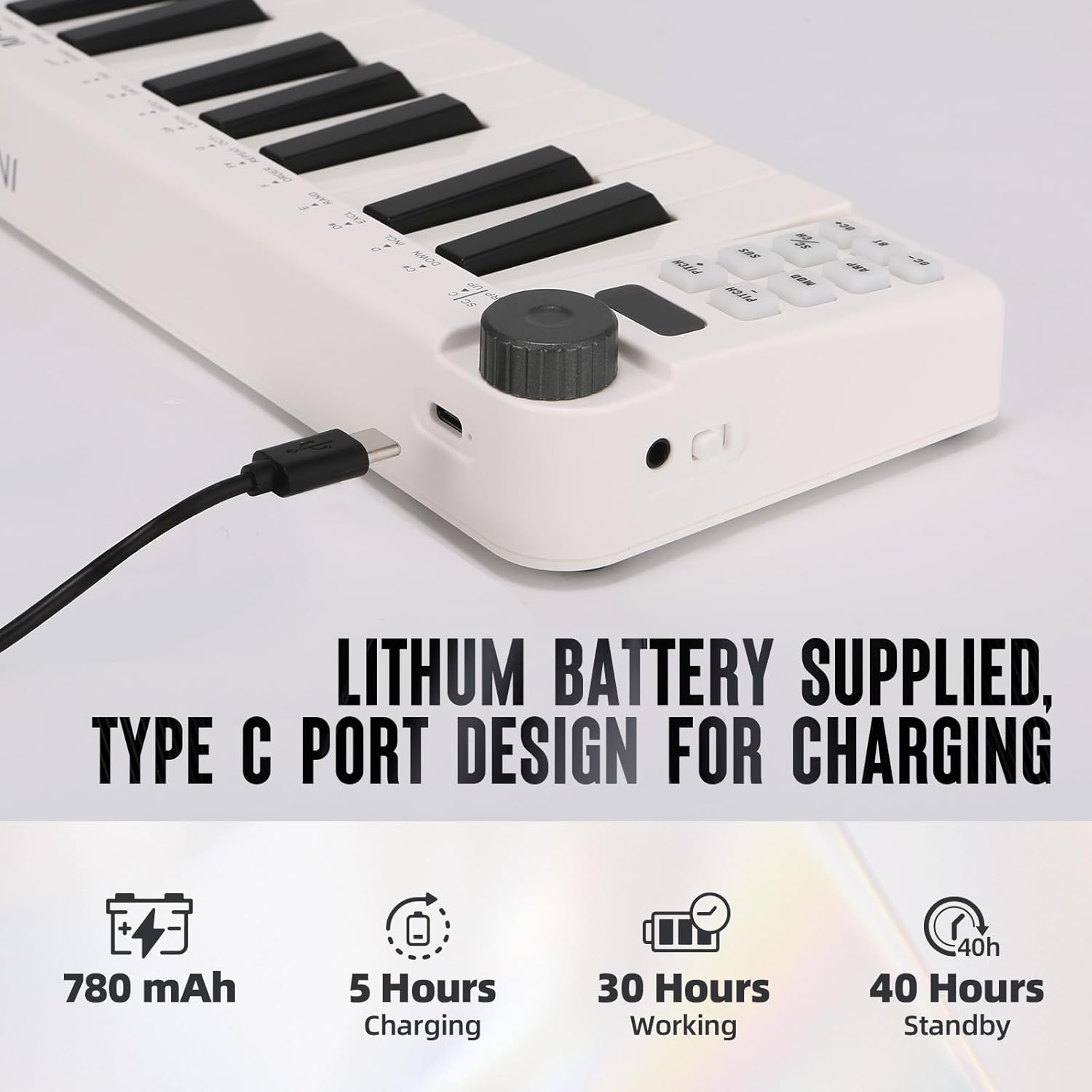
Image: Visual representation of the M-VAVE SMK-25 MINI's battery capacity, charging time, working time, and standby time.
Garantie und Support
M-VAVE-Produkte sind auf Zuverlässigkeit und Leistung ausgelegt. Informationen zu Garantie, technischem Support oder Serviceanfragen finden Sie auf der offiziellen M-VAVE-Website. webBesuchen Sie die Website oder kontaktieren Sie direkt den Kundendienst. Bewahren Sie Ihren Kaufbeleg als Kaufnachweis für Garantieansprüche auf.
M-VAVE aims to provide high-quality audio equipment and instruments. For assistance, their professional sales support team can address questions within 24 hours.
Besuchen Sie die M-VAVE Store auf Amazon für weitere Informationen.