
Einführung
Welcome to the user manual for your Timex Activity Tracker Watch, model TW5M60800. This digital quartz watch features a durable brass case, a comfortable khaki silicone strap, and a green dial. Designed for daily wear, it includes activity tracking functions and is water-resistant up to 30 meters. This manual provides essential information for setting up, operating, maintaining, and troubleshooting your watch to ensure optimal performance.

Abbildung 1: Front view of the Timex Activity Tracker Watch TW5M60800. This image displays the digital green dial, the brass case, and the khaki silicone strap.
Aufstellen
1. Erste Aktivierung
Your watch may come with a plastic battery saver tab. Gently pull and remove this tab from the side of the watch to activate the battery and power on the device.
2. Uhrzeit und Datum einstellen
The Timex Activity Tracker Watch typically features multiple buttons for setting.
- Suchen Sie die MODUS button (usually on the bottom left). Press it repeatedly to cycle through display modes until you reach the time setting mode (often indicated by flashing digits).
- Verwenden Sie die SATZ or ANPASSEN button (usually top left or right) to select the digit you wish to change (hours, minutes, year, month, day).
- Verwenden Sie die START/STOP or RUNDE/ZURÜCKSETZEN button (usually on the right side) to increase the value of the selected digit.
- Sobald alle Einstellungen korrekt sind, drücken Sie die Taste MODUS erneut drücken, um den Einstellmodus zu verlassen.
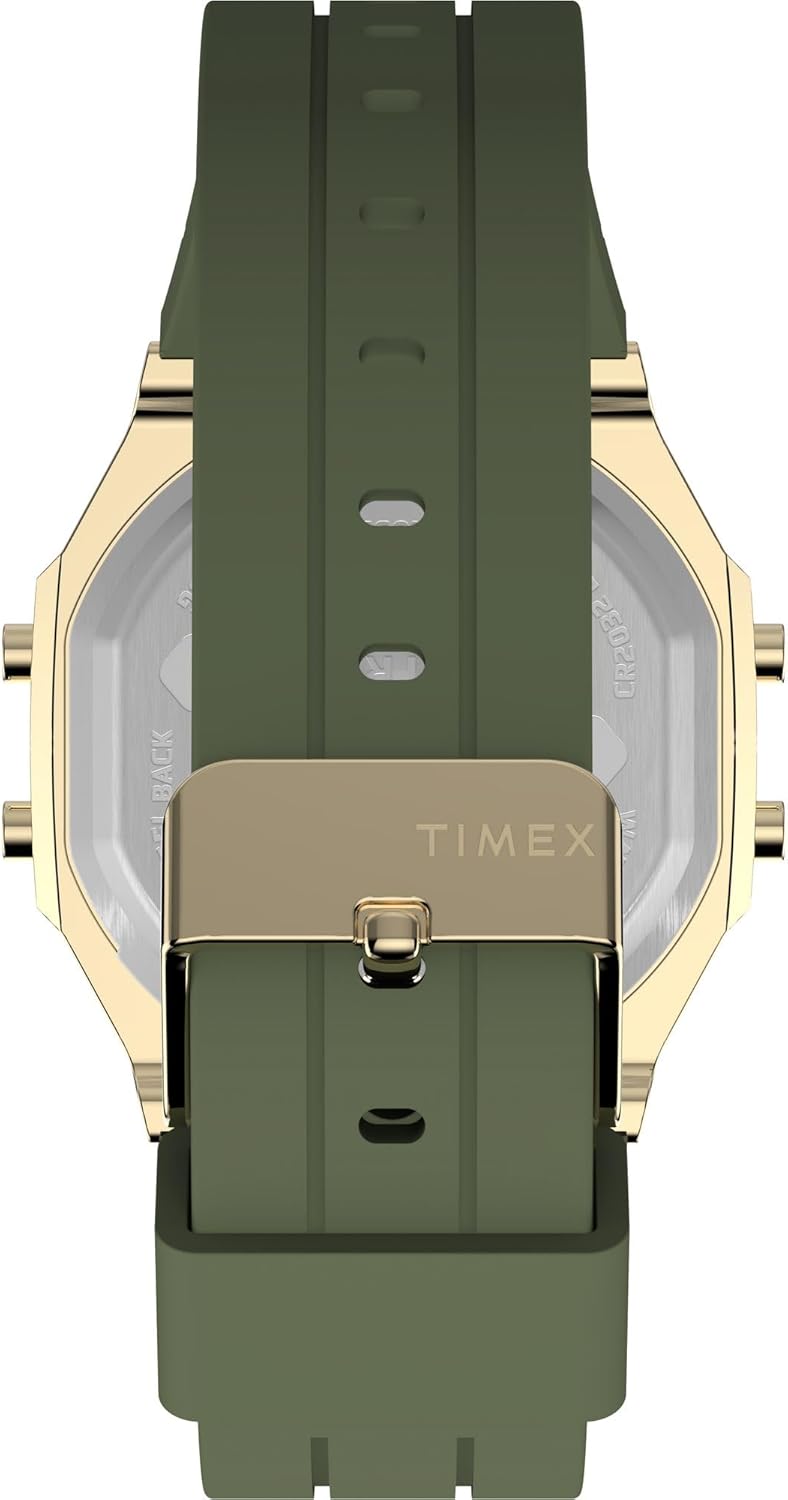
Abbildung 2: Seite view of the watch, illustrating the placement of control buttons on the brass case. These buttons are used for navigating menus and adjusting settings.
3. Riemenverstellung
The watch features a silicone strap with a traditional buckle clasp. Adjust the strap to a comfortable fit on your wrist, ensuring it is snug but not too tight to allow for accurate activity tracking.
Bedienungsanleitung
1. Grundlegende Zeitanzeige
In the default mode, the watch displays the current time (hours, minutes, seconds) and often the day of the week.
2. Accessing Activity Tracker Functions
Drücken Sie die MODUS button to cycle through various functions. Look for modes labeled "Activity," "Steps," "Distance," or "Calories."
- Schritte: Zeigt die Gesamtzahl der zurückgelegten Schritte an.
- Distanz: Zeigt die geschätzte zurückgelegte Strecke an.
- Kalorien: Zeigt den geschätzten Kalorienverbrauch an.
- Daily Goal: Some models allow setting a daily step goal. Refer to the on-screen prompts for setting and tracking.
To reset daily activity data, typically hold down a specific button (e.g., ZURÜCKSETZEN or RUNDE) while in an activity tracking mode. Consult the watch's on-screen prompts for exact instructions.
3. Wasserbeständigkeit
This watch is water-resistant to 30 meters (3 ATM). This means it is suitable for everyday use and can withstand splashes or brief immersion in water. It is nicht suitable for swimming, showering, or diving. Avoid pressing buttons while the watch is wet or submerged.
Wartung
1. Reinigen Sie Ihre Uhr
To clean the watch case and strap, use a soft, damp cloth. For the silicone strap, a mild soap solution can be used, then rinse thoroughly with clean water and dry completely. Avoid using harsh chemicals or abrasive materials, as these can damage the watch's finish.
2. Batteriewechsel
The watch is powered by a CR2032 battery. When the display dims or stops functioning, it's time to replace the battery.
- Carefully remove the back cover of the watch using a small screwdriver or a specialized watch tool.
- Beachten Sie die Ausrichtung der alten Batterie, bevor Sie sie ausbauen.
- Legen Sie eine neue CR2032-Batterie mit der positiven (+) Seite nach oben ein.
- Replace the back cover, ensuring it is securely fastened to maintain water resistance.
It is recommended to have battery replacement performed by a qualified watch technician to ensure proper sealing and water resistance.

Abbildung 3: Hinteren view of the watch, displaying the stainless steel back with "TIMEX ACTIVITY TRACKER" engraving, battery type (CR2032), and water resistance rating.
3. Speicherung
Bewahren Sie Ihre Uhr bei Nichtgebrauch an einem kühlen, trockenen Ort fern von direkter Sonneneinstrahlung und extremen Temperaturen auf.
Fehlerbehebung
| Problem | Mögliche Ursache | Lösung |
|---|---|---|
| Das Display ist leer oder dunkel. | Schwache oder leere Batterie. | Replace the CR2032 battery. Ensure the battery saver tab is removed. |
| Falsche Uhrzeit oder falsches Datum. | Time/date not set correctly or reset. | Folgen Sie den Anweisungen unter „Datum und Uhrzeit einstellen“ im Abschnitt „Einrichtung“. |
| Activity tracking data is inaccurate. | Watch not worn properly, or sensor obstruction. | Ensure the watch is worn snugly on the wrist. Clean the back sensor area. |
| Tasten reagieren nicht. | Die Uhr befindet sich möglicherweise im gesperrten Modus oder es liegt ein Batterieproblem vor. | Try a soft reset (if applicable, by holding all buttons for a few seconds). Check battery. |
Technische Daten
| Besonderheit | Detail |
|---|---|
| Modellnummer | TW5M60800 |
| Anzeigetyp | Digitales |
| Bewegungstyp | Quarz |
| Stromquelle | Batterie (CR2032) |
| Gehäusematerial | Messing |
| Gehäusedurchmesser | 40 Millimeter |
| Gehäusedicke | 10 Millimeter |
| Kristallmaterial | Acryl |
| Armbandmaterial | Silikon |
| Armbandfarbe | Khaki |
| Zifferblattfarbe | Grün |
| Wasserbeständigkeit | 30 Meter (3 ATM) |
| Verschlussart | Schnalle |
| Abteilung | Unisex für Erwachsene |
Garantie und Support
For detailed warranty information, please refer to the warranty card included with your product packaging or visit the official Timex website. For further assistance or technical support, please contact Timex customer service through their official channels.