
1. Einleitung
The CF Wireless Pool Robot 45 CL is designed for efficient and autonomous cleaning of private pool floors. This manual provides essential information for the safe and effective operation, maintenance, and troubleshooting of your robotic pool cleaner. Please read this manual thoroughly before initial use and retain it for future reference.
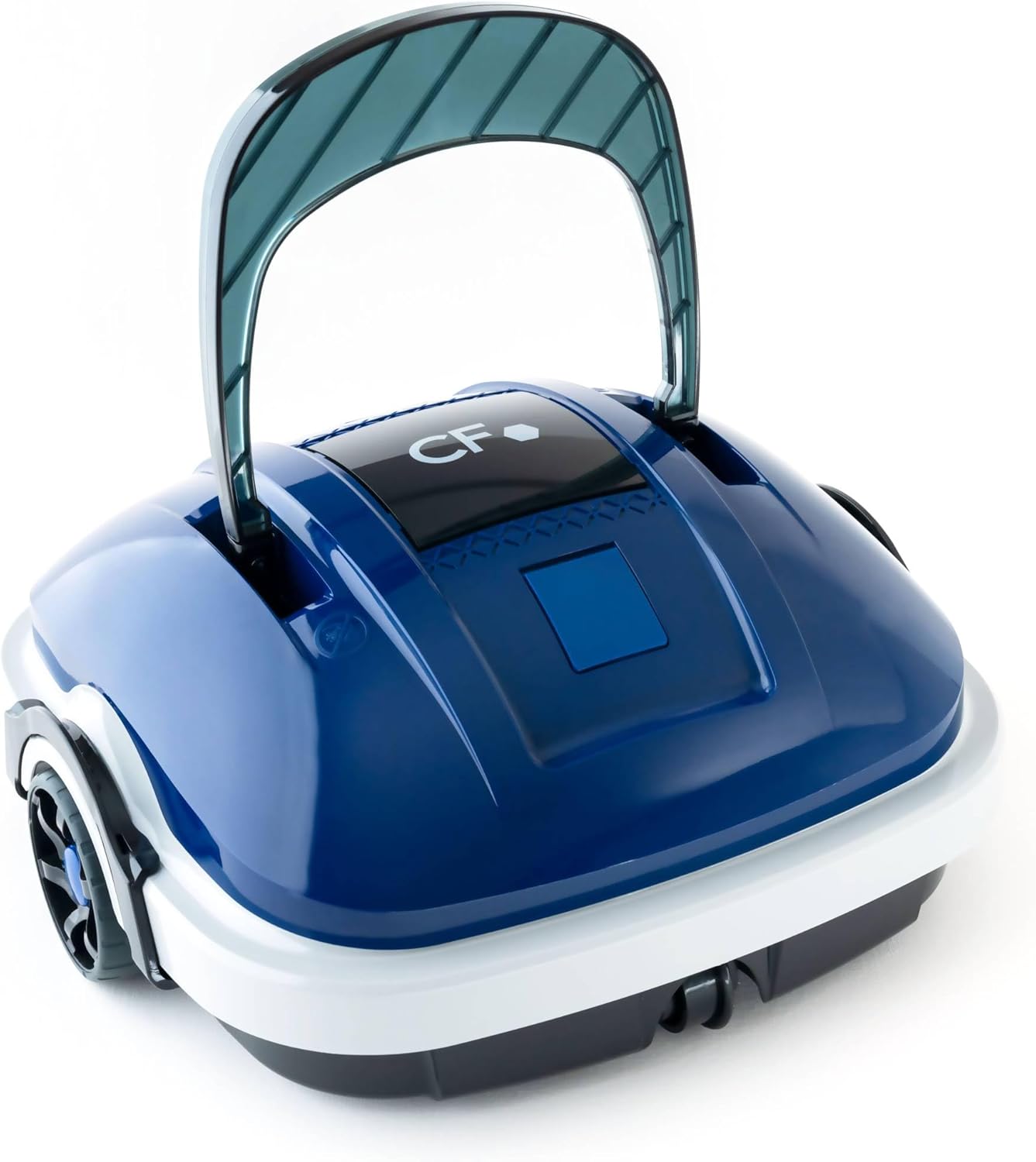
Image 1.1: The CF Wireless Pool Robot 45 CL. This image shows the compact, blue and white robotic pool cleaner with its handle raised, ready for use.
2. Wichtige Sicherheitshinweise
To reduce the risk of injury, electric shock, or damage to the unit, observe the following safety precautions:
- Lesen Sie vor der Verwendung des Geräts alle Anweisungen.
- Do not operate the robot if the power cord or charger is damaged.
- Stellen Sie sicher, dass der Ladeanschluss trocken ist, bevor Sie das Ladegerät anschließen.
- Halten Sie Kinder und Haustiere während des Betriebs vom Poolbereich fern.
- Benutzen Sie ausschließlich das vom Hersteller mitgelieferte Ladegerät.
- Do not attempt to repair the robot yourself. Contact qualified service personnel.
- Remove the robot from the pool before adding chemicals or performing maintenance.
3. Packungsinhalt
Überprüfen Sie, ob alle Artikel im Paket vorhanden sind:
- CF Wireless Pool Robot 45 CL
- Netzteil / Ladegerät
- Bergungshaken
- Bedienungsanleitung (dieses Dokument)

Image 3.1: The CF Wireless Pool Robot 45 CL positioned next to a pool, accompanied by its power adapter and retrieval hook. This illustrates the main components included with the robot.
4. Produktkomponenten
Familiarize yourself with the main parts of your CF Wireless Pool Robot 45 CL:
- Handhaben: For easy placement and retrieval.
- Netzschalter: Located on the underside for starting and stopping cleaning cycles.
- Filterkorb: Accessible for cleaning and maintenance.
- Rubber Lip Brushes: Designed to effectively scrub and collect debris from the pool floor.
- Ladeanschluss: Zum Anschluss des Netzteils.

Bild 4.1: Vorderseite view of the robot, highlighting its compact design and front wheels.

Bild 4.2: Draufsicht view, showing the CF logo and the overall shape of the cleaner.

Abbildung 4.3: Seite view of the robot, illustrating the handle and wheel design.
5. Aufladen des Roboters
Before first use, fully charge the robot. A full charge takes approximately 3 hours.
- Ensure the robot's charging port is clean and dry.
- Schließen Sie das Netzteil an den Ladeanschluss des Roboters an.
- Stecken Sie das Netzteil in eine normale Steckdose.
- Die Ladeanzeigeleuchte leuchtet auf (genauere Informationen zum Leuchtenverhalten finden Sie in der Produktbeschreibung).
- Once fully charged, disconnect the power adapter from the outlet and then from the robot.
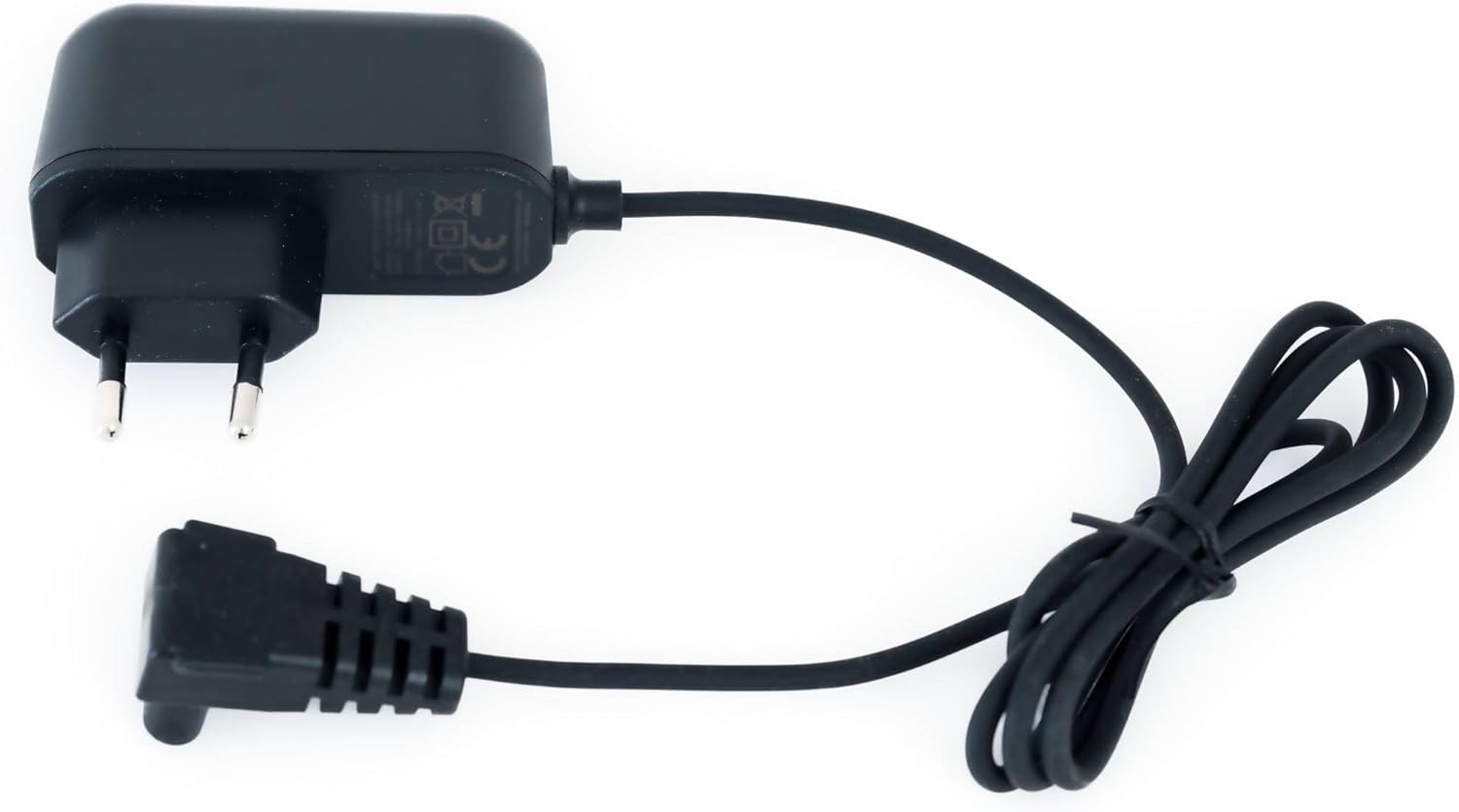
Image 5.1: The power adapter for charging the CF Wireless Pool Robot 45 CL. This image shows the charger with its cable and plug.
6. Bedienungsanleitung
The CF Wireless Pool Robot 45 CL is designed for simple, one-touch operation.
- Vorbereitung: Ensure the robot is fully charged and the filter basket is clean.
- Fang an zu putzen: Locate the power switch on the bottom of the robot. Press the switch to turn the robot ON.
- Platzierung: Gently lower the robot into the pool. It will sink to the bottom and begin its cleaning cycle automatically.
- Reinigungszyklus: The robot will operate for approximately 50 minutes, cleaning the pool floor up to 50 m².
- Fertigstellung: Once the cleaning cycle is complete, the robot will typically move to the edge of the pool or stop.
- Abruf: Use the provided retrieval hook to carefully lift the robot out of the pool.

Bild 6.1: Nahaufnahme view of the red power button located on the underside of the robot, used to initiate the cleaning cycle.

Image 6.2: The black retrieval hook accessory, used to safely lift the robot from the pool after a cleaning cycle.
7. Wartung
Regular maintenance ensures optimal performance and longevity of your pool robot.
7.1 Reinigung des Filterkorbs
The robot features a 180µ fine filter basket that should be cleaned after each use.
- Entfernen Sie den Roboter aus dem Pool.
- Open the robot's housing to access the filter basket (refer to product diagrams for specific access points).
- Entfernen Sie den Filterkorb.
- Empty any coarse debris from the basket.
- Spülen Sie den Filterkorb gründlich mit einem Gartenschlauch aus, um feine Partikel zu entfernen.
- Ensure the filter basket is completely dry before reinserting it into the robot.
- Close the robot's housing securely.
7.2 Speicherung
Bei längerer Nichtbenutzung:
- Clean the robot and filter basket thoroughly.
- Charge the battery to approximately 50-70% before storing.
- Store the robot in a cool, dry place, away from direct sunlight and extreme temperatures.
8. Fehlerbehebung
If you encounter issues with your CF Wireless Pool Robot 45 CL, refer to the following table:
| Problem | Mögliche Ursache | Lösung |
|---|---|---|
| Der Roboter startet nicht. | Der Akku ist schwach oder leer. | Laden Sie den Roboter vollständig auf. |
| Robot stops prematurely | Die Batterie ist schwach. | Laden Sie den Roboter vollständig auf. |
| Schlechte Reinigungsleistung | Der Filterkorb ist verstopft. | Reinigen Sie den Filterkorb gründlich. |
| Roboter bleibt stecken | Verstopfung im Pool. | Remove any large debris or toys from the pool. |
Sollte das Problem nach Anwendung dieser Lösungsansätze weiterhin bestehen, wenden Sie sich bitte an den Kundendienst.
9. Technische Daten
| Besonderheit | Spezifikation |
|---|---|
| Modellnummer | CF45CL |
| Maximale Poolgröße | 50 m² |
| Reinigungszyklus | 50 Мinuten |
| Reinigungsbereich | Poolboden |
| Filterfeinheit | 180µ |
| Akku-Typ | Lithium-Ionen |
| Batteriekapazität | 2600 mAh |
| Akkuladezeit | 3 Stunden |
| Stromverbrauch | 30 Watt |
| Produktabmessungen (L x B x H) | 13.46 x 13.74 x 12.99 Zoll (34.2 x 34.9 x 33 cm) |
| Artikelgewicht | 9.02 Pfund (3.6 kg) |
10. Garantie und Kundendienst
For warranty information, please refer to the documentation included with your product packaging or visit the official CF website. For technical assistance, troubleshooting beyond this manual, or to inquire about replacement parts, please contact CF customer support through the contact information provided on your product packaging or the official brand webWebsite.