
1. Einleitung
This manual provides detailed instructions for the installation, operation, and maintenance of your Zunate 6.86 Inch Wireless Android Auto Screen. This versatile device integrates Apple CarPlay and Android Auto functionalities, offering a seamless and enhanced driving experience. It is designed for easy installation in various vehicles, especially those without an original manufacturer screen.
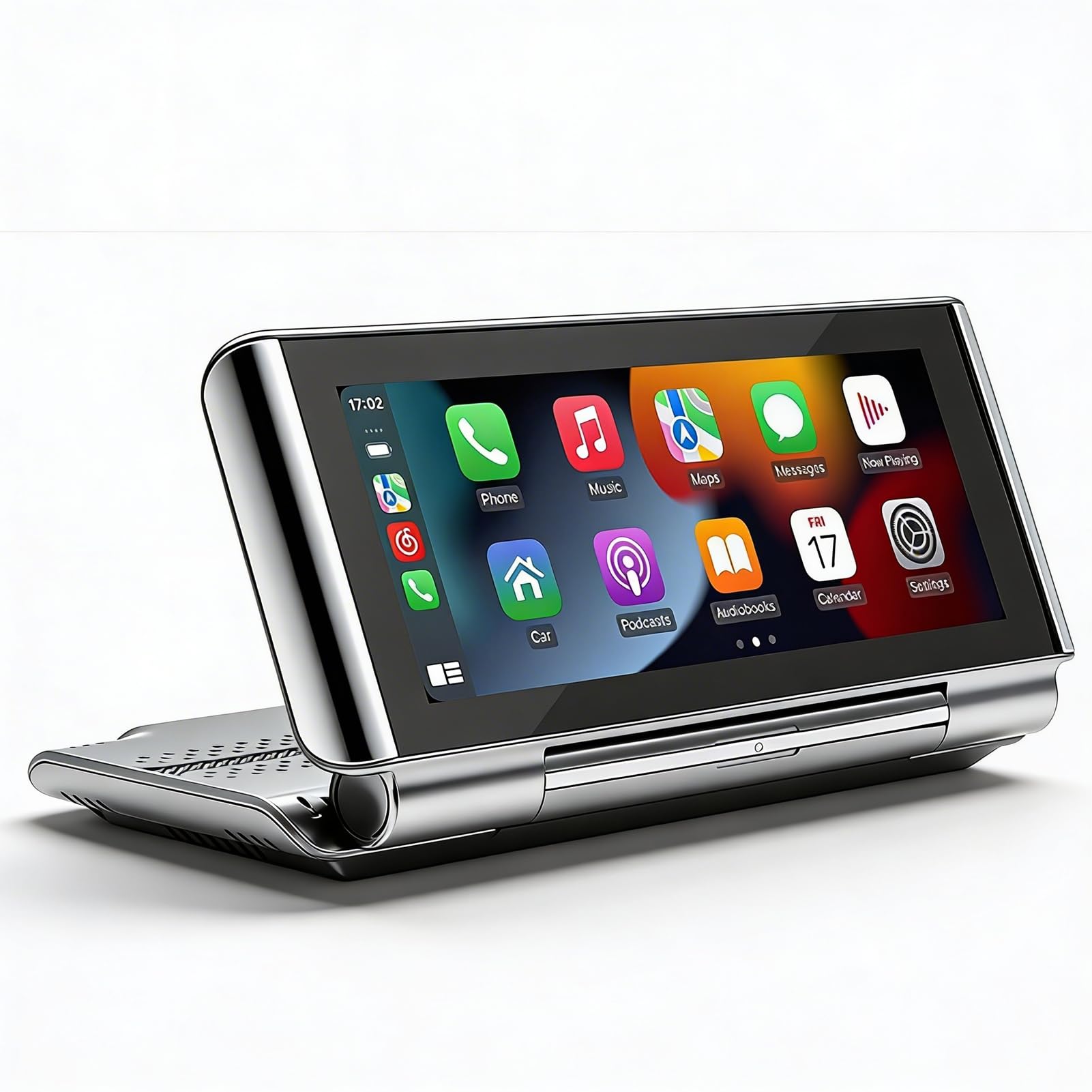
Image 1.1: The Zunate 6.86 Inch Wireless Android Auto Screen installed on a car dashboard, displaying a user interface with various application icons.
2. Spezifikationen
- Artikeltyp: Autoradio
- Material: ABS, LCD
- System: Melis system
- Software Solution: F133
- Operating Memory: 1-Gbit-DRAM
- Radiofrequenz: FM 87.5-108.0 MHz
- Radio IC: AB5301B
- AmpVerstärker-IC: CS8571E
- Bluetooth-Version: BT5.0
- Bildschirmauflösung: 1280 x 480
- Bildschirmgröße: 6.86 Zoll
- Betriebslautstärketage: 12 bis 30 V
- Mobile Konnektivität: Supports Apple CarPlay, Android Auto, Mirror Link
- Weitere Eigenschaften: Backup Camera, Video Warning, Built-in Speaker, Small Memory Card support (up to 128GB, not included)
- Typ-C-Schnittstelle: USB 2.0
- Reading Format (Audio): MP3/AAC/APE/OGG/M4A/RA/WAV
- Videoformat: H263/H264/H265/AVI/FLV/MKV/MPEG/MP4/WMV9/VC/ASF/TS/QT
- Bildformat: JPEG/PNG/BMP/GIF/TIFF
- Sprachunterstützung: Englisch, Chinesisch, Spanisch, Portugiesisch, Russisch, Deutsch, Französisch, Polnisch, Türkisch, Arabisch, Hebräisch, Italienisch, Tschechisch, Japanisch, Koreanisch, Thailändisch
3. Packungsinhalt
Bitte überprüfen Sie, ob alle folgenden Artikel in Ihrem Paket enthalten sind:
- 1 x Host Unit (Car Stereo)
- 1 x Stromkabel für Zigarettenanzünder
- 1 x Type C to USB2.0 Data Cable
- 1 x Reverse Video Cable
- 1 x Camera Component (Backup Camera)
- 1 x Camera Connection Cable
- 1 x Adapterkabel
- 2 x Schrauben
- 1 x Host Instruction Manual
- 1 x Kamera-Bedienungsanleitung
4. Einrichtung und Installation
The Zunate 6.86 Inch Wireless Android Auto Screen is designed for non-damaging installation. No need to remove your car's main unit or dashboard. Simply attach the device to a suitable surface in your vehicle.
- Mounting the Host Unit: Choose a stable and visible location on your dashboard. Secure the host unit using the provided mounting mechanism. Ensure it does not obstruct your view oder die Fahrsteuerung beeinträchtigen.
- Stromanschluss: Connect the cigarette lighter power cord to the host unit and then plug it into your vehicle's cigarette lighter socket. The device operates on 12-30V.
- Installation einer Rückfahrkamera (optional): If using the backup camera, connect the camera component to the host unit using the reverse video cable and camera connection cable. Install the camera at the rear of your vehicle, ensuring a clear view. Refer to the separate Camera Instruction Manual for detailed camera installation steps.
- Erstes Einschalten: Once connected, the device should power on automatically or by pressing the power button.

Image 4.1: The Zunate 6.86 Inch Wireless Android Auto Screen in its folded state, highlighting its portable and adaptable design.
5. Bedienungsanleitung
5.1. Mobile Connectivity (Apple CarPlay & Android Auto)
The device supports both wireless and wired connections for Apple CarPlay and Android Auto. This allows you to integrate your smartphone's navigation, music, and communication apps directly onto the screen.
- Drahtlose Verbindung: Enable Bluetooth and Wi-Fi on your smartphone. On the device, navigate to the CarPlay or Android Auto interface and follow the on-screen prompts to pair your phone.
- Kabelverbindung: Connect your smartphone to the device using a compatible USB cable via the Type-C port.

Image 5.1: The screen displaying options for connecting to Apple CarPlay or Android Auto, illustrating both wireless and wired connection methods.
5.2. Funktionalität der Rückfahrkamera
When your vehicle is shifted into reverse gear, the device automatically displays the feed from the connected backup camera, providing a clear view of the area behind your vehicle. The integrated 12 LED light chips on the camera enhance visibility during nighttime driving.
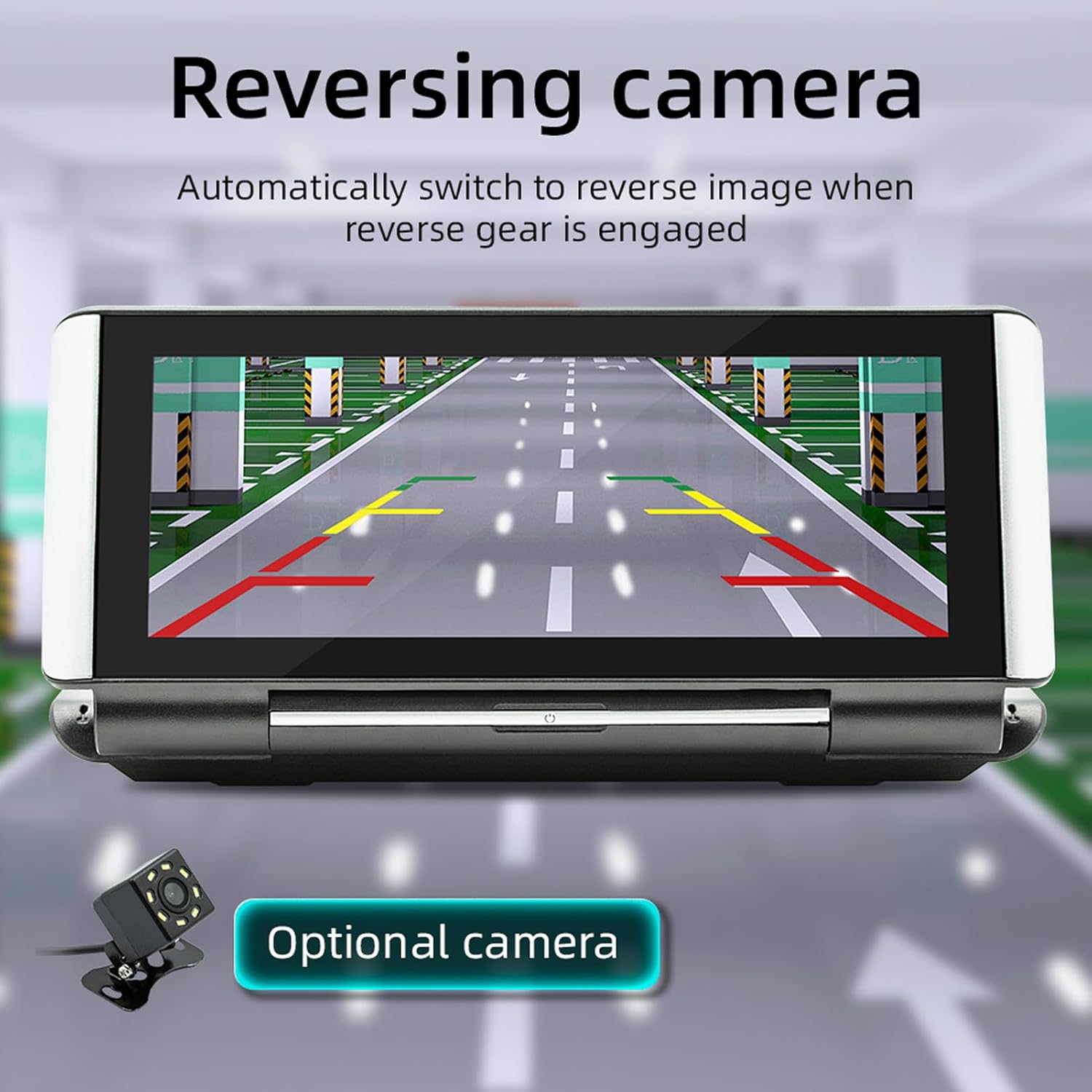
Image 5.2: The screen showing a reverse camera view with dynamic parking guidelines, aiding in safe backing maneuvers.
5.3. Multimedia-Wiedergabe
The device supports playback of various audio, video, and image formats from a small memory card (up to 128GB, not included) or a USB disk connected via the Type-C port. Simply insert your storage device, and the system will allow you to browse and play your media files.

Image 5.3: The screen displaying a music playback interface, with a close-up of the Type-C port and a standard Type-C to USB cable for media input.
5.4. Audioausgabemethoden
Audio from the device can be output through two methods:
- Eingebauter Lautsprecher: The device features a built-in 1W speaker for direct audio output.
- FM-Signalübertragung: You can transmit audio wirelessly to your car's FM radio. Select one of the six fixed FM frequencies or manually set a frequency to transmit the audio. If manual frequency is unstable, a fixed frequency is recommended.
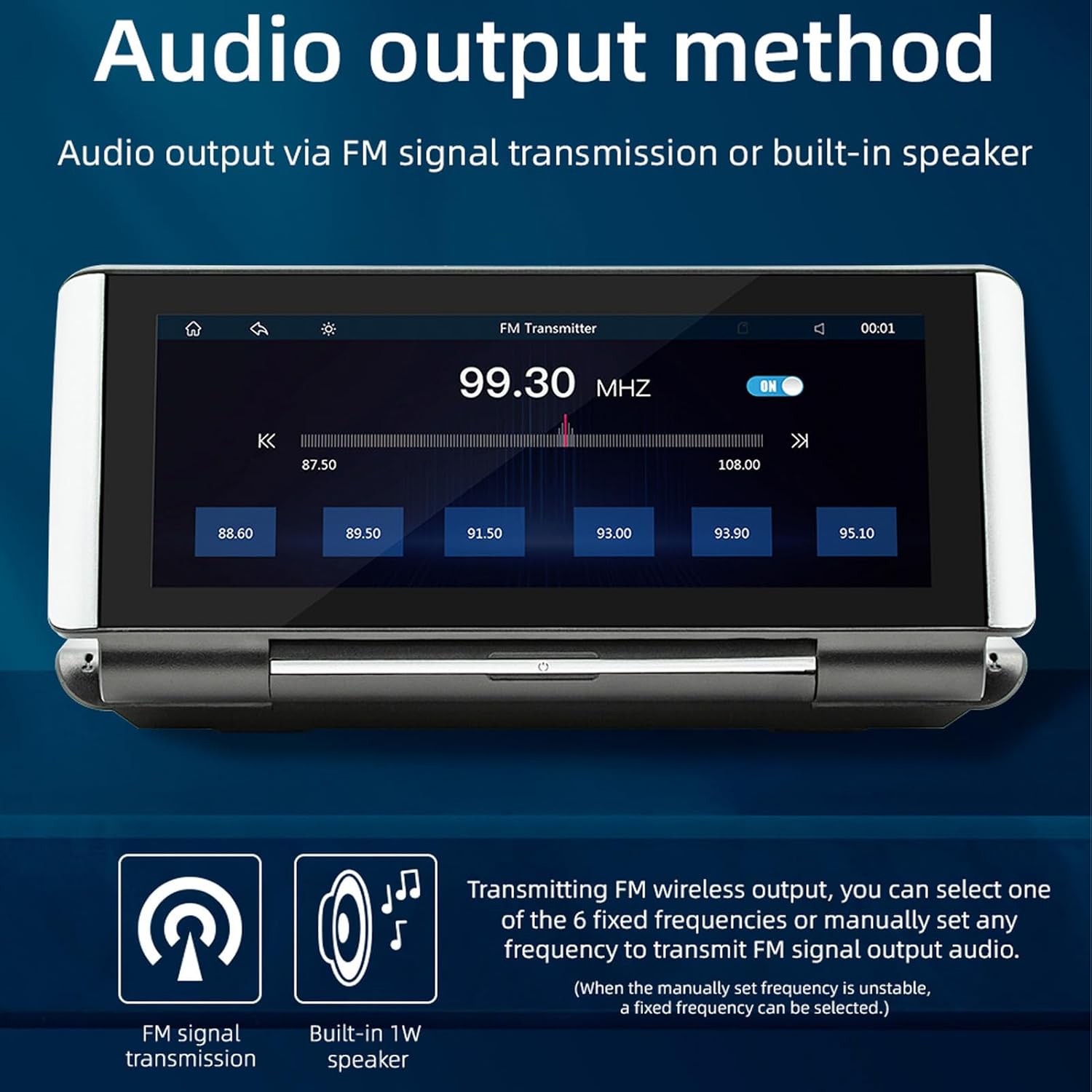
Image 5.4: The screen displaying the FM transmitter interface, allowing selection of broadcast frequencies for audio output to the car's radio system.
5.5. Bluetooth 5.0-Konnektivität
Equipped with Bluetooth 5.0 technology, the device offers faster connection speeds, simpler pairing, and a more stable signal for seamless wireless communication with your smartphone and other Bluetooth-enabled devices.

Image 5.5: A visual representation of the advanced 5.0 wireless chip, symbolizing the device's enhanced connectivity capabilities.
6. Wartung
- Reinigung: Reinigen Sie den Bildschirm und das Gehäuse des Geräts mit einem weichen, trockenen Tuch. Vermeiden Sie die Verwendung von Scheuermitteln oder Lösungsmitteln, da diese die Oberfläche beschädigen können.
- Temperatur: Setzen Sie das Gerät nicht über längere Zeiträume extremen Temperaturen (Hitze oder Kälte) aus, da dies seine Leistung und Lebensdauer beeinträchtigen kann.
- Lagerung: Wenn Sie das Gerät längere Zeit lagern, trennen Sie es vom Stromnetz und bewahren Sie es an einem kühlen, trockenen Ort auf.
7. Fehlerbehebung
Sollten Sie Probleme mit Ihrem Gerät haben, beachten Sie bitte die folgenden gängigen Lösungsansätze:
- Gerät lässt sich nicht einschalten: Ensure the cigarette lighter power cord is securely connected and your vehicle's power outlet is functioning. Check the vehicle's fuse for the power outlet.
- Keine Audioausgabe: Verify that the volume is not muted or set too low. If using FM transmission, ensure the frequency is correctly set and your car radio is tuned to the same frequency. Check the built-in speaker settings.
- CarPlay/Android Auto verbindet sich nicht: For wireless connections, ensure Bluetooth and Wi-Fi are enabled on your phone and the device. For wired connections, try a different USB cable. Restart both your phone and the device.
- Rückfahrkamera zeigt kein Bild an: Check all cable connections between the camera and the host unit. Ensure the vehicle is in reverse gear.
- Touchscreen reagiert nicht: Versuchen Sie, das Gerät neu zu starten. Sollte das Problem weiterhin bestehen, wenden Sie sich bitte an den Kundendienst.
8. Garantie und Support
For warranty information, technical support, or service inquiries, please refer to the warranty card included with your product or contact Zunate customer service through the retailer where you purchased the device. Keep your purchase receipt as proof of purchase.