
1. Einleitung
The Mastech MS5908C Circuit Analyzer is a professional instrument designed for comprehensive electrical circuit analysis. It is capable of measuring AC voltage, performing RCD (Residual Current Device) and GFCI (Ground Fault Circuit Interrupter) tests, and analyzing circuit impedance. This device is suitable for use in environments with 220V AC input voltage and features an EU plug for the European market. It provides accurate readings for phase voltage, neutral wire voltage, Bdtage to earth, frequency, and conductor impedance for live, neutral, and earth wires.
Zu den Hauptmerkmalen gehören:
- True RMS (TRMS) AC Voltage-Messung.
- Artificial load testing (5A, 8A, 10A) for wire drop measurement.
- Measurement of phase voltage, neutral wire voltage, Bdtage to earth, and frequency.
- Measurement of phase (live wire), neutral wire, and earth wire conductor impedance.
- Automatic power off to conserve battery life.
- Data hold function for convenient reading.
- Low battery display indicator.
2. Sicherheitshinweise
Before operating the Mastech MS5908C Circuit Analyzer, please read and understand all safety instructions. Failure to follow these instructions may result in electric shock, fire, or serious injury.
- Vor Gebrauch stets sicherstellen, dass das Gerät einwandfrei funktioniert.
- Verwenden Sie das Gerät nicht, wenn es beschädigt erscheint oder die Isolierung beeinträchtigt ist.
- Versuchen Sie niemals, das Volumen zu messen.tages oder Ströme, die die angegebenen Maximalwerte überschreiten.
- Always disconnect the device from the circuit before opening the battery compartment.
- Use caution when working with live electrical circuits.
- This device is rated for CAT III 300V and Pollution Degree 2 environments. Adhere to these ratings.
- Halten Sie das Gerät trocken und sauber.
3. Produktüberschreitungview
The Mastech MS5908C Circuit Analyzer features a robust design with an LCD display and intuitive controls for various electrical measurements.

Abbildung 3.1: Vorderseite view of the Mastech MS5908C Circuit Analyzer, showing the LCD screen and control buttons.
The device includes a clear LCD display for readings and indicators, along with several function buttons:
- Netzschalter: Zum Ein- und Ausschalten des Geräts.
- FUNC-Taste: To cycle through different measurement functions.
- Halte den Knopf: Den aktuellen Messwert auf dem Display einfrieren.
- Taste für Hintergrundbeleuchtung: To activate or deactivate the display backlight.
- TEST-Taste: To initiate specific tests, such as RCD/GFCI tests.
- Auf-/Abwärtspfeiltasten: Zur Navigation oder zum Anpassen von Einstellungen.

Figure 3.2: Dimensional drawing of the Mastech MS5908C Circuit Analyzer, showing its physical measurements.
4. Einrichtung
4.1 Einlegen der Batterie
The Mastech MS5908C requires 6 AAA batteries for operation. These batteries are included with the device.
- Suchen Sie das Batteriefach auf der Rückseite des Geräts.
- Verwenden Sie einen Schraubendreher, um die Abdeckung des Batteriefachs zu öffnen.
- Insert 6 AAA batteries, ensuring correct polarity as indicated inside the compartment.
- Bringen Sie die Batteriefachabdeckung wieder an und sichern Sie sie mit der Schraube.

Abbildung 4.1: Zurück view of the MS5908C with the battery compartment open, illustrating battery placement.
4.2 Erstes Einschalten
After installing the batteries, press the power button to turn on the device. The LCD display will illuminate, and a self-test sequence may run briefly before displaying the default measurement mode.
5. Bedienungsanleitung
The MS5908C offers various measurement modes accessible via the FUNC button.
5.1 Grundlautstärketage und Frequenzmessung
- Plug the MS5908C into the electrical socket to be tested.
- The device will automatically display the AC voltage und Frequenz.
- Press the FUNC button to cycle through different voltage readings, such as phase voltage, neutral wire voltage, und voltage zur Erde.
5.2 Impedance Measurement
To measure the impedance of the live, neutral, and earth conductors:
- Ensure the device is plugged into the socket.
- Press the FUNC button until the impedance measurement mode is displayed.
- The device will show the impedance values for each conductor.
5.3 RCD/GFCI Testing
The MS5908C can test the trip time and current of RCDs and GFCIs.
- Plug the device into a socket protected by an RCD/GFCI.
- Press the FUNC button to select the RCD or GFCI test mode.
- Press the TEST button to initiate the test. The device will simulate a fault condition and measure the trip time and current.
- Observe the displayed results. A successful test indicates the RCD/GFCI is functioning correctly.
- Reset the RCD/GFCI after the test.
5.4 Wire Drop Measurement (Artificial Load)
This function measures the voltage drop under specific artificial loads (5A, 8A, 10A).
- Plug the device into the circuit.
- Press the FUNC button to select the wire drop measurement mode.
- Use the arrow buttons to select the desired artificial load (5A, 8A, or 10A).
- The device will display the voltage Tropfenprozenttage.
5.5 Datenspeicherung und Hintergrundbeleuchtung
- Datenaufnahme: Drücken Sie die HOLD-Taste, um den aktuellen Messwert auf dem Display einzufrieren. Drücken Sie sie erneut, um die Anzeige wieder freizugeben.
- Hintergrundbeleuchtung: Press the backlight button to illuminate the display for use in low-light conditions. Press it again to turn off the backlight.
6. Wartung
6.1 Reinigung
To clean the device, wipe the casing mit Adamp cloth and a mild detergent. Do not use abrasive cleaners or solvents. Ensure the device is completely dry before storage or next use.
6.2 Batteriewechsel
When the low battery indicator appears on the display, replace all 6 AAA batteries as described in Section 4.1. Always use new batteries of the same type.
6.3 Speicherung
If the device will not be used for an extended period, remove the batteries to prevent leakage. Store the circuit analyzer in a cool, dry place, away from direct sunlight and extreme temperatures.
7. Fehlerbehebung
This section provides solutions to common issues you might encounter with your MS5908C Circuit Analyzer.
- Das Gerät lässt sich nicht einschalten: Prüfen Sie, ob die Batterien richtig eingesetzt sind und ausreichend geladen sind. Tauschen Sie die Batterien gegebenenfalls aus.
- Ungenaue Messwerte: Ensure the device is properly plugged into the socket. Verify that the correct measurement mode is selected.
- RCD/GFCI test fails: Ensure the RCD/GFCI is functional and properly wired. If the issue persists, consult a qualified electrician.
- Das Display ist dunkel oder flackert: Dies deutet in der Regel auf einen niedrigen Batteriestand hin. Tauschen Sie die Batterien aus.
If you encounter problems not listed here or if the issue persists, contact Mastech customer support.
8. Spezifikationen
Detailed technical specifications for the Mastech MS5908C Circuit Analyzer are provided below.
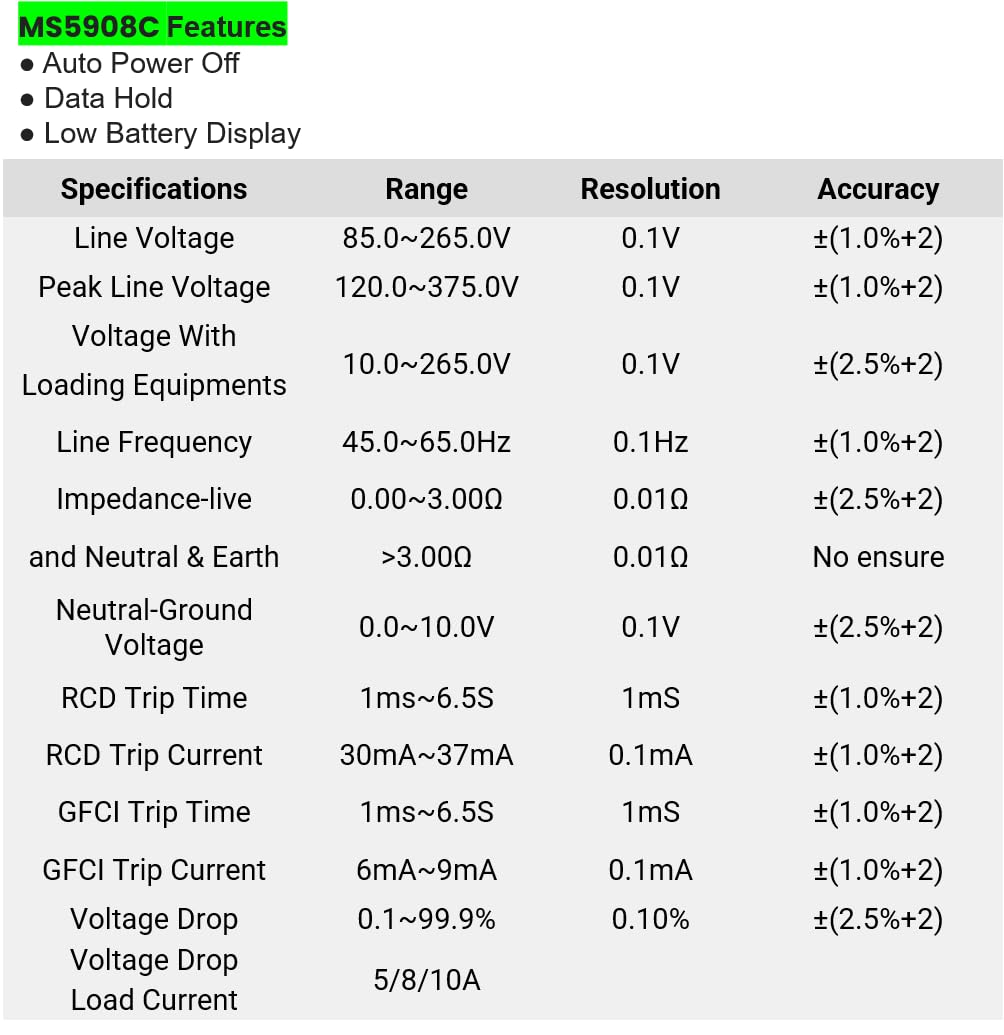
Figure 8.1: Detailed specifications table for the MS5908C, including ranges, resolutions, and accuracies.
| Parameter | Reichweite | Auflösung | Genauigkeit |
|---|---|---|---|
| Zeilenlautstärketage | 85.0 bis 265.0 V | 0.1 V | ± (1.0 % + 2) |
| Peak-Line-Voltage | 120.0 bis 375.0 V | 0.1 V | ± (1.0 % + 2) |
| Bandtage With Loading Equipments | 10.0 bis 265.0 V | 0.1 V | ± (2.5 % + 2) |
| Leitungsfrequenz | 45.0~65.0 Hz | 0.1 Hz | ± (1.0 % + 2) |
| Impedance (Live and Neutral & Earth) | 0.00 bis 3.00 Ω > 3.00 Ω | 0.01 Ω | ± (2.5 % + 2) No ensure |
| Neutral-Ground Voltage | 0.0 bis 10.0 V | 0.1 V | ± (2.5 % + 2) |
| RCD-Auslösezeit | 1 ms ~ 6.5 s | 1 ms | ± (1.0 % + 2) |
| RCD-Auslösestrom | 30mA ~ 37mA | 0.1 mA | ± (1.0 % + 2) |
| GFCI-Auslösezeit | 1 ms ~ 6.5 s | 1 ms | ± (1.0 % + 2) |
| FI-Schutzschalter-Auslösestrom | 6mA ~ 9mA | 0.1 mA | ± (1.0 % + 2) |
| Bandtage Tropfen | 0.1 bis 99.9 % | 0.10 % | ± (2.5 % + 2) |
| Laststrom | 5/8/10A | N / A | N / A |
Allgemeine Spezifikationen:
- Produktabmessungen: 7.87 x 5.91 x 9.84 Zoll (200 x 150 x 250 mm)
- Artikelgewicht: 2.2 Pfund (1 Kilogramm)
- Energiequelle: Batteriebetrieben (6 x AAA-Batterien im Lieferumfang enthalten)
- Sicherheitsbewertung: CAT III 300V, Pollution Degree 2
9. Garantie und Support
9.1 Garantieinformationen
The Mastech MS5908C Circuit Analyzer comes with a 1-year limited warranty from the date of purchase. This warranty covers defects in materials and workmanship under normal use. It does not cover damage caused by misuse, accident, unauthorized modification, or neglect. Please retain your proof of purchase for warranty claims.
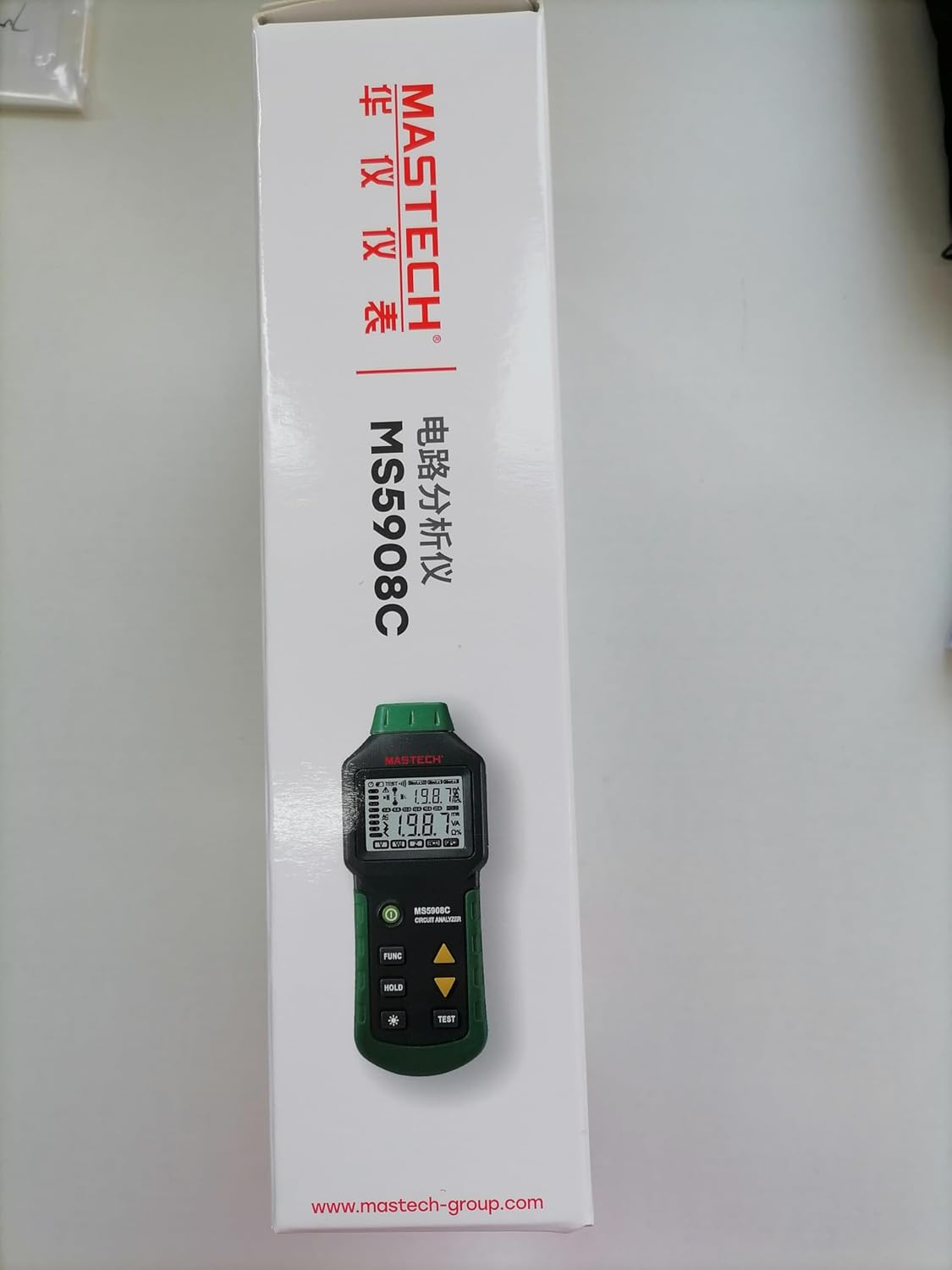
Figure 9.1: Product packaging indicating a 1-year limited warranty.
9.2 Kundendienst
For technical assistance, warranty service, or general inquiries, please refer to the contact information provided on the Mastech official website or the documentation included with your product. When contacting support, please have your product model (MS5908C) and purchase details ready.