
Niceday DE-3609
Niceday Pedaltrainer DE-3609 Benutzerhandbuch
Modell: DE-3609
1. Wichtige Sicherheitshinweise
Please read all instructions carefully before using the Niceday Pedal Exerciser. Retain this manual for future reference.
- Konsultieren Sie Ihren Arzt, bevor Sie mit einem Trainingsprogramm beginnen, insbesondere wenn Sie bereits gesundheitliche Probleme haben.
- Use the exerciser on a flat, stable surface. Ensure adequate space around the unit.
- Halten Sie Kinder und Haustiere während der Benutzung des Trainingsgeräts fern.
- Inspect the unit for any loose or damaged parts before each use. Do not use if damaged.
- Tragen Sie beim Sport geeignetes Schuhwerk.
- Das Pedaltrainer darf nicht benutzt werden. Es ist ausschließlich für die Benutzung im Sitzen konzipiert.
- Beenden Sie das Training sofort, wenn Sie Schmerzen, Schwindel oder Atemnot verspüren.
- Maximum user weight is not specified, but ensure the unit is stable and does not shift during use.
2. Packungsinhalt
Vor der Montage prüfen, ob alle Komponenten vorhanden sind:
- Niceday Pedal Exerciser Main Unit
- Pedale (2)
- Vorderer Stabilisator
- Stabilisatorstange hinten
- Montagewerkzeug (Schraubenschlüssel, Schraubendreher)
- Benutzerhandbuch (dieses Dokument)
- AAA Batteries (2) for LCD Monitor
3. Aufbau und Montage
The Niceday Pedal Exerciser is designed for quick and easy assembly, typically within 10 minutes. Most of the unit comes pre-assembled.
- Stabilisatoren anbringen: Securely attach the front and rear stabilizer bars to the main unit using the provided screws and tools. Ensure they are firmly tightened to prevent wobbling.
- Pedale anbringen: Identify the left (L) and right (R) pedals. The left pedal typically screws counter-clockwise, and the right pedal screws clockwise. Thread them into the crank arms and tighten them securely with the wrench.
- Batterien installieren: Open the battery compartment on the LCD monitor and insert 2 AAA batteries, observing the correct polarity. Close the compartment.

Image: Assembly components and process. The unit is largely pre-assembled, requiring attachment of pedals and stabilizer bars using included tools.
4. Bedienungsanleitung
4.1. Platzierung und Stabilität
Place the pedal exerciser on a stable, non-slip surface. The unit features extended leg tubes and an anti-slip rubber coating on its sturdy frame to ensure stability during use.

Image: Stability features including extended leg tubes and anti-slip rubber coating.
4.2. Widerstand einstellen
The Niceday Pedal Exerciser features 8 levels of smooth magnetic resistance. To adjust the resistance:
- Locate the resistance knob on the main unit.
- Durch Drehen des Knopfes im Uhrzeigersinn wird der Widerstand erhöht (für ein anspruchsvolleres Training).
- Turn the knob counter-clockwise to decrease resistance (for an easier workout or rehabilitation).
- Levels 1-4 are generally suitable for elderly users or rehabilitation to improve mobility.
- Levels 5-8 are generally suitable for youth and adults to strengthen muscles and maintain activity.
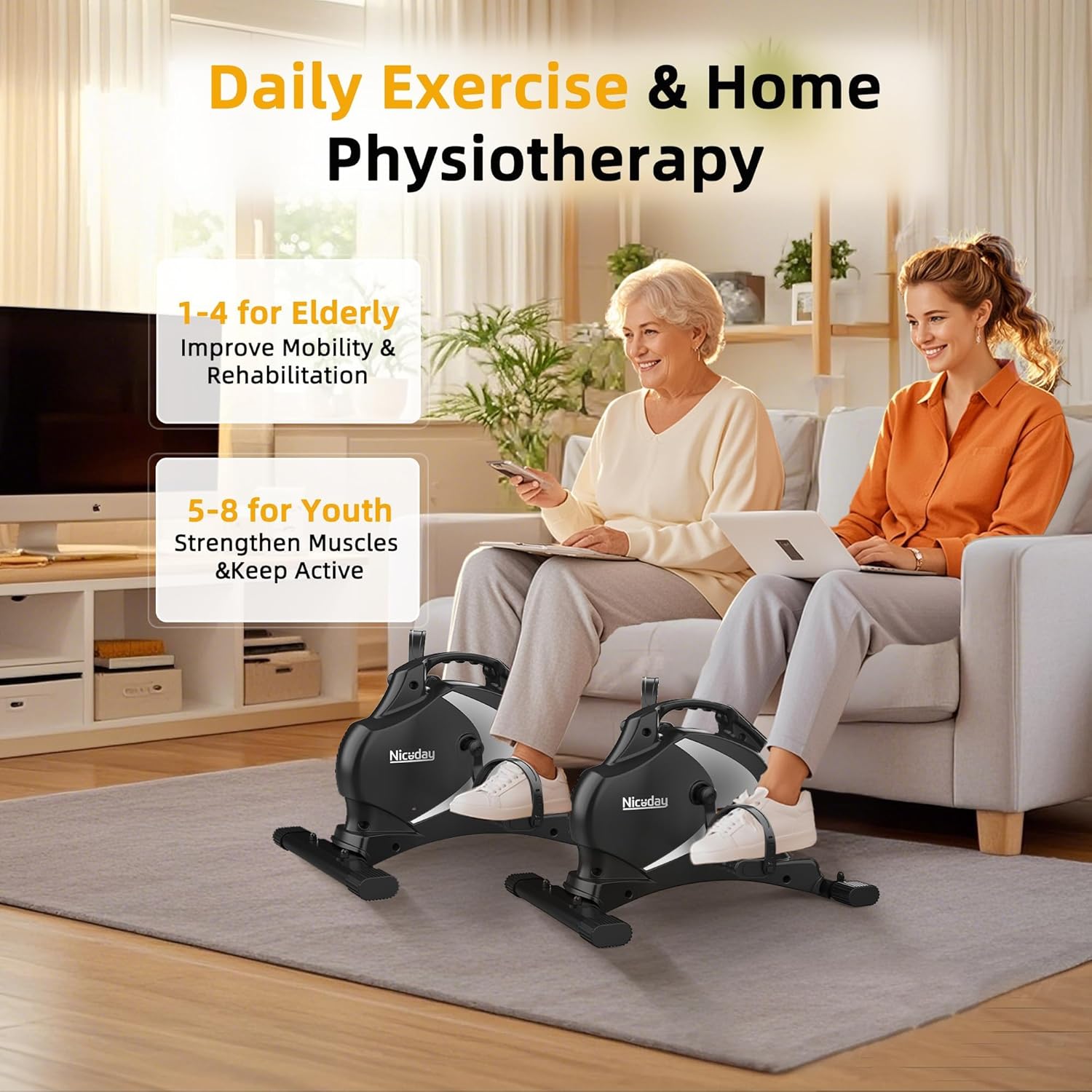
Image: Recommended resistance levels for different user groups.
4.3. Verwendung des LCD-Monitors
The integrated LCD monitor tracks your workout data in real-time. It displays the following metrics:
- SCAN: Automatically cycles through all metrics every few seconds.
- ZEIT: Dauer Ihrer aktuellen Trainingseinheit.
- DIST (Entfernung): Geschätzte zurückgelegte Strecke während Ihres Trainings.
- U/min (Umdrehungen pro Minute): Deine aktuelle Trittfrequenz.
- CAL (Kalorien): Geschätzter Kalorienverbrauch während des Trainings.
- ODO (Kilometerzähler): Total accumulated distance from all workouts.
So bedienen Sie den Monitor:
- The monitor automatically turns on when you start pedaling.
- Press the red button to cycle through the display modes (Time, Distance, RPM, Calories, Odometer, Scan).
- To reset the current workout data (Time, Distance, RPM, Calories), press and hold the red button for a few seconds. The Odometer (ODO) cannot be reset.
- The monitor will automatically turn off after a few minutes of inactivity to conserve battery life.

Image: LCD monitor displaying real-time workout data.
4.4. Geräuschloser Betrieb
The Niceday Pedal Exerciser utilizes an ultra-quiet magnetic resistance system, ensuring minimal noise during operation (typically less than 5dB). This allows for discreet use in various environments, such as offices or shared living spaces, without causing disturbance.

Image: Pedal exerciser in use under a desk, demonstrating silent operation.
5. Wartung
- Reinigung: Wischen Sie das Gerät mit Werbung abamp Nach jedem Gebrauch mit einem Tuch abwischen. Scheuermittel und Lösungsmittel vermeiden.
- Inspektion: Regularly check all bolts and screws to ensure they are tight. Tighten if necessary.
- Lagerung: Store the exerciser in a cool, dry place away from direct sunlight and extreme temperatures. Its compact design and portable handle make it easy to store.
- Batteriewechsel: Tauschen Sie die AAA-Batterien im LCD-Monitor aus, wenn das Display dunkler wird oder nicht mehr funktioniert.

Image: Portable design with handle for easy storage.
6. Fehlerbehebung
| Problem | Mögliche Ursache | Lösung |
|---|---|---|
| LCD-Monitor zeigt kein Bild an | Dead batteries; Incorrect battery installation; Unit not in use | Replace AAA batteries; Check battery polarity; Start pedaling to activate the monitor |
| Unit wobbles or is unstable | Stabilizer bars not tightened; Uneven surface | Ensure all screws on stabilizer bars are fully tightened; Move unit to a flat, level surface |
| Die Pedale fühlen sich locker an oder machen Geräusche | Pedals not fully tightened | Retighten pedals with the provided wrench. Remember left pedal is reverse threaded. |
| Widerstand ändert sich nicht | Resistance knob not properly engaged or damaged | Ensure the resistance knob is turning freely and engaging. If issue persists, contact customer support. |
7. Spezifikationen
- Modellnummer: DE-3609
- Marke: Schöner Tag
- Abmessungen (L x B x H): 55 cm x 45 cm x 35.5 cm (21.7 Zoll x 17.7 Zoll x 14 Zoll)
- Artikelgewicht: 9.5 kg
- Material: Metall
- Farbe: Schwarz
- Widerstandstyp: Magnetisch
- Widerstandsstufen: 8
- Anzeigetyp: LCD
- Steuerung: Taste
- Power Source (LCD): 2 x AAA-Batterien (im Lieferumfang enthalten)
- Enthaltene Komponenten: Pedal Exerciser, Assembly Tools, User Manual, Batteries
8. Garantie und Support
Niceday products are designed for quality and durability. While specific warranty details are not provided in this manual, Niceday generally offers customer support and stands by its products.
For any questions, concerns, or technical assistance regarding your Niceday Pedal Exerciser DE-3609, please contact Niceday customer support through the retailer where you purchased the product or visit the official Niceday webWebsite für Kontaktinformationen.
Please have your model number (DE-3609) and purchase information ready when contacting support.