
1. Einleitung
This manual provides detailed instructions for setting up, operating, maintaining, and troubleshooting your ASUS RT-BE82U BE6500 Dual-Band WiFi 7 Router. Please read this manual thoroughly before using the device to ensure optimal performance and safety.
Hauptmerkmale:
- Ultrafast WiFi 7 (802.11be) dual-band speeds up to 6500 Mbps.
- Five 2.5GbE Ports for optimized wired connectivity.
- Smart AiMesh Extendable Network for whole-home seamless roaming.
- Multi-link Operation for stable internet connections and efficient data transfers.
- Commercial-Grade AiProtection Pro powered by Trend Micro for advanced network security.
- Advanced Parental Controls for managing internet activity.
2. Packungsinhalt
Überprüfen Sie, ob alle Artikel in Ihrem Paket vorhanden sind:
- ASUS RT-BE82U Router
- RJ-45-Kabel
- Netzteil
- Kurzanleitung
- Garantiekarte
3. Einrichtung und Installation
Follow these steps to set up your ASUS RT-BE82U router:
- Router auspacken: Nehmen Sie den Router und sämtliches Zubehör vorsichtig aus der Verpackung.
- Schließen Sie die Antennen an: Ensure all four external antennas are securely attached and positioned for optimal signal.
- Mit dem Internet verbinden:
- Connect one end of the provided RJ-45 cable to the WAN port (blue) on the back of the RT-BE82U router.
- Verbinden Sie das andere Ende des RJ-45-Kabels mit dem LAN-Anschluss Ihres Modems.
- Einschalten: Connect the power adapter to the router's DC-IN port and then plug it into a power outlet. Press the power button to turn on the router.
- Initial Configuration (via ASUS Router App):
- Download the ASUS Router app from your mobile device's app store (available on iOS and Android).
- Open the app and follow the on-screen instructions to detect and configure your new router. This includes setting up your Wi-Fi network name (SSID) and password.
- Verbindung überprüfen: Once setup is complete, check the LED indicators on the front of the router. The WAN, 2.4GHz, and 5GHz LEDs should be solid white, indicating a successful connection.

Abbildung 3.1: Vorderseite view of the ASUS RT-BE82U BE6500 Dual-Band WiFi 7 Router with antennas extended.

Abbildung 3.2: Rückseite view showing the 2.5GbE WAN, 2.5GbE LAN ports, USB WAN, DC-IN, Power button, and Reset button.
4. Bedienung Ihres Routers
4.1. Network Management via ASUS Router App
The ASUS Router app provides comprehensive control over your network. You can:
- Überwachen Sie den Netzwerkverkehr und die verbundenen Geräte.
- Manage Wi-Fi settings for 2.4GHz and 5GHz bands.
- Set up guest networks for visitors.
- Configure advanced security features like AiProtection Pro.
- Implement parental controls to manage internet access for family members.

Figure 4.1: ASUS Router App interface for managing parental controls and network settings.
4.2. AiMesh System
The RT-BE82U supports ASUS AiMesh technology, allowing you to create a whole-home mesh Wi-Fi system by adding compatible ASUS routers. This extends coverage and eliminates Wi-Fi dead zones, providing seamless roaming throughout your home.
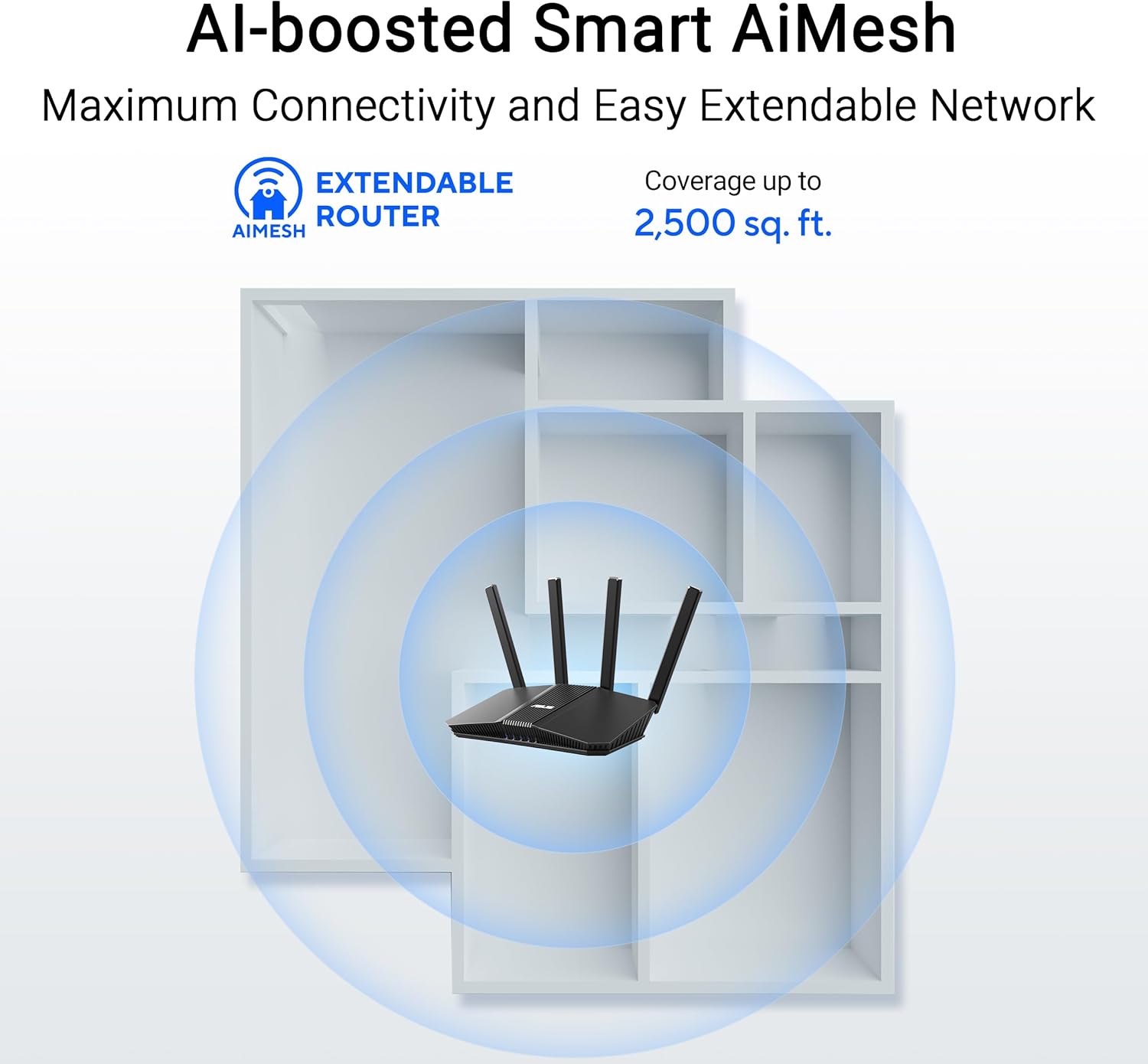
Figure 4.2: AiMesh system extending Wi-Fi coverage up to 2,500 sq. ft.
4.3. Advanced Network Security
The router includes AiProtection Pro, a commercial-grade network security suite. This feature provides real-time network protection against internet threats, malicious websites, and intrusion prevention. It also offers a one-tap security scan and Safe Browsing features.

Figure 4.3: AiProtection Pro interface within the ASUS Router App.
5. Wartung
To ensure the longevity and optimal performance of your router, consider the following maintenance tips:
- Firmware-Updates: Regularly check for and install firmware updates via the ASUS Router app or the web interface. Updates often include security patches and performance improvements.
- Platzierung: Place the router in a central location, away from obstructions and other electronic devices that may cause interference. Ensure good airflow around the device to prevent overheating.
- Reinigung: Halten Sie den Router sauber und staubfrei. Wischen Sie das Gehäuse mit einem weichen, trockenen Tuch ab. Verwenden Sie keine flüssigen Reinigungsmittel.
- Regelmäßig neu starten: A periodic restart (e.g., once a month) can help clear temporary issues and refresh network performance.
6. Fehlerbehebung
Sollten Sie Probleme mit Ihrem Router haben, versuchen Sie die folgenden Schritte zur Fehlerbehebung:
- Keine Internetverbindung:
- Überprüfen Sie alle Kabelverbindungen (WAN, LAN, Strom), um sicherzustellen, dass sie fest sitzen.
- Starten Sie zuerst Ihr Modem und dann Ihren Router neu.
- Prüfen Sie, ob Ihre Internetverbindung aktiv ist.
- Langsame WLAN-Geschwindigkeit:
- Ensure your devices are connected to the 5GHz band for faster speeds, if supported.
- Um Störungen zu vermeiden, sollte der Router von anderen elektronischen Geräten entfernt aufgestellt werden.
- Prüfen Sie, ob im Hintergrund bandbreitenintensive Anwendungen laufen.
- Consider adding an AiMesh node to extend coverage if you have dead zones.
- Zugriff auf Router-Einstellungen nicht möglich:
- Stellen Sie sicher, dass Ihr Gerät mit dem WLAN-Netzwerk des Routers oder über ein Ethernet-Kabel verbunden ist.
- Versuchen Sie, auf den Router zuzugreifen. web interface using the default IP address (e.g., 192.168.1.1) or via the ASUS Router app.
- Werkseinstellungen zurückgesetzt: If all else fails, perform a factory reset. Locate the Reset button on the back of the router (refer to Figure 3.2), press and hold it for 5-10 seconds until the power LED blinks, then release. This will restore the router to its default settings.
7. Spezifikationen
| Besonderheit | Detail |
|---|---|
| Marke | ASUS |
| Modellname | RT-BE82U |
| Frequenzbandklasse | Dualband |
| Drahtloser Kommunikationsstandard | 802.11be (WiFi 7), 802.11ac, 802.11ax, 802.11n |
| Datenübertragungsrate | Bis zu 6500 Mbit/s (5764 Mbit/s im 5-GHz-Band, 688 Mbit/s im 2.4-GHz-Band) |
| Anzahl der Ports | 5 (Five 2.5GbE Ports) |
| Antennentyp | Fixed (4 Antennas) |
| Security Protocol | AiProtection, VPN, Let's Encrypt, DNS-over-TLS, SSH, Security Scan, Firewall, WPS support, WPA/WPA2/WPA3-Personal, WPA/WPA2-Enterprise, WPS |
| AiMesh Support | Yes (Extendable Router) |
| Abmessungen (L x B x H) | 5.8 Zoll L x 3.8 Zoll B x 9.3 Zoll H |
| Artikelgewicht | 1.1 Pfund |
8. Garantieinformationen
The ASUS RT-BE82U BE6500 Dual-Band WiFi 7 Router comes with a 3 Jahr Garantie. Please refer to the included Warranty Card in your package for detailed terms and conditions, including information on service and support.
9. Unterstützung
Für weitere Hilfe, technischen Support oder zum Herunterladen der neuesten Treiber und Firmware besuchen Sie bitte die offizielle ASUS-Supportseite. website or use the ASUS Router app. You can also find additional resources and FAQs on the ASUS webWebsite.
ASUS-Kundendienst WebWebsite: www.asus.com/support/
ASUS Router-App: Available on the Apple App Store and Google Play Store.