
Einführung
The Noise Buds Connect 2 are true wireless earbuds designed to provide a high-quality audio experience with advanced features. This manual provides detailed instructions for setting up, operating, maintaining, and troubleshooting your earbuds to ensure optimal performance.
Lieferumfang
Upon unboxing your Noise Buds Connect 2, you will find the following items:
- 1N Bluetooth-Kopfhörer (Ohrhörer)
- 1N Ladeetui
- 1N Ladekabel
- 1N Benutzerhandbuch
- 1N Garantieregistrierungskarte
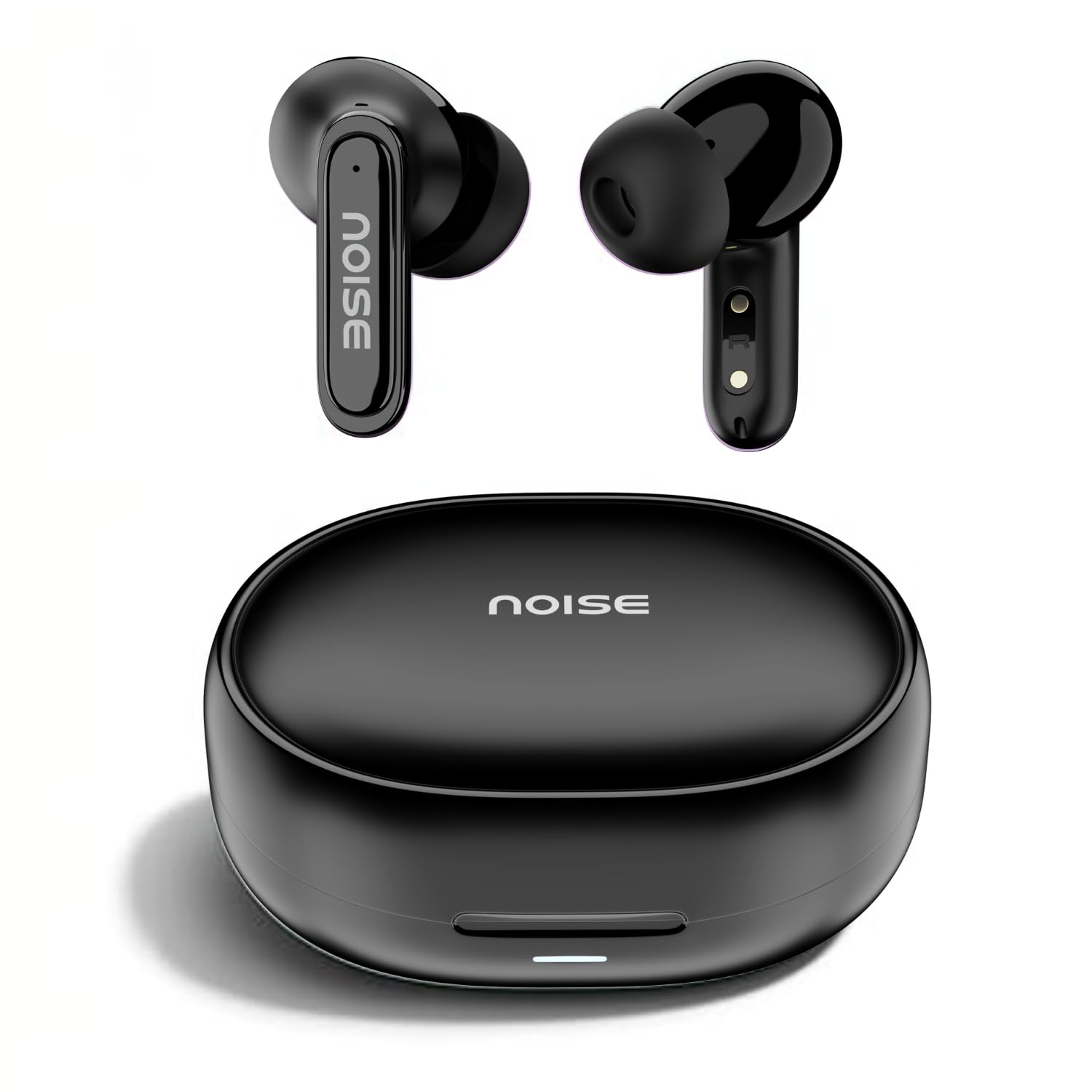
Image: Noise Buds Connect 2 earbuds and their charging case.
Aufstellen
1. Aufladen Ihrer Ohrhörer
Before first use, fully charge the earbuds and the charging case. Connect the provided charging cable to the charging case and a power source. The indicator light on the case will show the charging status.
- Durchschnittliche Batterielebensdauer: Bis zu 50 Stunden (mit Ladeetui)
- Akkuladezeit: Ungefähr 1.5 Stunden für eine vollständige Aufladung.
- Instacharge: 10 minutes of charge provides up to 120 minutes of playtime.

Image: Noise Buds Connect 2 earbuds placed inside their charging case.
2. Erstes Pairing
- Öffnen Sie das Ladeetui. Die Ohrhörer wechseln automatisch in den Kopplungsmodus.
- Aktivieren Sie Bluetooth auf Ihrem Gerät (Smartphone, Tablet, Laptop).
- Suchen nach 'Noise Buds Connect 2' in the list of available Bluetooth devices.
- Select 'Noise Buds Connect 2' to connect. A voice prompt will confirm successful pairing.

Image: Earbuds connected to a device via Bluetooth 5.3, showing music playback.
3. Kopplung zweier Geräte
The Noise Buds Connect 2 support dual device pairing, allowing you to connect to two devices simultaneously and switch between them seamlessly.
- Koppeln Sie die Ohrhörer wie oben beschrieben mit Ihrem ersten Gerät.
- Trennen Sie die Ohrhörer von den Bluetooth-Einstellungen des ersten Geräts.
- Koppeln Sie die Ohrhörer mit Ihrem zweiten Gerät.
- Reconnect the earbuds to the first device from its Bluetooth settings. The earbuds are now paired with both devices.

Image: Noise Buds Connect 2 earbuds shown with a smartphone and a laptop, illustrating dual device pairing.
Bedienungsanleitung
Touch-Bedienelemente
The earbuds feature touch controls for easy management of music and calls. Specific gestures for play/pause, track skipping, volume adjustment, and call handling are typically detailed in the quick start guide included with your product. Refer to that guide for precise touch commands.
In-Ear-Erkennung
The earbuds are equipped with in-ear detection. Music playback will automatically pause when you remove an earbud from your ear and resume when you place it back in.

Image: A person wearing Noise Buds Connect 2, demonstrating the in-ear detection feature.
Merkmale
- Quad Mic with Environmental Noise Cancellation (ENC): Ensures clear voice calls by filtering out ambient noise.
- IPX5 Wasserbeständigkeit: Protects your earbuds from sweat and light splashes, making them suitable for workouts and outdoor activities.
- Low Latency (up to 40ms): Provides a synchronized audio-visual experience, ideal for gaming and video playback.
- Bluetooth v5.3: Offers stable and efficient wireless connectivity with a range of up to 10 meters.
Image: Noise Buds Connect 2 earbuds highlighting the Quad Mic with ENC feature for enhanced call clarity.

Image: Noise Buds Connect 2 showcasing its IPX5 water resistance feature.
Wartung
Reinigung
- Wischen Sie die Ohrhörer und das Ladecase vorsichtig mit einem weichen, trockenen, fusselfreien Tuch ab.
- Verwenden Sie keine aggressiven Chemikalien, Reinigungslösungen oder starken Reinigungsmittel.
- Reinigen Sie regelmäßig die Ladekontakte sowohl an den Ohrhörern als auch am Ladecase, um ein ordnungsgemäßes Laden zu gewährleisten.
Lagerung
- Bewahren Sie die Ohrhörer bei Nichtgebrauch im Ladeetui auf, um sie zu schützen und geladen zu halten.
- Vermeiden Sie es, die Ohrhörer extremen Temperaturen, hoher Luftfeuchtigkeit oder direkter Sonneneinstrahlung auszusetzen.
Fehlerbehebung
- Ohrhörer lassen sich nicht koppeln: Stellen Sie sicher, dass sich beide Ohrhörer im Ladecase befinden, und öffnen Sie dann den Deckel, um den Kopplungsmodus zu aktivieren. Überprüfen Sie die Bluetooth-Einstellungen Ihres Geräts und versuchen Sie, die Ohrhörer erneut zu koppeln.
- Ein Ohrhörer funktioniert nicht: Legen Sie beide Ohrhörer zurück in das Ladecase, schließen Sie den Deckel, warten Sie einige Sekunden und öffnen Sie ihn dann wieder. Dadurch wird die Verbindung oft wiederhergestellt.
- Probleme beim Aufladen: Clean the charging contacts on both the earbuds and the case. Ensure the charging cable is securely connected and the power source is active.
- Geringe Lautstärke oder schlechte Tonqualität: Check the volume on both your device and the earbuds. Ensure the earbuds are properly seated in your ears. Clean any debris from the earbud nozzles.
- In-ear detection not working: Ensure the sensors are clean and unobstructed.
Technische Daten
| Besonderheit | Spezifikation |
|---|---|
| Marke | Lärm |
| Modellname | Buds Connect 2 |
| Modellnummer | AUD-HDPHN-BUDSCONNECT-2-BLK |
| Farbe | Anthrazitschwarz |
| Platzierung des Ohrs | Im Ohr |
| Formfaktor | Echtes Wireless |
| Lärmschutz | Umgebungsgeräuschunterdrückung (ENC) |
| Durchschnittliche Batterielebensdauer | 50 Stunden |
| Akkuladezeit | 1.5 Stunden |
| Frequenzbereich | 20 Hz - 20 kHz |
| Audiotreibertyp | Dynamischer Treiber |
| Produkteigenschaften | Fast Charging, Lightweight, Microphone Included, Rechargeable Battery, Sweatproof |
| Gehäusematerial | Polycarbonat (PC) |
| Wasserbeständigkeit | IPX5 Wasserbeständig |
| Bluetooth-Version | 5.3 |
| Bluetooth-Reichweite | 10 Meter |
| Steuerungstyp | Mediensteuerung |
| Kontrollmethode | Berühren |
Garantie und Support
The Noise Buds Connect 2 come with a 1-year assured warranty from the date of purchase, provided by the manufacturer. For warranty claims, technical support, or further information, please refer to the warranty registration card included in your package or visit the official Noise brand store.
Offizieller Markenshop: Noise Store on Amazon.in
Produktvideo überview
Sehen Sie sich dieses Video für einen kurzen Überblick an.view of the Noise Buds Connect 2 features and contents.
Video: Ein kurzer Vorberichtview highlighting key features of the Noise Buds Connect 2 earbuds.