
Dosilkc DS-QS23
Dosilkc 4K Outdoor Security Camera User Manual
Model: DS-QS23
1. Einleitung
Thank you for choosing the Dosilkc 4K Outdoor Security Camera. This manual provides detailed instructions for the installation, operation, and maintenance of your new security camera. Please read this manual thoroughly before use and retain it for future reference.

Image: The Dosilkc 4K Outdoor Security Camera, a white dome-shaped camera with two antennas, mounted on a wall bracket.
2. Packungsinhalt
Bitte überprüfen Sie, ob alle Artikel in Ihrem Paket vorhanden sind:
- 1 x 8MP Wifi Camera
- 1 x 12V DC Power Supply (2.5m cable)
- 1 x Benutzerhandbuch
- 1 x Schraubenbeutel (zur Montage)
- 1 x LAN Cable Waterproof Cover
3. Einrichtung und Installation
3.1 Physische Installation
The camera is designed for both indoor and outdoor use and supports wall mounting. Choose a location that provides optimal viewDie Abdeckung muss gewährleistet sein und sich in Reichweite einer Steckdose befinden.
- Markieren Sie die Bohrpunkte an der Wand, indem Sie die Montagehalterung der Kamera als Schablone verwenden.
- Bohren Sie Löcher und setzen Sie bei Bedarf Dübel ein.
- Befestigen Sie die Montagehalterung mit den mitgelieferten Schrauben an der Wand.
- Befestigen Sie die Kamera an der montierten Halterung.
- Connect the 12V DC power supply to the camera and plug it into a power outlet. Ensure the power supply is protected from direct weather if installed outdoors.
3.2 Netzwerkverbindung
The camera supports both 2.4G/5G Wi-Fi and wired LAN cable connections for stable video streaming.

Image: Illustrations demonstrating how to connect the camera via 2.4G/5G Wi-Fi to a router and via an RJ45 LAN cable for a wired connection.
- Wi-Fi-Verbindung: Download the recommended mobile application (details in the user manual) and follow the in-app instructions to connect the camera to your 2.4G or 5G Wi-Fi network.
- Kabelverbindung: Connect an Ethernet cable from your router to the camera's LAN port. Use the provided waterproof cover for outdoor installations.
3.3 Erste App-Einrichtung
The camera is primarily controlled via a mobile application (compatible with Android devices). Refer to the included user manual for specific app download and setup instructions.
4. Bedienung der Kamera
4.1 Schwenken, Neigen und digitaler Zoom (PTZ)
Die Kamera bietet einen 360°-Blickwinkel. view with 355° pan and 90° tilt capabilities, along with 4X digital zoom, allowing you to remotely adjust the viewing angle and zoom in for more detail via the mobile app.

Image: A diagram illustrating the 355° pan and 90° tilt movement of the camera lens.
4.2 High-Definition Imaging
The camera captures crystal-clear 4K 8MP images (3840x2160 resolution), ensuring high detail for surveillance.

Image: A side-by-side comparison showing the superior clarity and detail of 4K 8MP resolution compared to 1080P.
4.3 Bewegungserkennung und automatische Verfolgung
Equipped with advanced motion detection, the camera alerts you instantly upon detecting movement. The human tracking feature ensures the camera follows detected individuals within its range, providing continuous monitoring.
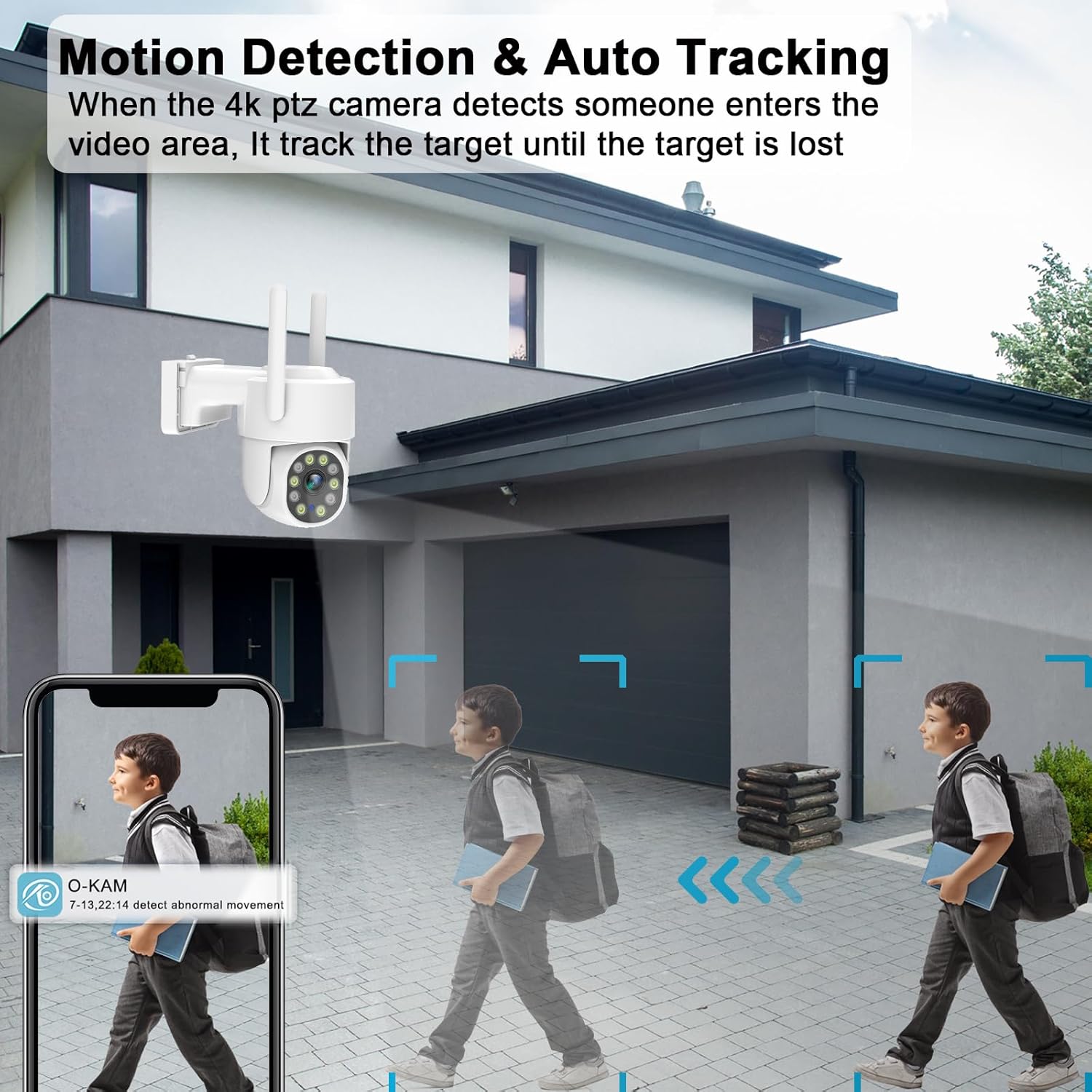
Image: A scene depicting the camera detecting and tracking a person walking, with a mobile app notification shown.

Image: An illustration showing the camera's AI Humanoid Tracking feature, highlighting how it intelligently tracks moving targets.
4.4 Zwei-Wege-Audiokommunikation
The built-in microphone and speaker allow for real-time two-way communication. You can speak to visitors or deter intruders directly through the camera via the app.

Image: A split image showing a delivery person at a door and a user interacting via the camera's two-way audio feature on a smartphone.
4.5-Zoll-Vollfarb-Nachtsicht
Experience clear and vivid full-color night vision, even in low-light conditions, thanks to the camera's 10pcs spot white light LEDs and IR night vision capabilities. This allows for accurate identification of objects and people at night.
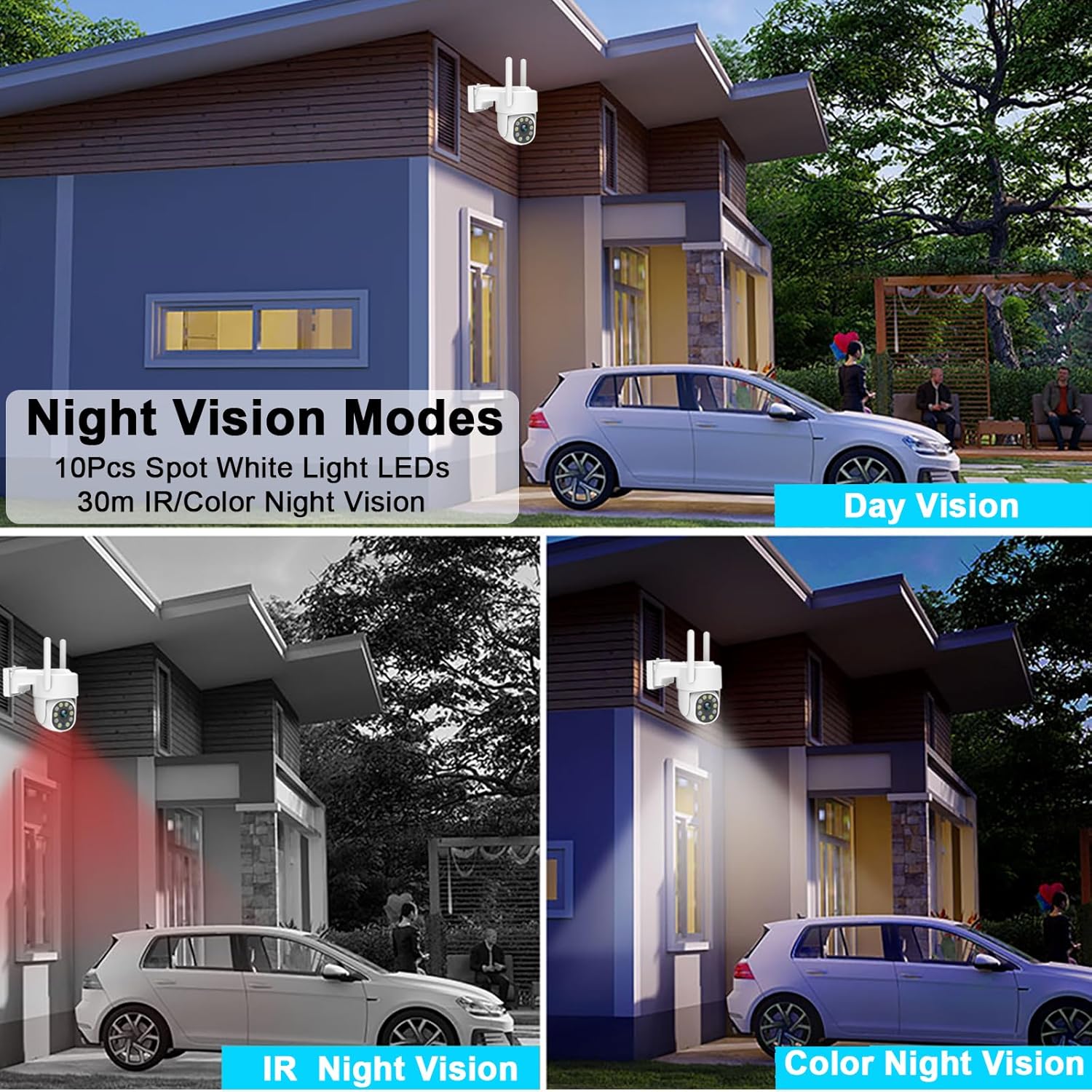
Image: A comparison of day vision, IR night vision (black and white), and full-color night vision captured by the camera.
4.6 Video Recording Options
The camera supports both Micro TF Card (up to 256GB, not included) and cloud storage options for 24/7 recording. It also supports ONVIF protocol for integration with NVRs and third-party software.

Image: A visual representation of the camera supporting Micro TF card and cloud storage for continuous recording, with examples of recorded foodtage.

Image: A detailed graphic showing the camera's support for up to 256GB MicroSD card and cloud storage for 24/7 recording, along with a timeline view von aufgezeichneten Ereignissen.
4.7 Pre-Position & Cruise Control
Set specific pre-defined positions for the camera to monitor. The cruise control feature allows the camera to automatically cycle through these positions, ensuring comprehensive area coverage.

Image: A diagram illustrating how the camera can be set to monitor multiple pre-defined points in an outdoor area, forming a patrol route.
5. Wartung
5.1 Witterungsbeständigkeit
The camera has an IP66 waterproof rating, making it suitable for various outdoor weather conditions, including sunny, snowy, and thundery days.

Image: The camera shown with water droplets, alongside icons representing sunny, snowy, and thundery weather, indicating its IP66 waterproof rating.
5.2 Reinigung
To ensure optimal performance, regularly clean the camera lens and housing with a soft, damp Verwenden Sie kein Tuch. Vermeiden Sie aggressive Chemikalien oder scheuernde Materialien, die die Oberfläche oder das Objektiv der Kamera beschädigen könnten.
6. Fehlerbehebung
Sollten Sie Probleme mit Ihrer Kamera haben, beachten Sie bitte die folgenden häufig auftretenden Probleme und Lösungen:
- Kein Strom: Ensure the power adapter is securely connected to the camera and the power outlet. Verify the outlet is functional.
- Keine Verbindung zum WLAN möglich:
- Stellen Sie sicher, dass Ihr WLAN-Netzwerk mit 2.4 GHz oder 5 GHz arbeitet und stabil ist.
- Prüfen Sie, ob sich die Kamera in Reichweite Ihres WLAN-Routers befindet.
- Starten Sie Ihren Router und die Kamera neu.
- Überprüfen Sie, ob das in der App eingegebene WLAN-Passwort korrekt ist.
- Frequent Motion Detection Alerts: Adjust the motion detection sensitivity settings in the mobile app. Consider setting up specific detection zones to reduce false alarms from irrelevant areas.
- Schlechte Bildqualität: Ensure the camera lens is clean. Check your network connection speed; a slow connection can affect streaming quality.
- Aufnahmeprobleme:
- If using a Micro TF card, ensure it is properly inserted and formatted. Check if the card is full.
- Für die Cloud-Aufzeichnung überprüfen Sie bitte Ihren Abonnementstatus und Ihre Internetverbindung.
- Zwei-Wege-Audio funktioniert nicht: Check the microphone and speaker settings in the app. Ensure volume levels are adequate and there is no physical obstruction to the microphone or speaker.
For further assistance, please consult the detailed troubleshooting section within the mobile application or contact customer support.
7. Spezifikationen
| Besonderheit | Spezifikation |
|---|---|
| Modellname | DS-QS23 |
| Auflösung der Videoaufnahme | 4K (3840x2160) |
| Effektive Standbildauflösung | 8 Megapixel |
| Konnektivitätstechnologie | Wired, Wireless (2.4G/5G Wi-Fi) |
| Konnektivitätsprotokoll | ONVIF, Wi-Fi |
| Schwenk-/Neigebereich | 355° Schwenken, 90° Neigen |
| Digital Zoom | 4X |
| Nachtsicht | Full Color Night Vision, IR Night Vision (10 IR LEDs) |
| Speicheroptionen | Micro TF Card (Max 256GB, not included), Cloud Storage |
| Audio | Zwei-Wege-Audio |
| Wetterbeständigkeit | IP66 Wasserdicht |
| Stromquelle | Kabelgebundener Strom (12 V) |
| Abmessungen (L x B x H) | 5.51 x 3.54 x 7.79 Zoll |
| Artikelgewicht | 1.1 Pfund |
| Material | Plastik |
8. Garantie und Support
This product is manufactured by Shenzhen Xiangge Technology Co., Ltd under the Dosilkc brand. For any product-related inquiries, technical support, or warranty claims, please refer to the contact information provided with your purchase documentation or visit the official Dosilkc webWebsite.
Ask a question about this manual
Ask about setup, troubleshooting, compatibility, parts, safety, or missing instructions. Manuals+ will review the question and use this page’s manual context to help answer it.