
1. Einleitung
Thank you for choosing the CLXEAST 24 Inch Illuminated In/Outdoor Atomic Analog Wall Clock. This clock is designed to provide accurate timekeeping, temperature, and humidity readings, both indoors and outdoors. It features atomic time synchronization, an intelligent light sensor for automatic illumination, and a durable, weather-resistant construction.

Bild 1.1: Vorderseite view of the CLXEAST 24 Inch Illuminated Atomic Analog Wall Clock.
2. Sicherheitshinweise
- Use only the specified battery type and quantity (4 D batteries).
- Mischen Sie keine alten und neuen Batterien oder verschiedene Batterietypen.
- Legen Sie die Batterien mit der richtigen Polarität (+/-) ein.
- Entfernen Sie leere Batterien umgehend, um ein Auslaufen zu verhindern.
- Keep the clock away from direct heat sources, extreme sunlight, and constant heavy rain to ensure lasting performance.
- Dieses Produkt ist kein Spielzeug. Außerhalb der Reichweite von Kindern aufbewahren.
3. Packungsinhalt
- CLXEAST 24 Inch Illuminated Atomic Analog Wall Clock (1 unit)
- Bedienungsanleitung (1 Stück)
Note: 4 D batteries are required and not included.
4. Produktmerkmale
- Illuminated Dial: Features an integrated light sensor that automatically activates a warm backlight in dark conditions and turns off in daylight. Two backlight modes: Always On, Always Off.
- Atomzeitsynchronisation: Automatically syncs with the WWVB radio transmission from Fort Collins, CO, for precise timekeeping.
- Automatische Sommerzeitumstellung (DST): Option to automatically adjust for Daylight Saving Time.
- Auswahl der Zeitzone: Supports 4 USA time zones: Pacific (PST), Mountain (MST), Central (CST), and Eastern (EST).
- Weatherproof & UV Resistant: IP65 rated, sealed with front and back rubberized gaskets for protection against water and outdoor elements.
- Integriertes Thermometer: Misst Temperaturen von -40°F bis 140°F (-40°C bis 60°C).
- Integriertes Hygrometer: Measures humidity from 1% to 99% relative humidity.
- Präzises Quarzwerk: Ensures reliable time display.
- Premium-Konstruktion: Features a glass lens and metal frame.
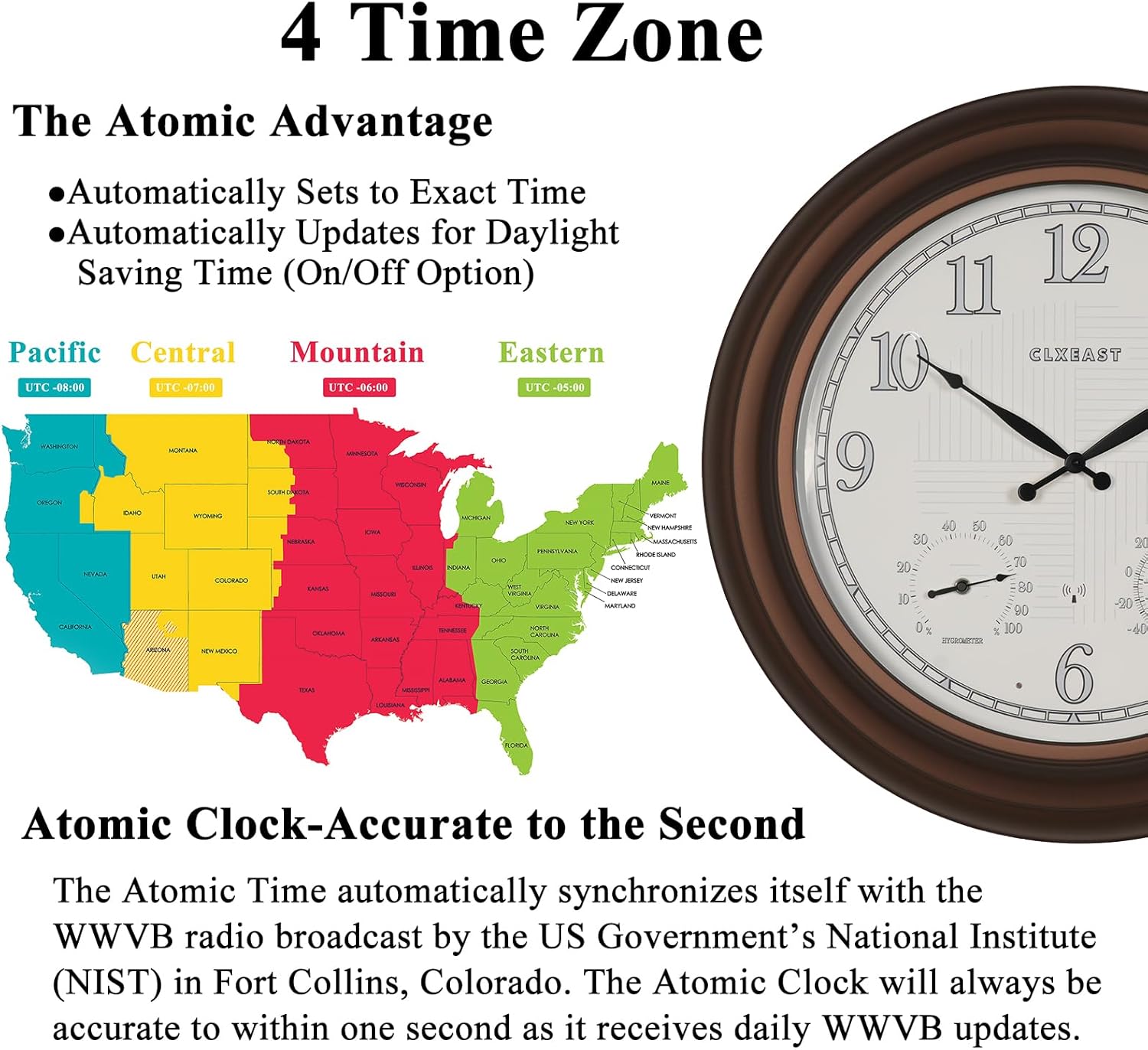
Image 4.1: Day and Night Illumination Feature.

Image 4.2: Key structural features of the clock.
5. Einrichtungsanweisungen
5.1 Einlegen der Batterie
- Suchen Sie das Batteriefach auf der Rückseite der Uhr.
- Insert 4 new D batteries, ensuring correct polarity (+/-).
- Schließen Sie den Batteriefachdeckel sicher.
5.2 Einstellen der Zeitzone
After battery installation, the clock will attempt to synchronize with the atomic time signal. Before it does, set your desired time zone:
- Suchen Sie den Zeitzonenschalter auf der Rückseite der Uhr.
- Wählen Sie eine der folgenden Optionen:
- P for Pacific Standard Time (PST)
- M for Mountain Standard Time (MST)
- C for Central Standard Time (CST)
- E for Eastern Standard Time (EST)

Image 5.1: USA Time Zone Map and Atomic Time Synchronization.
5.3 Atomzeitsynchronisation
Once batteries are installed and the time zone is set, the clock will automatically attempt to receive the WWVB atomic time signal from Fort Collins, Colorado. This process may take several minutes or up to 24 hours depending on signal strength and environmental conditions. For optimal reception, place the clock near a window and away from electronic devices that may cause interference.
5.4 Thermometer & Hygrometer Calibration
The integrated thermometer and hygrometer require approximately 3 hours to fully calibrate and display accurate ambient temperature and humidity readings. Allow this period after initial setup or significant changes in environment.
6. Bedienungsanleitung
6.1 Betrieb der Hintergrundbeleuchtung
The clock features an AI Smart LED Light Sensor. In normal operation, the backlight will automatically activate in low-light conditions and turn off in sufficient light.
- Immer-Ein-Modus: If available, a switch on the back of the clock can be set to keep the backlight continuously on, regardless of ambient light.
- Immer Aus-Modus: If available, a switch on the back of the clock can be set to keep the backlight continuously off.

Image 6.1: Illuminated clock face at night.
6.2 Sommerzeit (DST)
The clock has an option to automatically adjust for Daylight Saving Time. Locate the DST switch on the back of the clock and set it to 'ON' for automatic adjustment or 'OFF' to disable this feature.
7. Wartung
7.1 Reinigung
Reinigen Sie die Uhr mit einem weichen, trockenen Tuch. Bei hartnäckigen Flecken kann ein leicht trocknendes Tuch hilfreich sein.amp cloth can be used, followed by a dry cloth. Avoid abrasive cleaners or solvents, as these may damage the finish or display.
7.2 Batteriewechsel
When the clock hands stop moving or the backlight dims significantly, it is time to replace the batteries. Follow the battery installation steps in Section 5.1. Always replace all 4 D batteries simultaneously with new ones.
7.3 Überlegungen zur Platzierung
While designed for outdoor use, prolonged exposure to extreme weather conditions (e.g., direct, intense sunlight, heavy rain, or freezing temperatures) can affect the clock's lifespan and accuracy. For optimal performance and longevity, consider placing the clock in a sheltered outdoor area.
8. Fehlerbehebung
- Die Uhr zeigt nicht die richtige Zeit an:
- Ensure batteries are new and correctly installed.
- Vergewissern Sie sich, dass die richtige Zeitzone ausgewählt ist.
- Check the DST setting.
- Relocate the clock to an area with better atomic signal reception (e.g., near a window, away from electronics). Allow up to 24 hours for synchronization.
- Hintergrundbeleuchtung funktioniert nicht:
- Überprüfen Sie, ob die Batterien ausgetauscht werden müssen.
- Ensure the backlight mode is not set to 'Always Off' if you desire automatic illumination.
- Verify the light sensor is not obstructed.
- Thermometer/Hygrometer readings seem inaccurate:
- Allow at least 3 hours for the sensors to fully calibrate after initial setup or relocation.
- Ensure the clock is not exposed to direct heat sources or extreme cold that might skew readings.
9. Spezifikationen
| Marke | CLXEAST |
| Modellnummer | TM2227R14-N-RC |
| Maße | 24.4 Zoll B x 24.4 Zoll H |
| Artikelgewicht | 8.8 Pfund |
| Stromquelle | Batteriebetrieben |
| Batterien erforderlich | 4 D-Batterien (nicht im Lieferumfang enthalten) |
| Anzeigetyp | Analog |
| Material | Acrylic, Glass, Metal (Frame Material: Metal) |
| Verwendung im Innen- und Außenbereich | Innenbereich, Außenbereich |
| Besondere Merkmale | Atomic Time, Daylight Saving Time by WWVB, Illuminated, Temperature & Humidity Display, Weatherproof & UV Resistant |
| Unterstützte Funkbänder | 60 kHz |

Abbildung 9.1: Produktabmessungen.
10. Garantie und Support
This CLXEAST product comes with a limited warranty. For specific warranty details or technical support, please refer to the warranty card included with your purchase or contact CLXEAST customer service through the retailer where the product was purchased.