
1. Einleitung
This manual provides detailed instructions for the installation, operation, and maintenance of your SHZSR Wireless CarPlay Android Auto Retrofit Kit for Lexus LX 570 models manufactured between 2015 and 2021. This kit is designed to integrate advanced smartphone connectivity features into your vehicle's existing infotainment system, enhancing your driving experience without replacing the original car screen.
The device functions as a CarPlay interface decoder box, not a standalone car screen. It allows you to retain your original vehicle system while adding wireless CarPlay, Android Auto, and mobile phone screencasting capabilities.
2. Sicherheitshinweise
Always prioritize safety. Ensure the vehicle is parked and the engine is off before attempting any installation or maintenance procedures. If you are unsure about any step, consult a professional installer. Do not operate the device in a way that distracts you from driving. Adhere to all local traffic laws and regulations.
3. Packungsinhalt
Bitte überprüfen Sie, ob alle unten aufgeführten Artikel in Ihrem Paket enthalten sind:
- CarPlay-Decoderbox
- LVDS Harness
- Hauptstromkabel
- GPS-Antenne
- Microphone Extension Cable (for specific models like Odyssey or those with top-mounted microphones)
- AUX-Kabel
- Double-sided Tape (for securing components)

Bild: Überview of the SHZSR CarPlay Retrofit Kit components, including the main module, wiring harnesses, and accessories.
4. Spezifikationen
| Besonderheit | Beschreibung |
|---|---|
| Artikelgewicht | 2 Pfund |
| Verpackungsabmessungen | 8 x 6 x 3.5 Zoll |
| Anzeigegröße | 12.3 Inches (compatible with original screen) |
| Garantie | 1 Jahre |
| Sprachbefehl | Touchscreen (Siri/Google Assistant via CarPlay/Android Auto) |
| Besonderheit | Upgrade Android Auto, Upgrade CarPlay |
| Konnektivitätstechnologie | Mirror Link, Wireless Android Auto, Wireless CarPlay |
| Kartentyp | Worldwide (via connected smartphone apps) |
| Audioausgabemodus | Stereo |
| Montagetyp | Dashboard Mount (integrated with original system) |
5. Einrichtung und Installation
The SHZSR CarPlay Retrofit Kit is designed for plug-and-play, non-destructive installation. It requires removing the dashboard to connect the decoder box to the original CD host device using the provided wires.
5.1 Key Components and Connections
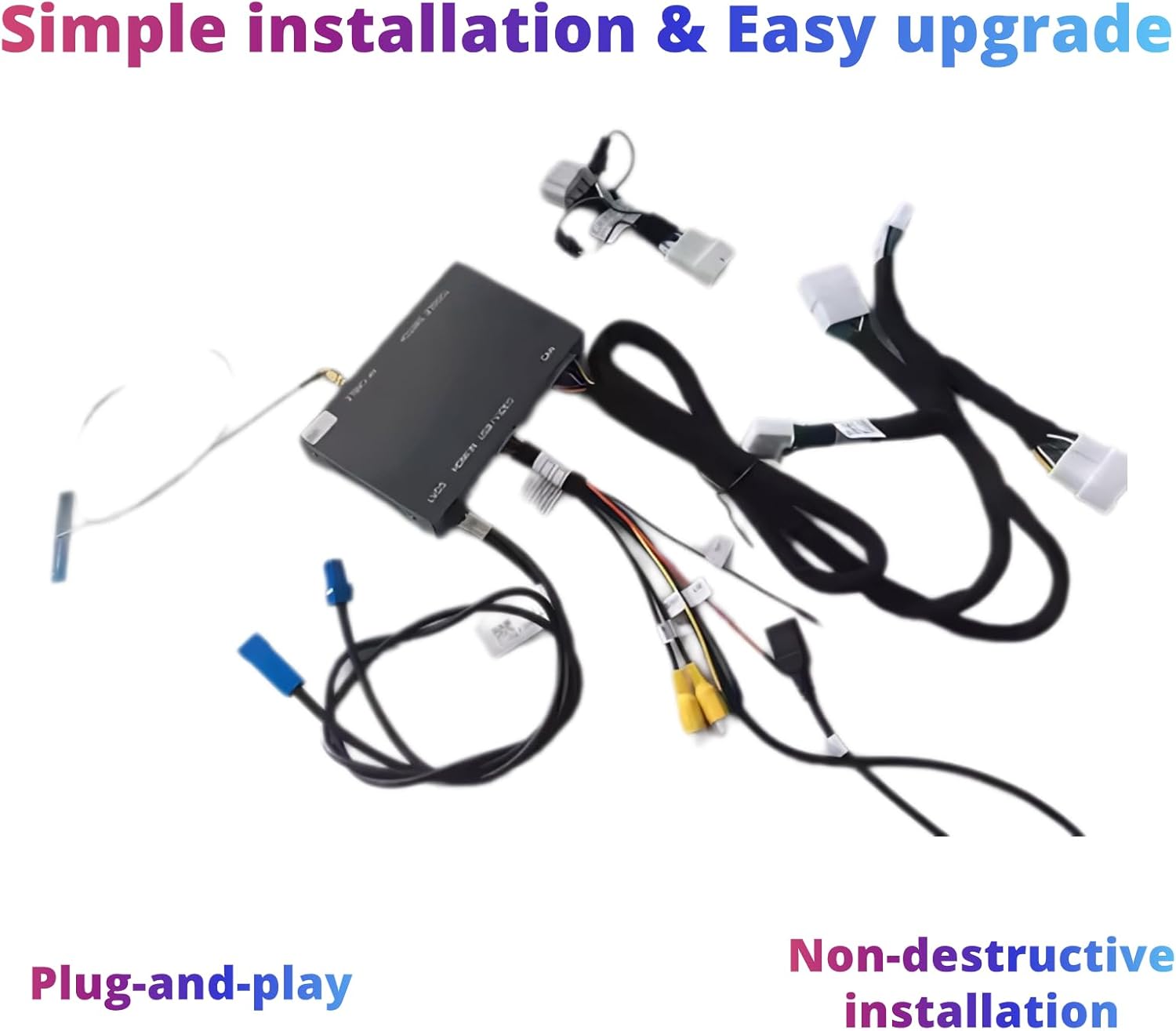
Image: The main CarPlay module and its associated wiring harnesses, illustrating the components involved in the installation process.
5.2 Erste Einrichtungsschritte
- Dashboard Removal: Carefully remove the vehicle's dashboard components to access the original CD host unit. Refer to your vehicle's specific service manual for detailed instructions on dashboard removal.
- Verkabelung anschließen: Connect the provided LVDS harness and main power cord to the original CD host unit and the CarPlay decoder box. Ensure all connections are secure.
- Platzierung der GPS-Antenne: Installieren Sie die GPS-Antenne an einem Ort mit freiem Blick view des Himmels, typischerweise auf dem Armaturenbrett oder unter der Windschutzscheibe.
- Mikrofonanschluss: If your vehicle requires it, connect the microphone extension cable.
- Sichere Komponenten: Use the double-sided tape to secure the CarPlay decoder box and any loose wiring to prevent rattling or interference.
- Armaturenbrett wieder zusammenbauen: Die Armaturenbrettkomponenten sorgfältig wieder zusammensetzen.
5.3 Sound Output Configuration
To ensure proper audio output, follow these steps to configure the sound through the original car's Bluetooth channel:
Video: Demonstrates how to set up sound through the Bluetooth channel for the CarPlay system in a Lexus vehicle.
6. Bedienungsanleitung
Once installed, the CarPlay Retrofit Kit integrates seamlessly with your Lexus LX 570's existing controls and display. You can access various functions through the original car knob, steering wheel controls, and the touchscreen interface.
6.1 Kabelloses CarPlay und Android Auto
The kit provides both wireless and wired connectivity for Apple CarPlay and Android Auto. This allows you to use your smartphone's features directly on your car's display, including navigation (Maps, Waze), music streaming (iTunes, Apple Music, Spotify), phone calls, and messaging.

Image: The CarPlay interface on the Lexus LX 570 display, showcasing available applications for navigation, music, and communication.
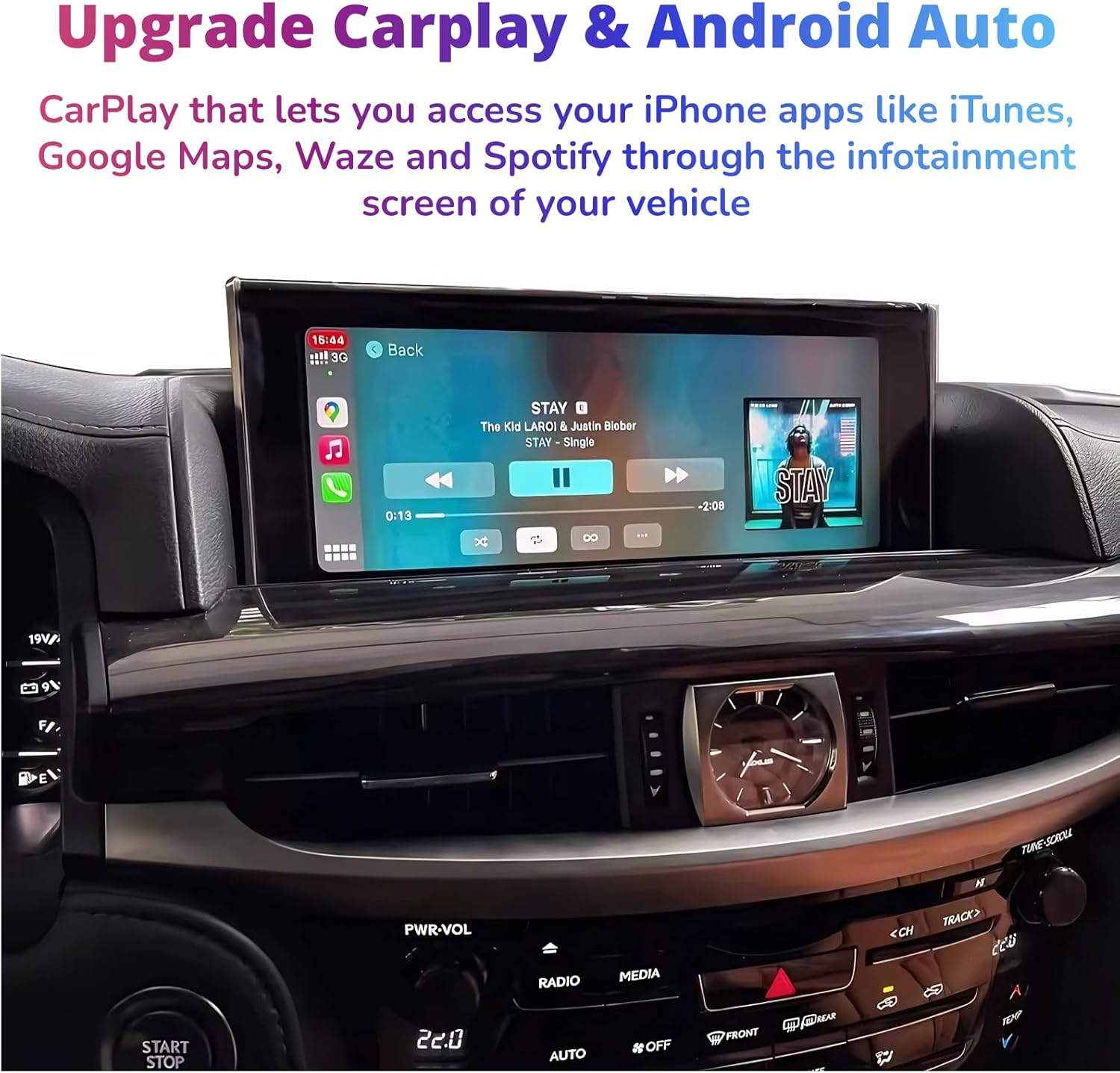
Image: The CarPlay music player interface on the Lexus LX 570 screen, demonstrating media playback.
6.2 Mirror-Link-Funktionalität
The Mirror Link function allows you to cast your mobile phone screen directly onto the vehicle's radio screen, supporting AirPlay and AutoLink for compatible devices.

Image: A smartphone's navigation app mirrored onto the Lexus LX 570 display, illustrating the Mirror Link feature.
6.3-Kontrollmethoden
The system supports control via the original car's joystick/knob and steering wheel buttons for seamless interaction.
- Originale Auto-Drehknopfsteuerung: Use the center rocker control for fast access to the CarPlay interface and navigation.
- Lenkradsteuerung: Utilize existing steering wheel buttons for audio control, call management, and voice commands (Siri/Google Assistant).

Image: The vehicle's joystick and control buttons, which can be used to navigate the CarPlay/Android Auto interface.

Image: The vehicle's steering wheel controls, demonstrating their use for managing audio and other functions within the system.
6.4 Radio Function Display
The system allows for the display and control of radio functions through the new interface.
Video: Shows the radio function display on the Lexus LX 570 screen, demonstrating how to interact with the radio through the new system.
Video: An immersive view of the radio interface on the Lexus LX 570, highlighting its visual appeal and ease of use.
7. Wartung
To ensure the longevity and optimal performance of your CarPlay Retrofit Kit, follow these general maintenance guidelines:
- Reinigen Sie den Bildschirm mit einem weichen, fusselfreien Tuch. Vermeiden Sie aggressive Chemikalien.
- Ensure all cable connections remain secure. Periodically check for any loose connections.
- Keep the main module free from dust and moisture.
- Regularly update your smartphone's operating system to ensure compatibility with CarPlay/Android Auto features.
8. Fehlerbehebung
If you encounter issues with your SHZSR CarPlay Retrofit Kit, refer to the following common troubleshooting tips:
8.1 Keine Tonausgabe
If you experience no sound after installation or during operation, ensure the audio source is correctly selected in your original car system and the CarPlay system's Bluetooth settings are configured as shown in the setup video.
Video: Detailed steps on how to resolve 'no sound' issues by correctly setting up the Bluetooth channel.
8.2 Verbindungsprobleme
- Stellen Sie sicher, dass WLAN und Bluetooth auf Ihrem Telefon aktiviert sind.
- Forget and re-pair the Bluetooth connection between your phone and the CarPlay system.
- Restart both your smartphone and the vehicle's infotainment system.
- Check for any available firmware updates for the CarPlay module.
8.3 Nicht reagierende Bedienelemente
- Verify that the original car's controls (knob, steering wheel buttons) are functioning correctly in the native system.
- Ensure the CarPlay module is receiving power and all connections are secure.
9. Garantie und Support
The SHZSR Wireless CarPlay Android Auto Retrofit Kit comes with a 1 Jahr Garantie Diese Garantie gilt ab Kaufdatum und deckt Herstellungsfehler sowie Funktionsstörungen bei normalem Gebrauch ab. Bitte bewahren Sie Ihren Kaufbeleg für Garantieansprüche auf.
For technical support, troubleshooting assistance, or warranty inquiries, please contact SHZSR customer service through the retailer where you purchased the product or visit the official SHZSR webWebsite für Kontaktinformationen.