
1. Einleitung
This manual provides detailed instructions for the installation, operation, maintenance, and troubleshooting of your Stiflix Single Din 10.1-inch CarPlay Touchscreen Car Stereo. Please read this manual thoroughly before using the product to ensure proper function and safety.
2. Packungsinhalt
Überprüfen Sie, ob alle Artikel im Paket vorhanden sind:
- Single Din Android Radio Unit
- Kabelbaum und Kabel
- USB-Kabel
- GPS-Antenne
- Montagesätze
- Benutzerhandbuch (dieses Dokument)
3. Einrichtung und Installation
The Stiflix 10.1-inch car stereo is designed for single DIN and most double DIN dash openings. Professional installation is recommended.
3.1 Prüfungen vor der Installation
- Ensure your vehicle's electrical system is compatible with the stereo's power requirements.
- Vor Beginn der Installation die Fahrzeugbatterie abklemmen.
- Identify the correct wiring for power, ground, speakers, and accessories in your vehicle.
3.2 Schaltplan
Refer to the included wiring diagram for specific connections. Match the color-coded wires from the stereo's harness to your vehicle's wiring harness. Secure all connections properly.
3.3 Montage der Einheit
- Install the single DIN chassis into your vehicle's dash opening using the provided mounting kits.
- Attach the 10.1-inch display to the chassis. The display is detachable and can be adjusted for optimal viewing.
- Schließen Sie die GPS-Antenne an und richten Sie sie auf einen Standort mit freiem Empfang aus. view des Himmels.
- Connect any optional accessories such as a backup camera or external ampschwerer.

Image: The Stiflix 10.1-inch Single Din Car Stereo, showcasing its rotatable and adjustable screen. This image provides an overview of the product's design and key features.

Image: An illustration of the 10.1-inch Single Din Android Car Stereo with icons representing its features like CarPlay, Android Auto, Bluetooth, Mirrorlink, Voice Control, Offline Maps, WiFi Hotspot, Touchscreen, Backup Camera Input, and 2GB RAM + 64GB ROM.
4. Bedienungsanleitung
4.1 Ein-/Ausschalten und grundlegende Bedienelemente
- Drücken Sie die Ein/Aus-Taste, um das Gerät ein- oder auszuschalten.
- Adjust volume using the dedicated controls or touchscreen interface.
- Navigate through menus and applications using the 10.1-inch capacitive IPS touchscreen.
4.2 Kabelloses CarPlay und Android Auto
Connect your smartphone wirelessly via Bluetooth and Wi-Fi to access CarPlay or Android Auto features. This allows for safe access to navigation, calls, messages, music, and voice commands while driving.

Image: The car stereo display showing the Wireless CarPlay and Android Auto interface with various app icons like Maps, Spotify, YouTube Music, and Phone, demonstrating voice command integration.

Image: A woman driving, interacting with the car stereo using Wireless Apple CarPlay and Siri voice commands for navigation and communication.

Image: A woman driving, interacting with the car stereo using Wireless Android Auto and Google Assistant voice commands for navigation and music playback.
4.3 High Definition IPS Display
The unit features a 1280*720 HD capacitive IPS touchscreen with a 178° full-viewing angle. This provides a clear display and responsive touch controls.

Image: A graphic highlighting the features of the 10.1-inch IPS display, including HD 1280x720 resolution, capacitive screen, touchable hot buttons, and 178-degree viewing-Winkel.
4.4 Adjustable and Rotatable Floating Screen
The 10.1-inch display is detachable and can be adjusted in three directions and rotated 360° to achieve comfortable viewing angles, whether horizontal or vertical.

Image: Demonstrates the 360-degree rotation and 30-degree tilt adjustments of the floating screen, allowing for flexible positioning in the vehicle.

Image: A visual representation of the rotatable floating touchscreen, illustrating its 360-degree rotation and 30-degree adjustment capabilities for optimal viewing.
4.5 Bluetooth-Konnektivität
Built-in Bluetooth technology enables hands-free calling, phonebook access, and music streaming for safe and convenient driving.

Image: A graphic emphasizing seamless Bluetooth connectivity, featuring a Bluetooth 5.3 chip and icons for calls, music, and Wi-Fi.
4.6 AM/FM-Radio
Tune into AM/FM radio with 30 station presets for news, music, and weather forecasts.

Image: A visual representation of FM AM Radio functionality, displaying frequency ranges (AM: 530-1710KHz, FM: 87.5-107.9MHz) with sound wave graphics.
4.7 GPS Navigation & Offline Maps
The unit includes built-in GPS engines and an antenna for stable satellite signals, providing real-time navigation. Offline maps can be downloaded for use in areas without internet access.
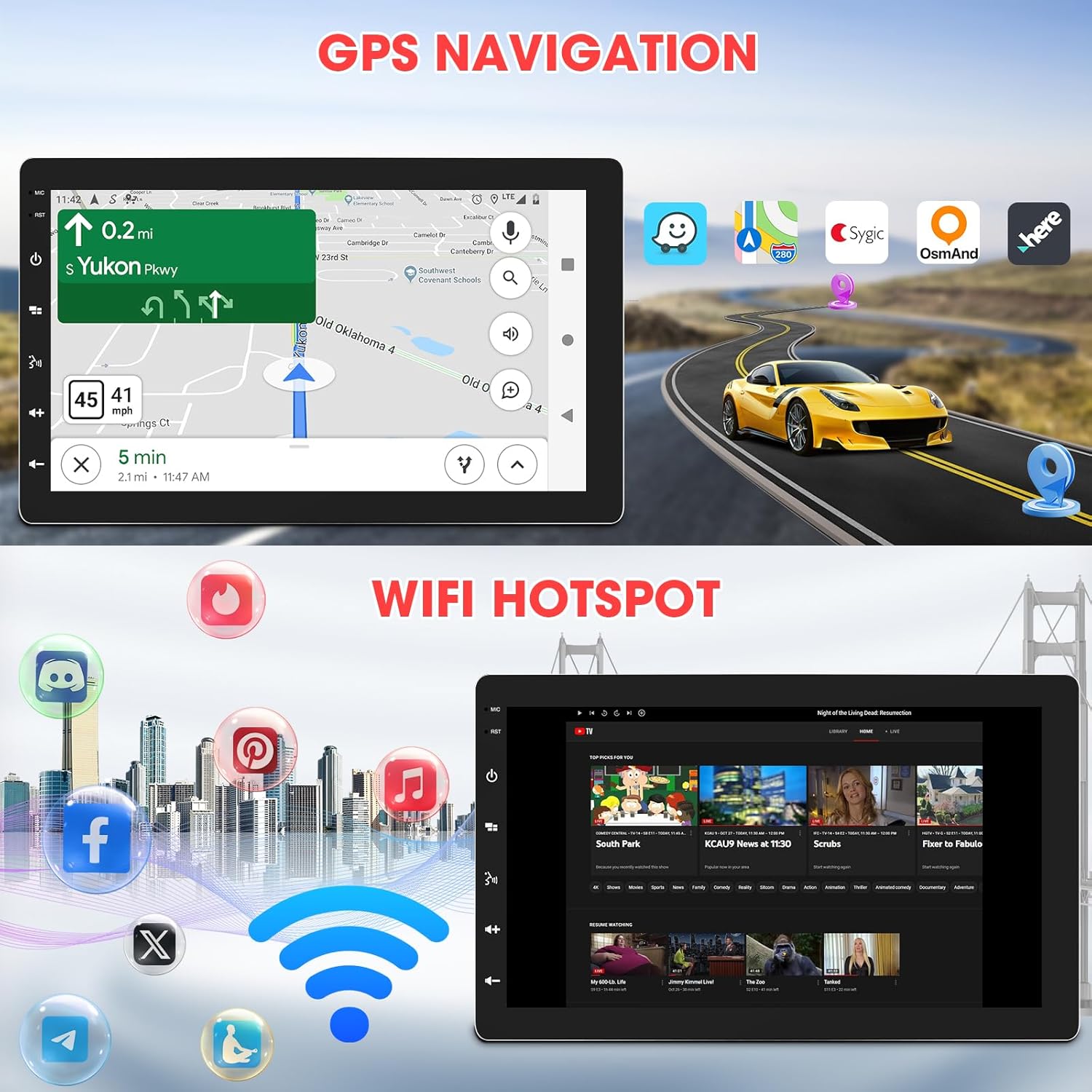
Image: The car stereo displaying GPS navigation, alongside an illustration of WiFi hotspot connectivity with various social media and streaming app icons.

Image: A split image showing the WiFi Hotspot feature on the left, with various app icons, and GPS Navigation on the right, displaying a map with a car icon.
4.8 WLAN-Hotspot
The stereo supports 2.4 GHz & 5 GHz Wi-Fi for a smooth internet connection, enabling streaming and map downloads.
4.9 Mirrorlink & Fast Charge
Mirrorlink allows casting unsupported apps and content from your phone to the stereo. USB inputs provide 2.1A charging for devices.

Image: Illustrates the Mirrorlink function, showing a smartphone screen mirrored onto the car stereo, and a phone charging via USB, highlighting the fast charge capability.
4.10 Audiofunktionen
- EQ-Einstellungen: Enhance your music with dynamic customized equalizer settings.
- Vor-amp and Subwoofer Output: Features 2-volt 4-channel pre-amp and subwoofer audio output with peak power 50W*4.
- Mechless Audio: Audio wiedergeben files via USB.

Image: A graphic detailing the Mechless HIFI Sound Quality, highlighting 2V Preamp Output, Preset EQ, Subwoofer Output, and Built-in DSP for enhanced audio.
4.11 Videoausgang
Video output is available to connect to headrest monitors for additional video playback.

Image: Illustrates the car stereo's ability to deliver high-quality sound and output video to rear headrest monitors, enhancing entertainment for passengers.
4.12 Rückseite View Kameraeingang
The unit is capable of connecting to a rear view camera for easier reversing and parking.
5. Wartung
Regelmäßige Wartung gewährleistet die Langlebigkeit und optimale Leistung Ihres Autoradios.
- Bildschirmreinigung: Verwenden Sie ein weiches, fusselfreies Tuch, um den Touchscreen vorsichtig abzuwischen. Verwenden Sie keine Scheuermittel oder Lösungsmittel.
- Software-Updates: Überprüfen Sie regelmäßig die Herstellerangaben. website for available software updates to ensure the best performance and access to new features.
- Verbindungsprüfungen: Stellen Sie sicher, dass alle Kabelverbindungen fest sitzen und frei von Korrosion sind.
6. Fehlerbehebung
Sollten Sie auf Probleme stoßen, konsultieren Sie bitte die folgenden häufigen Probleme und Lösungen:
| Problem | Mögliche Ursache | Lösung |
|---|---|---|
| Kein Strom | Falsche Verkabelung; durchgebrannte Sicherung; Fahrzeugbatterie abgeklemmt. | Check power and ground connections; Inspect vehicle fuses; Reconnect battery. |
| Kein Ton | Lautsprecherkabel nicht angeschlossen; Lautstärke zu niedrig; Stummschaltung aktiviert. | Überprüfen Sie die Lautsprecheranschlüsse; Erhöhen Sie die Lautstärke; Deaktivieren Sie die Stummschaltung. |
| Probleme mit der Bluetooth-Verbindung | Device not paired; Bluetooth off on phone/stereo; Interference. | Ensure Bluetooth is enabled on both devices; Re-pair the device; Move closer to the stereo; Restart both devices. |
| CarPlay/Android Auto verbindet sich nicht | Incorrect Wi-Fi/Bluetooth settings; Software glitch; Phone compatibility. | Verify Wi-Fi and Bluetooth are active and connected; Restart phone and stereo; Check for software updates; Ensure phone is compatible. |
| GPS-Signal verloren | GPS-Antenne blockiert oder nicht angeschlossen; schlechte Satellitenabdeckung. | Stellen Sie sicher, dass die GPS-Antenne freie Sicht hat. view des Himmels; Antennenanschluss prüfen; In einen offenen Bereich gehen. |
| Bildschirm reagiert nicht | Vorübergehendes Softwareproblem; Bildschirmkalibrierung erforderlich. | Restart the unit; Perform a factory reset (refer to advanced settings); Contact support if issue persists. |
If the problem persists after attempting these solutions, please contact Stiflix customer support.
7. Spezifikationen
| Besonderheit | Spezifikation |
|---|---|
| Technische Daten | 6.8 x 10 x 5.9 Zoll |
| Artikelgewicht | 2.8 Pfund |
| Artikelmodellnummer | SF20250929B0D5QMLXYL |
| Marke | Stiflix |
| Konnektivitätstechnologie | Bluetooth, USB, WLAN |
| Controllertyp | Android |
| Anzeige | 10.1-inch IPS Touchscreen, 1280*720 HD, 178° Viewing-Winkel |
| Besondere Merkmale | 360° Rotatable Adjustable Detachable Touchscreen, Wireless Apple CarPlay, Wireless Android Auto, Voice Control, Mirrorlink, Online GPS Navigation, Offline Map, WIFI Hotspot, 2GB RAM, 64GB ROM, Bluetooth Calling, Wireless Audio Streaming, AV Input, Backup Camera Input, USB Charging, FM AM Tuner, Preset EQ, Video Output, Amplifier Subwoofer Output |
| Kompatible Geräte | Amplifier, Smartphone, Speaker, Subwoofer |
| Gesamtzahl der HDMI-Anschlüsse | 2 |
| Steckertyp | Cinch |
| Audioausgabemodus | Stereo |
| Surround Sound-Kanalkonfiguration | 5.1 |
| Videokodierung | H.264, H.265/HEVC, MPEG-4 usw. |
8. Garantieinformationen
For warranty details, please refer to the warranty card included with your product or visit the official Stiflix webBewahren Sie Ihren Kaufbeleg als Kaufnachweis für eventuelle Garantieansprüche auf.
9. Kundendienst
If you require further assistance, technical support, or have questions not covered in this manual, please contact Stiflix customer service through their official webWebsite oder die Kontaktinformationen, die Sie bei Ihrem Kauf erhalten haben.

Image: A customer service representative smiling, symbolizing available support for product inquiries.