
Einführung
Thank you for choosing the Rysamton Portable AM/FM Radio and Digital Recorder. This device combines multiple functionalities including AM/FM radio, Bluetooth 5.0 speaker, TF card player, and digital recorder. It features an alarm clock, sleep function, and 12/24-hour time display, designed for ease of use and portability. Please read this manual carefully to understand the product's features and ensure proper operation.
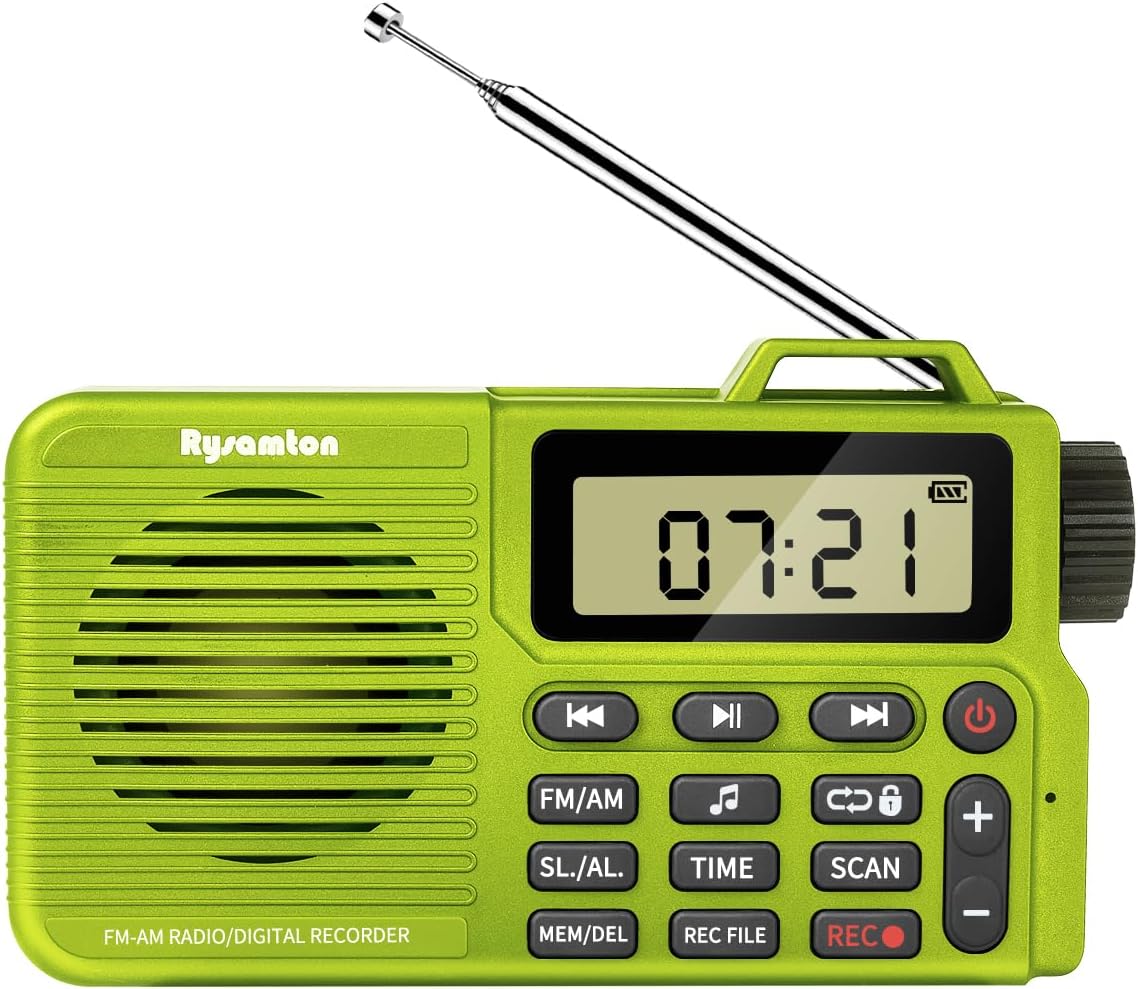
Bild: Vorderseite view of the Rysamton Portable AM/FM Radio and Digital Recorder, showcasing its compact design and extended antenna.
Produkt überview
The Rysamton Portable Radio is a versatile 4-in-1 device, offering a range of audio playback and recording options. Its compact size and lightweight design make it ideal for various activities.
Hauptmerkmale:
- AM/FM Radio with DSP chip for stable reception.
- Bluetooth 5.0 connectivity for wireless audio streaming.
- TF card slot for MP3 playback (supports up to 32GB, card not included).
- Digital recorder with one-touch recording (radio and voice).
- Alarm clock with two ringtone options (radio or mechanical).
- Sleep timer function (15-120 minutes).
- 12/24-hour time display.
- Built-in 2000mAh rechargeable lithium battery for up to 20 hours of playback.
- 3.5-mm-Kopfhöreranschluss für ungestörtes Musikhören.
- Großes LCD-Display mit Hintergrundbeleuchtung.

Image: An illustration highlighting the multi-functional capabilities of the Rysamton Portable Radio, including radio, recording, alarm, timer, speaker, TF card support, built-in battery, and tuning.
Komponentenidentifikation:
Refer to the diagram below for the location and function of buttons and ports.
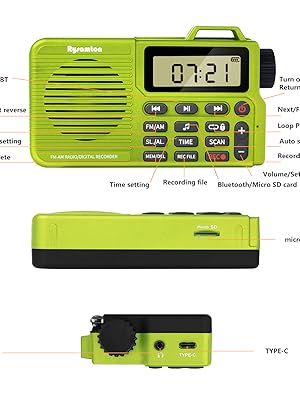
Image: A detailed diagram labeling the various buttons and ports on the Rysamton Portable Radio, such as power, volume controls, mode selection, time setting, scan, record, and memory/delete functions, along with the Micro SD slot, Type-C port, and headphone jack.
- Netzschalter: Zum Ein-/Ausschalten gedrückt halten.
- Wiedergabe-/Pause-Taste: Controls playback in music modes.
- Schaltflächen für vorherigen/nächsten Titel: Navigate tracks or adjust frequency.
- FM/AM-Taste: Schaltet zwischen FM- und AM-Radiobändern um.
- SL./AL. Button: Accesses Sleep Timer and Alarm settings.
- ZEIT-Taste: Legt die aktuelle Uhrzeit fest.
- SCAN-Taste: Startet die automatische Sendersuche.
- REC-Taste: Startet die Aufnahme.
- MEM/DEL Button: Saves or deletes radio stations/files.
- AUFNAHME FILE Taste: Accesses recorded files.
- Lautstärke +/- Tasten: Regelt die Lautstärke.
- Abstimmknopf: Manual frequency adjustment.
- Typ-C-Ladeanschluss: Zum Aufladen des Gerätes.
- 3.5mm Kopfhörerbuchse: Zum Anschließen von Kopfhörern.
- Micro-SD-Kartensteckplatz: For inserting a TF/Micro SD card.
- Teleskopantenne: For FM reception.
- Interne AM-Antenne: For AM reception.
Aufstellen
1. Aufladen des Akkus:
The radio comes with a built-in 2000mAh lithium-ion battery. Before first use, fully charge the device.
- Connect the included Type-C USB cable to the radio's Type-C charging port.
- Verbinden Sie das andere Ende des Kabels mit einem 5V USB-Netzteil (nicht im Lieferumfang enthalten) oder einem USB-Anschluss Ihres Computers.
- The charging indicator on the display will show charging status. A full charge typically takes about 3 hours and provides up to 20 hours of playback.

Image: A visual representation of the Rysamton Portable Radio's 2000mAh battery, emphasizing its 3-hour charge time for 20 hours of playback.
2. Inserting a Micro SD Card (for Recording/MP3 Playback):
To use the recording function or play MP3 files from a memory card, you must insert a Micro SD (TF) card (up to 32GB, not included).
- Suchen Sie den Micro-SD-Kartensteckplatz an der Seite des Radios.
- Schieben Sie die Micro-SD-Karte vorsichtig mit den goldenen Kontakten nach unten ein, bis sie einrastet.
- Zum Entfernen die Karte leicht hineindrücken, bis sie herausspringt.
Bedienungsanleitung
1. Ein-/Ausschalten:
- Halten Sie die Netzschalter (Halten Sie einige Sekunden lang gedrückt, um das Radio ein- oder auszuschalten.
2. Uhrzeit einstellen:
- Halten Sie bei eingeschaltetem Radio die gedrückt ZEIT Taste.
- Verwenden Sie die Vorherige/Nächste Titel-Tasten or Abstimmknopf um Stunde und Minute einzustellen.
- Drücken Sie die ZEIT Drücken Sie die Taste erneut, um jede Einstellung zu bestätigen.
- The radio supports 12-hour and 24-hour formats.
3. Radio Mode (AM/FM):
- Drücken Sie die UKW/MW Taste zum Umschalten zwischen FM- und AM-Bändern.
- Automatischer Scan: Drücken Sie die SCAN button to automatically search for and save available stations.
- Manuelle Abstimmung: Verwenden Sie die Abstimmknopf on the side to fine-tune to a specific frequency.
- Sparstationen: After tuning to a station, press the MEM/DEL button to save it. Use the Vorherige/Nächste Titel-Tasten to select a memory slot, then press MEM/DEL zur Bestätigung erneut.
- Rückrufstationen: Im Radiobetrieb verwenden Sie die Vorherige/Nächste Titel-Tasten durch die gespeicherten Stationen blättern.
- Extend the telescopic antenna for optimal FM reception. The internal antenna handles AM reception.
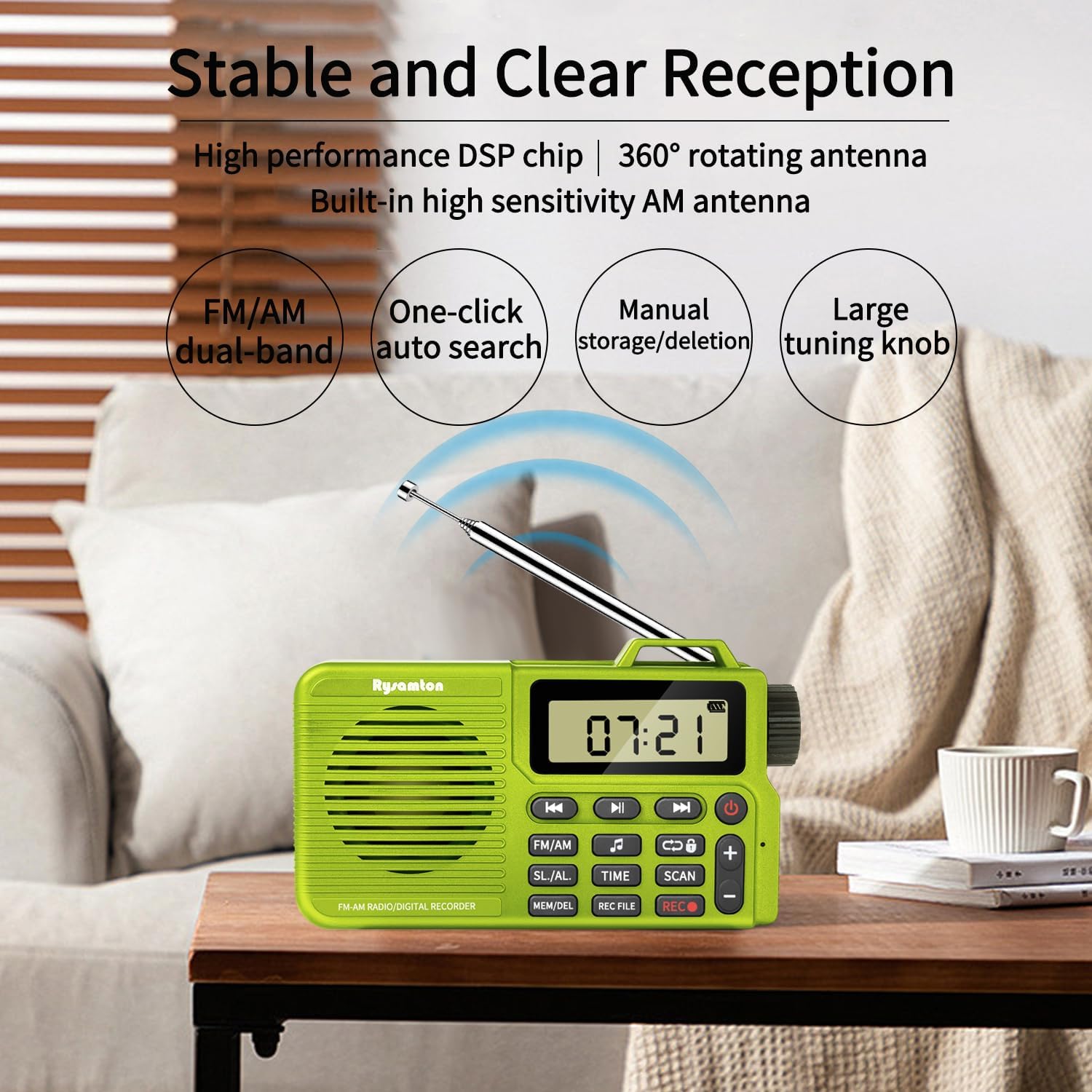
Image: The Rysamton Portable Radio positioned on a wooden table, with its telescopic antenna extended, illustrating its capability for stable and clear AM/FM reception.
4. Bluetooth-Modus:
- Drücken Sie die UKW/MW button repeatedly until 'BT' appears on the display, indicating Bluetooth mode.
- On your mobile device, enable Bluetooth and search for 'Rysamton Radio'.
- Select the device to pair. Once connected, you can stream audio wirelessly to the radio.
5. TF-Kartenwiedergabe:
- Ensure a Micro SD card with MP3 files is inserted into the slot.
- Drücken Sie die UKW/MW button repeatedly until the display shows 'TF' or starts playing music from the card.
- Verwenden Sie die Vorherige/Nächste Titel-Tasten to navigate between songs and the Wiedergabe-/Pause-Taste zur Steuerung der Wiedergabe.
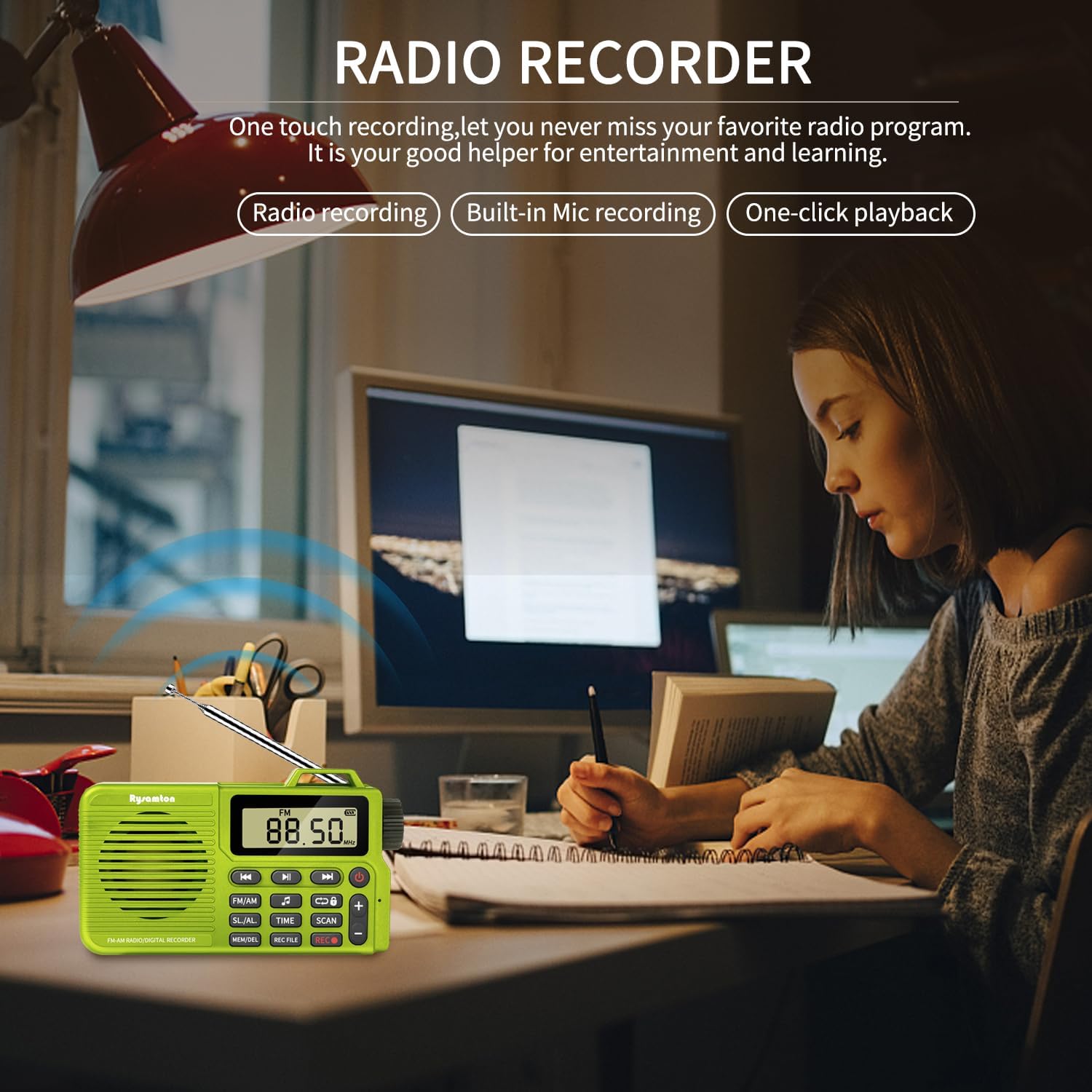
Image: A group of friends gathered around a campfire, enjoying music played from the Rysamton Portable Radio, demonstrating its use as a music player with TF card, Type-C, and Bluetooth 5.0 connectivity.
6. Digital Recorder:
The radio supports both radio recording and voice recording via its built-in microphone.
- Aufnehmen: Drücken Sie die REC-Taste () once to start recording. The display will show a recording indicator.
- So stoppen Sie die Aufnahme: Drücken Sie die REC-Taste wieder.
- Playback Recorded Files: Drücken Sie die AUFNAHME FILE button to access your recordings. Use the Vorherige/Nächste Titel-Tasten , um eine file und die Wiedergabe-/Pause-Taste um es abzuspielen.
7. Alarm Clock and Sleep Timer:
- Alarm einstellen: Halten Sie die SL./AL. Klicken Sie auf die Schaltfläche Vorherige/Nächste Titel-Tasten or Abstimmknopf Um die Weckzeit einzustellen. Drücken Sie SL./AL. to confirm. You can choose between a radio or mechanical ringtone.
- Sleep-Timer einstellen: Drücken Sie die SL./AL. button repeatedly to cycle through sleep timer options (15, 30, 60, 90, 120 minutes, or OFF). The radio will automatically turn off after the selected duration.
8. Using Headphones:
- Insert any standard 3.5mm headphones into the headphone jack on the side of the radio.
- The internal speaker will mute automatically when headphones are connected.

Image: A person wearing headphones connected to the Rysamton Portable Radio via its 3.5mm jack, demonstrating private listening while working on a laptop.
Wartung
- Reinigung: Reinigen Sie das Gehäuse des Radios mit einem weichen, trockenen Tuch. Verwenden Sie keine flüssigen Reinigungsmittel oder Scheuermittel.
- Lagerung: Bewahren Sie das Radio an einem kühlen, trockenen Ort fern von direkter Sonneneinstrahlung und extremen Temperaturen auf.
- Batteriepflege: Um die Lebensdauer des Akkus zu verlängern, sollte dieser nicht häufig vollständig entladen werden. Bei längerer Lagerung sollte der Akku alle paar Monate auf etwa 50 % aufgeladen werden.
- Wassereinwirkung: Dieses Gerät ist nicht wasserdicht. Vermeiden Sie den Kontakt mit Wasser und hoher Luftfeuchtigkeit.
Fehlerbehebung
| Problem | Mögliche Ursache | Lösung |
|---|---|---|
| Das Radio lässt sich nicht einschalten. | Batterie ist leer. | Charge the radio using the provided Type-C cable. |
| Schlechter Radioempfang. | Antenne nicht ausgefahren oder schwaches Signal. | Extend the telescopic antenna fully for FM. Reposition the radio for better signal. |
| Es kann keine Bluetooth-Verbindung hergestellt werden. | Das Funkgerät befindet sich nicht im Bluetooth-Modus oder das Gerät ist zu weit entfernt. | Ensure the radio is in Bluetooth mode ('BT' displayed). Move your device closer to the radio. Restart both devices. |
| Kann nicht aufnehmen. | Es ist keine Micro-SD-Karte eingelegt oder die Karte ist voll/beschädigt. | Insert a compatible Micro SD card (up to 32GB). Check if the card has free space or try a different card. |
| Aus dem Lautsprecher kommt kein Ton. | Volume too low or headphones connected. | Increase volume using the '+' button. Disconnect headphones if not needed. |
Technische Daten
- Marke: Rysamton
- Modellnummer: bc2352a3-8b0e-426c-9675-87b55c53a986
- Produktabmessungen: 4.72 x 1.06 x 2.71 Zoll (12 x 2.7 x 6.9 cm)
- Artikelgewicht: 5.5 Unzen (155 g)
- Konnektivitätstechnologie: Bluetooth 5.0
- Tuner-Technologie: AM/FM (DSP chip)
- Unterstützte Radiobänder: 2-Band
- Energiequelle: Battery Powered (Built-in 2000mAh Lithium Ion)
- Ladeanschluss: Typ-C USB
- Wiedergabedauer: Bis zu 20 Stunden (bei voller Ladung)
- Lautsprecher: 3W magnetic speaker with bass diaphragm
- Speicherkartenunterstützung: TF/Micro SD card up to 32GB (not included)
- Besondere Merkmale: Digital Recorder, Alarm Clock, Sleep Function, 12/24H Time Display, Headphone Jack, Large LCD Display.
Garantie und Support
Specific warranty details are not provided in the product information. For any support inquiries, please refer to the seller's contact information on the platform where the product was purchased.