
Acoyer SRP9232D
Acoyer Universal TV Remote Control User Manual
Model: SRP9232D
Einführung
This manual provides detailed instructions for setting up and operating your new Acoyer Universal TV Remote Control. This remote is designed to simplify your home entertainment experience by controlling multiple devices with a single unit. Please read this manual carefully before use to ensure proper functionality and to maximize your remote's capabilities.

Abbildung: Vorder- und Rückseite view of the Acoyer Universal TV Remote Control.
Kompatible Geräte
Your Acoyer Universal Remote Control is compatible with a wide range of audio and video devices, including:
- TV brands: Samsung, LG, Vizio, Sony, Hisense, Onn, Sharp, RCA, Element, Westinghouse, Sanyo, Emerson, Philips, JVC, Sceptre, Sansui, Panasonic, Magnavox, Skyworth, and more.
- DVD/Blu-ray players
- Media Streaming Players
- Soundbars
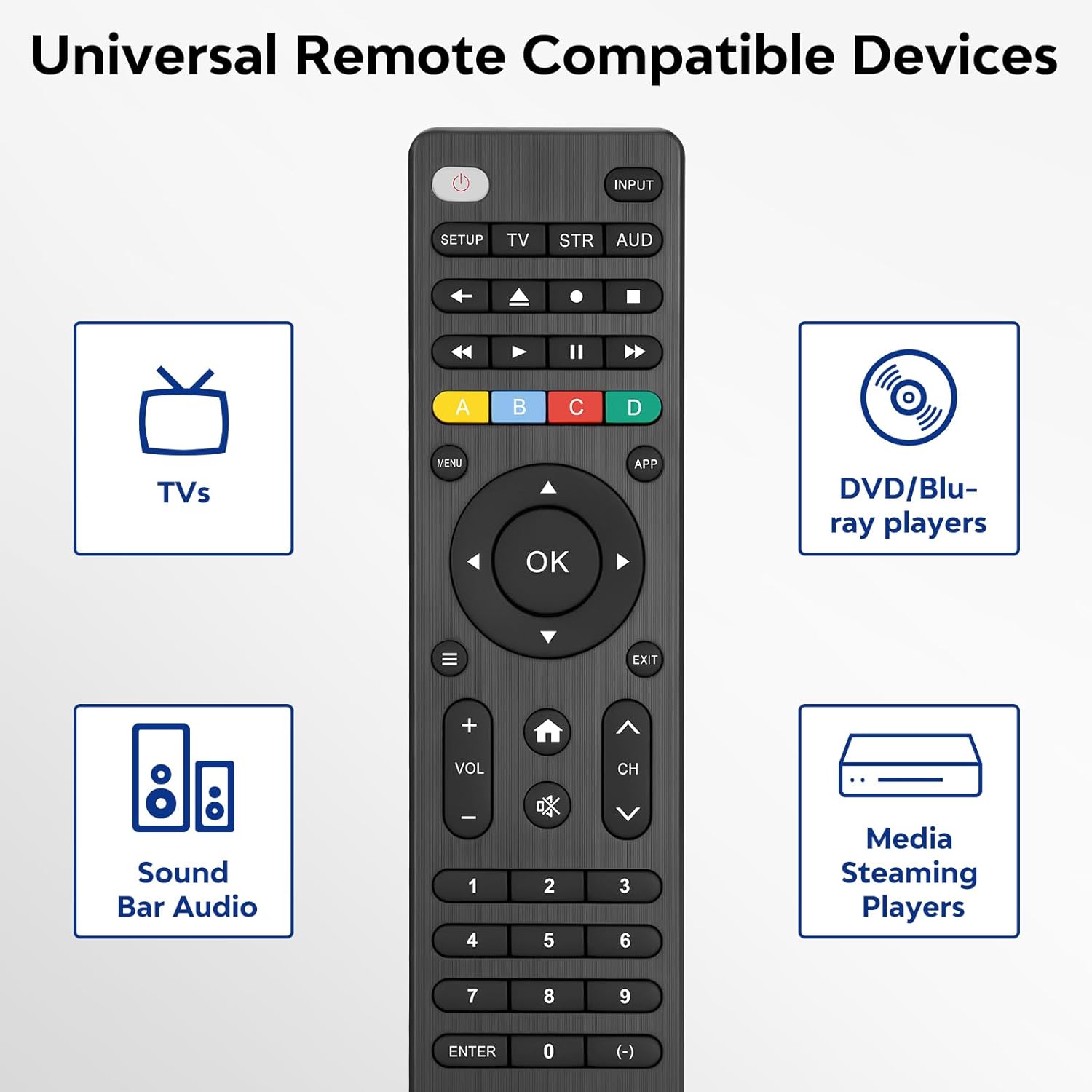
Image: Visual representation of compatible device types.

Image: List of compatible brands including Samsung, LG, Vizio, Sony, Hisense, Philips, and more.
Nicht kompatible Geräte
Please note that this universal remote is NICHT compatible with the following devices:
- Roku Streaming Sticks
- Roku Sound Bar
- Amazon Sound Bar
- TCL-Soundbar
- Hisense Sound Bar
- Anker Sound Bar
- Klipsch Sound Bar
- Fire TV Sticks
- TCL Fire TV
- Abzeichen Fire TV
- Toshiba Fire TV
- Amazon Fire Stick
- Fire TV-Würfel
This product connects and pairs via infrared only. If you are unsure about compatibility, please refer to the product's code list or contact customer support.

Image: Visual representation of devices not compatible with the remote.
Aufstellen
Direct Code Entry Pairing
Follow these steps to program your universal remote using direct code entry:
- Schritt 1: Find the device type you need in the provided code list (included in the package). Then, locate and circle all the codes for your specific brand.
- Schritt 2: Drücken und halten Sie die AUFSTELLEN button for 3 seconds until the red light on the remote turns on.
- Schritt 3: Drücken und loslassen der TV/STR/AUD button on the remote. The red light will blink once and then remain on.
- Schritt 4: Enter the first 4-digit code from your code list.
- Schritt 5: Point the remote at your TV (or other device) and test the buttons to see if the device responds as expected. If the buttons do not control the device, repeat steps 2-4 and enter a different code from your list to test.
Note: If all codes in the program fail, please refer to the instructions on page 7 of your physical user manual for "Automatic Code Search" (including code table and usage instructions).

Image: Visual guide for the direct code entry pairing process.
Bedienungsanleitung
Tastenfunktionen
Familiarize yourself with the functions of each button on your universal remote control:

Image: Detailed layout of remote buttons and their corresponding functions.
| Taste | Funktion |
|---|---|
| Leistung | Turns devices ON / OFF |
| Aufstellen | Zum Programmieren der Fernbedienung |
| Eingang | Wählt Videoeingänge aus |
| TV / STR / AUD | Selects the device to control (TV, Streaming Device, Audio Device) |
| Letzter Kanal | Kehrt zum zuvor ausgewählten Kanal zurück |
| Record / Stop / Fast Forward / Pause / Rewind | Controls media playback |
| ABCD Buttons | Greifen Sie auf zusätzliche Funktionen für DVRs, Kabel- und Satellitenreceiver zu |
| Speisekarte | Zeigt das Bildschirmmenü an |
| App Hotkey | Greifen Sie auf Top-Apps wie Netflix, Amazon Prime, Hulu und mehr zu |
| OK | Wählt Menüpunkte für das gesteuerte Gerät aus |
| Up / Down / Left / Right Navigation | Navigiert durch Menüs und Optionen |
| Info / Options | Zeigt Show-/Inhaltsinformationen auf dem Bildschirm an |
| Ausfahrt | Exits on-screen menus |
| Home / Guide | Easily access features on today's streaming devices, or Guide on cable/satellite receivers |
| Lautstärke erhöhen / verringern | Passt die Lautstärke an |
| Kanal auf / ab | Wechselt die Kanäle |
| Stumm | Schaltet den Ton stumm |
| Zahlen (0-9) | Geben Sie Zahlen für die direkte Kanalauswahl ein |
| Eingabetaste | Confirms selection (some devices require Enter to be pressed after channel selection) |
| (-) Dash | Used to select digital channels (e.g., 4.1) |
The universal remote control utilizes infrared technology, providing a rapid response time of 0.2 seconds and an effective range of up to 30 feet.

Image: Features of the remote's infrared technology.
Wartung
Einlegen der Batterie
The universal remote control requires zwei (2) AAA-Alkalibatterien for operation. Batteries are not included in the package.
- Öffnen Sie den Batteriefachdeckel auf der Rückseite der Fernbedienung.
- Legen Sie die beiden AAA-Batterien ein und achten Sie dabei auf die richtige Polarität (+ und -), wie im Batteriefach angegeben.
- Schließen Sie den Batteriefachdeckel fest.
Warning: Do not mix old and new batteries, or mix different types of batteries together. This can lead to battery leakage or damage to the remote.

Image: Battery compartment and remote dimensions.
Fehlerbehebung
If you encounter issues with your universal remote, try the following troubleshooting steps:
- Fernbedienung reagiert nicht: Ensure fresh AAA batteries are correctly installed. Check if the red light on the remote illuminates when a button is pressed.
- Gerät reagiert nicht: Verify that the remote is pointed directly at the device's infrared sensor. Ensure there are no obstructions between the remote and the device.
- Falsche Gerätesteuerung: Re-attempt the programming steps (Direct Code Entry) using a different code from the provided code list for your device brand.
- Eingeschränkte Funktionalität: Some advanced functions may not be supported by all universal remotes or specific device models. Refer to your device's original manual for specific feature compatibility.
- Red light blinks continuously: This may indicate a programming error or low battery. Re-program the remote or replace the batteries.
Technische Daten
| Besonderheit | Detail |
|---|---|
| Modellnummer | SRP9232D |
| Verpackungsabmessungen | 6.89 x 3.27 x 0.75 Zoll |
| Artikelgewicht | 2.05 Unzen |
| Stromquelle | 2 * AAA alkaline batteries (not included) |
| Farbe | Schwarz |
| Besonderheit | Universal |
| Maximale Anzahl unterstützter Geräte | 3 |
| Kompatible Geräte | Sound Bar, Television, VCR, Streaming Device, DVD/Blu-ray Player |
| Hersteller | Acoyer |
| Ursprungsland | China |
Garantie und Support
Acoyer is committed to providing safe, durable, and user-friendly remote control products. We value your experience with our products.
For any questions regarding your order or product, please do not hesitate to contact us. Our customer service team aims to respond to inquiries within 24 hours on working days.
Die genauen Garantiebedingungen entnehmen Sie bitte Ihrer Kaufdokumentation.
Ask a question about this manual
Ask about setup, troubleshooting, compatibility, parts, safety, or missing instructions. Manuals+ will review the question and use this page’s manual context to help answer it.