
1. Einleitung
This manual provides detailed instructions for the safe and effective use of your BSIDE 3-in-1 Handheld Oscilloscope Multimeter. This versatile device integrates the functions of a dual-channel oscilloscope, a true RMS multimeter, and a DDS signal generator, making it an essential tool for various electrical testing and measurement applications.

Abbildung 1: Überview of 3-in-1 functionality (Multimeter, DDS Generator, Oscilloscope).
2. Einrichtung
2.1 Packungsinhalt
Bitte überprüfen Sie, ob alle unten aufgeführten Artikel in Ihrem Paket enthalten sind:
- 1 x Handheld Oscilloscope Multimeter
- 1 x Oszilloskop-Tastkopf
- 1 x BNC to Double-Headed Alligator Clip Test Leads
- 1 x Messleitungen
- 1 x Thermoelement
- 1 x Tragetasche
- 1 x Ladekabel
- 8 x Marker Rings
- 1 x Einstellwerkzeug
- 2 x IC Test Protection Caps
- 1 x Benutzerhandbuch
Notiz: The flexible AC current clamp is not included in the package and must be purchased separately if required.

Figure 2: The BSIDE Handheld Oscilloscope Multimeter and its complete set of accessories.
2.2 Gerät überview
Familiarize yourself with the physical components of the device:
- Anzeige: Features a 3.98-inch TFT LCD with a 178° full-viewWinkel für klare Messwerte.
- Eingangsanschlüsse: Dual channels for oscilloscope measurements and a dedicated DDS output port.
- Steuerung: Intuitive button layout for mode selection, adjustments, and data saving.
- Schutz: Encased in a full-body soft silicone case for enhanced durability.
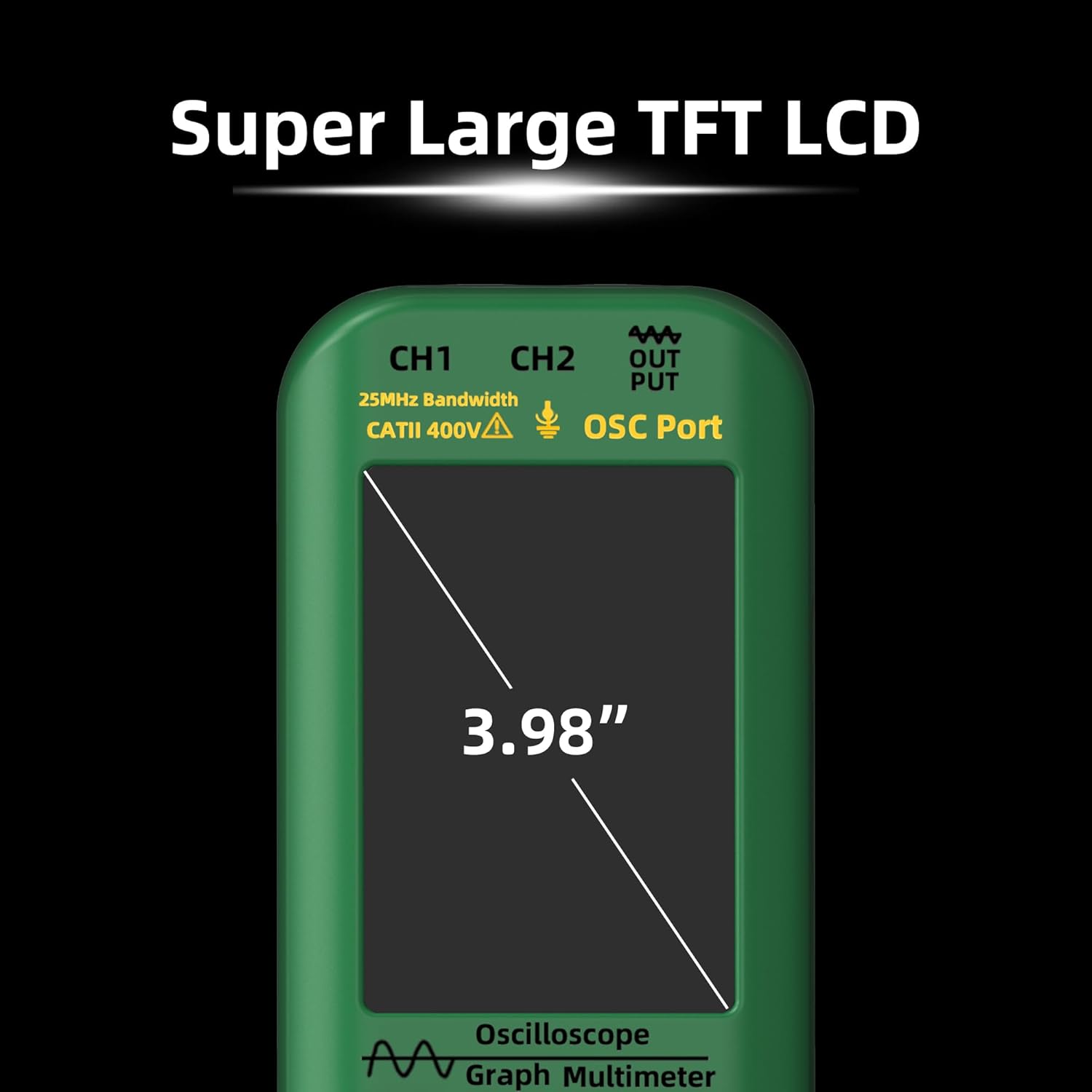
Figure 3: The device features a large 3.98-inch TFT LCD for optimal readability.

Figure 4: The top panel includes input ports for CH1, CH2, and DDS signal output.

Figure 5: The device is protected by a durable full-body soft silicone case.
3. Bedienungsanleitung
3.1 Ein-/Ausschalten
To power on the device, press and hold the power button (usually marked with a circle and a vertical line) until the screen illuminates. To power off, press and hold the same button until the device shuts down.
3.2 Modusauswahl
The device offers three primary modes: Oscilloscope, Multimeter, and DDS Generator. Use the dedicated MODUS button to cycle through these functions. The current mode will be displayed on the screen.
3.3 Oszilloskopfunktion
In Oscilloscope mode, the device displays waveforms for electrical signals. It features dual channels with a 25MHz bandwidth and a 208MSa/s real-time sample Rate.
- Anschlusssonden: Connect the oscilloscope probe to the appropriate channel input (CH1 or CH2) on the top of the device. Ensure a secure connection.
- Anpassen der Einstellungen: Use the navigation buttons to adjust vertical sensitivity (V/div), time base (s/div), and trigger settings. The AUTO button can be used for automatic waveform adjustment and display.
- Maße: The screen will display various waveform parameters such as Vpp (peak-to-peak voltage), Vmax, Vmin, Vavg, Vrms, frequency, and duty cycle.
3.4 Multimeterfunktion
In Multimeter mode, the device performs various electrical measurements with 6000 counts display and True RMS capability.
- Testleitungen verbinden: Connect the red and black test leads to the appropriate input jacks (e.g., VΩmA for voltage/resistance/current, COM for common ground).
- Messarten: The multimeter can measure:
- DC-Voltage: Bis zu 1000V
- AC-Lautstärketage: Bis zu 750V
- DC Current: Up to 600mA
- AC Current: Up to 600mA (or up to 6000A with optional flexible AC current clamp)
- Widerstand: Bis zu 60 MΩ
- Kapazität: Bis zu 99.99 mF
- Temperature: -20℃ to 1000℃ / -4℉ to 1832℉ (using thermocouple)
- Diodentest
- Durchgangsprüfung
- Bereichsauswahl: The device typically operates in auto-ranging mode, but manual range selection may be available via the controls.
3.5 DDS Generator Function
The DDS (Direct Digital Synthesis) Generator function allows you to output various waveforms for testing circuits.
- Anschluss des Ausgangs: Connect the DDS output port to your circuit using appropriate cables.
- Wellenformtypen: Select from sine wave, square wave, triangle wave, full wave, half wave, and sawtooth wave.
- Parameter anpassen: Adjust the frequency (0-2MHz) and output amplitude (0.1-3V) using the device controls. For square waves, the duty cycle (1%-99%) can also be adjusted.
4. Wartung
4.1 Laden der Batterie
The device is equipped with a 5000mAh rechargeable Li-ion battery. Use the provided charging cable to connect the device to a suitable USB power source. The battery indicator on the screen will show the charging status.

Figure 6: The device features a high-capacity 5000mAh rechargeable battery.
4.2 Reinigung und Lagerung
To clean the device, use a soft, dry cloth. Do not use abrasive cleaners or solvents. Store the device in its carrying case in a cool, dry place away from direct sunlight and extreme temperatures when not in use.
5. Fehlerbehebung
Sollten Sie Probleme mit Ihrem Gerät haben, beachten Sie bitte die folgenden gängigen Schritte zur Fehlerbehebung:
- Gerät lässt sich nicht einschalten: Ensure the battery is charged. Connect the device to a charger and attempt to power on again.
- Falsche Messwerte: Check that probes and test leads are correctly connected and not damaged. Verify that the correct measurement mode and range are selected.
- No waveform display: In oscilloscope mode, ensure the input signal is within the device's measurement range and that the trigger settings are appropriate. Use the AUTO button to attempt automatic adjustment.
For further assistance, please contact BSIDE customer support.
6. Spezifikationen
| Besonderheit | Spezifikation |
|---|---|
| MAX-Anzeige | 6000 Zählwerte |
| Bandbreite | 25 MHz |
| Kanäle | 2 |
| Echtzeit-SampPreis | 208 MSa / s |
| Eingangsimpedanz | 1MΩ, @16pf |
| Maximale Eingangslautstärketage | 300 V (DC + AC Spitze) |
| Horizontaler SEC-Bereich | 100 ns/div - 20 s/div |
| Vertikale Empfindlichkeit | 20 mV/div - 100 V/div |
| DC-Voltage | 60mV (0.01mV ±(1%+5)); 600mV/6V/60V (0.1mV/0.001V/0.01V ±(0.8%+3)); 600V/1000V (0.1V ±(1%+5)) |
| AC-Lautstärketage | 60mV (0.01mV ±(1.2%+5)); 600mV/6V/60V (0.1mV/0.001V/0.01V ±(1%+3)); 600V/750V (0.1V/1V ±(1.2%+5)) |
| Gleichstrom | 60mA/600mA (0.01mA/0.1mA ±(1%+3)) |
| Wechselstrom | 60mA/600mA (0.01mA/0.1mA ±(1.2%+5)) |
| Flexible AC Current | 600A/6000A (0.1A/1A ±(1.0%+5)) |
| Widerstand | 600Ω (0.1Ω ±(1.2%+5)); 6kΩ/60KΩ/600KΩ (0.001KΩ/0.01KΩ/0.1KΩ ±(1.0%+3)); 6MΩ (0.001MΩ ±(1.2%+5)); 60MΩ (0.01MΩ ±(1.5%+5)) |
| Kapazität | 999.9nF (0.1nF ±(5%+20)); 9.999µF/999.9µF (0.001µF/0.1µF ±(4.5%+5)); 99.99mF (0.01mF ±(5.0%+10)) |
| Temperatur | -20℃~1000℃ / -4℉-1832℉ (1℃/1℉ ±(2.5%+5)) |
| Diode | Ja |
| Kontinuität | Ja |
| Ausgangssignalformen | Sine wave, square wave, triangle wave, full wave, half wave, sawtooth wave, DC wave |
| Frequency Range (DDS) | 0 bis 2 MHz |
| Ausgabe Amplitude (DDS) | 0.1 bis 3 V |
| Square Wave Duty Cycle (DDS) | 1 % – 99 % |
| Leistung | 2* Rechargeable Li-ion battery (5000mAh) |
| Größe | 216.6 x 84.5 x 36 mm |
| Gewicht | 384g |
| Artikelmodellnummer | Zweikanaliges Oszilloskop-Multimeter |
| Datum der ersten Verfügbarkeit | 18. Juni 2024 |
7. Garantie und Support
For warranty information, technical support, or service inquiries, please refer to the official BSIDE webBesuchen Sie die Website oder wenden Sie sich direkt an den Kundendienst. Bewahren Sie Ihren Kaufbeleg als Kaufnachweis für Garantieansprüche auf.