
Einführung
Thank you for choosing the SENTKENG 4G LTE Cellular Security Camera. This manual provides comprehensive instructions for setting up, operating, and maintaining your new solar-powered wireless outdoor camera. Designed for locations without Wi-Fi, this camera operates on a cellular data network, offering reliable 24/7 surveillance for remote areas. Please read this manual thoroughly before use to ensure optimal performance and longevity of your device.
Lieferumfang
- 4G LTE Mobilfunk-Überwachungskamera
- Solarpanel
- Montagehalterung für Solarpanel
- Montagezubehör (Schrauben, Dübel)
- USB-C-Ladekabel
- 32-GB-SD-Karte (vorinstalliert)
- Bedienungsanleitung
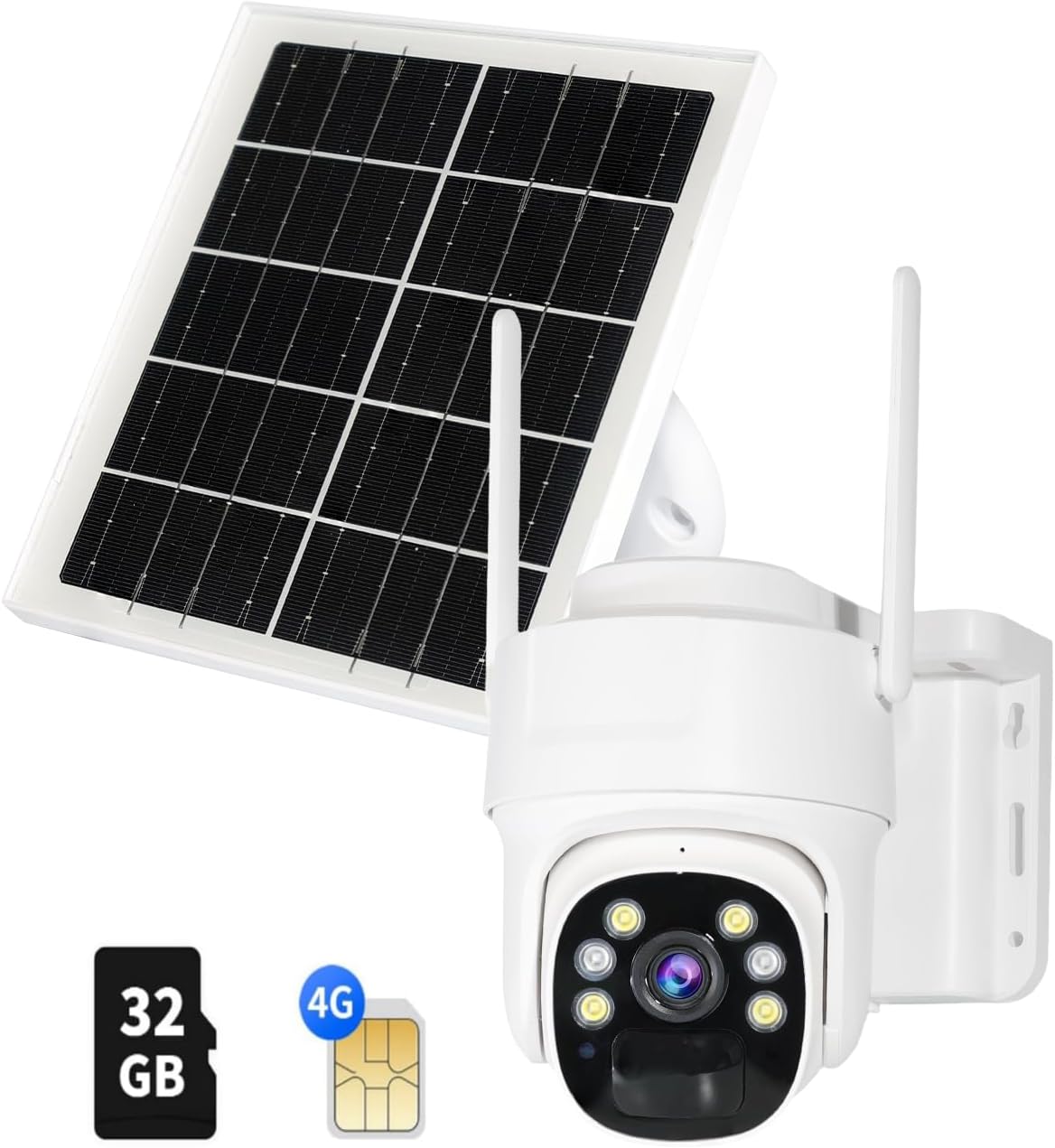
Abbildung: Alle im Paket enthaltenen Komponenten.
Produkt überview
The SENTKENG 4G LTE Cellular Security Camera is a robust outdoor surveillance solution. It features a 3MP HD lens, 360° pan and 90° tilt capabilities, color night vision, and two-way audio for comprehensive monitoring.

Image: Solar-powered design for 100% wire-free operation.
Wetterfestes Design: With an IP65 rating, the camera is designed to withstand various weather conditions, operating reliably from -4°F to 131°F.
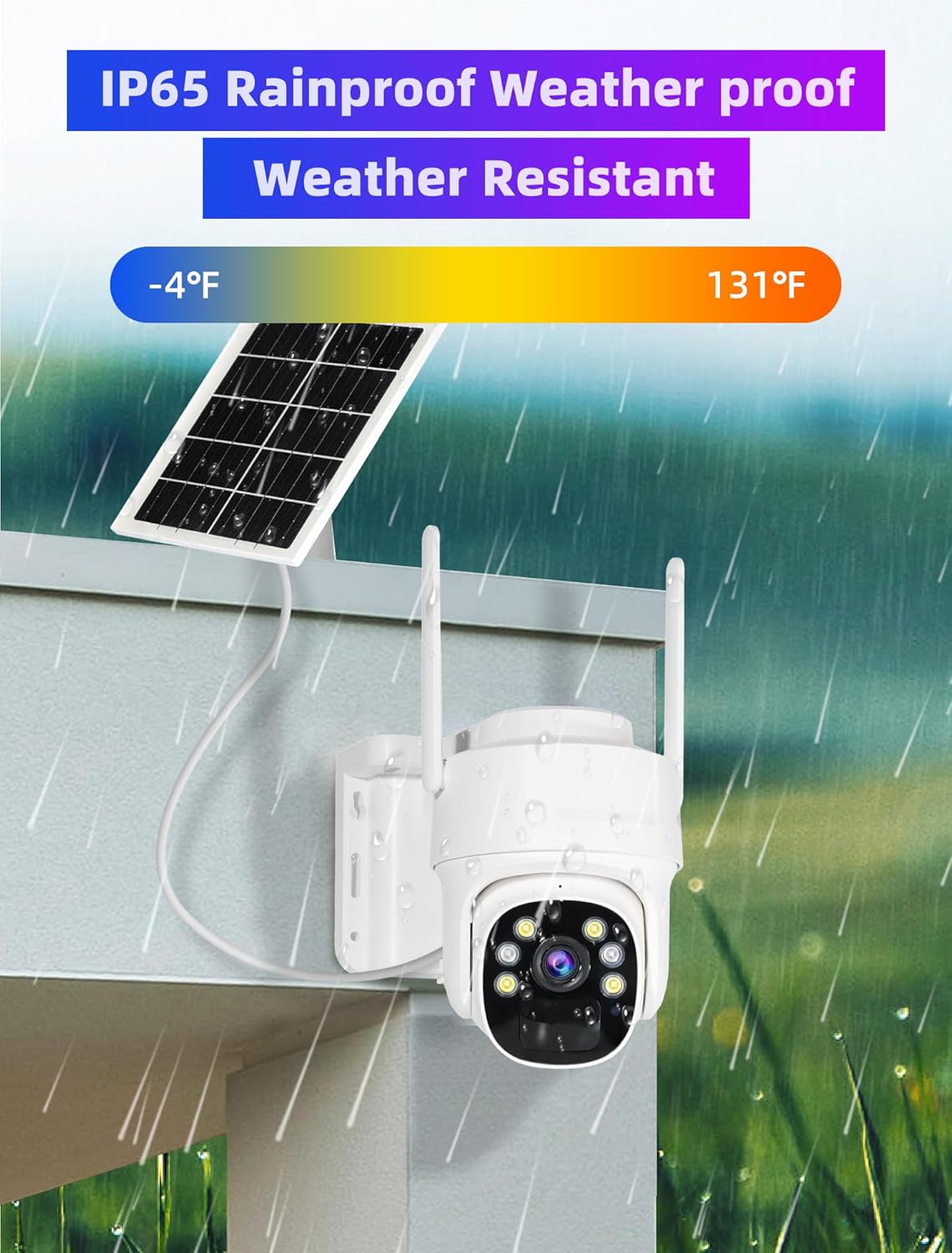
Image: IP65 Rainproof and Weather Resistant.
360° PTZ & 4X Digital Zoom: Steuern Sie die Kamera viewing angle remotely with 355° pan and 90° tilt, ensuring no blind spots. The 4X digital zoom allows for closer inspection of details.

Image: Cover Every Corner of your Place with 355° Pan and 90° Tilt.
Zweiwege-Audio: Kommunizieren Sie mit Besuchern oder schrecken Sie Eindringlinge mit dem eingebauten Mikrofon und Lautsprecher ab.

Image: Two-Way Audio & Users Sharing.
PIR Humanoid Detection & Mobile Alerts: Receive timely alerts on your mobile app when humanoid motion is detected, reducing false alarms.
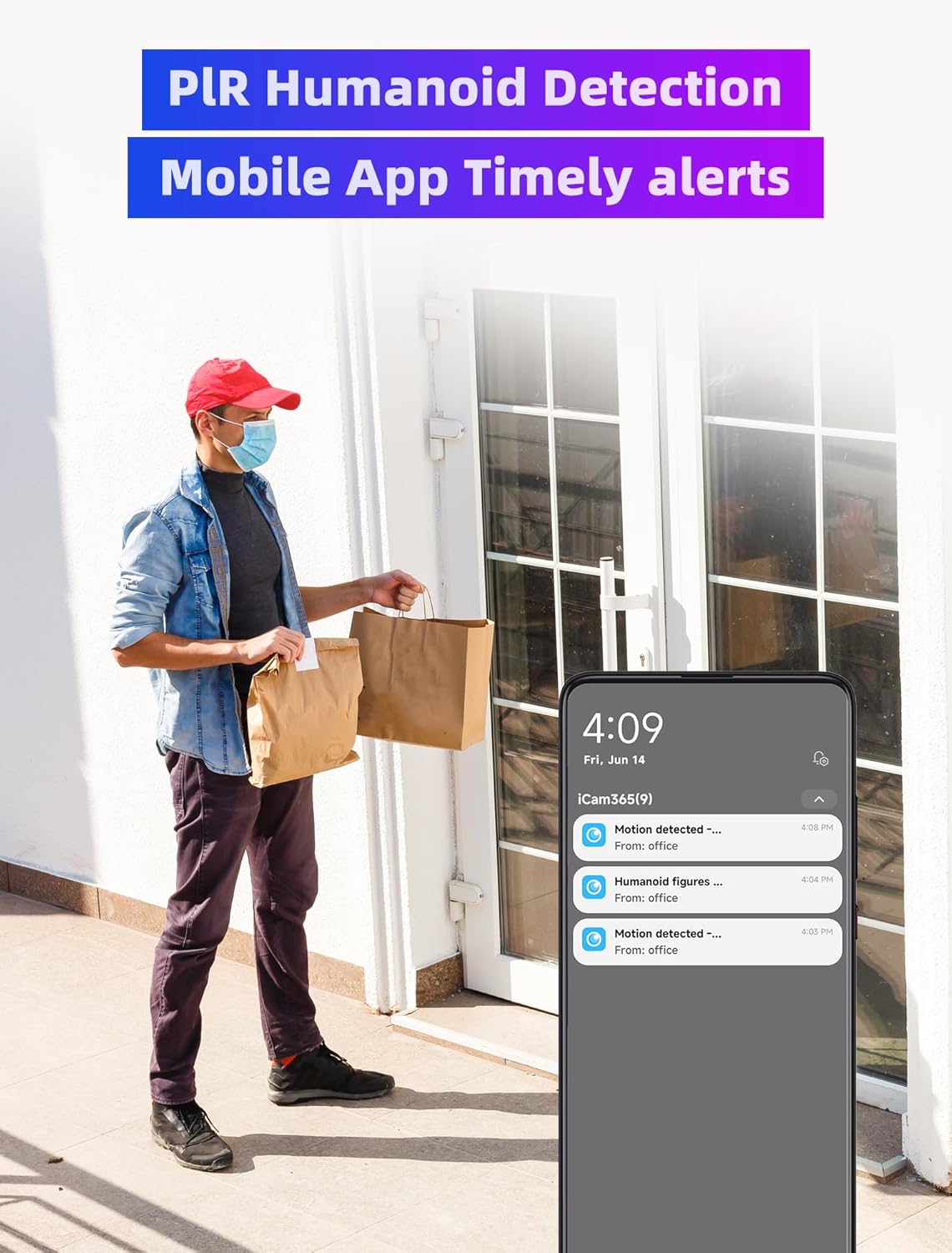
Image: PIR Humanoid Detection and Mobile App Timely Alerts.
Aufstellen
Ausgabeaufschlag
Upon receiving the product, it is recommended to fully charge the camera for the first time using the provided USB-C cable. Connect the cable to the camera's charging port and a 5V power source (adapter not included). Ensure the ON/OFF switch is in the 'ON' position for charging.
SIM Card & SD Card Installation
The camera requires a 4G LTE SIM card (data plan required, not included) and comes with a pre-installed 32GB SD card. To access the card slots, carefully open the IP-rated door on the camera. Insert your 4G SIM card into the designated slot. The 32GB SD card is typically pre-installed; ensure it is properly seated. Close the door securely to maintain the IP65 weatherproof rating.
Betrieb
Live View & Wiedergabe
Open the iCam365 app and select your camera to access the live view. You can pan and tilt the camera remotely using the on-screen controls. To view aufgenommenes footage, navigate to the 'SD Playback' section within the app. The camera records based on motion detection and stores footage on the 32GB SD card.

Bild: View playback screen anytime, anywhere.
PTZ-Steuerung
Aus dem Leben view screen in the iCam365 app, use the directional arrows to control the camera's pan (horizontal) and tilt (vertical) movements. This allows you to adjust the viewing area as needed.
Zwei-Wege-Audio
Um die Zwei-Wege-Audiofunktion zu nutzen, tippen Sie auf das Mikrofonsymbol im Live-Chat. view interface of the app. You can then speak through your phone, and your voice will be projected through the camera's speaker. Release the button to hear audio from the camera's microphone.
Bewegungserkennung & Warnungen
The camera is equipped with PIR (Passive Infrared) humanoid detection to accurately identify human movement and minimize false alarms from animals or swaying branches. When motion is detected, the camera will automatically record and send a timely alert notification to your iCam365 app.
Nachtsicht
The camera supports color night vision, providing clear and detailed images even in low-light conditions. The built-in LED floodlights activate automatically to illuminate the area for full-color night recording.
Wartung
Pflege von Solarmodulen
Regularly clean the surface of the solar panel to ensure maximum sunlight absorption and efficient charging. Dust, dirt, or debris can reduce its effectiveness. Use a soft, damp Mit einem Tuch die Platte vorsichtig abwischen.
Batteriemanagement
The camera's built-in rechargeable battery is designed for long-lasting performance. While the solar panel provides continuous power, ensure the camera receives sufficient sunlight to keep the battery charged. Monitor the battery statistics in the iCam365 app to ensure optimal power levels.
Firmware-Aktualisierungen
Periodically check for firmware updates through the iCam365 app. Keeping your camera's firmware up-to-date ensures you have the latest features, security enhancements, and bug fixes.
Fehlerbehebung
- Kamera verbindet sich nicht: Ensure the SIM card is correctly inserted and has an active data plan. Check the 4G signal strength in the camera's location via the app.
- Akku lädt nicht: Verify the solar panel is clean and positioned to receive direct sunlight. Ensure the solar panel cable is securely connected to the camera.
- Falsche Bewegungswarnungen: Adjust the PIR detection sensitivity settings in the iCam365 app. Ensure the camera is not facing areas with constant movement (e.g., busy roads, swaying trees) if not desired.
- Kein Ton/Schlechte Audioqualität: Überprüfen Sie die Lautstärkeeinstellungen in der App. Stellen Sie sicher, dass Mikrofon und Lautsprecher der Kamera nicht durch Hindernisse blockiert werden.
- Kamera offline: This camera operates exclusively on 4G LTE networks and does not connect to Wi-Fi. Ensure your cellular data plan is active and the camera is within network coverage.
Technische Daten
| Besonderheit | Wert |
|---|---|
| Modellname | Outdoor Solar Dome D01 32G memory card |
| Konnektivitätstechnologie | Drahtlos (Mobilfunk) |
| Verwendung im Innen- und Außenbereich | Im Freien |
| Stromquelle | Solarbetrieben |
| Auflösung der Videoaufnahme | 1296p (3MP HD) |
| Besonderheit | 2-Way Audio, Color Night Vision, PTZ (Pan/Tilt/Zoom) |
| Internationale Schutzbewertung | IP65 |
| Batterieleistung | 2000 Milliampere Stunde (mAh) |
| Nachtsichtbereich | 8 Meter |
| Artikelgewicht | 3.16 Pfund |
| Technische Daten | 3.99 x 5.63 x 5.35 Zoll |
Garantie und Support
We are passionate about creating reliable cameras and aim to deliver the best user experience. Should you encounter any issues during use, please don't hesitate to contact us by email. We are committed to resolving any problems you face.
If you are dissatisfied with the product, we would greatly appreciate your feedback and suggestions. Should your input help us improve our product, we will provide you with a full refund and let you keep the camera as a token of our gratitude.
Sie erreichen uns über:
- Amazon Store Support
- iCam365 App Online Support
- E-Mail: sentkeng@sentkeng.com
With sincere blessings,
SENTKENG Camera Team