
1. Einleitung
Thank you for choosing the FLEXISPOT OC17 Ergonomic Office Chair. This manual provides detailed instructions for the assembly, operation, and maintenance of your new chair. Please read this manual thoroughly before assembly and use to ensure proper function and longevity of the product. Keep this manual for future reference.

Front view of the FLEXISPOT OC17 ergonomic office chair, featuring a black mesh back and a blue seat.
2. Produktüberschreitungview
The FLEXISPOT OC17 is designed to provide optimal comfort and support during extended periods of sitting. Key features include:
- Verstellbare Kopfstütze: Height and angle adjustable with an integrated hook for clothing.
- Ergonomische Rückenlehne: S-shaped bionic design with 90°-125° recline and 3 lockable positions.
- Verstellbare Lordosenstütze: Dynamic 5cm vertical adjustment.
- Verstellbare Armlehnen: 10cm vertical adjustment.
- Bequemer Sitz: 8cm thick, high-density sponge cushion.
- Atmungsaktive Materialien: Mesh backrest for enhanced airflow.
- Mobilität: 360° smooth rotation and durable wheels.
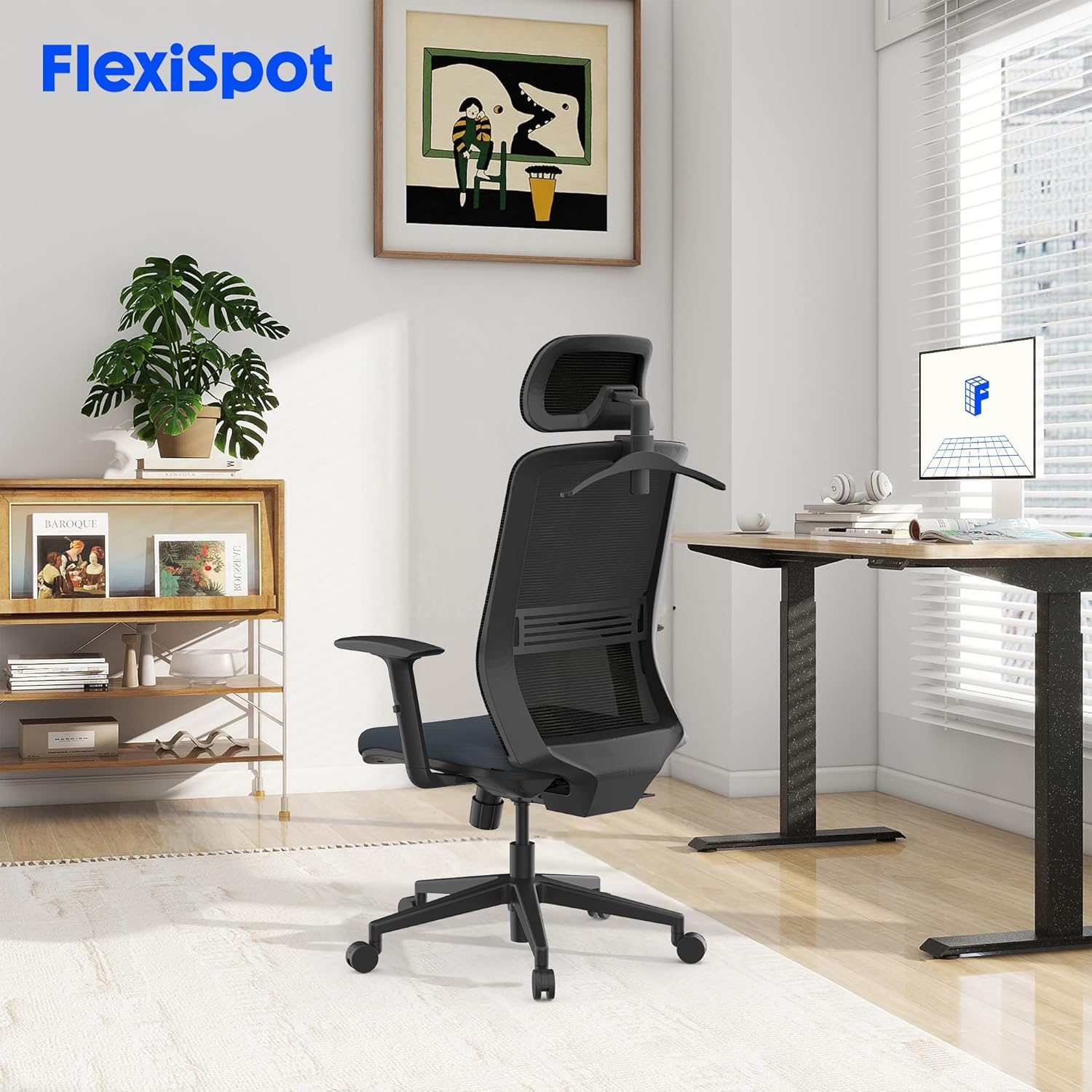
The FLEXISPOT OC17 ergonomic office chair integrated into a modern workspace environment.
3. Aufbau und Montage
Assembly of the FLEXISPOT OC17 chair is designed to be straightforward. Please follow the included assembly guide for detailed, step-by-step instructions. Ensure all components are present before beginning assembly.
Schritte der Generalversammlung:
- Packen Sie alle Komponenten aus und überprüfen Sie sie anhand der Stückliste.
- Befestigen Sie die Rollen am Stuhlgestell.
- Setzen Sie die Gasdruckfeder mittig in das Stuhlgestell ein.
- Befestigen Sie die Mechanismusplatte an der Unterseite des Sitzkissens.
- Befestigen Sie die Rückenlehne an der Sitzkissenbaugruppe.
- Mount the armrests to the seat cushion.
- Setzen Sie den montierten Sitz und die Rückenlehne auf die Gasdruckfeder.
- Montieren Sie die Kopfstütze oben auf der Rückenlehne.
Ensure all screws are tightened securely, but do not overtighten. If you encounter difficulty attaching the base to the seat, refer to the specific diagrams in your assembly guide for clarification.
4. Bedienungsanleitung
The FLEXISPOT OC17 chair offers multiple adjustment options to customize your seating experience.
4.1. Einstellung der Kopfstütze
- Höhenverstellung: Gently pull the headrest up or push it down to adjust its height within a 6cm range.
- Winkeleinstellung: Tilt the headrest forward or backward to find your preferred angle (0-35 degrees rotation).
- Integrierter Haken: Utilize the hook on the back of the headrest to hang light garments, preventing wrinkles.

Illustration of the headrest's 6cm height adjustment and 0-35 degree rotation capabilities.
4.2. Verstellung und Arretierung der Rückenlehne
The backrest can recline between 90° and 125° and be locked in 3 different positions.
- Zurücklehnen: Pull the lever located on the side of the chair upwards, lean back to your desired angle, and release the lever to lock the position.
- Freischalten: To unlock and return to an upright position, pull the lever upwards again while leaning slightly forward.
4.3. Einstellung der Lordosenstütze
The lumbar support can be adjusted vertically by 5cm to provide targeted support to your lower back.
- Locate the lumbar support mechanism on the backrest.
- Gently push the lumbar support up or down to align it with the natural curve of your spine.

Detaillierte view of the chair's ergonomic design, highlighting the S-shaped backrest, 10cm adjustable armrests, and 5cm adjustable lumbar support.
4.4. Armlehnenverstellung
The armrests can be adjusted vertically by 10cm to suit your height and desk setup.
- Press the button located on the side of each armrest.
- While holding the button, move the armrest up or down to your desired height.
- Release the button to lock the armrest in place.
4.5. Sitzhöhenverstellung
Adjust the seat height to ensure your feet are flat on the floor and your knees are at a 90-degree angle.
- Erhöhen: While standing, pull the lever located under the seat upwards.
- Zum Absenken: While seated, pull the lever upwards.
- Lassen Sie den Hebel los, um den Sitz in der gewünschten Höhe zu arretieren.
4.6. Schwenkfunktion
The chair features a 360-degree swivel function for easy movement and access to your workspace.
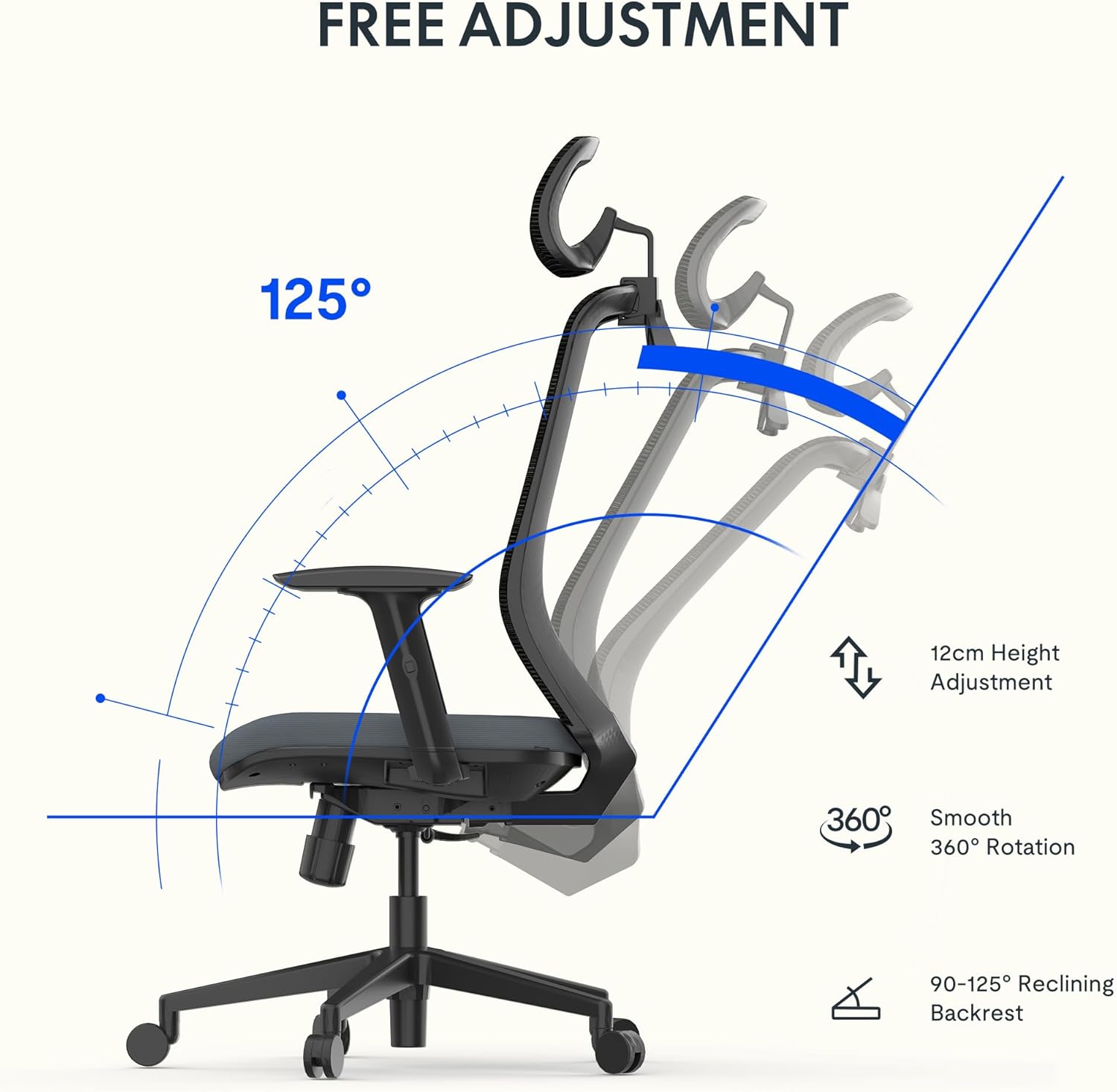
Visual representation of the chair's 12cm height adjustment, 360-degree rotation, and 90-125 degree backrest recline.
5. Wartung
Regular maintenance will help preserve the appearance and functionality of your FLEXISPOT OC17 chair.
- Reinigung: For the mesh backrest and fabric seat, use a soft cloth dampMit milder Seife und Wasser reinigen. Scharfe Chemikalien oder scheuernde Reinigungsmittel vermeiden.
- Inspektion: Überprüfen Sie regelmäßig alle Schrauben und Befestigungselemente auf festen Sitz. Ziehen Sie sie gegebenenfalls nach, aber nicht zu fest.
- Rollen: Halten Sie die Rollen frei von Haaren und Schmutz, um ein reibungsloses Rollen zu gewährleisten.

Nahaufnahme views highlighting the breathable mesh backrest and the 8cm thick, comfortable seat cushion.
6. Fehlerbehebung
If you encounter any issues with your FLEXISPOT OC17 chair, refer to the following common solutions:
- Stuhlknarren: Check all bolted connections and tighten if loose. A small amount of silicone lubricant can be applied to moving parts if the squeaking persists.
- Schwierigkeiten bei der Höhenverstellung: Stellen Sie sicher, dass der Gasdruckfederhebel vollständig eingerastet ist. Sollte das Problem weiterhin bestehen, muss die Gasdruckfeder möglicherweise ausgetauscht werden.
- Der Stuhl fühlt sich instabil an: Verify that all casters are securely inserted into the base and that the base is properly attached to the gas lift.
- Rückenlehne rastet nicht ein: Check the recline lock mechanism for any obstructions or damage. Ensure the lever is fully engaged.
Sollten die Probleme durch diese Schritte nicht behoben werden können, wenden Sie sich bitte an den Kundendienst.
7. Spezifikationen
| Besonderheit | Detail |
|---|---|
| Marke | FLEXISPOT |
| Modellnummer | OC17 |
| Farbe | Schwarz und Blau |
| Produktabmessungen (L x B x H) | 50.5 x 60 x 115.5 cm (minimum height) to 127.5 cm (maximum height) |
| Artikelgewicht | 14.6 Kilogramm |
| Material | Metal (frame), Textile (seat) |
| Gewichtskapazität | Bis 136 kg |
| Besondere Merkmale | Adjustable Armrest, Adjustable Headrest, Ergonomic Design, Adjustable Height, Lumbar Support |
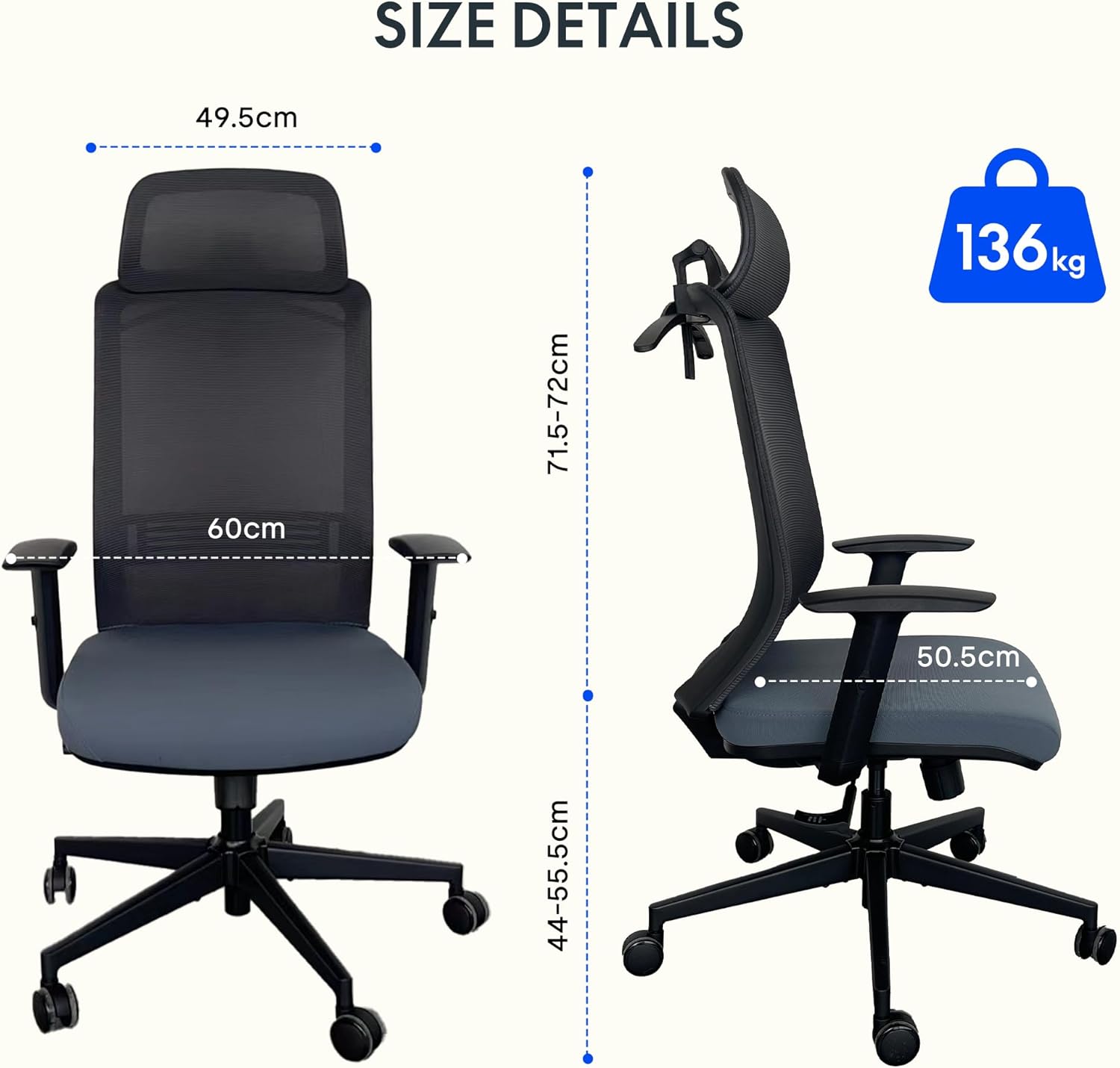
Detailed dimensions of the FLEXISPOT OC17 chair and its maximum load capacity of 136 kg.
8. Garantie und Support
FLEXISPOT provides a 3-year availability for spare parts for the OC17 ergonomic office chair. For warranty claims, technical support, or inquiries regarding spare parts, please contact FLEXISPOT customer service through their official webWebsite oder den Händler, bei dem das Produkt gekauft wurde.
Please have your purchase receipt and product model number (OC17) ready when contacting support.