
Blukar K9127
Blukar Headlamp LED-Akku-Benutzerhandbuch
Modell: K9127
Einführung
Vielen Dank, dass Sie sich für den Blukar Headl entschieden haben.amp LED Rechargeable. This super bright head torch is designed for various outdoor activities, offering versatile lighting modes, continuous dimming, and motion sensor capabilities. Its durable, waterproof design ensures reliable performance in diverse environments. Please read this manual carefully before use to ensure proper operation and maintenance.

Image: The Blukar Headlamp LED Rechargeable in Eustoma Purple, showcasing its sleek design and adjustable headband. A USB-C charging cable is also visible.
Sicherheitshinweise

Image: A warning label detailing important safety precautions for the headlamp.
Bitte beachten Sie die folgenden Sicherheitsvorkehrungen, um Schäden am Produkt oder Verletzungen zu vermeiden:
- Vermeiden Sie Stürze, Stöße und Extrusion.
- Die internen Teile des l dürfen nicht demontiert oder ausgetauscht werden.amp yourself, as this may damage the product or cause safety hazards.
- Do not use this product in extremely hot or cold environments (temperatures below 25°C or above 40°C).
- Behalte den Kopfamp Von Feuer, brennbaren Gasen und ätzenden Flüssigkeiten fernhalten.
- Um eine Augenreizung zu vermeiden, schauen Sie nicht direkt in die Lichtquelle.
Packungsinhalt
Bitte überprüfen Sie nach dem Öffnen des Pakets, ob alle folgenden Artikel enthalten sind:
- Blukar Headlamp LED Rechargeable (Model: K9127)
- USB-C-Ladekabel
- Built-in Lithium Polymer Battery (pre-installed)
- 4 x Helmet Clips
Aufstellen
Erstladung
Vor dem ersten Gebrauch wird empfohlen, den Ladekopf vollständig aufzuladen.ampSchließen Sie das mitgelieferte USB-C-Kabel an den Kopfhörer an.amp's charging port and plug the other end into a compatible USB power source (e.g., AC charger, power bank, computer USB port). The indicator light will show charging status.
Das Tragen der Kopfbedeckungamp
Adjust the elastic headband to fit comfortably and securely around your head. The headband is designed for good breathability and minimal slippage. For helmet use, utilize the included helmet clips to secure the headlamp fest.

Image: Visual representation of the headlamp's lightweight design (86g), adjustable headband, and 45-degree tilt angle feature.
Bedienungsanleitung
Beleuchtungsmodi
Der Blukar Headlamp offers 10 distinct lighting modes, divided into Normal and Sensor modes. Press the power button to cycle through the modes.

Image: A visual guide illustrating the 10 available lighting modes (Spotlight, Floodlight, Spotlight + Floodlight, Red Floodlight, Red Strobe, 3 Sensor White Light, 2 Sensor Red Light) and the stepless dimming function.
Normal Modes (5 Modes):
- XPG White Light: Focused beam for spotlighting.
- COB White Light: Wide beam for floodlighting.
- XPG & COB White Light: Combination of focused and wide beams for maximum illumination.
- COB-Rotlicht: Preserves night vision and is less disruptive.
- COB Red Light SOS: Blinkendes rotes Licht zur Notfallsignalisierung.
Note: In Normal Mode, if there is no operation for 8 seconds, pressing the switch again will turn the lamp aus.
Sensor Modes (5 Modes):
These modes allow you to turn the headlamp on/off by waving your hand within 15 cm in front of the headlamp.
- XPG White Light (Sensor)
- COB White Light (Sensor)
- XPG & COB White Light (Sensor)
- COB Red Light (Sensor)
- COB Red Light SOS (Sensor)
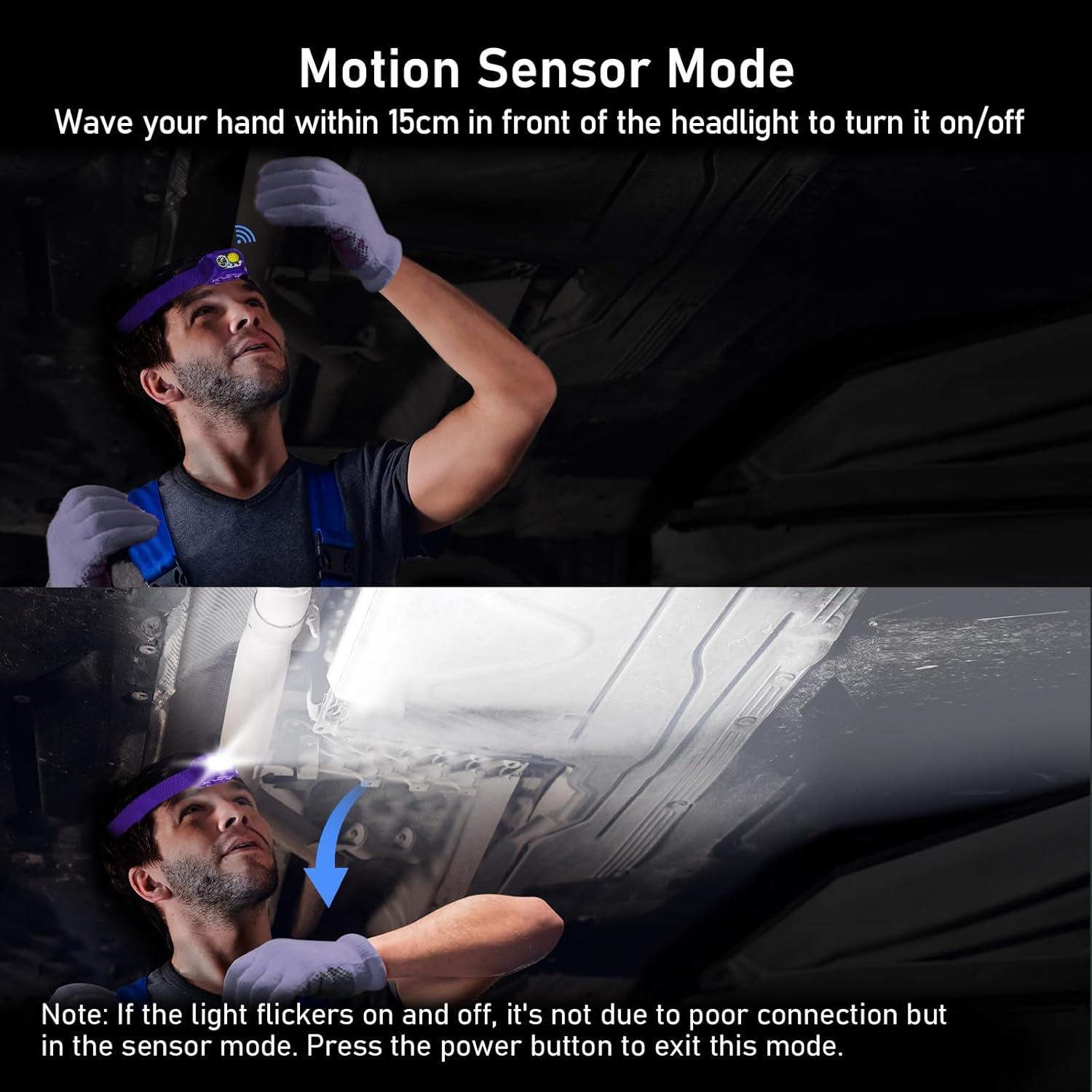

Image: Two images demonstrating the motion sensor mode. The first shows a user activating the sensor by waving their hand. The second image includes a note: "If the light flickers on and off, it's not due to poor connection but in the sensor mode. Press the power button to exit this mode."
Continuous Dimmable Brightness
Der Kopfamp features an infinitely dimmable brightness function. To adjust the brightness, press and hold the power button. The brightness will cycle smoothly between 100% and 30%. Release the button at your desired brightness level. The headlamp includes a memory function that automatically saves the last used mode and brightness settings.

Image: A powerful beam from the Blukar Headlamp illuminating a vast outdoor area at night, highlighting its super bright capability.

Image: A diagram illustrating the distinct beam angles for spotlight (60 degrees) and floodlight (120 degrees) modes, demonstrating the headlamp's versatility in illumination.
Aufladen des Scheinwerfersamp
Der Blukar Headlamp is equipped with a built-in 1200mAh Lithium Polymer battery and features a convenient USB-C charging port. A full charge takes approximately 3 hours.
Ladevorgang:
- Suchen Sie den USB-C-Ladeanschluss am Kopfteil.amp (usually protected by a waterproof plug).
- Insert the USB-C end of the charging cable into the headlamp's Hafen.
- Connect the other end of the USB-C cable to a suitable power source, such as:
- An AC wall adapter (not included)
- Eine Powerbank
- A computer's USB port
- Die Kontrollleuchte am Scheinwerferamp will show the charging status (e.g., red for charging, green for fully charged).

Image: The Blukar Headlamp being charged via its USB-C port, demonstrating compatibility with an AC charger, a power bank, and a laptop.
Wartung
Reinigung
Zum Reinigen des KopfesampWischen Sie die Oberfläche vorsichtig mit einem weichen, damp cloth. Do not use abrasive cleaners or solvents, as they may damage the finish or internal components. Ensure the charging port's waterproof plug is securely closed before cleaning or exposing to water.
Pflege und Lagerung der Batterie
To prolong battery life, avoid fully discharging the headlamp frequently. Recharge the battery regularly, even if not in use, to maintain its capacity. Store the headlamp an einem kühlen, trockenen Ort, geschützt vor direkter Sonneneinstrahlung und extremen Temperaturen.
Fehlerbehebung
| Problem | Mögliche Ursache | Lösung |
|---|---|---|
| Kopflamp geht nicht an. | Batterie ist leer. | Laden Sie den Kopf aufamp vollständig unter Verwendung des mitgelieferten USB-C-Kabels. |
| Light flickers in sensor mode. | Normal behavior in sensor mode when detecting motion. | This is not a malfunction. Press the power button to exit sensor mode if continuous light is desired. |
| Kopflamp lädt nicht. | Loose cable connection or faulty power source. | Stellen Sie sicher, dass das USB-C-Kabel fest mit dem Kopfhörer verbunden ist.amp and the power source. Try a different USB port or power adapter. |
| Die Helligkeitsregelung funktioniert nicht. | Button not held long enough or in an incompatible mode. | Press and hold the power button to activate continuous dimming. Ensure you are not in a fixed-brightness mode. |
Technische Daten
| Besonderheit | Detail |
|---|---|
| Marke | Blukar |
| Modellnummer | K9127 |
| Artikelgewicht | 86 Gramm |
| Technische Daten | 5.75 x 4.27 x 3.6 cm |
| Akku-Typ | 1 Lithium-Polymer (im Lieferumfang enthalten) |
| Batteriekapazität | 1200 mAh |
| Farbe | Eustoma Purple |
| Material | ABS |
| Stromquelle | Batteriebetrieben |
| Lichtquellentyp | LED (XPG & COB) |
| Besondere Merkmale | Rechargeable, Continuously Dimmable, Motion Sensor, IPX5 Waterproof, 45° Adjustable Angle |
| Wasserdichtigkeit | IPX5 |
Garantie und Support
Specific warranty details are not provided in the product information. For any product inquiries, technical support, or warranty claims, please contact Blukar customer service through the retailer's platform or the official Blukar webBitte halten Sie Ihre Modellnummer (K9127) und die Kaufdetails bereit, wenn Sie sich an den Support wenden.
Ask a question about this manual
Ask about setup, troubleshooting, compatibility, parts, safety, or missing instructions. Manuals+ will review the question and use this page’s manual context to help answer it.