
AceGamer PS-P-White
AceGamer RGB-Ladestation für PlayStation Portal – Benutzerhandbuch
Model: PS-P-White
1. Einleitung
Vielen Dank für Ihren Einkauf.asing the AceGamer RGB Charging Dock for PlayStation Portal. This portable charging station is designed to provide a stable and efficient charging solution for your PlayStation Portal console, featuring customizable RGB lighting and essential protection features. Please read this manual carefully before use to ensure proper operation and maintenance.
2. Packungsinhalt
- AceGamer RGB Charging Dock (1 unit)
- Typ-C-Ladekabel (1 Stück)
- Benutzerhandbuch (dieses Dokument)
3. Produktmerkmale
- Dedicated Charging: Specifically designed for the PlayStation Portal console.
- RGB-Beleuchtung: Features 7 distinct lighting modes for personalized aesthetics.
- Schnelles Laden: Efficient power delivery for fast charging.
- Sicherheitsschutz: Eingebauter Überstrom-, Überspannungs-tage und untervoltage Schutz.
- Ergonomisches Design: 30-degree comfortable viewing angle for the PlayStation Portal.
- Stabile Basis: Equipped with anti-slip mats for secure placement.
- Konnektivität: USB Type-C input for power.
4. Einrichtungsanweisungen
- Strom anschließen: Insert the provided Type-C charging cable into the charging dock's input port and connect the other end to a suitable USB power adapter (not included).

Figure 4.1: Connecting the Type-C power cable to the charging dock.
- Place PlayStation Portal: Carefully align your PlayStation Portal console with the charging connector on the dock and gently place it into position. Ensure a secure connection for charging. The dock is designed to hold the Portal at a 30-degree angle for optimal viewing.

Figure 4.2: PlayStation Portal placed on the charging dock at a 30-degree angle.
- Anti-slip Stability: The base of the charging dock is equipped with anti-slip mats to prevent accidental movement. Ensure the dock is placed on a flat, stable surface.
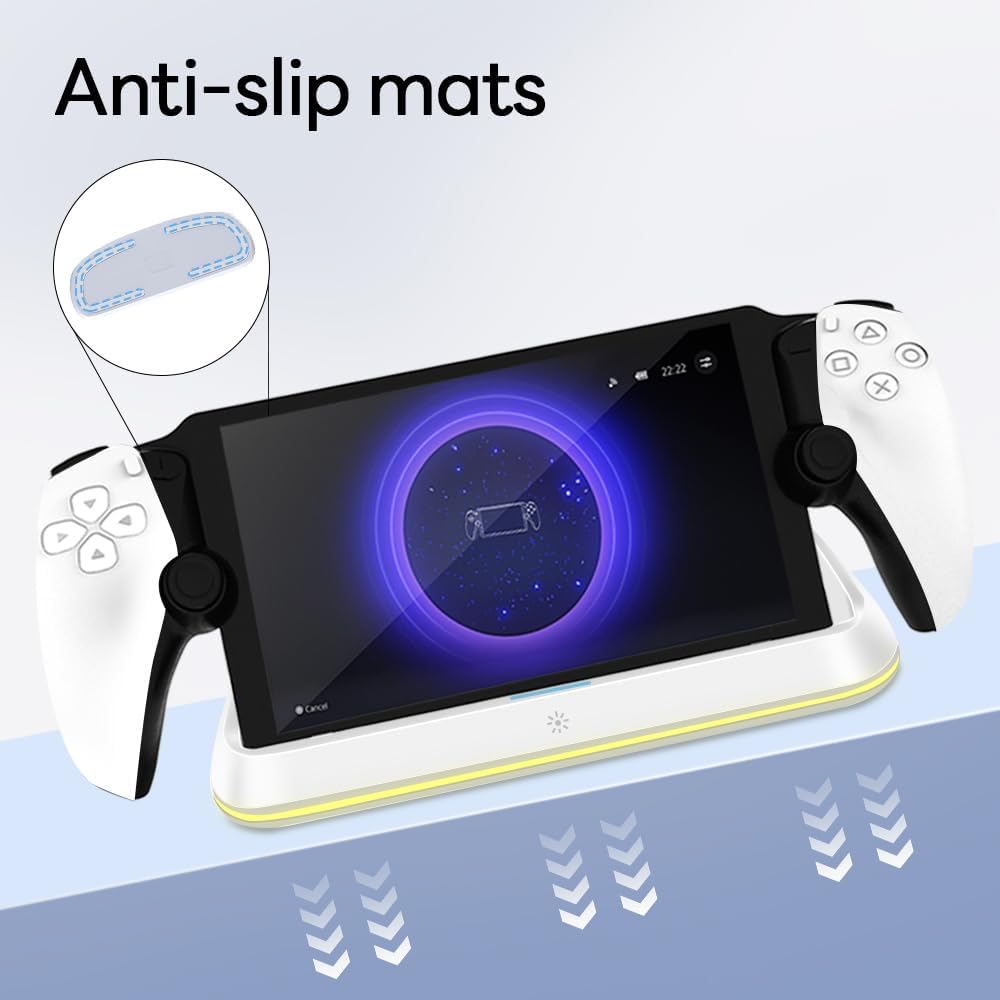
Figure 4.3: Anti-slip mats on the charging dock for enhanced stability.
- Visuelle Anleitung: For a visual demonstration of the setup process, please refer to the video below.
Video 4.1: Demonstration of connecting the power supply and placing the PlayStation Portal onto the charging dock.
5. Bedienungsanleitung
- Charging the PlayStation Portal: Once the PlayStation Portal is correctly seated on the dock and the dock is powered, charging will begin automatically. A full charge typically takes approximately 3.5 hours. The dock includes protection against over-current, over-voltage und untervoltage to safeguard your device.

Figure 5.1: Charging indicators and safety protection features.
- RGB-Lichtsteuerung: The charging dock features a touch-sensitive button to control the RGB lighting. Press the button to cycle through 7 different lighting modes or to turn the lights off.

Figure 5.2: RGB lighting modes and touch control button.
6. Wartung
- Keep the charging dock clean and free from dust. Use a soft, dry cloth for cleaning.
- Setzen Sie das Gerät keinen extremen Temperaturen, Feuchtigkeit oder direkter Sonneneinstrahlung aus.
- Verwenden Sie keine scheuernden Reinigungs- oder Lösungsmittel, da diese die Oberfläche beschädigen können.
- Ensure the charging port and connector are free of debris before placing the PlayStation Portal.
7. Fehlerbehebung
- Gerät lädt nicht:
- Ensure the Type-C cable is securely connected to both the dock and the power adapter.
- Vergewissern Sie sich, dass das Netzteil ordnungsgemäß funktioniert und an eine funktionierende Steckdose angeschlossen ist.
- Check if the PlayStation Portal is properly seated on the charging connector.
- Versuchen Sie es mit einem anderen USB-C-Kabel oder Netzteil.
- RGB-Beleuchtung funktioniert nicht:
- Stellen Sie sicher, dass die Ladestation eingeschaltet ist.
- Press the touch light button to cycle through modes or turn the lights on.
- Unstable placement:
- Ensure the dock is placed on a flat, level surface.
- Check if the anti-slip mats are clean and intact.
8. Spezifikationen
| Marke | AceGamer |
| Modellnummer | PS-P-White |
| Kompatible Geräte | PlayStation Portal |
| Eingangslautstärketage | 5 Volt |
| Wastage | 7 Watt |
| Steckertyp | USB Type-C (for power input) |
| Besondere Merkmale | RGB Lighting, Fast Charging, Over-current Protection, Over-voltage Protection, Under-voltage-Schutz |
| Maße | ca. 22.5 x 8.9 x 8.4 cm |
| Gewicht | Ungefähr 290 g |
9. Garantie und Support
AceGamer products are designed and manufactured to the highest quality standards. For warranty information or technical support, please contact the retailer where you purchased the product or visit the official AceGamer website for customer service contact details. Please retain your proof of purchase for warranty claims.
Ask a question about this manual
Ask about setup, troubleshooting, compatibility, parts, safety, or missing instructions. Manuals+ will review the question and use this page’s manual context to help answer it.