
HUABAO A106
User Manual for HUABAO Mini Karaoke Machine
Modell: A106
Einführung
Vielen Dank für Ihren Einkauf.asing the HUABAO Mini Karaoke Machine. This portable Bluetooth singing speaker is designed to provide an enjoyable audio experience with its unique abyss mirror design, colorful lighting, and versatile connectivity options. It comes with two wireless microphones, making it perfect for various occasions. Please read this manual carefully to ensure proper use and maintenance of your device.
Lieferumfang
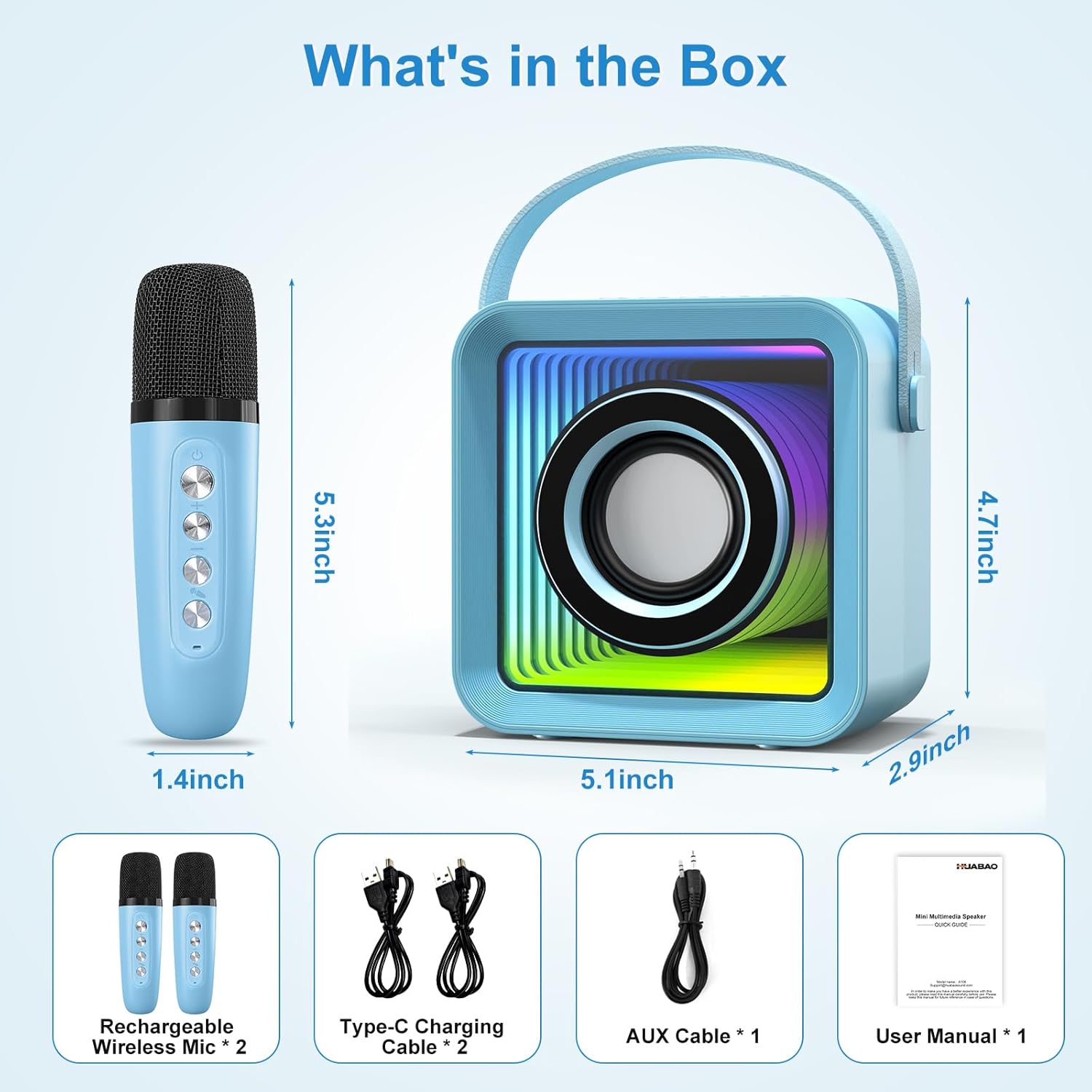
Image: All components included in the HUABAO Mini Karaoke Machine package.
- Mini-Lautsprecher x 1
- Rechargeable Wireless Mic x 2
- USB-Ladekabel x 2
- AUX-Kabel x 1
- Benutzerhandbuch x 1
Installationshandbuch
1. Aufladen des Geräts und der Mikrofone
Before first use, fully charge the mini speaker and both wireless microphones. Use the provided USB charging cables. The speaker has a built-in 3000 mAh rechargeable battery.

Image: The mini karaoke machine and its microphones are rechargeable, offering 4-5 hours of playtime on a 3000mAh battery.
2. Einschalten und automatisches Koppeln
Long press the power button on the speaker to turn it on. Turn on the wireless microphones. They will automatically connect to the speaker once powered on.
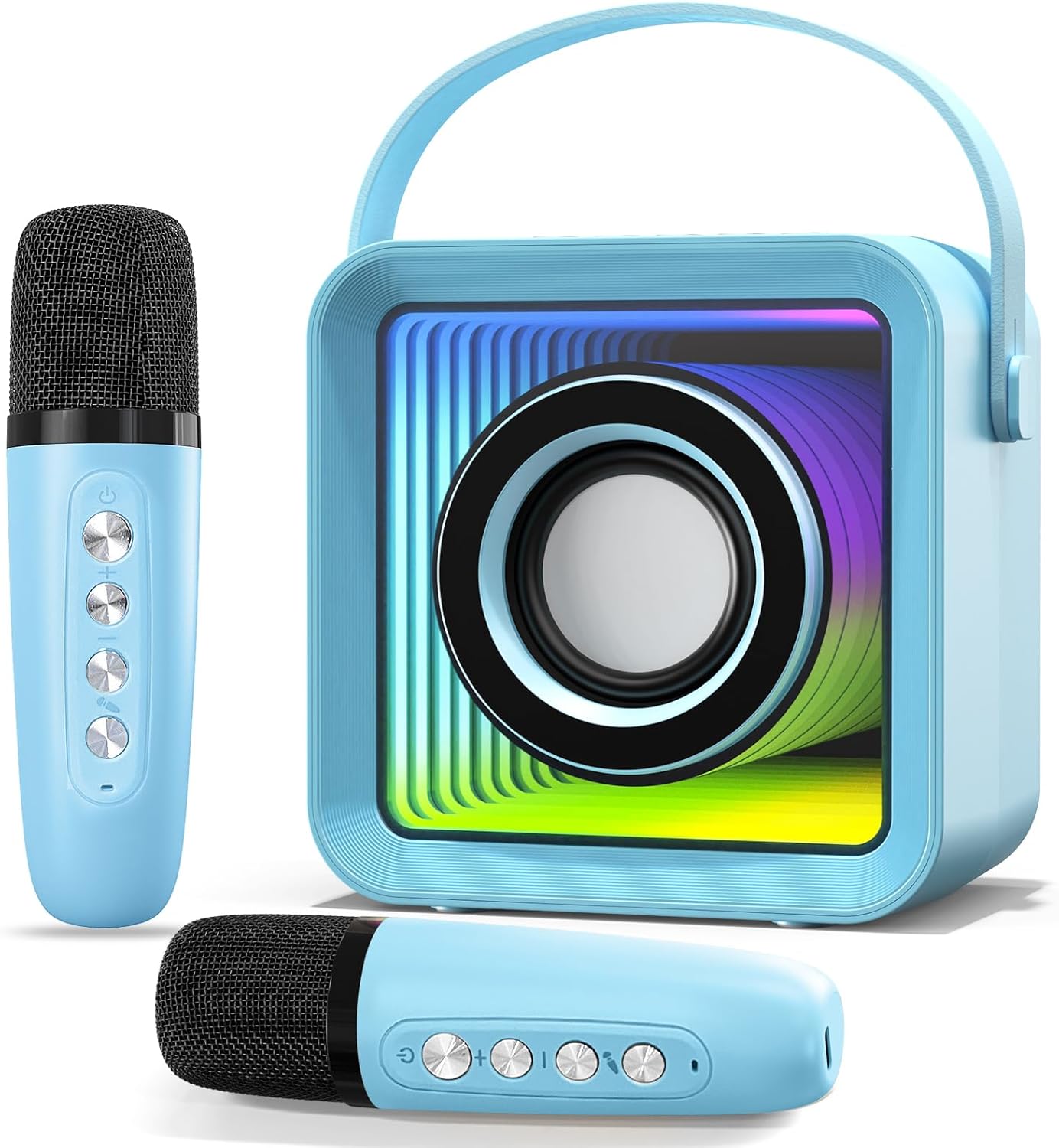
Image: The main components of the HUABAO Mini Karaoke Machine, including the speaker and two wireless microphones.
Bedienungsanleitung
Lautsprechersteuerung

Bild: Überview of the speaker's control buttons and input ports for easy operation.
- Ein-/Ausschalter: Lange drücken, um den Lautsprecher ein- oder auszuschalten.
- Lichtmodustaste: Short press to switch between 7 different lighting modes.
- Modus-Taste (M): Short press to switch between Bluetooth, FM, AUX, USB, and TF Card modes.
- Vorheriger Titel / Lautstärke verringern: Kurz drücken für vorherigen Titel. Lang drücken, um die Lautstärke zu verringern.
- Abspielen/Pause: Kurzes Drücken zum Abspielen oder Pausieren der Audiowiedergabe.
- Nächster Titel / Lautstärke erhöhen: Kurz drücken für nächsten Titel. Lang drücken, um die Lautstärke zu erhöhen.
Mikrofonsteuerung und -funktionen

Image: The wireless microphones feature controls for volume, echo, and four fun magic voice effects.
- Netzschalter: Schalten Sie das Mikrofon ein/aus.
- Lautstärkeregelung: Stellen Sie die Mikrofonlautstärke ein.
- Echokontrolle: Adjust the echo effect for singing.
- Magische Soundeffekte: Change your voice to baby voice, monster voice, man’s voice, or woman’s voice.
Konnektivitätsmodi
- Bluetooth-Modus: Connect your phone, tablet, laptop, computer, or smart TV wirelessly via Bluetooth 5.2.
- FM-Modus: Schalten Sie UKW-Radiosender ein.
- AUX-Modus: Connect external audio sources using the provided 3.5mm AUX cable.
- USB/TF-Kartenmodus: MP3 abspielen files directly from a USB flash drive or TF card inserted into the respective ports.

Image: The speaker offers versatile connectivity options, including Bluetooth 5.2 for seamless pairing with various devices.
Beleuchtungsfunktionen
The speaker features a unique abyss mirror design with dynamic lighting. There are 7 lighting modes to choose from:
- Fixed color display
- Clockwise/counter-clockwise light changes
- Lights bouncing to the beat of the music

Image: The Abyss Mirror Design of the speaker, showing its appearance with lights on and off.

Image: The speaker's colorful lights can bounce to the beat of the music, enhancing the party atmosphere.
Wartung
- Halten Sie das Gerät trocken und fern von Feuchtigkeit.
- Reinigen Sie die Oberfläche mit einem weichen, trockenen Tuch. Verwenden Sie keine scharfen Chemikalien oder Scheuermittel.
- Bei längerer Nichtverwendung an einem kühlen, trockenen Ort aufbewahren.
- Vermeiden Sie es, das Gerät fallen zu lassen oder starken Stößen auszusetzen.
Fehlerbehebung
| Problem | Mögliche Ursache | Lösung |
|---|---|---|
| Gerät lässt sich nicht einschalten. | Schwacher Akku oder keine Ladung. | Stellen Sie sicher, dass das Gerät vollständig aufgeladen ist. |
| Microphones not connecting. | Mikrofone sind nicht eingeschaltet oder außerhalb der Reichweite. | Turn on microphones and ensure they are within close proximity to the speaker. |
| Aus dem Lautsprecher kommt kein Ton. | Volume too low, incorrect mode, or no audio source. | Increase volume, switch to the correct input mode (Bluetooth, AUX, etc.), or ensure an audio source is playing. |
| Probleme mit der Bluetooth-Verbindung. | Gerät befindet sich nicht im Kopplungsmodus oder es liegen Störungen vor. | Ensure speaker is in Bluetooth mode. Turn off and on Bluetooth on your device. Move closer to the speaker. |
Technische Daten
| Besonderheit | Detail |
|---|---|
| Marke | HUABAO |
| Modellnummer | A106 |
| Montagetyp | Tischplatte |
| Stromquelle | Batteriebetrieben |
| Steckertyp | Aux, USB |
| Material | Plastik |
| Artikelgewicht | 0.99 Pfund (15.8 Unzen) |
| Ausgang Wattage | 13 Watt |
| Anzahl der Kanäle | 2 |
| Audioeingang | Mikrofon, AUX |
| Impedanz | 4 Ohm |
| Produktabmessungen (L x B x H) | 4.9 x 2.9 x 4.72 Zoll |
| Batterien | 1 Lithium-Ionen-Akku erforderlich (im Lieferumfang enthalten) |
| Konnektivitätstechnologie | AUX, Bluetooth, USB |
| Farbe | Blau |
| Kompatible Geräte | Laptop, Musical Instruments, Smartphone, Tablet, Television |
Garantie und Support
HUABAO provides a one-year warranty and lifetime technical support for every customer. If you have any questions or concerns regarding your Mini Karaoke Machine, please contact us via Amazon or our support E-mail. We are committed to responding within 12 hours and ensuring your satisfaction.
For further assistance, please refer to the contact information provided on the product packaging or your purchase receipt.
Ask a question about this manual
Ask about setup, troubleshooting, compatibility, parts, safety, or missing instructions. Manuals+ will review the question and use this page’s manual context to help answer it.