
Einführung
This manual provides essential instructions for the assembly, operation, and maintenance of your FLEXISPOT QB2M-1880-IE Height-Adjustable Desk. Please read this manual thoroughly before use to ensure proper function and safety. This desk is designed to provide a versatile workspace, allowing seamless transitions between sitting and standing positions.

Image: The FLEXISPOT QB2M-1880-IE Height-Adjustable Desk in a typical office setup, showcasing its spacious maple desktop and white dual-motor frame.
Sicherheitshinweise
- Maximale Tragfähigkeit: Do not exceed the recommended maximum load of 120 kg (264 lbs). Overloading can cause instability and damage.
- Stabile Positionierung: Ensure the desk is positioned on a flat, stable surface to prevent tipping or collisions during height adjustments.
- Klare Umgebung: Keep the area around the desk clear of obstructions during height adjustments to avoid pinching or damage to objects.
- Kinder und Haustiere: Halten Sie Kinder und Haustiere während des Betriebs vom Schreibtisch fern.
- Netzkabel: Ensure the power cord is not pinched or damaged. Disconnect power before cleaning or maintenance.
- Antikollisionssystem: The desk is equipped with an anti-collision system. However, always exercise caution and monitor the desk's movement.
Packungsinhalt
Prüfen Sie vor Beginn der Montage, ob alle Komponenten vorhanden und unbeschädigt sind. Sollten Teile fehlen oder beschädigt sein, wenden Sie sich bitte an den Kundendienst.
- Desktop (multi-piece)
- Schreibtischgestell (Beine, Querstange)
- Doppelmotoren
- Bedienfeld
- Netzteil und Kabel
- Hardware Kit (screws, tools)
- Bedienungsanleitung
Einrichtung und Montage
Follow these general steps for assembling your FLEXISPOT height-adjustable desk. Refer to the included assembly diagram for detailed illustrations.
- Komponenten auspacken: Nehmen Sie alle Teile vorsichtig aus der Verpackung und legen Sie sie auf eine saubere, weiche Unterlage, um Kratzer zu vermeiden.
- Montieren Sie den Rahmen: Attach the desk legs to the crossbar using the provided hardware. Ensure all connections are secure.
- Motoren einbauen: Secure the dual motors within the frame structure as indicated in the assembly guide.
- Desktop anbinden: Place the desktop sections onto the assembled frame. The desktop is composed of multiple parts designed to connect securely. Fasten the desktop to the frame using the appropriate screws.
- Anschluss-Bedienfeld: Mount the control panel to the underside of the desktop in a convenient location. Connect the control panel and motors to the power adapter unit.
- Kabelmanagement: Use cable ties or clips (if provided) to organize and secure all cables, preventing them from interfering with desk movement.
- Erstes Einschalten: Plug the power cable into a wall outlet. The desk may perform an initial calibration cycle.

Image: Product details showing the desk dimensions (180cm x 80cm) and illustrating that the desktop is made of 4 parts.
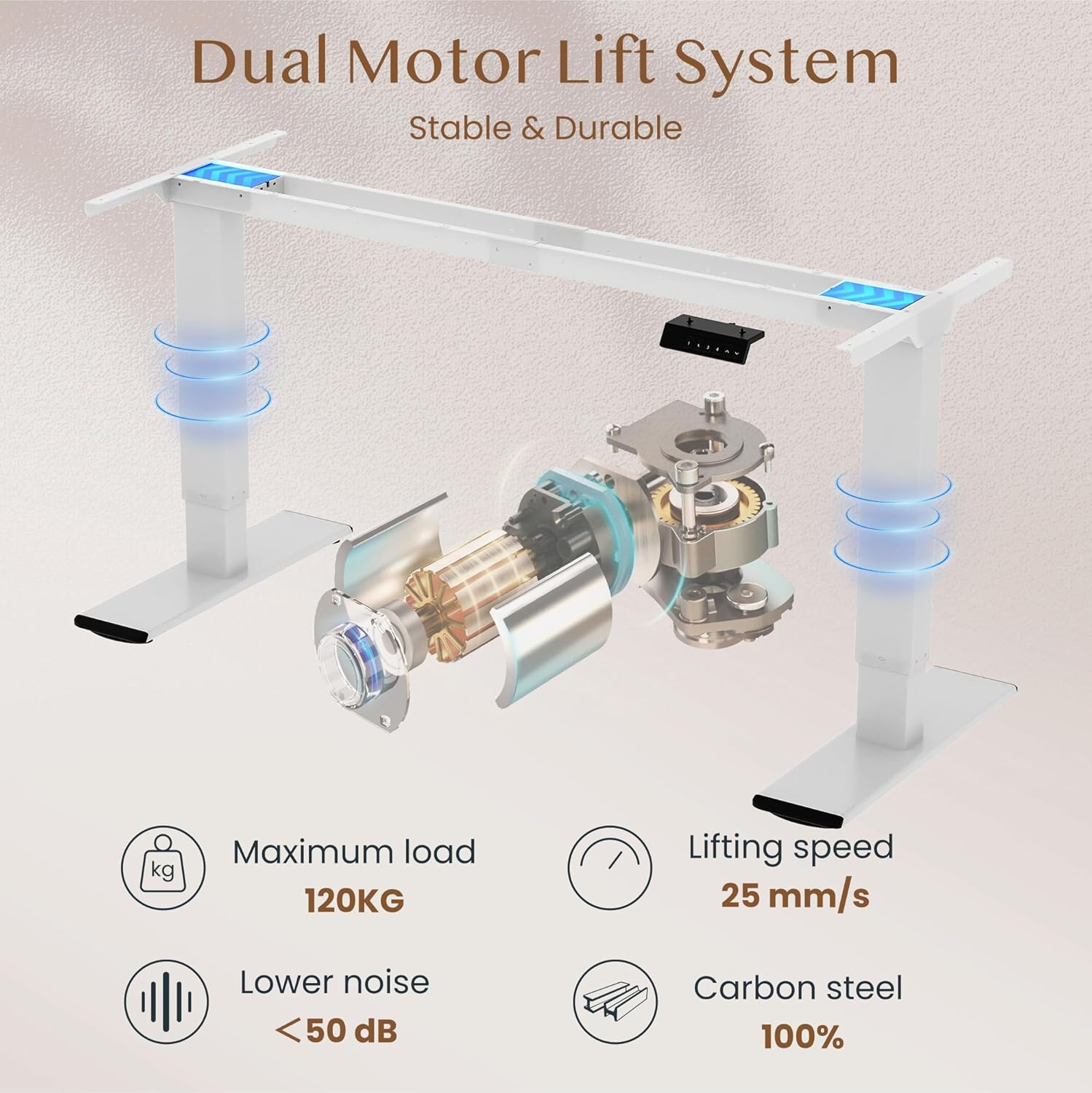
Image: Diagram illustrating the dual motor lift system, highlighting its stability, 120kg maximum load, 25 mm/s lifting speed, and quiet operation (<50 dB).
Bedienungsanleitung
Bedienfeldfunktionen
The intelligent control panel allows for easy height adjustment and memory presets.

Image: Close-up of the intelligent control panel with buttons for up/down adjustment, four memory presets, and an LED screen.
- Auf/Ab-Tasten (^ / v): Press and hold to continuously adjust the desk height. Release to stop at the desired position.
- Speichervoreinstellungen (1, 2, 3, 4):
- Stellen Sie den Schreibtisch mithilfe der Auf-/Ab-Tasten auf die gewünschte Höhe ein.
- Press the "M" or "SET" button (if present, otherwise directly press the number) followed by one of the number buttons (1, 2, 3, or 4) within 3 seconds. The LED display will show "S-" followed by the number, indicating the height is saved.
- Um eine gespeicherte Höhe aufzurufen, drücken Sie einfach die entsprechende Zifferntaste (1, 2, 3 oder 4). Der Schreibtisch fährt automatisch in die gespeicherte Position.
- Antikollisionsfunktion: The desk is equipped with an anti-collision system. If the desk encounters an obstruction during movement, it will automatically stop and reverse slightly to prevent damage.

Image: Illustration of the desk's height adjustment range, from 72cm (sitting) to 121cm (standing).

Image: Comparison showing the anti-collision function preventing an object from being crushed (left) versus a system without it (right).
Wartung
- Reinigung: Wischen Sie die Tischplatte und den Rahmen mit einem weichen, fusselfreien Tuch ab.amp Verwenden Sie kein scheuerndes Reinigungsmittel oder aggressive Chemikalien, die die Oberfläche beschädigen könnten.
- Inspektion: Überprüfen Sie regelmäßig alle Schrauben und Verbindungen, um sicherzustellen, dass sie fest sitzen. Ziehen Sie sie gegebenenfalls nach.
- Kabelmanagement: Ensure cables are neatly organized and not interfering with the desk's movement.
- Schmierung: The lifting mechanism is generally maintenance-free. Do not attempt to lubricate internal components unless specifically instructed by FLEXISPOT support.
Fehlerbehebung
| Problem | Mögliche Ursache | Lösung |
|---|---|---|
| Der Schreibtisch bewegt sich nicht. | Stromkabel nicht angeschlossen; Überlastung; Motorfehler. | Check power connections. Reduce load on desk. Unplug and replug power to reset. |
| Der Schreibtisch wackelt ungleichmäßig oder macht ungewöhnliche Geräusche. | Loose connections; uneven load; obstruction. | Check all assembly screws. Redistribute weight evenly. Check for obstructions. |
| Das Antikollisionssystem löst häufig aus. | Sensitivity setting; actual obstruction. | Ensure no objects are in the path of movement. Consult manual for sensitivity adjustment if available. |
| Speichervoreinstellungen funktionieren nicht. | Voreinstellungen wurden nicht korrekt gespeichert. | Re-save your desired height presets following the operating instructions. |
If you encounter issues not listed here or if solutions do not resolve the problem, please contact FLEXISPOT customer support.
Technische Daten
| Marke | FLEXISPOT |
| Modellnummer | QB2M-1880-IE |
| Abmessungen (L x B x H) | 180 cm x 80 cm x 72-119 cm (verstellbar) |
| Gewicht | 38.7 kg |
| Material | Maple desktop, Metal frame |
| Farbe | White frame + Maple desktop |
| Motorsystem | Doppelmotoren |
| Hubgeschwindigkeit | Bis zu 25 mm/s |
| Statische Belastbarkeit | 120 kg |
| Dynamische Lastkapazität | 100 kg |
| Geräuschpegel | Unter 50 dB |
| Besondere Merkmale | Height adjustable, 4 memory presets, Anti-collision system |

Image: Close-up of the thickened table legs (70cm height shown) designed for enhanced stability.

Image: Visual representation of the desk's 120kg weight capacity and the thick 75x45mm table legs ensuring stability.
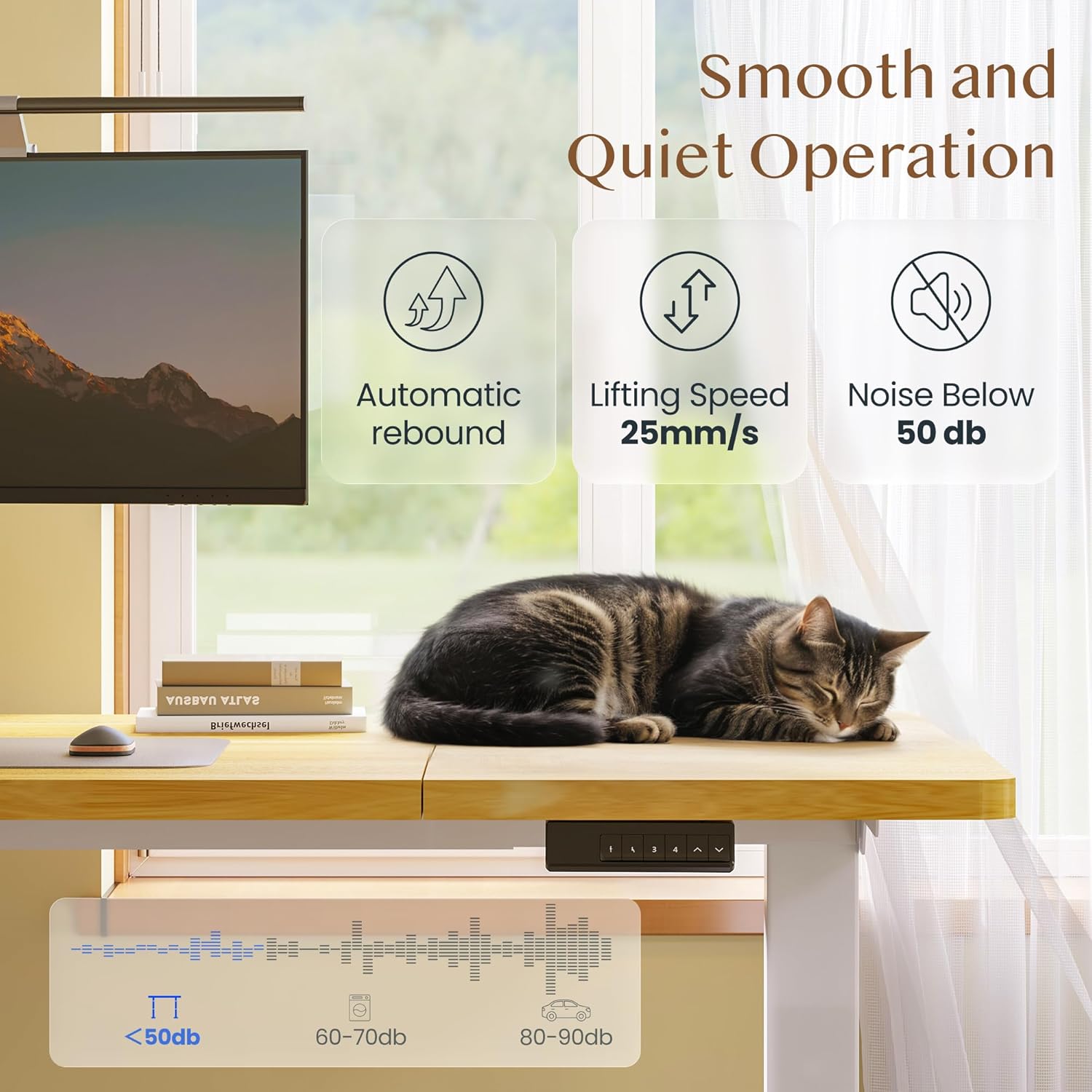
Image: Depiction of the desk's smooth and quiet operation, highlighting automatic rebound, 25mm/s lifting speed, and noise level below 50 dB.
Garantie und Support
For warranty information, technical support, or to inquire about replacement parts, please refer to the warranty card included with your product or visit the official FLEXISPOT website. Please have your model number (QB2M-1880-IE) and purchase date ready when contacting support.