
Einführung
Thank you for choosing the Midland GXT3000 GMRS Two-Way Radio. This manual provides essential information for the safe and efficient operation of your new radio. Please read it thoroughly before use and keep it for future reference. The GXT3000 is designed for robust, long-range communication, ideal for outdoor enthusiasts, farmers, and professionals.
Produkt überview
The Midland GXT3000 GMRS Two-Way Radio offers advanced features for clear and dependable communication:
- 50 GMRS Channels: Bietet eine breite Palette an Kommunikationsmöglichkeiten.
- 142 Datenschutzcodes: Enhances communication privacy and reduces interference.
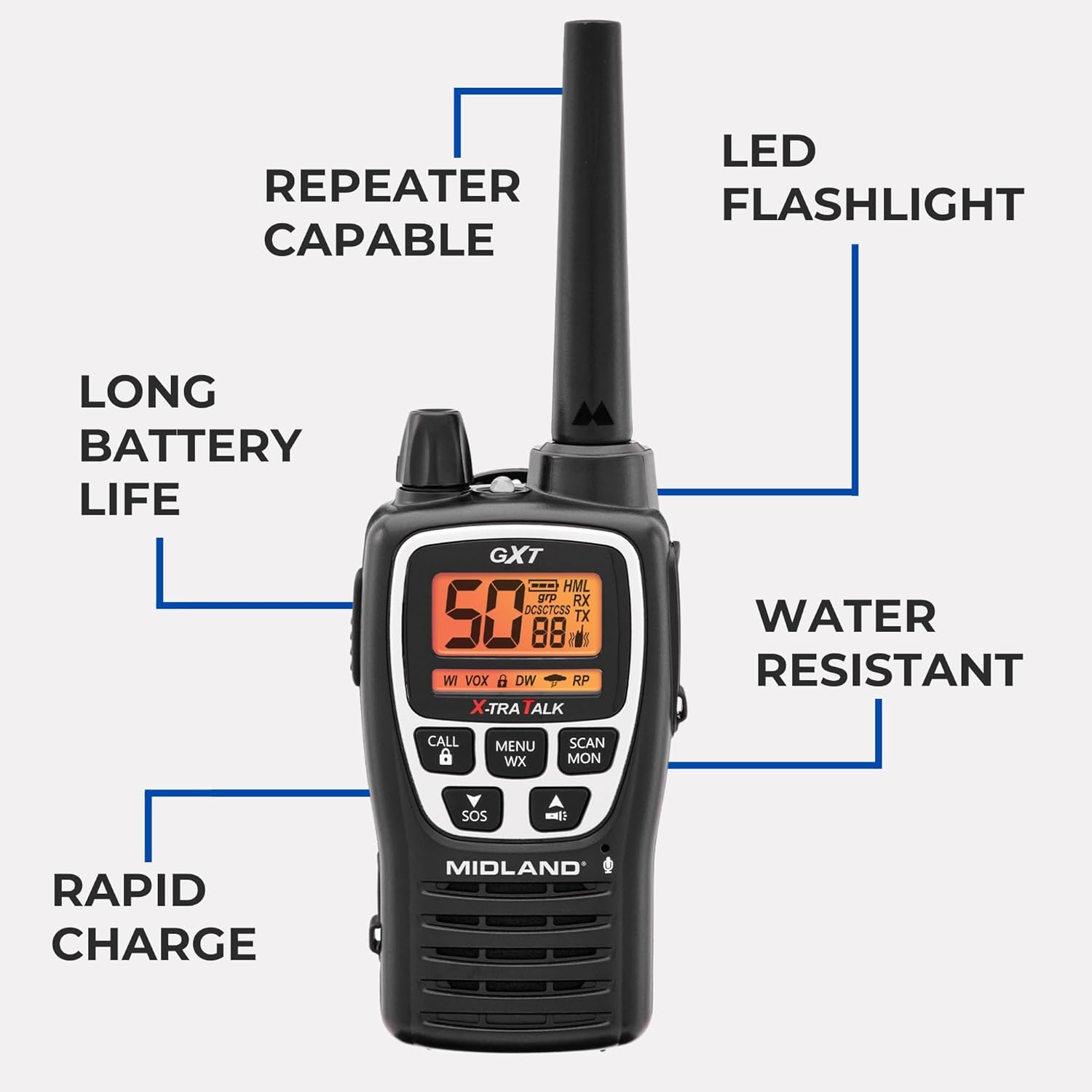
- Langstreckenfähigkeit: Designed for extended communication distances, up to 50 miles in optimal conditions.
- Repeaterfähig: Extends signal range for even greater coverage.
- NOAA-Wetterwarnung: Keeps you informed of severe weather conditions.
- SOS-Sirene: Zur Notsignalisierung.
- Wiederaufladbarer Lithium-Ionen-Akku: Offers long-lasting power (up to 18 hours) and rapid charging (4 hours).
- Water Resistant (JIS4 Rating): Schützt vor Spritzwasser aus allen Richtungen.
- VOX (Sprachgesteuerte Vermittlungsstelle): Freihändige Bedienung.
- Integrierte LED-Taschenlampe: For convenience in low-light conditions.
Was ist in der Box:
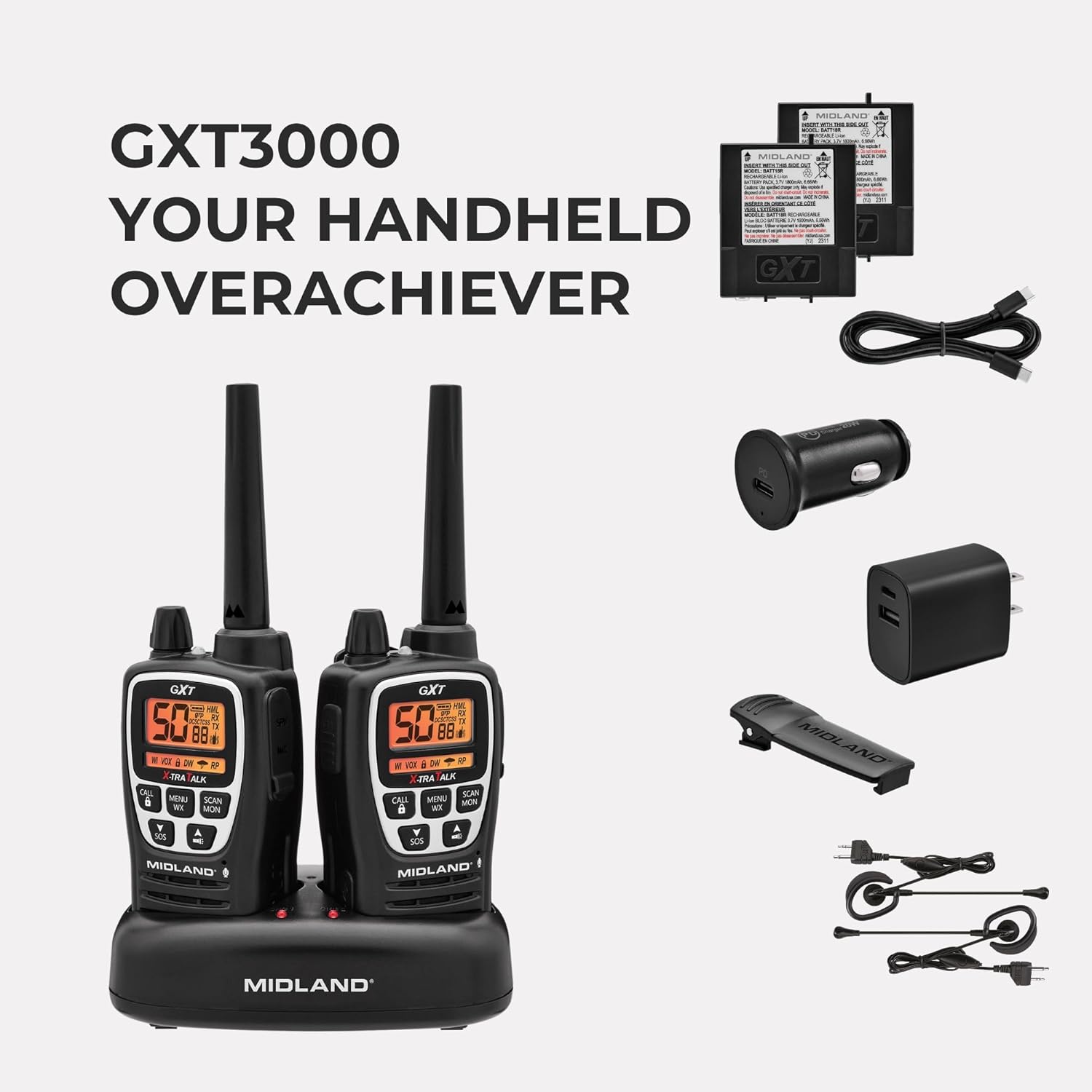
- Midland GXT3000 GMRS Two-Way Radios (2 units)
- Rechargeable Lithium-Ion Battery Packs (2 units)
- Desktop Charger with AC Wall Adapter
- Gürtelclips (2 Stück)
- Bedienungsanleitung
Aufstellen
1. Einlegen der Batterie
- Stellen Sie sicher, dass das Radio ausgeschaltet ist.
- Remove the belt clip by sliding it up on the radio and pushing up the BELT CLIP LOCK TAB.
- Lift the BATTERY COVER LATCH and remove the battery cover.
- Insert the rechargeable Lithium-Ion battery pack, observing the polarity as shown in the battery compartment. Alternatively, you can use 4 AA alkaline batteries (not included).
- Replace the battery cover and secure the belt clip until it locks into place.
2. Laden des Akkus
Your radio is equipped with a rechargeable Lithium-Ion battery pack. For optimal performance, charge the battery for 4 hours before initial use. Subsequent charges typically take 4 hours.
- Place the rechargeable battery packs into the desktop charger.
- Connect the AC adapter plug into an AC wall outlet.
- The charging indicator light on the desktop charger will turn red while charging and green when fully charged.
Notiz: Only use the Midland Lithium-Ion battery pack or optional AA alkaline batteries. Do not attempt to charge alkaline batteries in the desktop charger. For long-term storage, remove batteries from the radio.

Bedienungsanleitung
1. Ein-/Ausschalten und Lautstärkeregelung
- Turn the POWER/VOLUME knob clockwise to turn the radio ON and increase the volume.
- Turn the POWER/VOLUME knob counter-clockwise to decrease the volume and turn the radio OFF.
2. Kanalauswahl
- Drücken Sie die MENU-Taste, um das Menü zu öffnen.
- Verwenden Sie die Pfeiltasten AUF/AB, um einen Kanal (1-50) auszuwählen.
- Press the PTT button to confirm your selection and exit the menu.
3. Datenschutzbestimmungen (CTCSS/DCS)
- To use privacy codes, both radios must be set to the same channel and privacy code.
- Press the MENU button twice to access the privacy code setting.
- Use the UP/DOWN arrow buttons to select a privacy code (1-142).
- Press the PTT button to confirm and exit.
4. Senden und Empfangen
- To transmit, press and hold the PTT button and speak into the microphone.
- Lassen Sie die PTT-Taste los, um zu empfangen.
5. NOAA-Wetterscan
- Press the MENU WX button to activate the NOAA Weather Scan feature.
- The radio will scan for active weather channels and alert you to severe weather.
6. SOS Siren
- Press and hold the SOS button for 5 seconds to activate the SOS siren function.
- This sends out an audible distress signal to other radios within range.
7. Tastensperre
- Press and hold the LOCK button to lock or unlock the keypad, preventing accidental changes to settings.
8. Repeater Capability
- The GXT3000 is repeater capable, allowing you to extend your communication range significantly. Refer to the detailed manual for specific repeater setup instructions.
9. VOX (Sprachgesteuerte Vermittlungsstelle)
- Activates transmission by voice, allowing for hands-free operation. Adjust VOX sensitivity in the menu.
Wartung
1. Allgemeine Pflege
- Reinigen Sie das Radio mit einem weichen Tuch.amp Tuch. Verwenden Sie keine scharfen Chemikalien oder Scheuermittel.
- Halten Sie das Radio trocken. Sollte es nass werden, wischen Sie es sofort trocken.
- Vermeiden Sie es, das Radio über längere Zeiträume extremen Temperaturen oder direkter Sonneneinstrahlung auszusetzen.
2. Batteriepflege
- To maximize battery life, avoid overcharging. Once fully charged, remove the radio from the charger.
- If storing the radio for an extended period, remove the batteries.
3. Wasserbeständigkeit
The GXT3000 is rated JIS4 water resistant, meaning it is protected against splashing water from any direction. It is nicht submersible. Do not immerse the radio in water.

Fehlerbehebung
| Problem | Mögliche Ursache | Lösung |
|---|---|---|
| Kein Strom | Batterien schwach oder falsch eingesetzt. | Recharge or replace batteries. Check battery orientation. |
| Schlechte Reichweite | Obstructions (buildings, terrain), low battery, or low power setting. | Move to an open area. Recharge batteries. Set transmit power to High (H). Consider using repeater channels. |
| Störungen/Rauschen | Other users on the same channel/privacy code, electrical interference. | Change channel and/or privacy code. Move away from electrical devices. |
| Senden/Empfangen nicht möglich | Keypad locked, incorrect channel/privacy code, out of range. | Unlock keypad. Verify channel and privacy code match. Move closer to other radio. |
For more detailed troubleshooting, please refer to the comprehensive manual or visit the Midland support webWebsite.
Technische Daten
- Marke: Mittelland
- Modellnummer: GXT3000VP4
- Anzahl der Kanäle: 50
- Frequenzbereich: 462-467 MHz (GMRS)
- Maximale Sprechreichweite: Bis zu 50 Meilen (optimale Bedingungen)
- Datenschutzcodes: 142 (CTCSS/DCS)
- Akku-Typ: Rechargeable Lithium-Ion (included), also accepts 2 Lithium Ion batteries required.
- Durchschnittliche Batterielebensdauer: 18 Stunden
- Rapid Charge Time: 4 Stunden
- Wasserbeständigkeit: JIS4 (Splash Resistant)
- Artikelgewicht: 1.93 Pfund
- Besondere Merkmale: Long Range, Repeater Capable, SOS Siren, NOAA Weather Alert, VOX, LED Flashlight
Garantie und Support
The Midland GXT3000 GMRS Two-Way Radio comes with a 3 Jahr Garantie. For warranty claims, technical support, or additional product information, please visit the official Midland Radio webWebsite oder wenden Sie sich an den Kundendienst.