
FLEXISPOT MAH0002206
FLEXISPOT Standing Desk User Manual
Model: MAH0002206
1. Einleitung
Thank you for choosing the FLEXISPOT Standing Desk. This manual provides essential information for the safe and efficient assembly, operation, and maintenance of your new adjustable height desk. Please read this manual thoroughly before use and retain it for future reference.
2. Sicherheitshinweise
Um einen sicheren Betrieb zu gewährleisten und Schäden zu vermeiden, beachten Sie bitte die folgenden Sicherheitsvorkehrungen:
- Überschreiten Sie nicht die maximale Gewichtskapazität von 154 Pfund (70 kg). Overloading may cause instability or damage.
- Halten Sie Kinder und Haustiere während des Betriebs vom Schreibtisch fern.
- Achten Sie darauf, dass sich beim Verstellen der Höhe des Schreibtisches keine Hindernisse im Verfahrweg befinden.
- Setzen oder stellen Sie sich nicht auf den Schreibtisch.
- Only use the desk indoors in a dry environment.
- Vor der Reinigung oder Wartung die Stromzufuhr unterbrechen.
- If any parts are damaged or missing, contact customer support immediately. Do not attempt to repair the desk yourself.
Wichtig: This desk is designed for office and home use. Any other use is considered improper and may lead to injury or damage.
3. Packungsinhalt
Verify that all components are present and undamaged before beginning assembly. Refer to the image below for a visual representation of the package contents.
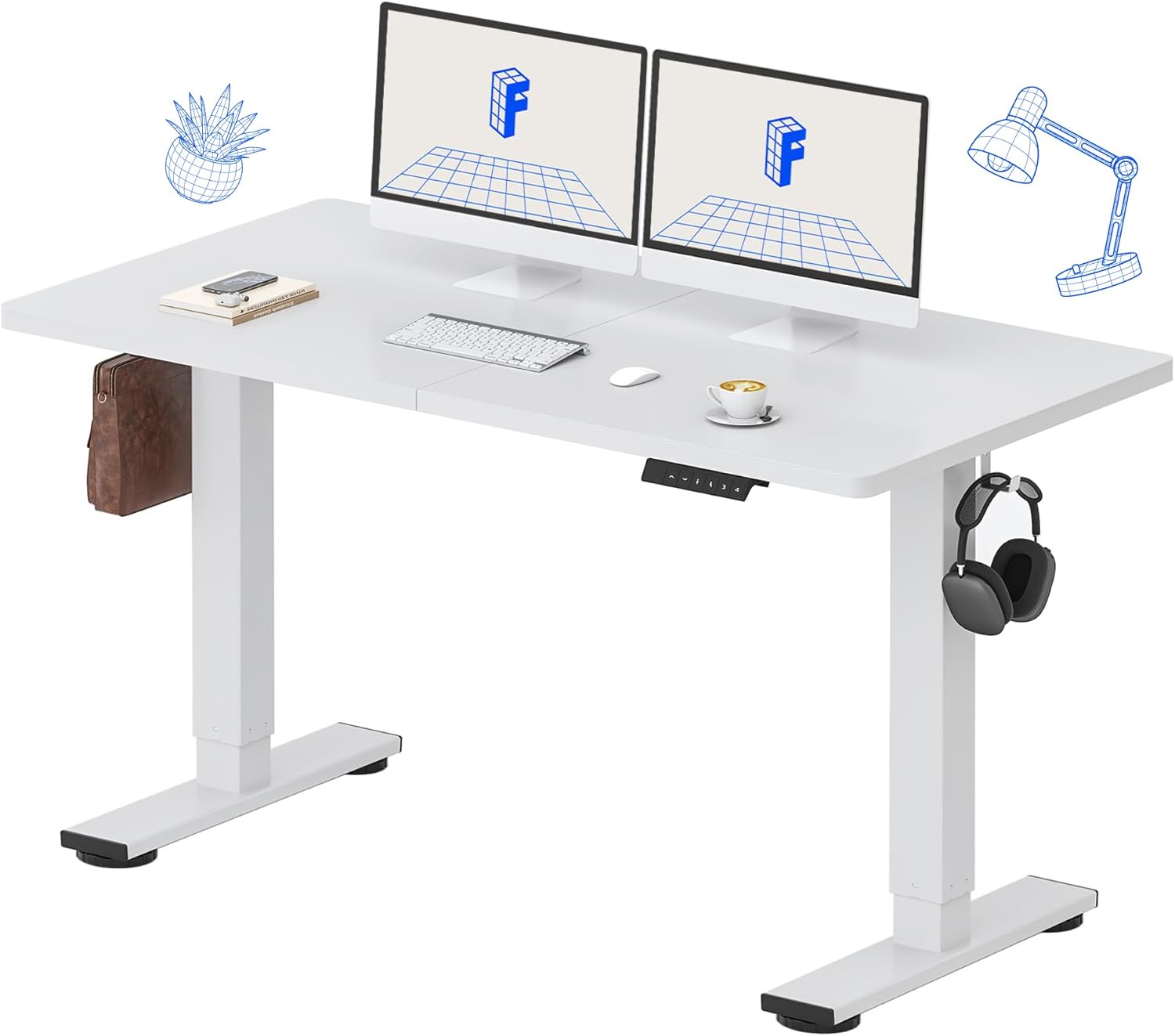
Image: All components of the FLEXISPOT Standing Desk, including the white desktop, white frame, and control panel.
- Desktop (55" x 24" White)
- Schreibtischgestell (weiß)
- Bedienfeld mit LED-Anzeige
- Netzteil
- Montagewerkzeuge
- Schreibtisch-Organizer
- Side Storage Hooks (Set of 2)
4. Aufbau und Montage
Assembly is straightforward and all necessary tools are included. For detailed visual instructions, please refer to the included instruction booklet.
Montageschritte:
- Packen Sie alle Komponenten aus und legen Sie sie auf einer sauberen, ebenen Fläche aus.
- Attach the lifting columns to the desktop using the provided screws and tools.
- Befestigen Sie die Fußstützen an der Unterseite der Hebesäulen.
- Montieren Sie das Bedienfeld an der Unterseite des Schreibtisches an einer geeigneten Stelle.
- Connect all cables (motor, control panel, power adapter) according to the diagram in the included instruction booklet.
- Stecken Sie das Netzteil in eine Wandsteckdose.
- Perform the initial reset (refer to Operating Instructions).

Image: The FLEXISPOT Standing Desk is shipped in a single package for convenience.
5. Bedienungsanleitung
Funktionen des Bedienfelds:

Bild: Detailliert view of the multi-function keypad, showing the LED display, Up/Down keys, and memory function buttons.
- LED-Anzeige: Zeigt die aktuelle Schreibtischhöhe in Zoll an.
- Up/Down Keys (∧ / ∨): Press and hold to adjust the desk height upwards or downwards. Release to stop.
- Speichervoreinstellungen (1, 2, 3, 4):
- To save a height: Adjust the desk to your desired height, then press the 'M' button (or similar memory set button, if present) followed by the desired number (1, 2, 3, or 4). The display will show 'S-' followed by the number to confirm.
- To recall a height: Press the corresponding number button (1, 2, 3, or 4). The desk will automatically move to the saved position.
Höhenverstellbereich:
Der Schreibtisch lässt sich von einer Mindesthöhe von ... verstellen. 28.9 Zoll bis zu einer maximalen Höhe von 46.5 Zoll.

Image: Illustration showing the adjustable height range of the desk from 28.9 inches to 46.5 inches.
Initial Reset Procedure:
After initial setup or if the desk encounters an error, a reset may be required:
- Press and hold the 'Down' (∨) button until the desk reaches its lowest position and slightly retracts.
- Release the button. The desk is now reset and ready for use.
6. Wartung
Regular maintenance ensures the longevity and optimal performance of your FLEXISPOT Standing Desk.
- Reinigung: Wischen Sie die Tischplatte und den Rahmen mit einem weichen, fusselfreien Tuch ab.amp cloth. Avoid abrasive cleaners or harsh chemicals. Ensure the desk is unplugged before cleaning. The desktop is waterproof and scratch-resistant.
- Kabelmanagement: Periodically check all cables to ensure they are securely connected and not pinched or damaged.
- Gewichtskapazität: Do not exceed the 154 lb weight limit. Distribute weight evenly across the desktop.
- Motorgeräusch: The desk features a whisper-quiet motor (<50dB). If you notice unusual noises, discontinue use and contact support.

Image: The desk's high-quality desktop is waterproof, scratch-resistant, and smooth.

Image: A comparison chart illustrating the low noise level of the desk's motor (under 50dB) compared to other common sounds.
7. Fehlerbehebung
If you encounter issues with your FLEXISPOT Standing Desk, refer to the table below for common problems and solutions.
| Problem | Mögliche Ursache | Lösung |
|---|---|---|
| Der Schreibtisch bewegt sich nicht. | Stromkabel nicht angeschlossen; Überlastung; Motorfehler. | Check power connection. Reduce weight on desk. Perform reset procedure. |
| Der Schreibtisch wackelt ungleichmäßig. | Uneven weight distribution; Obstruction. | Redistribute weight. Check for obstructions under or around the desk. Perform reset procedure. |
| Fehlercode wird angezeigt. | Systemstörung. | Unplug the desk for 10 minutes, then plug back in. If error persists, contact customer support. |
| Speichervoreinstellungen funktionieren nicht. | Voreinstellungen wurden nicht korrekt gespeichert. | Speichern Sie Ihre gewünschten Höheneinstellungen erneut gemäß den Anweisungen in Abschnitt 5. |
If the problem persists after attempting these solutions, please contact FLEXISPOT customer support.
8. Spezifikationen
| Besonderheit | Detail |
|---|---|
| Modellnummer | MAH0002206 |
| Desktop-Abmessungen | 55 Zoll (B) x 24 Zoll (T) |
| Höhenverstellbereich | 28.9" - 46.5" |
| Maximale Gewichtskapazität | 154 kg |
| Material (Desktop) | Holzwerkstoff |
| Material (Rahmen) | Legierter Stahl |
| Motorgeräuschpegel | <50 dB |
| Farbe | White Top + White Frame |
| Im Lieferumfang enthaltene Komponenten | Desk Organizer, Side Storage Hooks |

Image: The FLEXISPOT Standing Desk in use, demonstrating its versatility for both sitting and standing work, even accommodating a walking pad.

Bild: Nahaufnahme view of the side storage hooks, useful for hanging headphones or bags.

Image: Technical diagram illustrating the desktop and frame dimensions, including the adjustable height range.
9. Garantie und Support
FLEXISPOT products come with a warranty to ensure your satisfaction. The specific warranty type is either 'Limited' or 'Lifetime' as per product registration and terms.
- Garantie: Refer to your product registration or the official FLEXISPOT webAuf der Webseite finden Sie die detaillierten Garantiebedingungen.
- Widerrufsfolgen: Profitieren Sie von 30 Tagen Rückgaberecht.
- Kundendienst: If you have any questions, require assistance with assembly, or encounter any issues not covered in this manual, please contact FLEXISPOT customer support.
For further assistance, visit the official FLEXISPOT Store: FLEXISPOT Store auf Amazon
Ask a question about this manual
Ask about setup, troubleshooting, compatibility, parts, safety, or missing instructions. Manuals+ will review the question and use this page’s manual context to help answer it.