
1. Einleitung
The CHERRY XTRFY M64 Wireless Gaming Mouse is engineered for competitive gaming, offering ultra-fast 8000 Hz polling rate technology for extremely low click latency and precise cursor movements. This ergonomic mouse features a reinvented design for enhanced grip and control, combined with a lightweight construction for swift and accurate gameplay. It utilizes a high-performance Pixart 3395 sensor and refined wireless technology to ensure uncompromised speed and responsiveness.
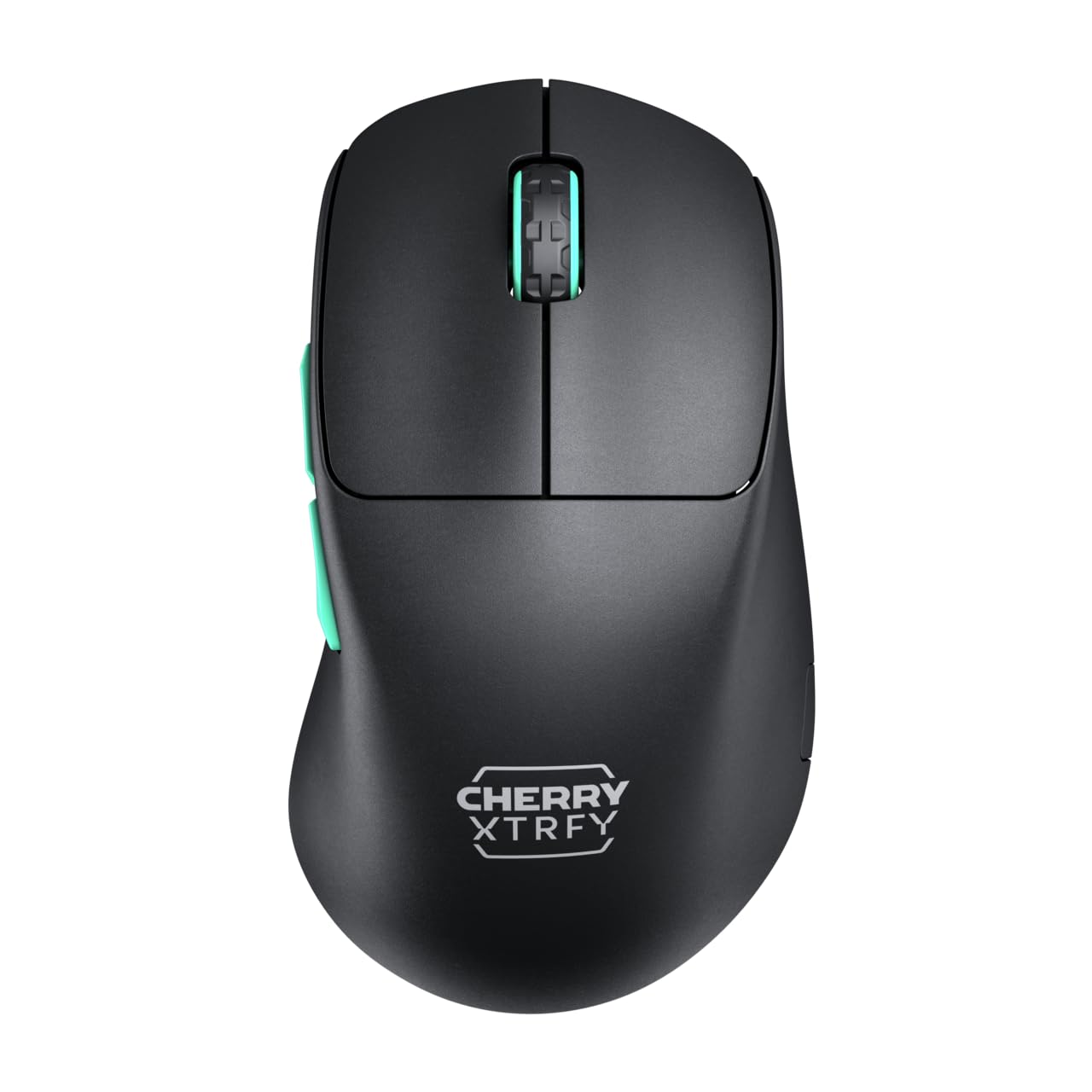
Image 1: CHERRY XTRFY M64 Wireless Gaming Mouse. This image shows the ergonomic design of the mouse, highlighting its black body and distinctive teal scroll wheel and side buttons.
2. Packungsinhalt
Überprüfen Sie, ob alle Artikel im Paket vorhanden sind:
- CHERRY XTRFY M64 kabellose Gaming-Maus
- USB-C Charging Cable (flexible CHERRY XTRFY EZcord)
- USB-A-Funkempfänger
- USB-A to USB-C Adapter (for receiver extension)
- Benutzerhandbuch (dieses Dokument)

Image 2: Included accessories. This image displays the USB-C charging cable, the USB-A wireless receiver, and an adapter, which are essential for connecting and charging the mouse.
3. Einrichtung
- Schließen Sie den drahtlosen Empfänger an: Insert the USB-A wireless receiver into an available USB port on your computer. For optimal signal strength and reduced latency, use the provided USB-A to USB-C adapter and charging cable to position the receiver closer to the mouse.
- Maus einschalten: Locate the power switch on the underside of the mouse and slide it to the "ON" position. The mouse should automatically connect to the receiver.
- Grundgebühr: For first-time use, it is recommended to fully charge the mouse. Connect the USB-C end of the charging cable to the mouse and the USB-A end to your computer or a USB power adapter. The mouse can be used while charging.
4. Bedienungsanleitung
4.1. Tastenfunktionen
- Linksklick-Taste: Primäre Maßnahme.
- Rechtsklick-Schaltfläche: Sekundäraktion.
- Scrollrad: Scrollen nach oben/unten, mittlere Maustaste.
- Seitentasten: Typischerweise für die Vorwärts-/Rückwärtsnavigation konfiguriert in web Browser oder benutzerdefinierte Funktionen in Spielen.
4.2. DPI-Anpassung
The M64 Wireless mouse allows for on-the-fly DPI (Dots Per Inch) adjustment without requiring software. The DPI button is located on the underside of the mouse. Press this button to cycle through preset DPI levels. An indicator light will typically change color to show the current DPI setting.

Image 3: Underside of the mouse. This view highlights the various switches and buttons on the bottom of the mouse, including the DPI adjustment button and polling rate switch.
4.3. Anpassung der Wahlbeteiligung
The M64 Pro Wireless supports up to an 8000 Hz polling rate, providing extremely fast response times. A switch on the underside of the mouse allows you to select between different polling rates (e.g., 1000 Hz, 8000 Hz) to suit your preference and system capabilities. Refer to the markings on the mouse for specific settings.
4.4. Akku und Aufladen
The mouse is equipped with a rechargeable Lithium Ion battery. A full charge can provide up to 90 hours of playtime in Standard Gaming Mode. When the battery is low, the indicator light on the mouse will signal this condition. Connect the mouse using the provided USB-C cable to charge. You can continue using the mouse while it is connected via cable.
5. Wartung
- Reinigung: Reinigen Sie die Mausoberfläche mit einem weichen, trockenen Tuch. Bei hartnäckigem Schmutz kann ein leicht trocknendes Tuch hilfreich sein.amp Ein Tuch kann verwendet werden, um sicherzustellen, dass keine Flüssigkeit in die Maus eindringt. Vermeiden Sie aggressive Chemikalien oder scheuernde Materialien.
- Lagerung: Bewahren Sie die Maus an einem kühlen, trockenen Ort fern von direkter Sonneneinstrahlung und extremen Temperaturen auf.
- Batteriepflege: Um die Batterielebensdauer zu verlängern, vermeiden Sie häufiges vollständiges Entladen der Maus. Laden Sie sie auf, sobald die Anzeige für niedrigen Batteriestand erscheint.
6. Fehlerbehebung
- Maus reagiert nicht:
- Stellen Sie sicher, dass die Maus eingeschaltet ist.
- Check if the wireless receiver is securely plugged into a USB port.
- Verify the mouse battery has sufficient charge.
- Versuchen Sie, den Empfänger an einen anderen USB-Anschluss anzuschließen.
- Stellen Sie sicher, dass keine anderen drahtlosen Geräte Störungen verursachen.
- Lag or Disconnects:
- Move the wireless receiver closer to the mouse, using the extension cable if necessary.
- Ensure there are no large metal objects or other strong wireless signals between the mouse and receiver.
- Reduce the polling rate if your system struggles to maintain 8000 Hz.
- Ladeprobleme:
- Stellen Sie sicher, dass das USB-C-Kabel ordnungsgemäß sowohl an die Maus als auch an die Stromquelle angeschlossen ist.
- Versuchen Sie es mit einem anderen USB-Anschluss oder Netzteil.
7. Spezifikationen
| Modell | M64 Kabellos |
| Konnektivitätstechnologie | Wireless (2.4 GHz), USB (for charging/wired use) |
| Sensor | Pixart 3395 |
| Abfragerate | Up to 8000 Hz (Pro models) |
| Gewicht | Approx. 55 grams (Pro Wireless) |
| Akku-Typ | 1 Lithium-Ionen-Akku (im Lieferumfang enthalten) |
| Akkulaufzeit | Up to 90 hours (Standard Gaming Mode) |
| Abmessungen (Paket) | 4.7 x 2.5 x 1.5 Zoll |
| Artikelgewicht | 1.94 Unzen |
| Hersteller | Cherry Xtrfy |
8. Garantie und Support
CHERRY XTRFY products are covered by a manufacturer's warranty. For detailed warranty information, technical support, or service inquiries, please visit the official CHERRY XTRFY webBesuchen Sie die Website oder kontaktieren Sie direkt deren Kundendienst.
Offiziell WebSeiten: Cherryxtrfy.com, cherry.de