
1. Einleitung
This manual provides instructions for the Panasonic Lamdash 3-Blade Electric Shaver, model ES-L380D-S. This shaver is designed for men and features a powerful linear motor, a close-fitting 3D head, and an automatic cleaning and charging system for an efficient and comfortable shaving experience.

Image 1.1: The Panasonic Lamdash ES-L380D-S electric shaver with its automatic cleaning and charging station.
Produkt überview Video
Video 1.1: An official product introduction video demonstrating the features and use of the Panasonic Lamdash ES-L380D-S shaver and its cleaning station.
Hauptmerkmale
- Powerful Shaving: Equipped with a 3-blade system and a high-speed linear motor, delivering approximately 13,000 strokes/min (39,000 cutting actions/min) for efficient and powerful shaving.
- Close-fitting 3D Head: The shaver head moves in three dimensions (front/back, left/right, up/down) to closely follow the contours of your face and chin, ensuring a deep and comfortable shave.
- Reinigung durch Wasser: Designed for easy cleaning, allowing beard clippings to be rinsed away without removing the outer blade.
- Automatic Cleaning Charger: The included station automatically cleans, heats, dries, and charges the shaver, ensuring daily hygiene and readiness for use.
- Scharfer Trimmer: Features a pop-up trimmer for precise grooming of sideburns and pre-cutting longer beard hair.
2. Einrichtung
Unpacking and Initial Charge
Upon unpacking, ensure all accessories are present: the shaver unit, automatic cleaning charger, AC adapter, pouch, dedicated cleaning detergent (ES-4L), dedicated oil (Shell Ondina Oil 32), and a cleaning brush.
- Connect the AC adapter to the automatic cleaning charger and plug it into a power outlet.
- Place the shaver into the cleaning charger. The shaver will begin charging automatically.
- For first-time use, charge the shaver for at least 1 hour to ensure a full battery.
Preparing the Automatic Cleaning Charger
Before using the automatic cleaning function, ensure the cleaning detergent is properly installed.
- Open the lid of the cleaning charger.
- Insert one packet of the dedicated cleaning detergent (ES-4L) into the designated compartment.
- Den Deckel fest verschließen.
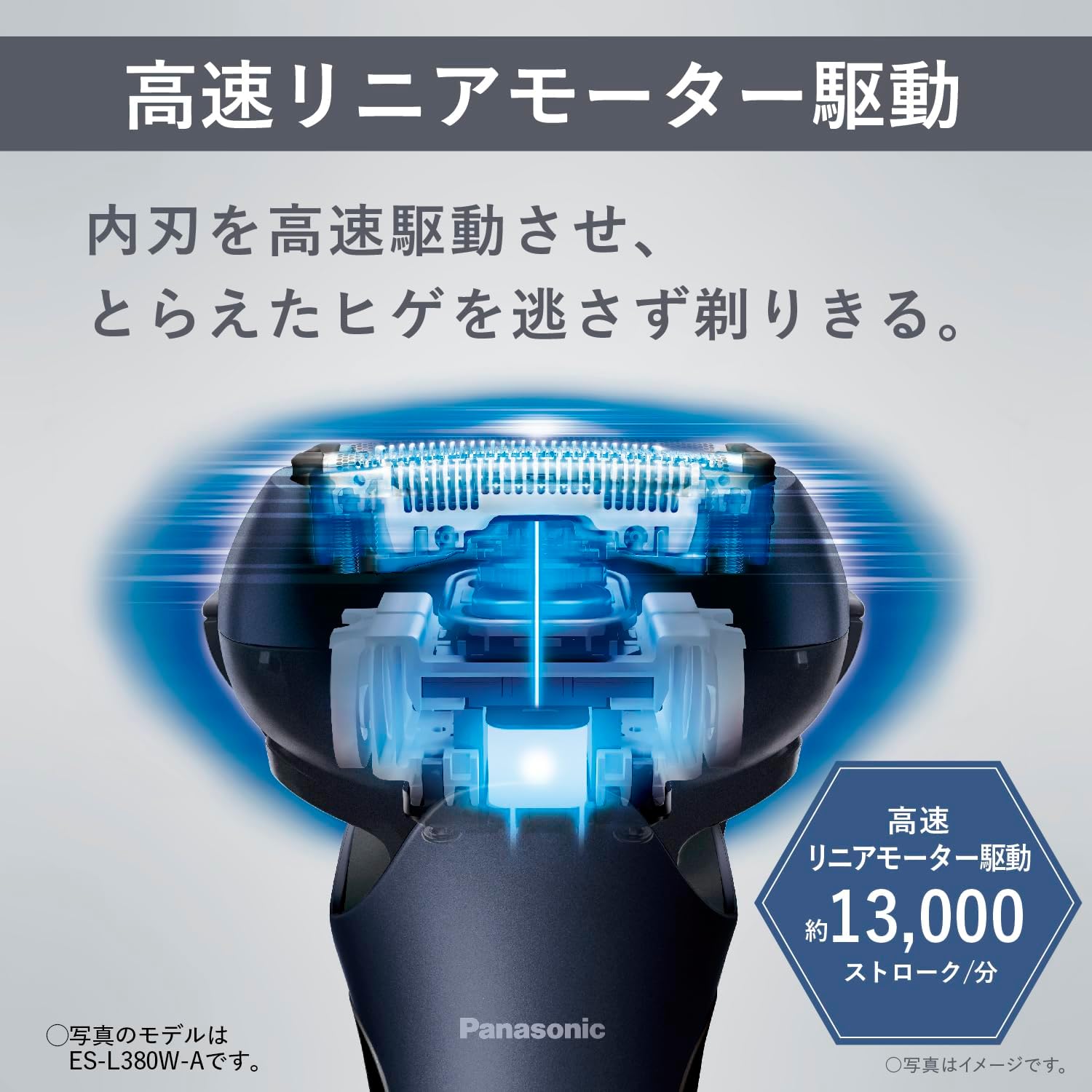
Image 2.1: The automatic cleaning charger system, showing the shaver docked and the detergent compartment.
3. Bedienung des Rasierers
Grundlegende Rasiertechnik
The ES-L380D-S is designed for both wet and dry shaving. For optimal results, ensure your skin is clean before shaving.
- Drücken Sie den Netzschalter, um den Rasierer einzuschalten.
- Halten Sie den Rasierer im rechten Winkel zu Ihrer Haut.
- Gently stretch your skin with your free hand.
- Move the shaver slowly against the direction of hair growth. The 3D head will adapt to your facial contours.

Image 3.1: Illustration demonstrating the multi-directional movement of the close-fitting 3D head for effective shaving.
High-Speed Linear Motor
The shaver's high-speed linear motor ensures consistent power throughout the shave, even when battery levels are low, providing a smooth and efficient cut.

Image 3.2: A visual representation of the high-speed linear motor technology within the shaver head.
Verwendung des Pop-Up-Trimmers
The integrated pop-up trimmer is ideal for detailing and pre-cutting longer hairs.
- Slide the trimmer switch upwards to engage the trimmer blade.
- Use the trimmer to shape sideburns, mustache, or to reduce the length of a long beard before a full shave.
- After use, slide the trimmer switch downwards to retract the blade.

Bild 3.3: Nahaufnahme view of the sharp pop-up trimmer, located on the back of the shaver, used for detailing.
Shaving While Charging
The shaver can be used while connected to the AC adapter, even if the battery is depleted. Notiz: Do not use the shaver in the bath or shower, or in wet environments, while it is connected to the AC adapter.

Image 3.4: An illustration showing the shaver connected to a power source, indicating it can be used while charging.
4. Wartung
Water-Through Cleaning
The shaver features a waterproof design (IPX7 standard) allowing for easy and hygienic cleaning.
- Schalten Sie den Rasierer nach jeder Rasur aus.
- Hold the shaver head under running water. The water-through cleaning mechanism allows water to flow through the blades, rinsing away beard clippings without needing to remove the outer blade.
- For a more thorough clean, apply a small amount of hand soap to the outer blade and run the shaver under water for a few seconds.
- Gründlich abspülen, bis alle Seifenreste entfernt sind.
- Überschüssiges Wasser abschütteln und den Rasierer an der Luft trocknen lassen.

Image 4.1: The shaver being rinsed under running water, demonstrating the water-through cleaning feature and waterproof design.
Automatic Cleaning and Charging System
For daily cleaning, drying, and charging, use the automatic cleaning charger.
- After rinsing the shaver under running water to remove most clippings, place it into the automatic cleaning charger.
- Press the 'CLEAN' button on the charger. The system will automatically clean, heat, dry, and charge the shaver.
- The cleaning detergent (ES-4L) should be replaced approximately once a month.
Schmierung
Regular lubrication helps maintain blade performance and longevity.
- After cleaning and drying, apply a drop of the dedicated oil (Shell Ondina Oil 32) to each outer blade.
- Turn on the shaver for a few seconds to distribute the oil evenly.
Klingenersatz
For optimal shaving performance, it is recommended to replace the outer and inner blades periodically. Refer to the product packaging or Panasonic's official website for replacement part numbers and recommended replacement intervals.
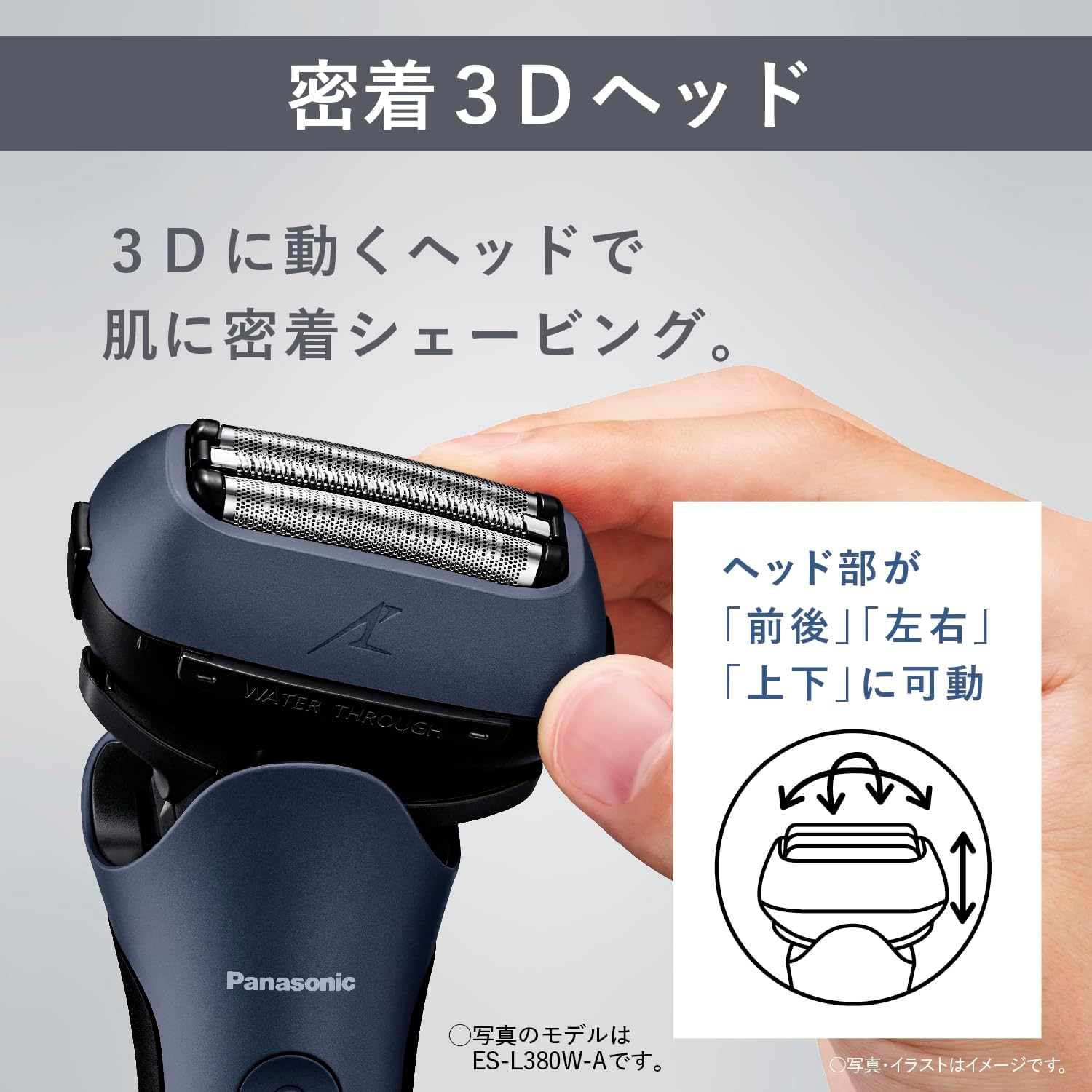
Abbildung 4.2: Eine detaillierte view of the 3-blade system, consisting of two deep shaving blades and one trimmer blade.
5. Fehlerbehebung
| Problem | Mögliche Ursache | Lösung |
|---|---|---|
| Der Rasierer lässt sich nicht einschalten. | Batterie ist leer. | Charge the shaver using the AC adapter or automatic cleaning charger. |
| Schlechte Rasierleistung. | Die Klingen sind stumpf oder mit Haaren verstopft. | Clean the shaver thoroughly. If performance does not improve, replace the outer and inner blades. |
| Der Rasierer macht ungewöhnliche Geräusche. | Shaver head is not properly attached or blades are damaged. | Ensure the shaver head is securely attached. Inspect blades for damage and replace if necessary. |
| Automatic cleaning charger not working. | No detergent, power issue, or shaver not properly docked. | Check detergent level, ensure AC adapter is connected, and re-dock the shaver correctly. |
6. Spezifikationen
- Marke: Panasonic
- Modellname: Lamdash 3-blade
- Modellnummer: ES-L380D-S
- Farbe: Silber
- Energiequelle: Battery operated (Rechargeable)
- Kopftyp: Reciprocating, Close-fitting 3D head / Floating blade mechanism
- Anzahl der Klingen: 3
- Klingenmaterial: Metall
- Besondere Merkmale: Detachable head, Water-through cleaning, Automatic cleaning charger
- Hauptgerät Abmessungen: Höhe 22.0 x Breite 18.3 x Tiefe 10.1 cm
- Gewicht der Haupteinheit: Approx. 185g (excluding cap)
- Ladestation: Automatic cleaning charger / AC adapter charging
7. Garantie und Support
Garantieinformationen
This Panasonic Lamdash shaver comes with a 12 Monate Herstellergarantie from the date of purchase. Please retain your proof of purchase for warranty claims. The warranty covers defects in materials and workmanship under normal use. It does not cover damage caused by misuse, accidents, unauthorized repairs, or normal wear and tear.
Kundenservice
For further assistance, product inquiries, or to initiate a warranty claim, please contact Panasonic customer support. Contact details can typically be found on the official Panasonic webAuf der Website für Ihre Region oder auf der Produktverpackung.
When contacting support, please have your model number (ES-L380D-S) and date of purchase readily available.