
1. Einleitung
This manual provides detailed instructions for the VIKYLIN 8MP Fixed Dome PoE IP Camera Outdoor, Model VK-YC2583I-28. This camera features 4K Ultra HD resolution, full-color night vision, human/vehicle detection, a built-in microphone, and Power over Ethernet (PoE) for simplified installation. Please read this manual thoroughly before installation and operation to ensure proper use and optimal performance.
2. Packungsinhalt
Bitte prüfen Sie, ob alle unten aufgeführten Artikel in Ihrem Paket enthalten sind. Sollten Artikel fehlen oder beschädigt sein, kontaktieren Sie bitte unseren Kundenservice.
- 1x 4K PoE IP Dome Camera
- 1x Base Sticker
- 1x Bedienungsanleitung
- 1x Screw Bag (containing screws for mounting)
- 1x Waterproof Kit

Image: Package contents of the VIKYLIN 8MP Fixed Dome PoE IP Camera.
3. Produktmerkmale
- 4K-Ultra-HD-Auflösung: Provides clear image quality with 8MP (3840 × 2160) resolution at 20 frames per second, featuring a 1/2.8” 8 Megapixel Scan CMOS sensor and a 2.8mm fixed lens for a 112° ultra-wide viewing-Winkel.
- Vollfarb-Nachtsicht: Equipped with F1.6 aperture and soft supplemental lighting, this camera provides detailed full-color video even in extremely dark scenes.
- Intelligentes Duallicht: The camera intelligently switches between IR (infrared) and warm light illumination based on detection, ensuring optimal night vision while deterring intruders with a warm light flash.
- Personen-/Fahrzeugerkennung: Advanced detection functions reduce false alarms by accurately identifying human and vehicle movement. Detection areas and sensitivity can be adjusted.
- Eingebautes Mikrofon: Capture clear audio from the camera's vicinity, allowing for one-way audio monitoring and recording.
- Power-over-Ethernet (PoE): Simplifies installation by providing both power and data connection through a single Cat 5 or Cat 6 Ethernet cable.
- Langlebiges Design: IP67 weatherproof and IK10 vandal-proof rating ensures reliable outdoor performance in various conditions.
- Effiziente Komprimierung: Utilizes H.265+/H.264 encoding technology to save bandwidth and storage space without compromising video quality.
Feature Demonstrations
Video: Demonstration of the camera's UltraHD 4K picture display quality.

Image: Smart Dual Illuminators in action, providing full-color night vision when a target is detected.
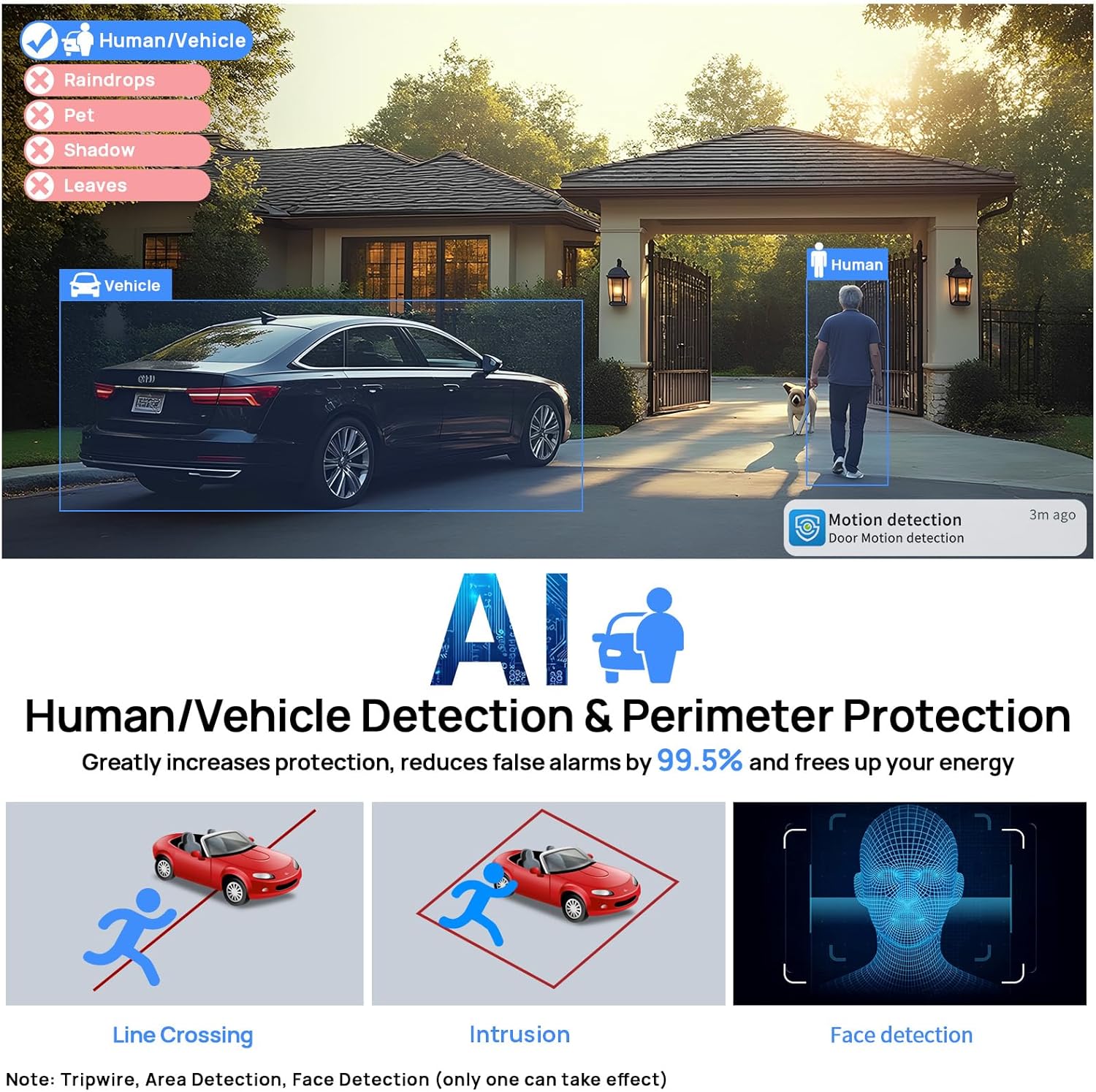
Image: Human and Vehicle Detection capabilities, highlighting reduced false alarms.
Video: Full Color Camera Night Vision demonstration, showcasing clear imaging in low-light conditions.

Image: Built-in microphone feature allowing for one-way audio communication.
4. Einrichtung und Installation
The VIKYLIN 8MP Fixed Dome PoE IP Camera is designed for easy installation using Power over Ethernet (PoE). A single Ethernet cable provides both power and data connectivity.
4.1 Physische Installation
- Ort wählen: Select a suitable indoor or outdoor location for mounting. The camera is IP67 rated for weather resistance and IK10 for vandal resistance.
- Montage: Use the provided base sticker as a template to mark drill holes. Secure the camera using the included screws.
- Kabelverbindung: Connect a Cat 5 or Cat 6 Ethernet cable from the camera to a PoE injector, PoE switch, or PoE NVR. Ensure the waterproof kit is properly installed for outdoor use.

Image: Camera's IP67 weatherproof and IK10 vandal-proof design.
4.2 Erstkonfiguration
After physical installation, configure the camera using the web Benutzeroberfläche oder mobile Anwendung.
- Mit Netzwerk verbinden: Ensure the camera is connected to your network via PoE.
- Kamera entdecken: Use a PC software like VMS or SADP Tool to search for the camera device on your network.
- Zugang Web Schnittstelle: Öffnen Sie ein web browser and enter the camera's IP address. Log in using the default credentials (usually admin/admin or admin/12345).
- Enable P2P: Navigate to Configuration > Network > P2P and enable the P2P function. Scan the QR code to add the device to your mobile app.
Video: Detailed guide on configuring the 4K Full Color PoE IP Dome Camera, including human/vehicle detection settings and night vision options.
5. Bedienungsanleitung
Operate your VIKYLIN IP camera using the 'Remoteeyes' mobile app or compatible PC software.
5.1 Mobile App (Remoteeyes)
- Lade App herunter: Download the 'Remoteeyes' app from the Apple App Store or Google Play Store.
- Gerät hinzufügen: Use the P2P function (QR code scan) to add your camera to the app.
- Live View: Access live video feeds from your camera anytime, anywhere.
- Wiedergabe: Review aufgenommenes footage mit intelligenten Wiedergabefunktionen.
- Einweg-Audio: Utilize the built-in microphone for one-way audio communication.
- Benachrichtigungen: Receive real-time video/snapshot alerts on your mobile phone when human or vehicle detection is triggered.
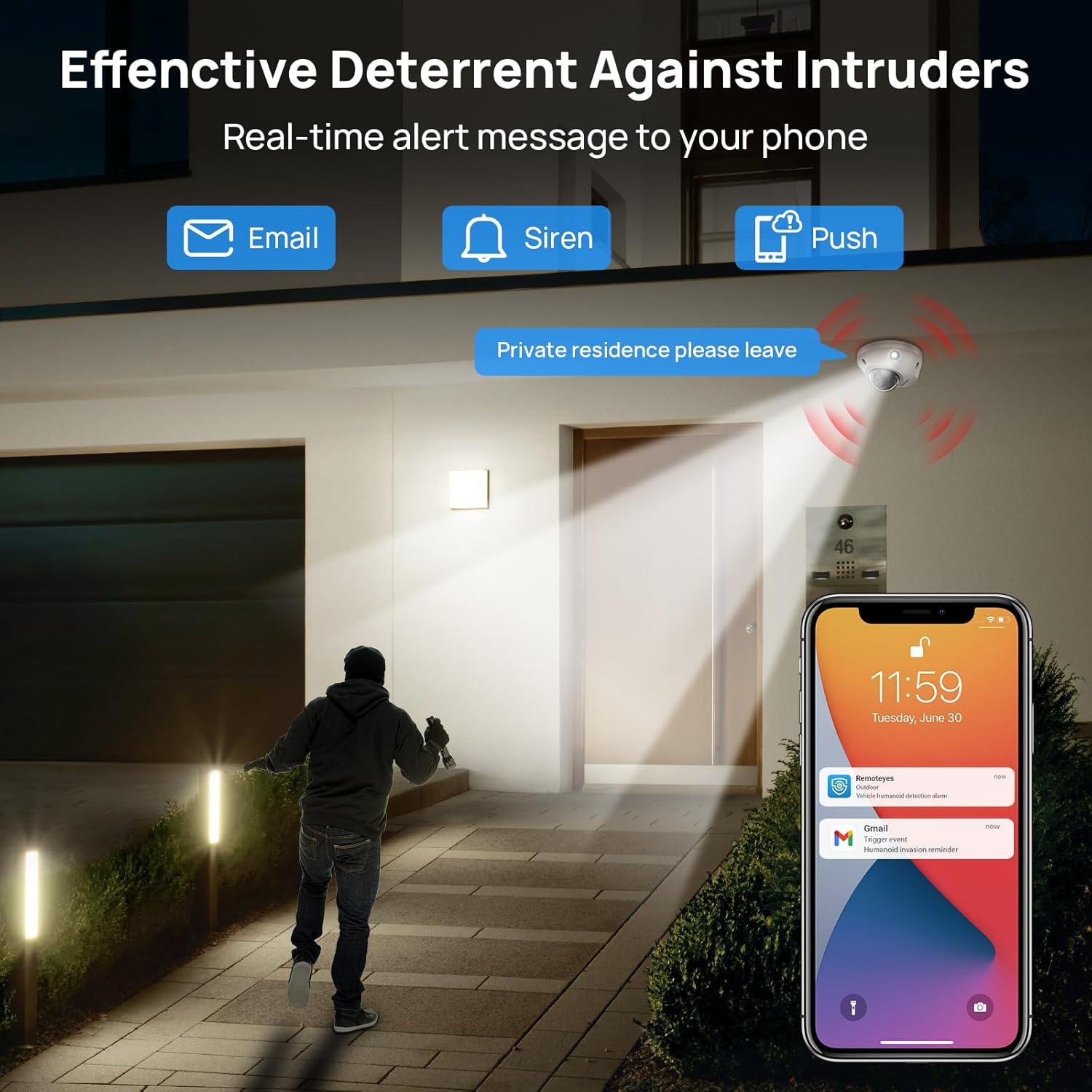
Image: Real-time alerts and deterrent features in action.
5.2 PC Software and Third-Party Compatibility
The camera is compatible with free PC software (VMS) and third-party monitoring software such as Blue Iris, iSpy, and VLC. It supports the Open Network Video Interface protocol (ONVIF) and RTSP for integration with various systems.
Local PC/NVR/NAS video storage is supported, with options for 24/7 recording or motion-triggered video to NVR or FTP.
6. Wartung
To ensure optimal performance and longevity of your VIKYLIN IP Camera, consider the following maintenance tips:
- Regelmäßige Reinigung: Reinigen Sie das Kameraobjektiv und das Gehäuse regelmäßig mit einem weichen Tuch.amp Mit einem Tuch Staub und Schmutz entfernen. Scheuermittel vermeiden.
- Firmware-Updates: Überprüfen Sie die Angaben des Herstellers webBesuchen Sie die Website oder App, um verfügbare Firmware-Updates zu erhalten und sicherzustellen, dass Ihre Kamera über die neuesten Funktionen und Sicherheitsverbesserungen verfügt.
- Kabelinspektion: Regularly inspect the Ethernet cable and connections for any signs of wear or damage, especially for outdoor installations.
- Speicherverwaltung: If using local storage (Micro SD card, NVR, NAS), ensure sufficient storage space is available and manage recordings as needed.
7. Fehlerbehebung
If you encounter issues with your VIKYLIN 8MP Fixed Dome PoE IP Camera, refer to the following common troubleshooting steps:
- Kein Strom/keine Verbindung:
- Verify the Ethernet cable is securely connected to both the camera and the PoE source (NVR, switch, or injector).
- Stellen Sie sicher, dass die PoE-Quelle eingeschaltet ist und ordnungsgemäß funktioniert.
- Überprüfen Sie das Kabel auf Beschädigungen.
- Cannot Access Camera:
- Confirm the camera's IP address using the SADP Tool or VMS software.
- Ensure your computer or mobile device is on the same network as the camera.
- Check firewall settings on your computer or router that might be blocking access.
- Reset the camera to factory defaults if you have forgotten the password (a reset button is available on the camera).
- Schlechte Bildqualität:
- Reinigen Sie das Kameraobjektiv.
- Check network bandwidth; insufficient bandwidth can affect streaming quality.
- Adjust image settings (brightness, contrast, WDR) in the camera's web Schnittstelle oder App.
- Falscher Alarm:
- Adjust the sensitivity of human/vehicle detection.
- Define specific detection zones to exclude areas with irrelevant motion (e.g., trees swaying).
For further assistance, please contact VIKYLIN customer support.
8. Spezifikationen
| Besonderheit | Detail |
|---|---|
| Modellname | 4K Dual-light Built-in Microphone PoE IP Dome Camera (VK-YC2583I-28-N) |
| Artikelmodellnummer | VK-YC2583I-28 |
| Effektive Standbildauflösung | 8 Megapixel (3840 x 2160) |
| Bildfrequenz | 20 Bilder pro Sekunde |
| Linse | 2.8mm fixed lens, F1.6 Super Aperture |
| Viewing-Winkel | 112° Ultraweitwinkel |
| Nachtsichtbereich | 98 Feet (Full Color / IR View) |
| Low-Light-Technologie | Night Color / IR, Smart Dual Light |
| Audio | Built-in Mic (One-way Audio) |
| Erkennung | Personen-/Fahrzeugerkennung |
| Konnektivitätstechnologie | Ethernet (PoE) |
| Stromquelle | Kabelgebundenes Elektrogerät (PoE) |
| Lagerung | Local PC/NVR/NAS Video Storage, supports up to 256GB Micro SD card (not included) |
| Kompatibilität | PoE NVR, ONVIF, Blue Iris, iSpy, VLC, Remoteeyes App (iOS/Android), VMS PC software |
| Internationale Schutzbewertung | IP67 (wasserdicht) |
| Aufprallschutz | IK10 (Vandal-proof) |
| Betriebstemperatur | -30 °C bis 60 °C (-22 °F bis 140 °F) |
| Luftfeuchtigkeit | < 90 % |
| Material | Metall |
| Technische Daten | 5.51 x 5.51 x 3.94 Zoll |
| Artikelgewicht | 1.17 Pfund |

Image: Technical specifications overview der Kamera.
9. Garantie und Support
VIKYLIN provides comprehensive support for its products.
- Garantie: Für das Produkt gilt eine 2-jährige Garantie.
- Technische Unterstützung: Technischer Support ist lebenslang verfügbar.
- Kontaktinformationen: For any questions or issues, please contact our support team via email at cairo@vikylin.com.
- Schutzpläne: Extended protection plans are available for purchase separately (e.g., 2-Year Protection Plan, 3-Year Protection Plan, Complete Protect).