
LS W40C
LS W40C 45W RGB Curved Panel Light User Manual
1. Einleitung
The LS W40C is a high-performance professional curved panel light designed for various applications including live streaming, commercial shooting, scene photography, TV, and video productions. Its unique curved shape provides an ultra-wide 190-degree light-emitting surface, ensuring broad and even illumination. This manual provides essential information for the safe and effective use of your LS W40C light.
Key features include a 45W maximum power output, a wide color temperature range of 2700K-10000K, 19 built-in light effects, and support for app control via Bluetooth. The light also offers versatile power supply options and a detachable control box for flexible operation.

The LS W40C RGB Curved Panel Light, featuring its unique curved design, detachable control box, and flexible octopus stand.
2. Lieferumfang
Bitte überprüfen Sie, ob alle folgenden Artikel in Ihrem Paket enthalten sind:
- 1 x L.amp body (LS W40C)
- 1 x Octopus stand
- 1 x Netzteil
3. Einrichtung
3.1 Attaching the Octopus Stand
- Locate the mounting screw on the top of the octopus stand.
- Align the screw with the mounting hole at the bottom of the LS W40C lamp Körper.
- Drehen Sie das lamp body clockwise onto the stand until securely fastened. Do not overtighten.
3.2 Stromversorgungsoptionen
The LS W40C supports four power supply modes:
- Ladegerät: Connect the provided power adapter to the DC input port on the lamp body and plug it into a wall outlet.
- Camera Lithium Battery: The light is compatible with standard camera lithium batteries (not included). Insert the battery into the designated battery slot on the rear of the lamp.
- PD2.0 Mobile Power Supply: Use a compatible PD2.0 power bank (not included) connected via the USB-C port.
- Batteriegriff: Attach a compatible battery handle (not included) to the lamp for portable power.
3.3 Attaching/Detaching the Control Box
The control box can be attached directly to the back of the lamp body via magnetic adsorption for integrated control, or detached for remote operation.
- To attach: Align the control box with the magnetic contacts on the back of the lamp body until it snaps into place.
- To detach: Gently pull the control box away from the lamp Körper.

The rear of the LS W40C panel light, demonstrating how the control box attaches magnetically for integrated or remote operation.
4. Bedienungsanleitung
4.1 Ein-/Ausschalten
Press and hold the power button on the control box for approximately 2 seconds to turn the light on or off.
4.2 Using the Control Box
The control box features a display and several dials/buttons for adjusting light parameters:
- Helligkeitsanpassung: Rotate the designated dial to increase or decrease the light intensity.
- Anpassung der Farbtemperatur: Rotate the color temperature dial to change the color temperature from 2700K (warm) to 10000K (cool).
- RGB Mode/Light Effects: Press the mode button to cycle through different lighting modes, including RGB full-color mode and 19 pre-programmed light effects (e.g., lightning, police car, fire). Use the corresponding dial to adjust parameters within these modes.
- Kanalauswahl: Use the 'CH' button to select a control channel for multi-light setups.

The detachable control box for the LS W40C, showing its display interface for adjusting light parameters such as brightness and color temperature.
4.3 App-Steuerung (Bluetooth)
The LS W40C can be controlled wirelessly via a dedicated mobile application using Bluetooth connectivity.
- Download the official LS lighting app from your device's app store.
- Stellen Sie sicher, dass Bluetooth auf Ihrem Mobilgerät aktiviert ist.
- Open the app and follow the on-screen instructions to pair with your LS W40C light.
- Once connected, you can adjust brightness, color temperature, RGB values, and select light effects directly from your phone.

A user demonstrating the remote control capability of the LS W40C by holding its detached control box, allowing for flexible adjustments.
5. Wartung
5.1 Reinigung
- Ensure the light is powered off and disconnected from all power sources before cleaning.
- Wischen Sie das Gerät mit einem weichen, trockenen Tuch abamp body and control box.
- Bei hartnäckigem Schmutz leicht dampBefeuchten Sie das Tuch mit Wasser. Vermeiden Sie die Verwendung von scharfen Chemikalien oder Scheuermitteln.
- Do not spray cleaning liquids directly onto the light.
5.2 Speicherung
When not in use, store the LS W40C in a cool, dry place, away from direct sunlight and extreme temperatures. If storing for an extended period, remove any installed batteries.
6. Fehlerbehebung
| Problem | Mögliche Ursache | Lösung |
|---|---|---|
| Licht geht nicht an | No power supply; Battery depleted; Loose connection | Check power adapter connection; Recharge or replace battery; Ensure all connections are secure. |
| App cannot connect to light | Bluetooth off; Light not in pairing mode; App issue | Ensure Bluetooth is enabled on your device; Restart the light and app; Try re-pairing the device. |
| Incorrect color/brightness output | Settings misconfigured; Light effect active | Adjust settings via control box or app; Ensure you are in the desired mode (e.g., CCT mode for color temperature). |
7. Spezifikationen
| Besonderheit | Detail |
|---|---|
| Modell | W40C |
| Marke | LS |
| Leistungsabgabe | 45 W (max.) |
| Farbtemperaturbereich | 2700K - 10000K |
| Abstrahlwinkel | 190° |
| Lichteffekte | 19 integrierte Effekte |
| Konnektivität | Bluetooth (App-Steuerung) |
| Stromversorgungsmodi | Charger, Camera Lithium Battery, PD2.0 Mobile Power, Battery Handle |
| ASIN | B0DBTPRZQ5 |
| Datum der ersten Verfügbarkeit | 1. August 2024 |

The LS W40C panel light showcasing its expansive 190-degree wide-angle light distribution, designed for broad and even coverage.
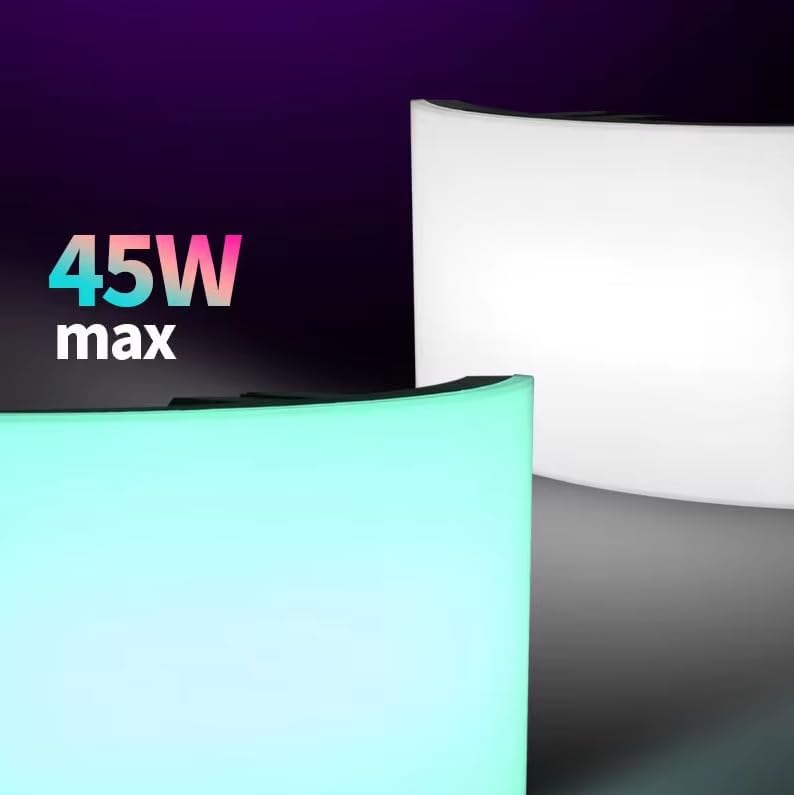
An image emphasizing the 45W maximum power output of the LS W40C panel light, indicating its capacity for bright illumination.
8. Garantie und Support
For warranty information and technical support, please refer to the official LS webBesuchen Sie unsere Website oder wenden Sie sich an Ihren autorisierten Händler. Bewahren Sie Ihren Kaufbeleg als Kaufnachweis für eventuelle Garantieansprüche auf.
Ask a question about this manual
Ask about setup, troubleshooting, compatibility, parts, safety, or missing instructions. Manuals+ will review the question and use this page’s manual context to help answer it.