
Einführung
Thank you for choosing the DOSS SoundBox H100 Bluetooth Speaker. This manual provides essential information for setting up, operating, and maintaining your speaker to ensure optimal performance and longevity. Please read this manual thoroughly before use.
Lieferumfang
- 1x DOSS SoundBox H100 Bluetooth Speaker
- 1x Power Cable (Wall charger not included)
- 1x Gurt
- 1x Benutzerhandbuch
Produkt überview
The DOSS SoundBox H100 features a unique handbag-styled design with a rose gold and copper-tone pink control panel. It is equipped with intuitive controls and versatile connectivity options.

Abbildung 1: Vorderseite view of the DOSS SoundBox H100 speaker with its detachable strap.
Bedienfeld
The top panel features physical knobs for Bass, Volume, and Treble adjustment, along with buttons for power, playback control, mode selection, and prompt tone activation/deactivation.

Abbildung 2: Ausführlich view of the control panel with physical knobs and buttons.
Anschlüsse und Konnektivität
The side of the speaker houses various ports for charging, USB drive playback, MicroSD card input, and AUX-in connectivity.
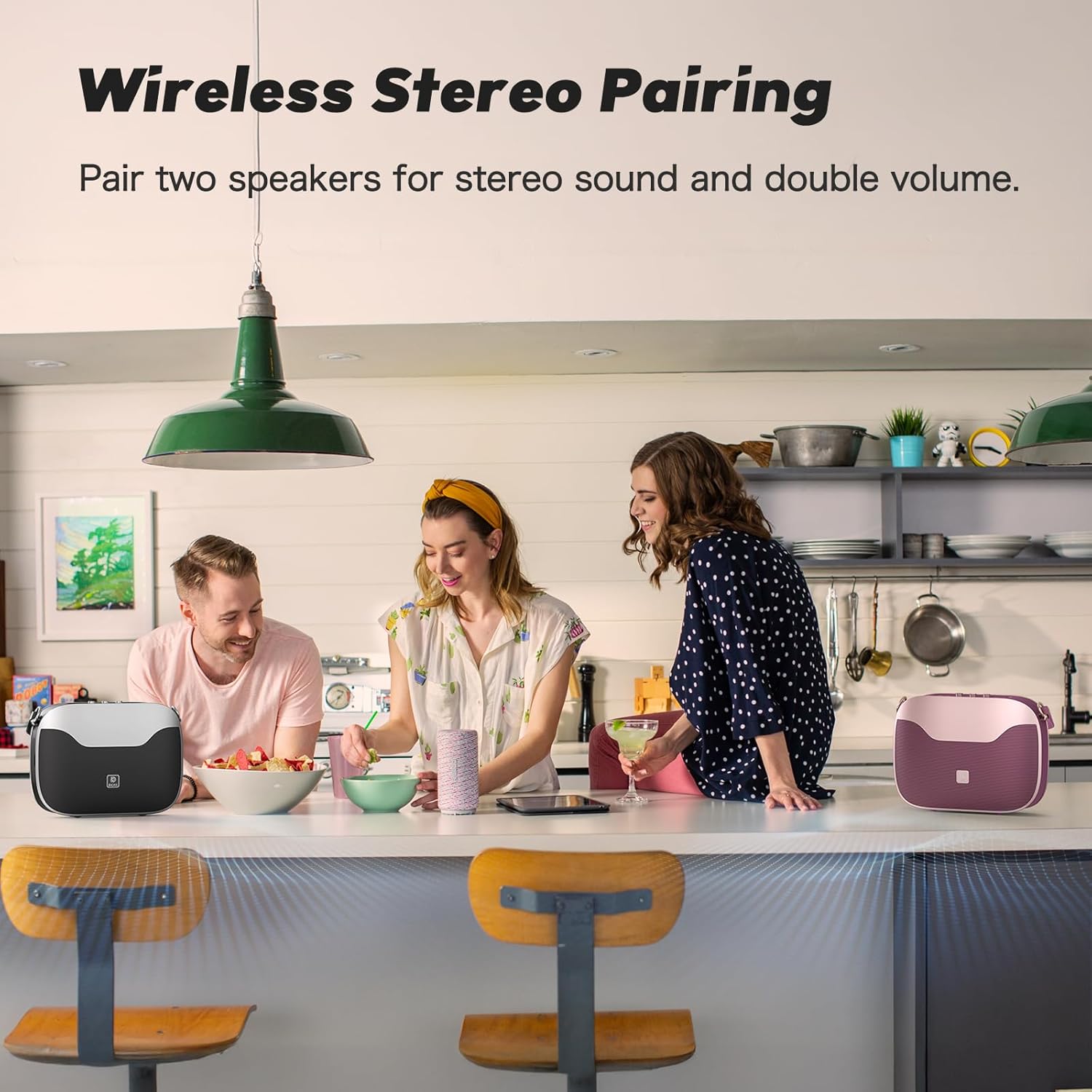
Figure 3: Side panel showing the USB-C charging port, USB-A port, MicroSD card slot, and AUX-in port.
Aufstellen
Ein-/Ausschalten
- So schalten Sie das Gerät ein: Halten Sie die Einschalttaste (⏻) on the control panel until you hear an audible prompt.
- So schalten Sie das Gerät aus: Halten Sie die Einschalttaste (⏻) again until the speaker powers down.
Bluetooth-Kopplung
- Stellen Sie sicher, dass der Lautsprecher eingeschaltet und im Bluetooth-Kopplungsmodus ist (angezeigt durch eine blinkende blaue LED).
- On your mobile device, navigate to Bluetooth settings.
- Select "SoundBox H100" from the list of available devices.
- Sobald die Verbindung hergestellt ist, leuchtet die LED-Anzeige durchgehend blau und Sie hören einen Bestätigungston.
True Wireless Stereo (TWS) -Pairing
For an immersive stereo experience, you can pair two DOSS SoundBox H100 speakers together.
- Ensure both SoundBox H100 speakers are powered on and disconnected from any Bluetooth devices.
- On one speaker (this will be your primary speaker), press and hold the 'M' (Mode) button until the indicator flashes blue rapidly.
- On the second speaker (secondary speaker), press and hold the 'M' (Mode) button until its indicator flashes blue slowly.
- The speakers will automatically connect. The primary speaker's indicator will turn solid blue, and the secondary speaker's indicator will flash blue slowly.
- Connect your mobile device to the primary speaker via Bluetooth as described above. Both speakers will now play audio in stereo.
Video 1: DOSS SoundBox H100 Bluetooth Speaker - Full Operation Guide. This video demonstrates the full operational guide including pairing and controls.
Betrieb
Audiowiedergabe
The SoundBox H100 supports multiple audio sources:
- Bluetooth 5.3: Connect wirelessly to your smartphone, tablet, or laptop for seamless audio streaming.
- AUX-Eingang: Verwenden Sie ein 3.5-mm-Audiokabel, um Geräte ohne Bluetooth-Verbindung anzuschließen.
- USB Laufwerk: Insert a USB flash drive into the USB-A port to play audio files direkt.
- MicroSD-Karte: Insert a MicroSD card into the dedicated slot to play audio files.
Klang anpassen
Customize your audio experience using the physical knobs on the control panel:
- Bass-Knopf: Rotate to increase or decrease the bass levels.
- Höhenregler: Rotate to increase or decrease the treble levels.
- Lautstärkeregler: Drehen, um die Gesamtlautstärke anzupassen.
Powerbank-Funktionalität
The DOSS SoundBox H100 features a built-in power bank. Connect your mobile device to the USB-A port using a compatible charging cable to charge it on the go.
Video 2: DOSS SoundBox H100 Bluetooth Speaker. This video provides a brief overview of the speaker's features, including its power bank function.
Wartung
- Halten Sie den Lautsprecher von Wasser, Feuchtigkeit und extremen Temperaturen fern.
- Reinigen Sie den Lautsprecher mit einem weichen, trockenen Tuch. Verwenden Sie keine Scheuermittel oder Lösungsmittel.
- Vermeiden Sie, den Lautsprecher fallen zu lassen oder starken Stößen auszusetzen.
- Bewahren Sie den Lautsprecher an einem kühlen, trockenen Ort auf, wenn er längere Zeit nicht benutzt wird.
Fehlerbehebung
| Problem | Lösung |
|---|---|
| Der Lautsprecher lässt sich nicht einschalten. | Stellen Sie sicher, dass der Akku geladen ist. Schließen Sie den Lautsprecher mit dem mitgelieferten Kabel an eine Stromquelle an. |
| Kopplung via Bluetooth nicht möglich. | Make sure the speaker is in pairing mode (flashing blue LED). Ensure your device's Bluetooth is enabled and within range. Try restarting both devices. |
| Kein Ton oder geringe Lautstärke. | Check the volume levels on both the speaker and your connected device. Ensure the correct input mode (Bluetooth, AUX, USB, MicroSD) is selected. |
| TWS-Kopplung fehlgeschlagen. | Ensure both speakers are disconnected from other Bluetooth devices before initiating TWS pairing. Follow the TWS pairing steps carefully. |
Technische Daten
| Besonderheit | Detail |
|---|---|
| Marke | DOSS |
| Modellnummer | SoundBox H100 |
| Maximale Lautsprecherausgangsleistung | 50 Watt |
| Konnektivitätstechnologie | Bluetooth 5.3 |
| Audioausgabemodus | Stereo |
| Durchschnittliche Batterielebensdauer | 24 Stunden (bei 50 % Lautstärke) |
| Akkuladezeit | 8 Stunden |
| Batteriekapazität | 4500 Milliamp Std |
| Bluetooth-Reichweite | 82 Fuß |
| Artikelabmessungen (T x B x H) | 11.1"T x 3.5"B x 8.5"H |
| Artikelgewicht | 2.5 Kilogramm |
| Zusätzliche Merkmale | Adjustable Bass and Treble, Built-In Powerbank, Portable, Stereo Pairing, Dual DSP Technology |
| Wasserbeständigkeit | Nicht wasserfest |
Garantie und Support
The DOSS SoundBox H100 comes with a One Year Limited Manufacturer's Warranty, covering any quality-related concerns from the date of purchase.
For any issues or support needs, please feel free to contact DOSS customer service:
- Telefon: 1-833-275-3677
- E-Mail: support@dossav.com
We are committed to providing you with 24-hour prompt assistance and support.