
Einführung
This manual provides essential information for the proper setup, operation, and maintenance of your ONN 24-inch FHD Gaming Monitor, model 100027813. Please read this manual thoroughly before using the product to ensure optimal performance and safety. This monitor is designed to deliver a high-quality gaming experience with its 1080p resolution, 165Hz refresh rate, 1ms response time, and FreeSync technology.
Sicherheitshinweise
Always observe the following safety precautions to prevent damage to the monitor and ensure user safety:
- Um Brand- oder Stromschlaggefahren zu vermeiden, setzen Sie den Monitor weder Regen noch Feuchtigkeit aus.
- Öffnen Sie den Monitor nicht.asing. Im Inneren befinden sich keine vom Benutzer wartbaren Teile. Alle Wartungsarbeiten dürfen nur von qualifiziertem Servicepersonal durchgeführt werden.
- Stellen Sie den Monitor auf eine stabile, ebene Fläche, um zu verhindern, dass er herunterfällt.
- Sorgen Sie für ausreichende Belüftung um den Monitor herum. Blockieren Sie keine Lüftungsöffnungen.
- Verwenden Sie ausschließlich das mit dem Monitor gelieferte Netzteil.
- Trennen Sie den Monitor bei Gewittern oder wenn er längere Zeit nicht benutzt wird vom Stromnetz.
Packungsinhalt
Überprüfen Sie, ob alle Artikel im Paket vorhanden sind:
- ONN 24-inch FHD Gaming Monitor
- Monitorständer (Fuß und Hals)
- Netzteil
- DisplayPort Cable (6 ft)
- HDMI Cable (6 ft)
- Benutzerhandbuch (dieses Dokument)

Image: Retail box of the ONN 24-inch Gaming Monitor, highlighting key features like 165Hz, 1ms response time, DisplayPort, HDMI, and Adaptive-Sync.
Aufstellen
1. Zusammenbau des Ständers
- Nehmen Sie die Monitor- und Standfußkomponenten vorsichtig aus der Verpackung.
- Attach the stand neck to the stand base. Secure it with the provided screw, if applicable.
- Align the assembled stand with the mounting slot on the back of the monitor. Gently push until it clicks into place or secure with screws as per the design.
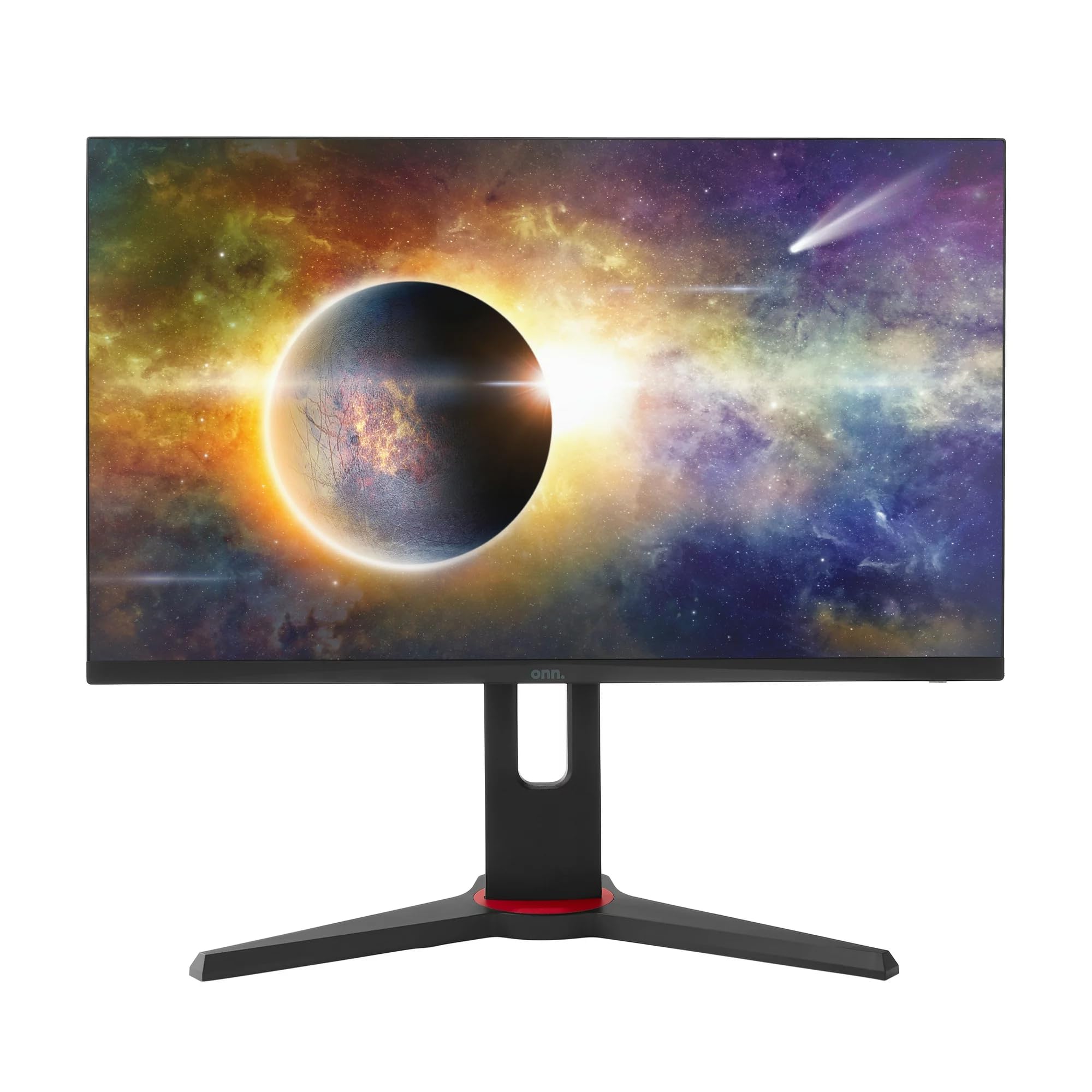
Bild: Vorderseite view of the ONN 24-inch Gaming Monitor, fully assembled with its stand.

Bild: Rückseite view of the ONN 24-inch Gaming Monitor, illustrating the stand attachment and cable management area.
2. Verbindungskabel
Locate the input ports on the back of your monitor:
- Leistung: Schließen Sie das Netzteil an den Stromeingang des Monitors und anschließend an eine Steckdose an.
- Video-Eingang: Connect one end of the provided DisplayPort or HDMI cable to the corresponding port on your computer's graphics card and the other end to the monitor. The monitor supports 2 HDMI inputs and 1 DisplayPort input.
- Audioausgang (optional): If your monitor has a 3.5mm audio jack, you can connect external speakers or headphones.

Bild: Nahaufnahme view of the monitor's rear ports, including HDMI 1, HDMI 2, DisplayPort (DP), and power input.
3. Erstes Einschalten
- Stellen Sie sicher, dass alle Kabel fest angeschlossen sind.
- Press the power button on the monitor (usually located on the back or bottom right).
- The monitor should display the ONN logo and then search for an input signal.
- If no image appears, ensure your computer is powered on and the correct input source is selected on the monitor (see Operating section).
Betrieb
1. Ein-/Ausschalten
Press the power button to turn the monitor on or off. The power indicator light will show the monitor's status (e.g., blue for on, amber for standby).
2. Menünavigation über das Bildschirmdisplay (OSD).
Your monitor features an OSD menu for adjusting various settings. Typically, buttons on the back or bottom of the monitor control the OSD:
- Menü-Schaltfläche: Öffnet das OSD-Menü.
- Navigationstasten (Auf/Ab/Links/Rechts): Dient zur Navigation durch die Menüoptionen.
- Auswahl-/Eingabetaste: Bestätigt eine Auswahl oder ruft ein Untermenü auf.
- Exit-Taste: Verlässt das aktuelle Menü oder OSD.
3. Anpassen der Einstellungen
Zu den wichtigsten Einstellungen, die Sie über das OSD-Menü anpassen können, gehören:
- Helligkeit Kontrast: Passen Sie die Gesamthelligkeit und den Unterschied zwischen hellen und dunklen Bereichen an.
- Farbeinstellungen: Farbtemperatur, Gamma und einzelne RGB-Werte anpassen.
- Eingabequelle: Manuelle Auswahl zwischen HDMI 1, HDMI 2 oder DisplayPort-Eingang.
- Aktualisierungsrate: Ensure your graphics card and monitor are set to 165Hz for the smoothest experience. This is usually configured in your operating system's display settings.
- Ansprechzeit: Adjust the monitor's response time setting (e.g., 1ms) for reduced motion blur in fast-paced games.
- FreeSync-Technologie: Enable FreeSync in the OSD menu and in your AMD graphics card settings to synchronize the monitor's refresh rate with your GPU's frame rate, eliminating screen tearing and stuttering.
- Bildmodi: Wählen Sie aus voreingestellten Modi, die für verschiedene Inhalte optimiert sind (z. B. Standard, Spiel, Film, Text).

Image: The ONN 24-inch Gaming Monitor displayed in a typical desk setup, connected to a laptop with gaming peripherals.
Wartung
Reinigen des Monitors
- Ziehen Sie vor der Reinigung immer den Stecker aus der Steckdose.
- Benutzen Sie ein weiches, fusselfreies Tuch, dampMit Wasser oder einem milden, nicht scheuernden Bildschirmreiniger abspülen.
- Sprühen Sie den Reiniger nicht direkt auf den Bildschirm. Tragen Sie ihn zuerst auf ein Tuch auf.
- Vermeiden Sie die Verwendung von aggressiven Chemikalien, Scheuerschwämmen oder Lösungsmitteln.
Lagerung
Wenn Sie den Monitor über einen längeren Zeitraum lagern, trennen Sie alle Kabel, verpacken Sie ihn in seiner Originalverpackung (sofern vorhanden) und lagern Sie ihn an einem kühlen, trockenen Ort fern von direkter Sonneneinstrahlung und extremen Temperaturen.
Fehlerbehebung
Sollten Sie Probleme mit Ihrem Monitor haben, beachten Sie bitte die folgenden häufig auftretenden Probleme und Lösungen:
| Problem | Mögliche Lösung |
|---|---|
| Kein Bild auf dem Bildschirm |
|
| Image is flickering or distorted |
|
| Kein Ton (bei Verwendung von Monitorlautsprechern/Audioausgang) |
|
| Der Monitor erreicht keine 165 Hz. |
|
Technische Daten
Detailed technical specifications for the ONN 24-inch FHD Gaming Monitor (Model 100027813):
| Besonderheit | Spezifikation |
|---|---|
| Modellnummer | 100027813 |
| Bildschirmgröße | 24 Zoll |
| Auflösung | FHD 1080p (1920x1080) |
| Bildwiederholrate | 165 Hz |
| Ansprechzeit | 1 Millisekunden |
| Display-Technologie | IPS |
| Adaptive Synchronisierung | FreeSync |
| Seitenverhältnis | 16:9 |
| Kontrastverhältnis | 2000:1 |
| Bildschirmoberfläche | Matte, Anti-glare with low blue light setting |
| Konnektivität | 2 x HDMI, 1 x DisplayPort |
| Produktabmessungen (T x B x H) | 61.3 x 11.3 x 37.3 cm |
| Artikelgewicht | 6.1 kg |
| Farbe | Schwarz |
| Montagetyp | Tischhalterung |
| Spezifische Verwendungen | Entertainment, Gaming |
Garantie
This ONN 24-inch FHD Gaming Monitor is a renewed product. Warranty terms and conditions for renewed products may vary. Please refer to the specific warranty information provided by the seller or retailer at the time of purchase. It is recommended to retain your proof of purchase for any warranty claims.
Unterstützung
For technical assistance, troubleshooting beyond this manual, or warranty inquiries, please contact the retailer or the Amazon Renewed support channel where the product was purchased. Have your model number (100027813) and proof of purchase ready when contacting support.