
HUABAO A105
HUABAO Karaoke-Maschine A105 Benutzerhandbuch
Model: A105 | Brand: HUABAO
Einführung
This manual provides detailed instructions for the setup, operation, and maintenance of your HUABAO A105 Karaoke Machine. Please read this guide thoroughly before using the product to ensure optimal performance and longevity. This portable PA system is designed to deliver high-quality audio for various occasions, from karaoke sessions to public speaking events.
Lieferumfang
- 1 x Lautsprecher
- 2 x drahtlose Mikrofone
- 1 x Fernbedienung
- 1 x Netzteil
- 1 x AUX-Kabel
- 1 x Typ-C Ladekabel
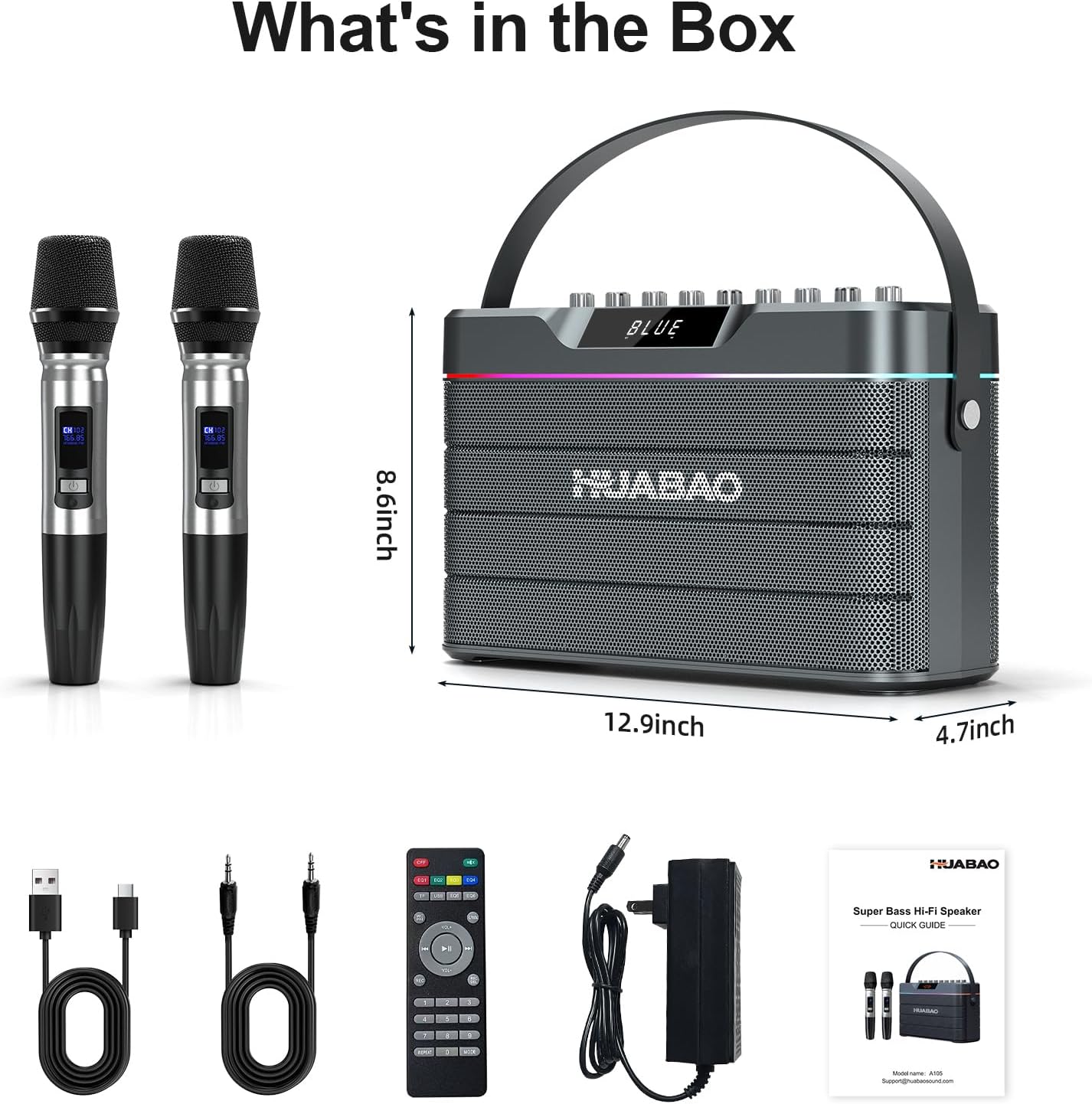
Image: All components included in the HUABAO A105 Karaoke Machine package.
Produkt überview
Tonanlage
The HUABAO A105 features a powerful 100W Bluetooth speaker with six speakers and dual diaphragms, delivering a total of eight sound units for deep bass and crisp, high-definition audio. This configuration ensures a rich and immersive sound experience.

Image: Diagram illustrating the internal speaker components, including subwoofers, tweeters, and diaphragms, for enhanced sound quality.
Drahtlose Mikrofone
Two rechargeable wireless microphones are included, designed for clear vocal delivery. These microphones feature independent controls for echo, treble, and bass directly on the microphone unit, allowing for personalized sound adjustments during performances.

Image: Two wireless microphones with display screens, ready for use with the karaoke machine.
Konnektivitätsoptionen
The system supports multiple input methods including Bluetooth 5.0 for stable wireless connections to smartphones, tablets, laptops, desktops, and smart TVs. It also features AUX, USB, and TF card inputs. For wired connections, there are two 6.5mm jacks for microphones or musical instruments, and three 3.5mm jacks for headphones, live cables, or additional AUX input. An OTG jack provides further versatility.

Image: Side panel of the karaoke machine displaying various input and output ports for diverse connectivity.

Image: Visual representation of the machine's wireless connectivity to earphones, smartphones, laptops, and smart TVs.
Dynamische LED-Beleuchtung
The integrated music-syncing LED strip provides vibrant, color-changing lights to enhance the atmosphere of any event.

Bild: Vorderseite view of the karaoke machine showcasing its unique RGB light strip design with three light modes.
Langlebige Batterie
Equipped with a 9000mAh battery, the speaker offers extended continuous playback, making it suitable for long trips and outdoor use. The portable design, weighing 8.48 lbs, includes a durable carrying strap for easy transport.
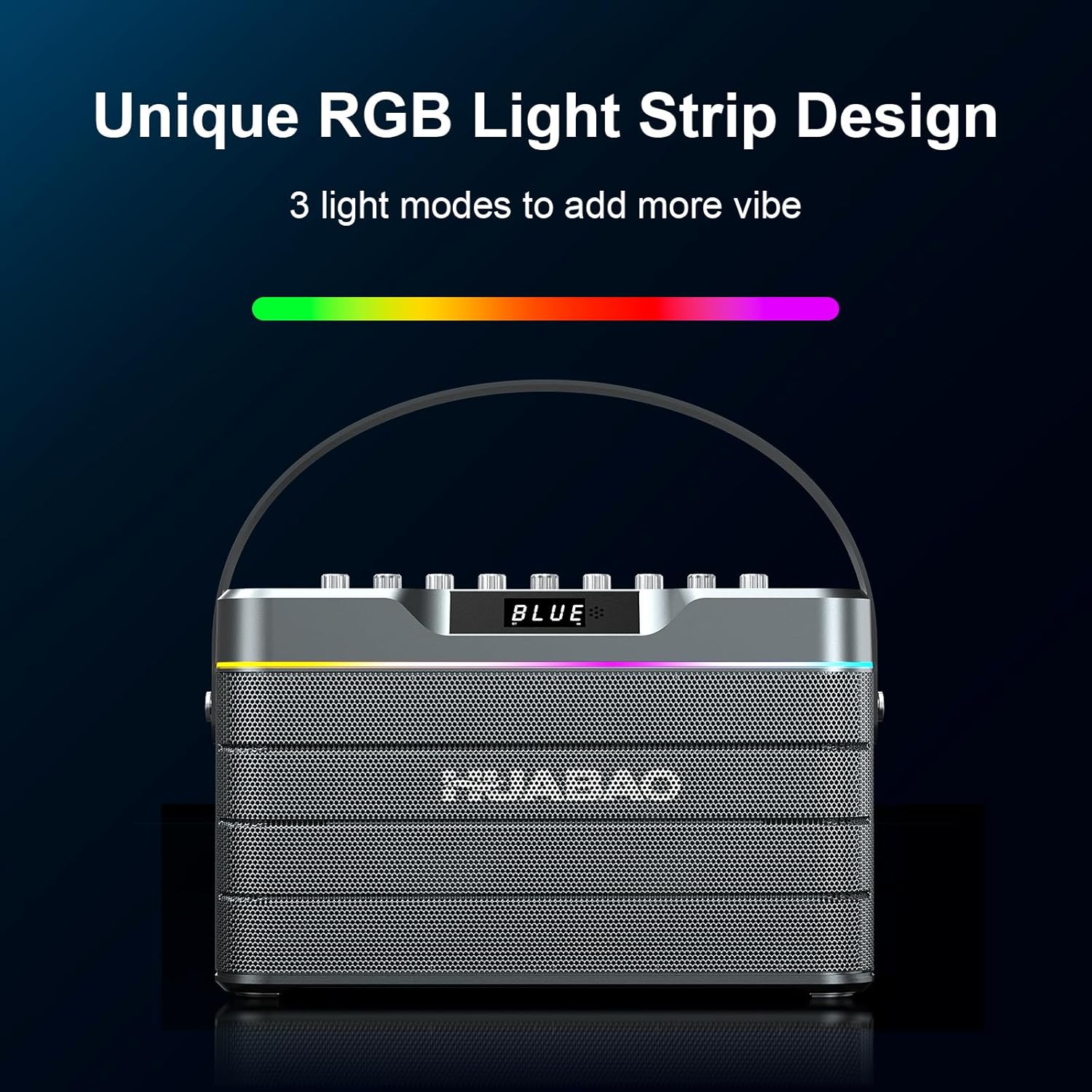
Image: Illustration of the 9000mAh large battery capacity, providing 12 hours of playing time and requiring 5 hours for charging.
TWS-Pairing
The True Wireless Stereo (TWS) pairing function allows two HUABAO A105 speakers to be synced for an expanded, full surround sound experience, ideal for larger gatherings.
Aufstellen
1. Erstes Aufladen
Before first use, fully charge the karaoke machine and both wireless microphones. Connect the power adapter to the DC 15V input port on the speaker. Use the provided Type-C charging cable to charge the microphones.
2. Ein-/Ausschalten
To power on the speaker, press and hold the power button on the control panel until the display illuminates. To power off, press and hold the same button. For microphones, press and hold the power button on each microphone until the indicator light turns green.
3. Bluetooth-Kopplung
- Turn on the HUABAO A105 speaker.
- Press the 'Mode' button on the control panel until 'BLUE' appears on the display, indicating Bluetooth pairing mode.
- On your mobile device (smartphone, tablet, etc.), go to Bluetooth settings and select 'HUABAO A105' from the list of available devices.
- Once connected, the speaker will emit a confirmation sound.
4. Kabelverbindungen
For non-Bluetooth devices, use the appropriate cables:
- AUX-Eingang: Connect your device using the provided 3.5mm AUX cable to the AUX port.
- USB-/TF-Karte: Insert a USB flash drive or TF card into the respective ports to play audio files direkt.
- Mikrofone/Instrumente: Use 6.5mm cables to connect wired microphones or musical instruments to the MIC1 or MIC2 jacks.
Bedienungsanleitung
1. Audiopegel anpassen
Use the dedicated knobs on the control panel to fine-tune your sound:
- Hauptvolumen: Regelt die Gesamtlautstärke des Lautsprechers.
- Lautstärke von dem Mikrofon: Regelt die Lautstärke der drahtlosen Mikrofone.
- Echo: Steuert den Echoeffekt, der auf Mikrofongesang angewendet wird.
- Höhen/Bass: Adjusts the high and low frequencies of the music and microphone output.
- Instrumentenlautstärke: Controls the volume of any connected musical instruments.

Image: Close-up of the control panel with clearly labeled knobs for precise audio adjustments.
2. Mikrofonfunktionen
- Stimmentfernung: Press the 'Vocal Removal' button on the control panel to minimize or remove lead vocals from tracks, allowing you to sing along.
- Mikrofonpriorität: Activate 'Mic Priority' to automatically lower music volume when the microphone is in use, ensuring your voice stands out.
3. Klangmodi (EQ)
Press the 'EQ' button on the control panel to switch between different sound equalization modes, such as Indoor and Outdoor, optimizing audio for your environment.
4. TWS Pairing (True Wireless Stereo)
To pair two HUABAO A105 speakers for stereo sound:
- Ensure both speakers are powered on and in Bluetooth mode, but not yet connected to a mobile device.
- On one speaker, press and hold the 'TWS' button. It will search for the other speaker.
- Once connected, the speakers will indicate successful pairing. You can then connect your mobile device to the primary speaker via Bluetooth.
5. LED-Lichtmodi
Press the 'Mode/LED' button to cycle through various dynamic LED light modes, creating different ambiance for your event.
6. Fernbedienung
The included remote control allows for convenient operation from a distance, including power, volume, track selection, and mode changes.
Wartung
- Reinigung: Reinigen Sie die Außenseite des Lautsprechers und der Mikrofone mit einem weichen, trockenen Tuch. Vermeiden Sie die Verwendung von Scheuermitteln oder Lösungsmitteln.
- Lagerung: Bewahren Sie das Gerät bei Nichtgebrauch an einem kühlen, trockenen Ort fern von direkter Sonneneinstrahlung und extremen Temperaturen auf.
- Batteriepflege: Um die Akkulaufzeit zu verlängern, vermeiden Sie häufiges vollständiges Entladen des Akkus. Laden Sie das Gerät regelmäßig auf, auch wenn es nicht aktiv genutzt wird.
Fehlerbehebung
- Kein Strom: Ensure the device is fully charged or connected to the power adapter. Check the power button for proper activation.
- Kein Ton: Verify that the volume levels on both the speaker and your connected device are turned up. Check all cable connections for wired inputs. Ensure the correct input mode is selected.
- Mikrofon funktioniert nicht: Make sure the microphones are charged and powered on. Check microphone volume levels. Ensure they are within range of the speaker.
- Bluetooth-Trennung: Ensure your device is within the Bluetooth range (typically 10 meters). Disconnect and re-pair the device if issues persist.
- TWS-Kopplungsfehler: Ensure both speakers are in Bluetooth pairing mode and not connected to any other device before attempting TWS pairing.
Technische Daten
| Besonderheit | Spezifikation |
|---|---|
| Marke | HUABAO |
| Modellnummer | A105 |
| Ausgang Wattage | 100 Watt |
| Anzahl der Sprecher | 6 |
| Batteriekapazität | 9000mAh Lithium-Ionen |
| Konnektivitätstechnologie | AUX-Anschluss, Bluetooth 5.0, USB-Anschluss |
| Kompatible Geräte | Headphone, Musical Instruments, Smart TV, Smartphone, Tablet |
| Artikelgewicht | 8.48 Pfund |
| Technische Daten | 12.9 x 4.7 x 8.6 Zoll |
| Montagetyp | Tischplatte |
Garantie und Support
Your HUABAO A105 Karaoke Machine comes with a One-Year Warranty and Lifetime Technical Support. If you have any questions or concerns, please contact us via Amazon or our support email. We are committed to responding within 12 hours and ensuring your complete satisfaction.
Ask a question about this manual
Ask about setup, troubleshooting, compatibility, parts, safety, or missing instructions. Manuals+ will review the question and use this page’s manual context to help answer it.