
Einführung
The Retevis NR30S is a professional-grade Analog GMRS two-way radio designed for reliable long-range communication in various environments. It features IP67 waterproofing and dustproofing, noise-canceling technology for clear audio, NOAA weather radio capabilities, and a robust 2800mAh battery. This manual provides essential information for setting up, operating, and maintaining your NR30S radio.
Packungsinhalt
Upon unboxing your Retevis NR30S, please ensure all items listed below are present:
- NR30S Walkie Talkie (x2)
- Batterie (x2)
- Typ-C-Ladekabel (x2)
- Ladestation (x2)
- Adapter (x2)
- Gürtelclip (x2)
- Handschlaufe (x2)
- Benutzerhandbuch (x2)

Aufstellen
1. Einbau und Aufladen der Batterie
The NR30S radio is powered by a 2800mAh Li-ion battery. Before first use, fully charge the battery.
- Richten Sie die Batterie an der Rückseite des Radios aus und schieben Sie sie hinein, bis sie sicher einrastet.
- To charge, place the radio in the charging base or connect the Type-C charging cable directly to the radio.
- The charging indicator on the radio or base will show charging status. A full charge typically takes 6.5 hours.

2. Antennenbefestigung
Carefully screw the antenna clockwise onto the connector at the top of the radio until it is finger-tight. Do not overtighten.
3. Gürtelclip und Handschlaufe
Attach the belt clip to the back of the radio using the provided screws. The hand strap can be threaded through the loop at the top of the radio for secure carrying.
Bedienungsanleitung
1. Radio vorbeiview und grundlegende Bedienelemente
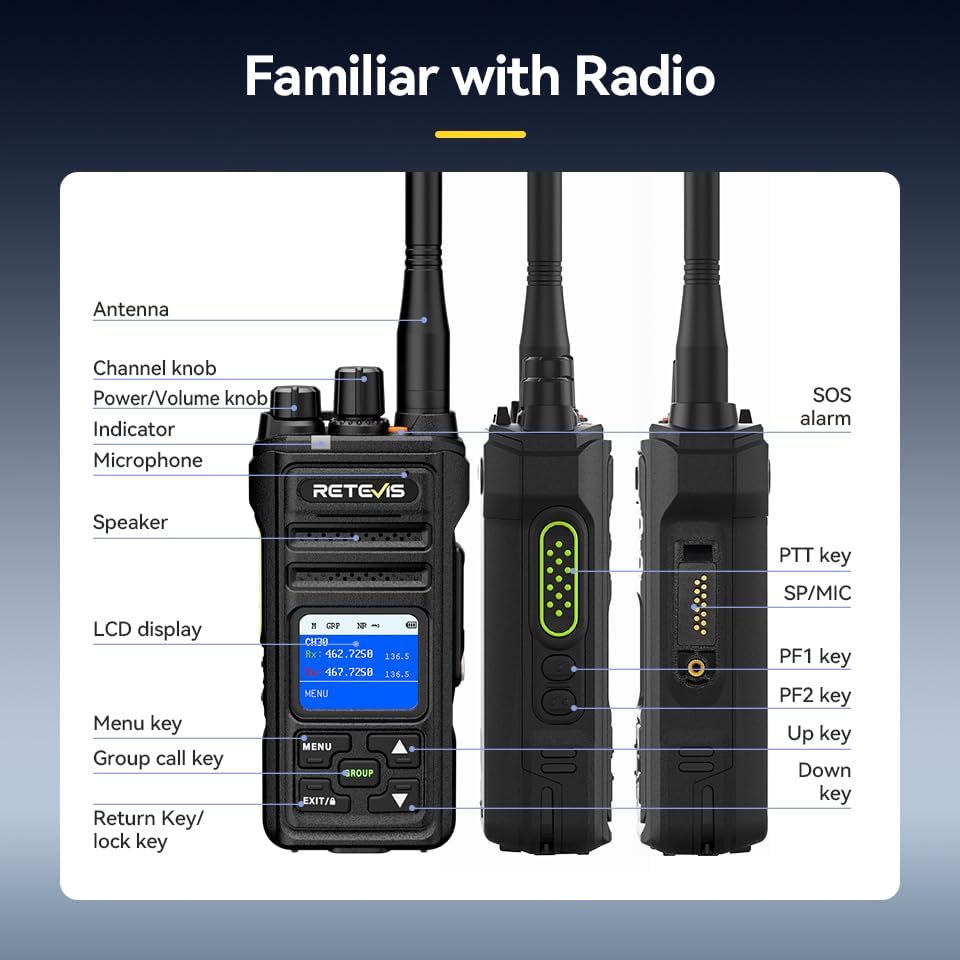
- Ein-/Ausschalten: Drehen Sie den Ein-/Ausschalter/Lautstärkeregler im Uhrzeigersinn, um das Radio einzuschalten. Drehen Sie ihn gegen den Uhrzeigersinn, bis Sie ein Klicken hören, um ihn auszuschalten.
- Lautstärkeregelung: Drehen Sie den Ein-/Ausschalter/Lautstärkeregler, um die Lautstärke einzustellen.
- Kanalauswahl: Use the Channel knob to select desired communication channels. The LCD screen will display the current channel.
- Push-to-Talk-Taste (PTT): Press and hold the PTT key on the side of the radio to transmit your voice. Release to listen.
2. Gruppenruffunktion
The Group Call function allows you to communicate with multiple team members simultaneously, even if they are on different channels.
- Drücken Sie die GRUPPE button to initiate a group call.
- All radios configured for the same group will receive the transmission.

3. Rauschunterdrückungsfunktion
The built-in two-way noise reduction chip helps filter out background noise for clearer communication.
- Access the menu via the SPEISEKARTE Taste.
- Navigate to the Noise Reduction (NR) setting.
- Wählen ON to activate noise reduction.

4. NOAA-Wetterkanäle
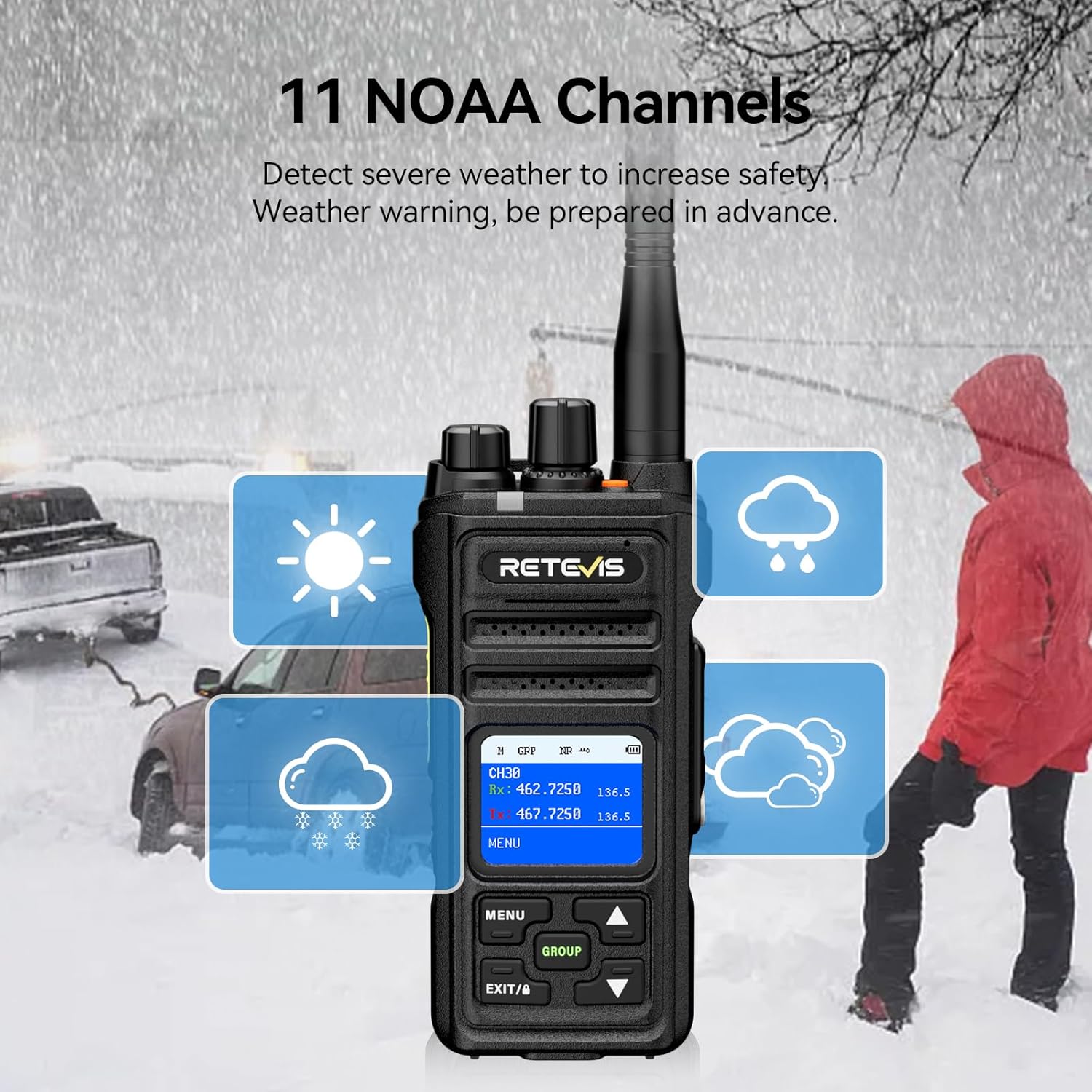
The NR30S can receive 11 NOAA weather channels, providing timely weather warnings to enhance safety.
- Access the menu and navigate to the NOAA Weather Channel option.
- Select the desired NOAA channel to monitor weather broadcasts.
5. Notfallalarm
In emergency situations, activate the SOS alarm to alert others.
- Drücken Sie die entsprechende SOS-Alarm button (typically an orange button on top) to activate the alarm.
6. Tastatursperre
To prevent accidental key presses, you can lock the keyboard.
- Halten Sie die EXIT/A key to activate the keyboard lock function. Repeat to unlock.
7. Überwachungsfunktion
The monitoring function allows you to listen to weak signals on the current channel.
- Short press side button 1 to activate the monitoring function.
8. Scanfunktion
The scanning function allows the radio to automatically search for active channels.
- Briefly press side button 2 to activate the scanning function.
9. CTCSS/DCS-Töne
CTCSS (Continuous Tone-Coded Squelch System) and DCS (Digitally Coded Squelch) tones help filter out unwanted transmissions and allow for private group communication.
- Refer to the radio's menu settings to configure CTCSS/DCS tones for specific channels.
Wartung
- Reinigung: Verwenden Sie ein weiches,amp Verwenden Sie ein Tuch, um das Äußere des Radios zu reinigen. Verwenden Sie keine scharfen Chemikalien oder Scheuermittel.
- Batteriepflege: To prolong battery life, avoid overcharging and fully discharging the battery. Store the radio and battery in a cool, dry place when not in use.
- Waterproof/Dustproof Care: Although IP67 rated, ensure all ports and covers are securely closed before exposing the radio to water or dust. Rinse with fresh water after exposure to saltwater.

Fehlerbehebung
| Problem | Mögliche Ursache | Lösung |
|---|---|---|
| Kein Strom | Batterie leer oder falsch eingesetzt. | Laden Sie den Akku auf oder setzen Sie ihn korrekt wieder ein. |
| Senden/Empfangen nicht möglich | Incorrect channel, low battery, or out of range. | Verify channel, charge battery, or move closer to other radios. |
| Schlechte Audioqualität | Weak signal, high background noise, or antenna issue. | Move to a clearer area, activate noise reduction, or check antenna connection. |
| Tastatur gesperrt | Die Tastatursperre ist aktiviert. | Press and hold the EXIT/A key to unlock. |
Technische Daten
| Besonderheit | Detail |
|---|---|
| Marke | Retevis |
| Modellnummer | NR30S |
| Farbe | Schwarz |
| Anzahl der Kanäle | 30 |
| Frequenzbereich | GMRS |
| Maximale Sprechreichweite | 5 Meilen |
| Wasserbeständigkeit | IP67 Wasserdicht |
| Batteriekapazität | 2800 mAh Lithium-Ionen-Akku |
| Durchschnittliche Batterielebensdauer | 17 Hours (Work), 120 Hours (Standby) |
| Ladezeit | 6.5 Stunden |
| Technische Daten | 1.51"T x 2.63"B x 5.7"H |
| Artikelgewicht | 570 Gramm |
| Besondere Merkmale | IP67 Waterproof and dustproof, Intelligent two-way noise reduction, LCD screen with menu, Keyboard lock, One-key group call, NOAA, Alarm, Strong penetration long-range 2-way radio. |
Garantie und Support
Retevis provides a 3-year warranty for the radio body and a 1-year warranty for accessories. Additionally, a 30-day no-reason return policy is offered. For any inquiries or support, please contact Retevis customer service on Amazon. They aim to reply within 12 hours.
Besuchen Sie die offizielle Retevis Store Für weitere Produkte und Informationen.