
zelotes F33
Benutzerhandbuch für die kabellose Trackball-Maus von zelotes
Modell: F33
Einführung
Vielen Dank für Ihren Einkauf.asing the zelotes Wireless Trackball Mouse. This ergonomic mouse is designed to provide precise and comfortable cursor control, reducing strain on your wrist and arm. It features versatile connectivity options, adjustable DPI settings, and a long-lasting rechargeable battery. Please read this manual thoroughly to ensure proper use and maintenance of your device.
Lieferumfang
- 1 x Trackball Bluetooth Wireless Mouse
- 1 x USB Empfänger
- 1 x Ladekabel
- 1 x Benutzerhandbuch
Produkt überview
Familiarize yourself with the components of your zelotes Wireless Trackball Mouse.

Bild: Draufsicht view of the zelotes F33 Wireless Trackball Mouse, showcasing its ergonomic design, trackball, and blue LED lighting.

Abbildung: Seite view of the zelotes F33 Wireless Trackball Mouse, highlighting the trackball and button layout.
Video: Ein überview of the F33 Bluetooth Trackball Mouse, demonstrating its features including rechargeable battery and DPI settings.
Installationshandbuch
1. Aufladen der Maus
The mouse comes with a built-in 730mAh rechargeable battery. For the best experience, fully charge the mouse before first use.
- Connect the included USB charging cable to the charging port on the mouse.
- Stecken Sie das andere Ende des Kabels in eine USB-Stromquelle (z. B. USB-Anschluss am Computer, USB-Netzteil).
- Die Maus kann während des Ladevorgangs verwendet werden.

Image: The zelotes F33 mouse connected via its USB charging cable, illustrating the rechargeable battery feature.
2. Wireless Connection Modes
This mouse supports two wireless connection modes: 2.4GHz USB wireless and Bluetooth (BT1, BT2). It can connect to three devices simultaneously.
2.1. 2.4GHz USB Wireless Mode
- Locate the USB receiver stored in the mouse's bottom compartment.
- Stecken Sie den USB-Empfänger in einen freien USB-Anschluss Ihres Computers oder Geräts.
- Schalten Sie die Maus mit dem Netzschalter an der Unterseite ein.
- Die Maus verbindet sich automatisch mit dem Empfänger.
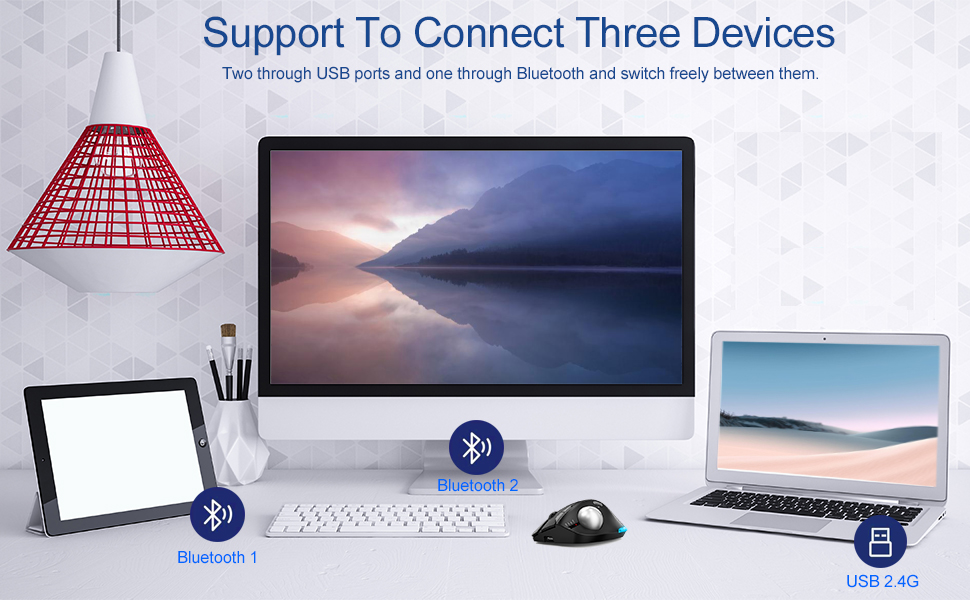
Image: Illustration of the mouse's ability to connect to three devices simultaneously: two via Bluetooth and one via 2.4G USB.
2.2. Bluetooth Mode (BT1 / BT2)
- Schalten Sie die Maus mit dem Netzschalter ein.
- Press the mode switch button on the bottom of the mouse to select either BT1 or BT2 mode. The corresponding indicator light will flash.
- Gehen Sie auf Ihrem Gerät (Laptop, Tablet, Smartphone) zu den Bluetooth-Einstellungen und suchen Sie nach neuen Geräten.
- Select "zelotes F33" (or similar name) from the list of available devices to pair.
- Nach der Kopplung hört die Kontrollleuchte auf zu blinken und leuchtet konstant.
3. Wechseln zwischen Geräten
To switch control between connected devices, simply press the mode switch button on the bottom of the mouse to cycle through 2.4G, BT1, and BT2 modes.
Bedienungsanleitung
1. Thumb Operation
The trackball is designed for thumb operation, allowing you to move the cursor precisely without moving your wrist or arm. This ergonomic design helps reduce muscle strain during prolonged use.
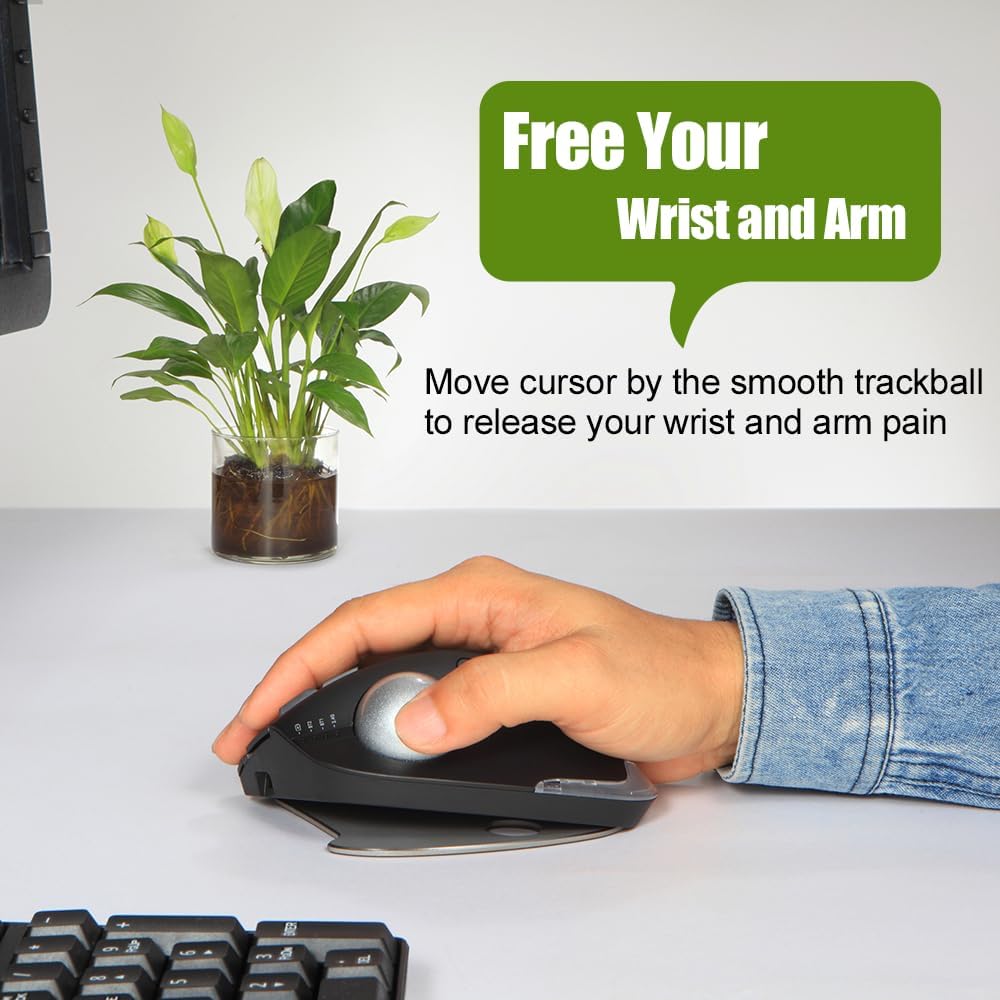
Image: A hand demonstrating the thumb-operated trackball, emphasizing the ergonomic benefit of reducing wrist and arm strain.
2. Anpassbare DPI-Einstellungen
The mouse features 5 adjustable DPI settings to suit your preference and task requirements:
- 800 DPI
- 1200 DPI
- 1600 DPI
- 2400 DPI
- 4800 DPI
Press the DPI button (usually located near the scroll wheel or on the side) to cycle through the settings. A higher DPI provides faster cursor movement, while a lower DPI offers more precise control.
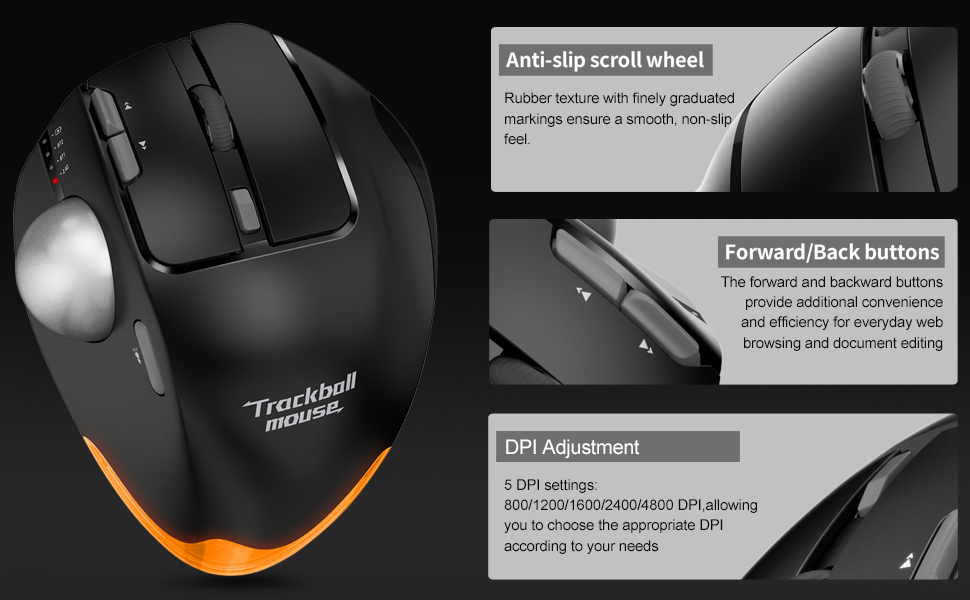
Bild: Detailliert view of the mouse highlighting the anti-slip scroll wheel, forward/back buttons, and the DPI adjustment feature.
3. Vorwärts-/Zurück-Tasten
Conveniently located on the side of the mouse, the forward and back buttons enhance efficiency for web browsing and document editing.
4. Adjustable Angle Design
The mouse features an innovative adjustable angle design with a detachable aluminum alloy base, allowing you to switch between 0-degree and 18-degree angles. This helps maintain a natural palm position for long-term comfort.

Image: Comparison showing the zelotes F33 mouse with its base adjusted to 0-degree and 18-degree angles for ergonomic comfort.
5. LED-Beleuchtung
The mouse features vibrant LED lighting with 16.8 million colors. You can switch lighting colors using independent buttons. The lighting can be turned off if preferred.

Image: The zelotes F33 mouse showcasing its customizable LED lighting in different colors.
Wartungshandbuch
Regular cleaning of the trackball ensures smooth and precise movement.
Reinigung des Trackballs:
- Schritt 1: The trackball can be pushed out from the trackball socket at the bottom of the mouse.
- Schritt 2: Remove the trackball and gently clean the trackball socket with a cotton cloth.
- Schritt 3: Place the trackball back into the mouse to complete the cleaning process.
* If the surface of the trackball needs cleaning, gently wipe it with water and allow it to air dry. Avoid using chemical agents.

Image: Visual guide detailing the steps for disassembling and cleaning the trackball for optimal performance.
Fehlerbehebung
| Problem | Lösung |
|---|---|
| Maus reagiert nicht (2.4 GHz) |
|
| Maus verbindet sich nicht (Bluetooth) |
|
| Die Cursorbewegung ist unregelmäßig oder ruckartig. |
|
| LED-Leuchten funktionieren nicht oder hängen |
|
Technische Daten
- Modell: F33
- Konnektivität: Bluetooth 5.0/3.0 + 2.4GHz USB Receiver
- DPI-Einstellungen: 800/1200/1600/2400/4800 DPI
- Batterie: Built-in 730mAh Lithium Ion rechargeable battery
- Tasten: 8 Buttons (including trackball, scroll wheel, forward/back, DPI, mode switch)
- Abmessungen: 5.2 x 4 x 0.04 Zoll
- Artikelgewicht: 13.4 Unzen
- Kompatibilität: Win11, Win10, Win8, Win7, Mac OS, Chrome OS, Android 5.0 or higher
- Besondere Merkmale: Wireless, Portable, Programmable Buttons, Ergonomic Design, Rechargeable, Adjustable Angle (0°/18°), LED Lighting
- Hersteller: Zeloten
- Ursprungsland: China
Garantie und Support
For warranty information or technical support, please refer to the product packaging or contact zelotes customer service through their official webDie Website oder der Händler, bei dem das Produkt gekauft wurde, ist für Sie bestimmt. Bewahren Sie Ihren Kaufbeleg für Garantieansprüche auf.
Ask a question about this manual
Ask about setup, troubleshooting, compatibility, parts, safety, or missing instructions. Manuals+ will review the question and use this page’s manual context to help answer it.