
Produkt überview
The Mesqool CR1025 Digital Alarm Clock is a versatile bedside device combining multiple functions. It features a clear LED display, Bluetooth 5.0 connectivity for audio streaming, a digital FM radio with station presets, dual USB charging ports (Type-C and USB-A), and an adjustable night light. Designed for convenience, it includes a 5-level dimmer for display brightness, adjustable volume, 12/24-hour format, snooze function, and battery backup to retain settings during power outages.
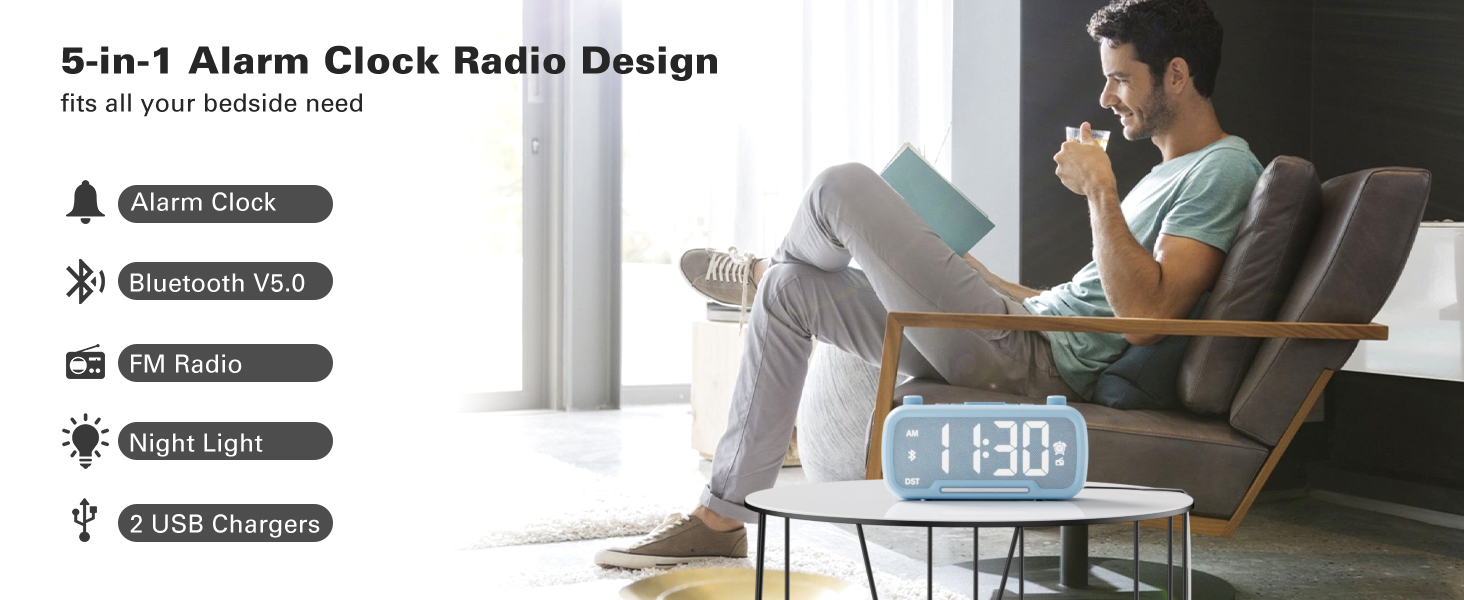
Image: The Mesqool CR1025 Digital Alarm Clock showcasing its 5-in-1 features: Alarm Clock, Bluetooth V5.0, FM Radio, Night Light, and 2 USB Chargers.
Installationsanweisungen
1. Stromanschluss
- Connect the provided AC adapter to the clock and plug it into a standard wall outlet. The clock requires AC power for primary operation.
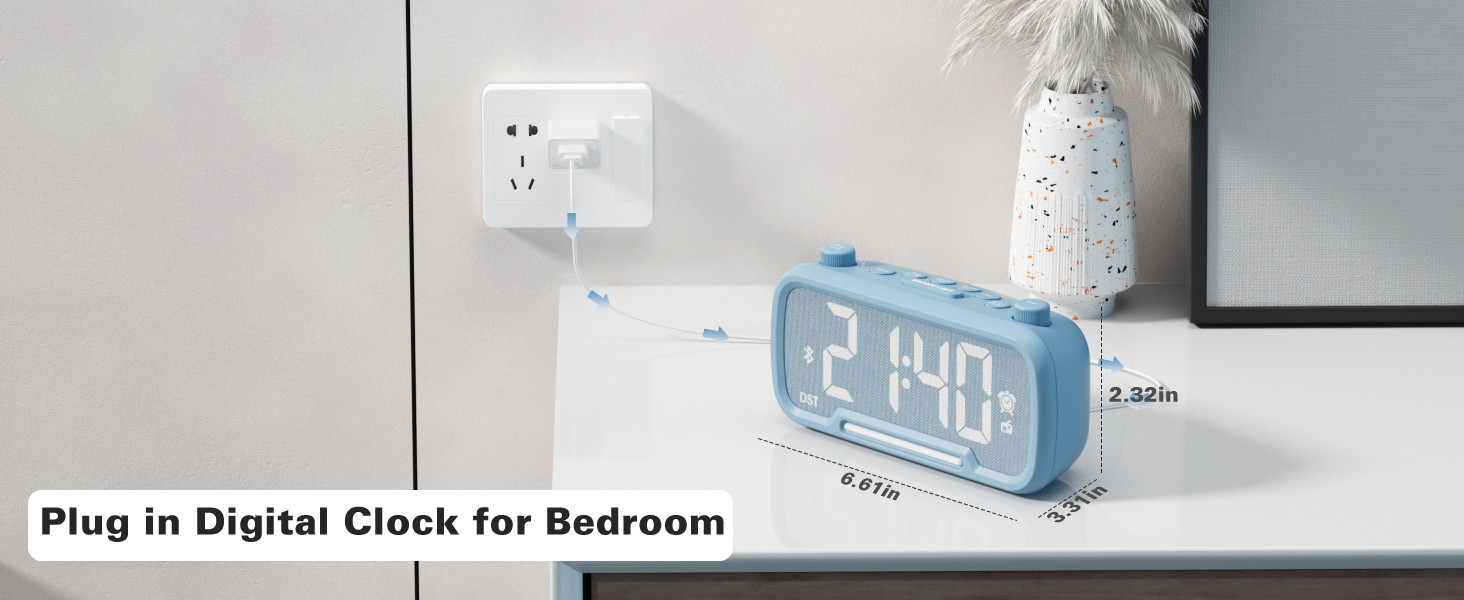
Image: The Mesqool CR1025 Digital Alarm Clock connected to a wall outlet via its power adapter, illustrating the power connection.
2. Batterie-Backup
- The clock includes a CR2032 battery for backup. This battery preserves time and alarm settings during a power outage, but the display will not be lit.
3. Zeiteinstellung
- Drücken Sie die Zeit 12/24 Drücken Sie die Taste einmal. Die Stundenanzeige blinkt.
- Rotate the left knob (Sleep Timer/Vol) to adjust the hour.
- Drücken Sie die Zeit 12/24 Drücken Sie die Taste erneut. Die Minutenanzeige blinkt.
- Rotate the right knob (Scan) to adjust the minute.
- Drücken Sie die Zeit 12/24 Drücken Sie erneut die Taste, um die Zeiteinstellung zu bestätigen und zu beenden.
Video: Demonstrates how to set the time, adjust the 12/24 hour format, and activate/deactivate DST mode on the alarm clock.
4. 12/24-Stunden-Zeitformat
- Halten Sie die Zeit 12/24 button for 2 seconds to switch between 12-hour and 24-hour time formats.
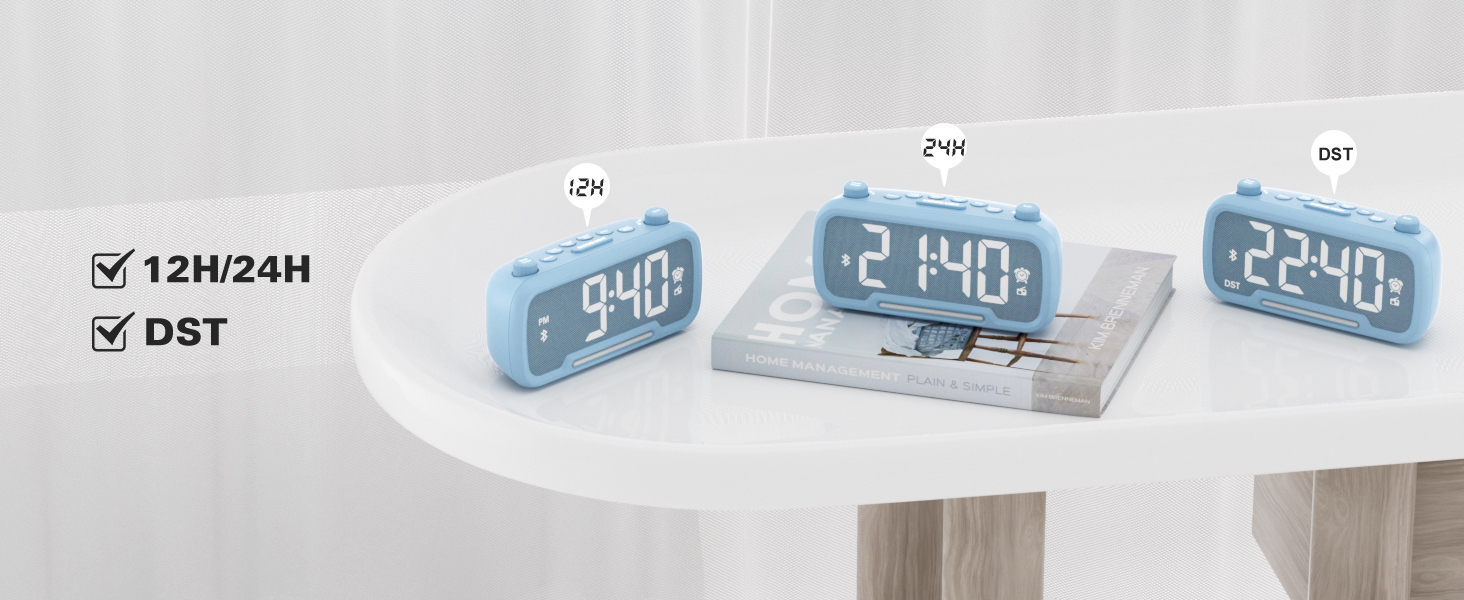
Image: The clock display showing both 12-hour (PM) and 24-hour time formats, along with the DST indicator.
5. Sommerzeitmodus (DST)
- Drücken Sie die Dimmer DST button to enter or exit DST mode. When active, the DST indicator will appear on the display.
- Refer to the video above for a demonstration of DST mode activation.
Bedienungsanleitung
1. Bluetooth-Lautsprecher
- Drücken Sie die Power-Modus button repeatedly until "bt" appears on the display, indicating Bluetooth mode. The Bluetooth icon will flash.
- On your device, search for "CR1025" in the Bluetooth settings and pair.
- Once connected, the Bluetooth icon will stop flashing.
Video: Demonstrates how to activate Bluetooth mode and pair with a device.

Image: Illustrates the Bluetooth 5.0 speaker functionality, showing the clock connected to a smartphone playing music.
2. FM-Radiobetrieb
- Drücken Sie die Power-Modus Drücken Sie die Taste so lange, bis das Radiosymbol auf dem Display aufleuchtet und den FM-Radiomodus anzeigt.
- Auto-Scan: Drücken Sie die Scan button to automatically search and store up to 20 stations.
- Manuelle Suche: Drehen Sie den Scan knob to browse frequencies manually.
- Voreinstellung speichern: Um einen Sender zu speichern, halten Sie die Taste gedrückt. Voreingestelltes Paar button for 2 seconds. The display will show "P01", "P02", etc. Rotate the Scan Drehen Sie den Knopf, um eine voreingestellte Zahl auszuwählen, und drücken Sie dann Voreingestelltes Paar wieder zu speichern.
- Lautstärke anpassen: Turn the left knob (Sleep Timer/Vol) to adjust the volume (16 levels, L01-L16).
Video: Demonstrates FM radio tuning, auto-scan, and saving preset stations.

Image: The clock displaying an FM radio frequency, indicating its radio function.
3. Alarmeinstellung
- Halten Sie die Alarm Die Taste 2 Sekunden lang gedrückt halten. Die Stundenziffern blinken.
- Rotate the left knob (Sleep Timer/Vol) to adjust the alarm hour.
- Drücken Sie die Alarm Drücken Sie die Taste erneut. Die Minutenanzeige blinkt.
- Rotate the right knob (Scan) to adjust the alarm minute.
- Drücken Sie die Alarm button once more to select the alarm sound: either a buzzer or the last played FM radio station.
- Rotate the left knob (Sleep Timer/Vol) to adjust the alarm volume (L01-L16).
- Drücken Sie die Alarm button again to confirm and activate the alarm. The alarm icon will appear on the display.
- Um den Alarm abzubrechen, drücken Sie die Taste Alarm button once. The alarm icon will disappear.
Video: Demonstrates setting the alarm time, choosing alarm sound (radio or buzzer), and adjusting alarm volume.
4. Schlummerfunktion
- Wenn der Alarm ertönt, drücken Sie die SNOOZE / LICHT Taste zum Aktivieren der Schlummerfunktion. Der Alarm pausiert für 9 Minuten und ertönt dann erneut.

Image: A hand pressing the SNOOZE/LIGHT button on the clock, illustrating the 9-minute snooze feature.
5. Night Light & Dimmer
- Nachtlicht: Drücken Sie die SNOOZE / LICHT Knopf zum Ein- und Ausschalten des Nachtlichts.
- Display-Dimmer: Drücken Sie die Dimmer DST button repeatedly to cycle through 5 brightness levels for the main display (L01-L05).
Video: Shows how to adjust the display brightness using the dimmer function.

Image: The clock with its warm night light illuminated, providing ambient lighting.

Bild: Mehrere views of the clock demonstrating the five different brightness levels of its display.
6. Einstellung des Schlaftimers
- When using FM radio or Bluetooth speaker, press the Einschlaftimer Taste.
- Rotate the left knob (Sleep Timer/Vol) to select the desired duration: 15, 30, 60, 90, 120 minutes, or OFF. The device will automatically turn off after the selected time.
Video: Illustrates how to set the sleep timer for the FM radio or Bluetooth speaker.
7. USB-Ladeanschlüsse
- The clock features one USB-A and one Type-C charging port (5V/1A each).
- Schließen Sie Ihr Smartphone, Tablet oder andere USB-betriebene Geräte zum Aufladen an diese Anschlüsse an.
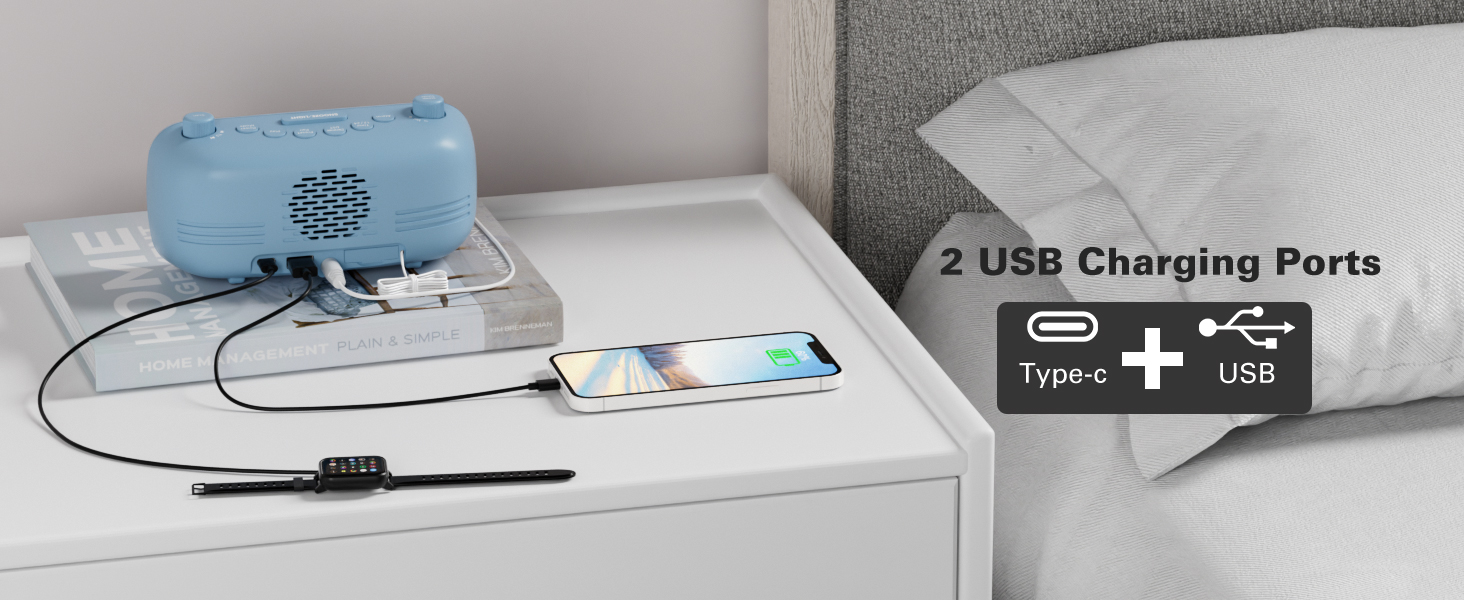
Image: The back of the clock showing the USB-A and Type-C charging ports with devices connected for charging.
Wartung
- Reinigung: Use a soft, dry cloth to clean the surface of the clock. Avoid abrasive cleaners or solvents.
- Lagerung: Wenn Sie das Gerät längere Zeit lagern, trennen Sie es vom Stromnetz und entfernen Sie die Backup-Batterie. Lagern Sie es an einem kühlen, trockenen Ort.
Fehlerbehebung
- Kein Strom/Display aus: Ensure the AC adapter is securely plugged into both the clock and a working power outlet. Check if the backup battery is correctly installed.
- Alarm ertönt nicht: Verify that the alarm is set and activated (alarm icon visible). Check the alarm volume level.
- Schlechter FM-Radioempfang: Ziehen Sie die Antenne vollständig aus. Versuchen Sie, die Uhr anders zu positionieren, um den Signalempfang zu verbessern.
- Probleme mit der Bluetooth-Kopplung: Ensure the clock is in Bluetooth mode and the Bluetooth icon is flashing. Make sure your device's Bluetooth is on and within range. Try restarting both the clock and your device.
- USB-Ladefunktion funktioniert nicht: Ensure the clock is powered on. Check the charging cable and device for proper connection.
Technische Daten
| Besonderheit | Detail |
|---|---|
| Marke | Mesqool |
| Modellnummer | CR1025 |
| Farbe | Blau (gemäß der aktuellen Produktvariante) |
| Anzeigetyp | Digitales |
| Besondere Merkmale | Adjustable Brightness, Adjustable Volume, Alarm, Charging Port, Radio |
| Technische Daten | 3.31 Zoll B x 2.32 Zoll H |
| Stromquelle | Kabelgebundenes Elektrogerät (Netzadapter) |
| Zimmertyp | Schlafzimmer |
| Material | Plastik |
| Artikelgewicht | 7.7 Unzen |
| Batterien | 1 CR2032 battery required (included for backup) |
| Konnektivitätstechnologie | Bluetooth 5.0, AC adapter |
| FM-Radio-Reichweite | 87.5 bis 108 MHz |
Garantie und Support
Mesqool products are designed for reliability and performance. For product support, troubleshooting assistance, or warranty inquiries, please contact Mesqool customer service.
Contact information can typically be found on the product packaging, the official Mesqool webWebsite oder über Ihren Händler.