
1. Einleitung
This manual provides essential information for the safe operation and maintenance of your SIMREX X800 Drone. Please read it thoroughly before first use to ensure proper functionality and to maximize your flying experience. The SIMREX X800 is a compact and versatile drone designed for both beginners and experienced users, featuring a 1080P camera, altitude hold, and various intelligent flight modes.

2. Lieferumfang
Vergewissern Sie sich vor der Einrichtung, dass alle Komponenten vorhanden sind:
- SIMREX X800 Drone (Black)
- Fernbedienung
- Modular Batteries (2x 1000mAh)
- USB-Ladekabel
- Spare Propeller Blades (1 set)
- Phone Holder for Remote Control
- Bedienungsanleitung

3. Installationsanleitung
3.1. Laden des Akkus
The drone comes with two 1000mAh modular batteries. Ensure both are fully charged before use.
- Schließen Sie das USB-Ladekabel an den Drohnenakku an.
- Stecken Sie das andere Ende des USB-Kabels in ein USB-Netzteil (nicht im Lieferumfang enthalten) oder in einen USB-Anschluss Ihres Computers.
- The indicator light on the battery will show charging status (refer to battery specific indicators for details).
- Das Aufladen eines Akkus dauert in der Regel etwa 60-90 Minuten.
3.2. Einbau des Drohnenakkus
- Klappen Sie die Drohnenarme aus.
- Setzen Sie den vollständig geladenen Modulakku in das Batteriefach der Drohne ein, bis er hörbar einrastet.
3.3. Einrichtung der Fernbedienung
The remote control requires 2 LR44 batteries (included). Install them into the battery compartment on the back of the remote.
- Attach the phone holder to the top of the remote control.
- Setzen Sie Ihr Smartphone sicher in die Telefonhalterung ein.
- Download and install the SIMREX drone application (refer to the QR code in the included manual for the app).
- Schalten Sie zuerst die Drohne und dann die Fernbedienung ein.
- Connect your smartphone to the drone's Wi-Fi network (usually named 'SIMREX-XXXXXX').
- Open the SIMREX app to establish a connection and view den Kamera-Feed.
3.4. Propellermontage/Prüfung
The drone comes with propellers pre-installed. If replacement is necessary, ensure correct orientation (A and B propellers) as indicated on the drone arms and propellers themselves.
4. Bedienungsanleitung
Familiarize yourself with the drone's controls and features before attempting flight.
4.1. Basic Flight Preparation
- Ensure the drone is placed on a flat, level surface.
- Perform gyroscope calibration by pushing both joysticks down and to the left/right simultaneously (refer to the specific manual for exact combination).
- Ensure a stable Wi-Fi connection between your phone and the drone for FPV (First Person View) und App-Steuerung.
4.2. Ein-Tasten-Start/Landung
This feature simplifies takeoff and landing, making it ideal for beginners.
- Press the One Key Start button on the remote control or in the app. The drone will automatically take off and hover at a stable altitude.
- Press the One Key Landing button. The drone will slowly descend and land automatically.
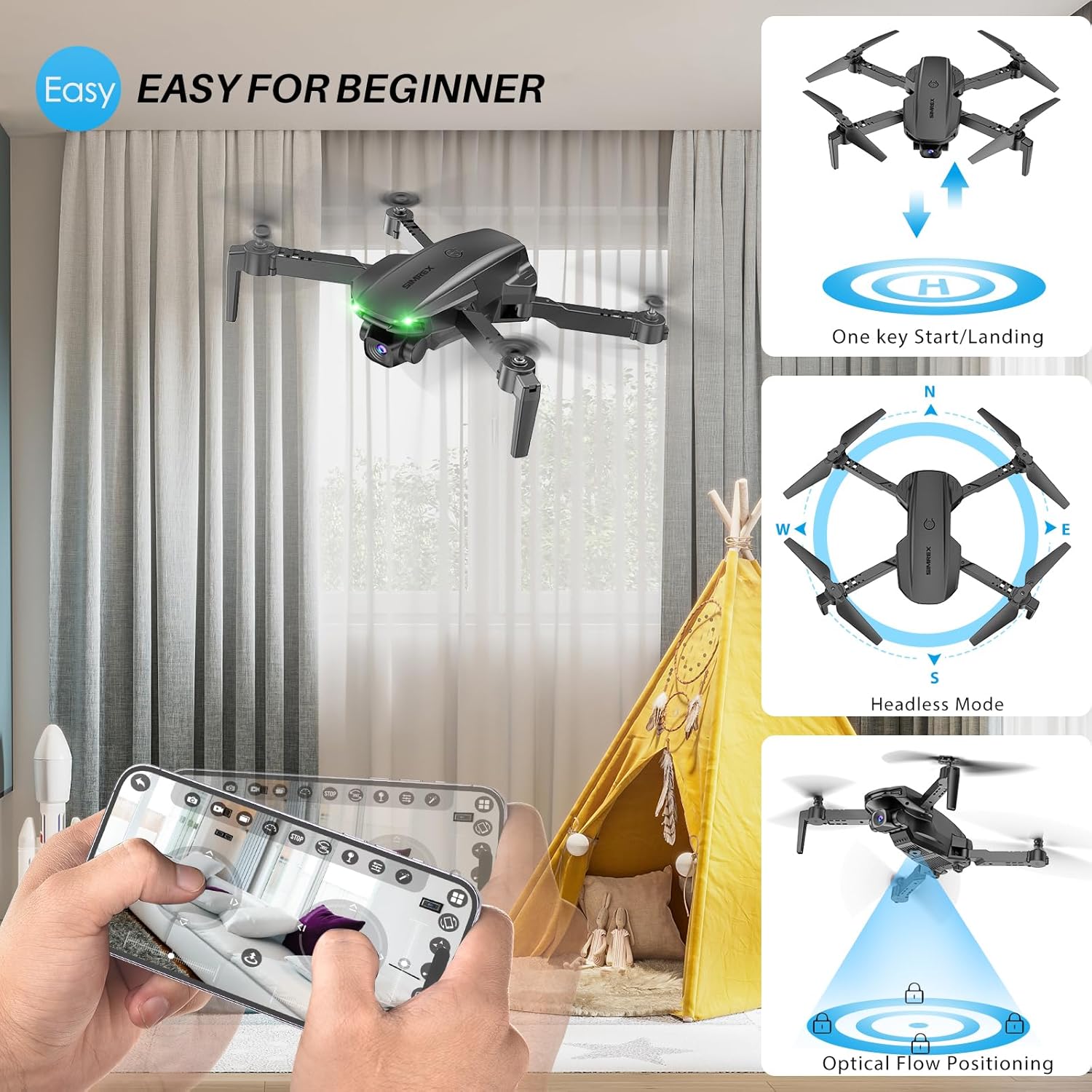
4.3. Altitude Hold & Optical Flow Positioning
These features contribute to stable flight and precise hovering.
- Höhenhaltung: The drone maintains a fixed height, allowing for stable video and photo capture without constant throttle input.
- Optische Flusspositionierung: Utilizes a bottom-mounted camera to detect ground patterns, enabling the drone to hover accurately in position, especially useful indoors or in low-wind conditions.

4.4. Headless-Modus
In Headless Mode, the drone's orientation is relative to the pilot, not the drone's front. This simplifies control, as pushing the joystick forward will always move the drone away from you, regardless of which way the drone is facing.
- Activate Headless Mode by pressing the dedicated button on the remote.
- Calibrate Headless Mode before flight for accurate control.
4.5. Waypoint Fly
Plan your flight path directly on your smartphone screen.
- Open the SIMREX app and select the Waypoint Fly function.
- Draw a desired flight path on the map displayed on your phone.
- The drone will automatically follow the designated route.
4.6. 3D Flip
Perform exciting aerial acrobatics with a single button press.
- Ensure sufficient altitude (at least 3 meters) before attempting a 3D flip.
- Press the 3D Flip button and move the right joystick in the desired flip direction (forward, backward, left, or right).
4.7. Geschwindigkeitsanpassung
The drone offers three speed modes to suit different skill levels and flying conditions.
- Toggle between Low, Medium, and High speeds using the speed switch button on the remote.
- Start with Low speed for learning and indoor flight, gradually increasing, wenn Sie an Selbstvertrauen gewinnen.

4.8. Kamerabedienung
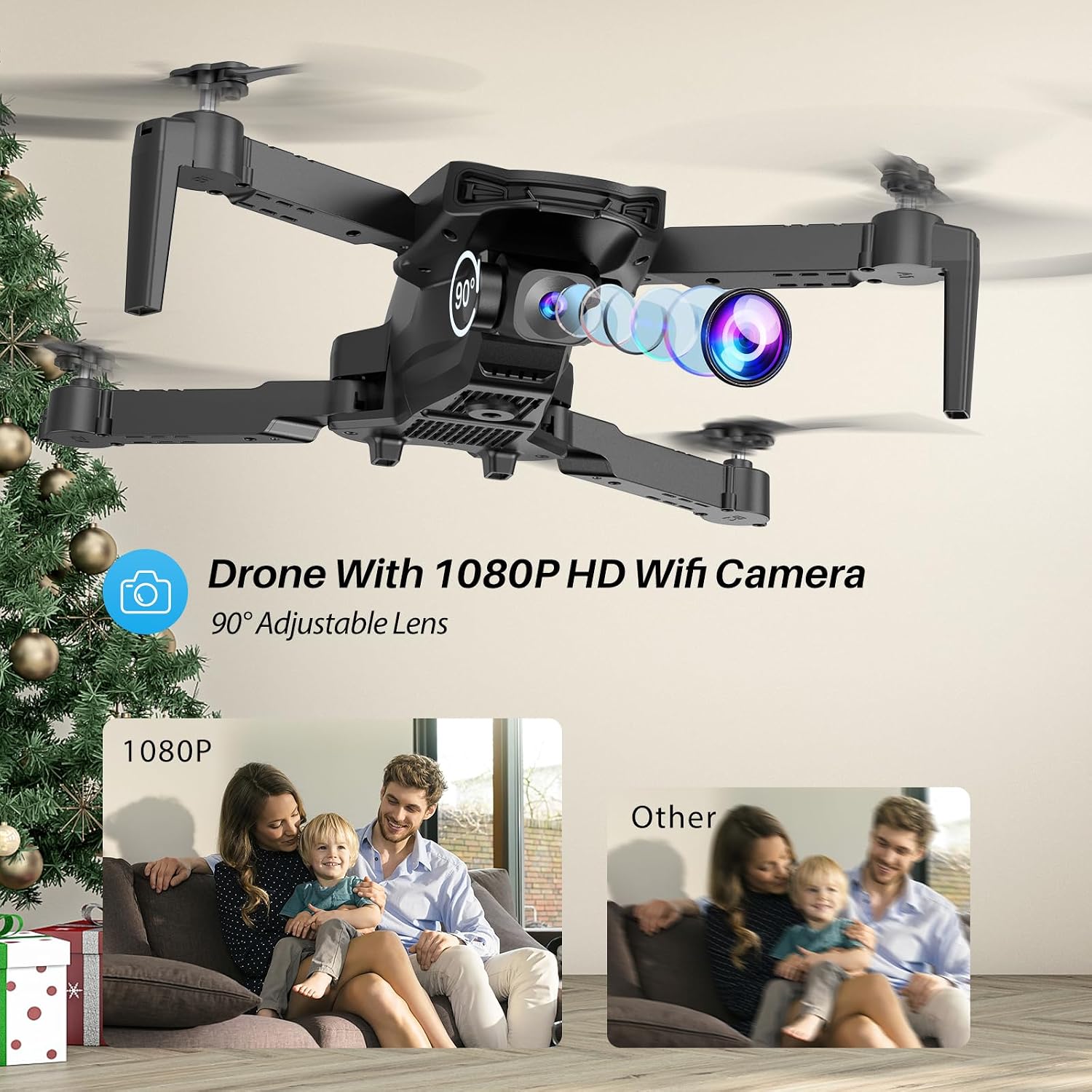
The SIMREX X800 is equipped with a 1080P camera with a 90° adjustable lens.
- View the live camera feed on your smartphone via the SIMREX app.
- Use the app to capture photos and record videos directly to your phone's storage.
- Adjust the camera lens angle manually before flight for optimal viewing.
4.9. Schwerkraftsteuerung
Control the drone's flight motion by tilting your mobile phone.
- Activate Gravity Control within the SIMREX app.
- Tilt your phone forward, backward, left, or right to control the drone's corresponding movement.
4.10. Flight Environment Considerations
- The SIMREX X800 is recommended for Innenbereich.
- If flying outdoors, operate only in windless conditions to maintain control and prevent loss.
- Always maintain visual line of sight with the drone.
- Avoid flying near obstacles, people, or animals.
5. Wartung
Regelmäßige Wartung gewährleistet die Langlebigkeit und optimale Leistung Ihrer Drohne.
5.1. Reinigung
- Verwenden Sie ein weiches, trockenes Tuch, um das Drohnengehäuse und die Kameralinse zu reinigen.
- Vermeiden Sie die Verwendung aggressiver Chemikalien oder Lösungsmittel.
- Ensure no dust or debris obstructs the optical flow sensor on the bottom of the drone.
5.2. Propellerwechsel
In case of damage, replace propellers promptly.
- Drohne ausschalten.
- Den beschädigten Propeller vorsichtig entfernen.
- Install a new propeller, ensuring it matches the 'A' or 'B' marking on the drone arm and the propeller itself. Incorrect installation will prevent flight.
5.3. Batteriepflege
- Die Batterien dürfen nicht überladen oder tiefentladen werden.
- Lagern Sie Batterien an einem kühlen, trockenen Ort, geschützt vor direkter Sonneneinstrahlung und extremen Temperaturen.
- Wenn die Akkus längere Zeit nicht benutzt werden, sollten sie auf etwa 50 % ihrer Kapazität aufgeladen werden.
6. Fehlerbehebung
In diesem Abschnitt finden Sie Lösungen für häufig auftretende Probleme.
| Problem | Mögliche Ursache | Lösung |
|---|---|---|
| Die Drohne reagiert nicht auf die Fernbedienung. | Not paired; low battery (drone/remote); interference. | Stellen Sie sicher, dass Drohne und Fernbedienung eingeschaltet und gekoppelt sind. Laden Sie die Akkus auf. Begeben Sie sich in einen Bereich mit weniger Störungen. |
| Die Drohne driftet während des Fluges ab. | Gyroscope not calibrated; windy conditions; uneven propeller. | Perform gyroscope calibration. Fly in windless conditions. Check propellers for damage and replace if necessary. |
| No camera feed on phone. | No Wi-Fi connection; app not open; phone settings. | Connect phone to drone's Wi-Fi. Open the SIMREX app. Check phone's Wi-Fi settings. |
| Kurze Flugzeit. | Battery not fully charged; aged battery; aggressive flying. | Ensure batteries are fully charged. Consider replacing old batteries. Fly at lower speeds. |
| Drone crashes unexpectedly. | Out of range; low battery; strong wind; pilot error. | Keep drone within control range. Monitor battery levels. Avoid windy conditions. Practice basic controls. |
7. Spezifikationen
| Besonderheit | Detail |
|---|---|
| Marke | SIMREX |
| Modellname | X800 |
| Farbe | Schwarz |
| Auflösung der Videoaufnahme | 1080p |
| Besondere Merkmale | 360 Degree Flip, Adjustable Camera, Foldable Design, Long Battery Life, One Key Rotation (Start/Landing), Altitude Hold, Optical Flow Positioning, Headless Mode, Waypoint Fly, Gravity Control, 3 Speeds |
| Konnektivitätstechnologie | USB (for charging), Bluetooth (Remote Control) |
| Im Lieferumfang enthaltene Komponenten | Drone, Remote Control, 2x Batteries, USB Charger, Spare Blades, Phone Holder |
| Fähigkeitsstufe | Alle (Anfängerfreundlich) |
| Artikelgewicht | 0.21 Pfund (ca. 96 g) |
| Material | Plastik |
| Zusammensetzung der Batteriezellen | Lithium Ion (Drone), LR44 (Remote) |
| Technische Daten | 1.9 Zoll L x 4.5 Zoll B x 1.3 Zoll H (zusammengeklappt) |
| Flugdauer | Bis zu 22 Minuten (mit 2 Batterien) |
8. Support und Garantie
For any questions, technical assistance, or warranty claims regarding your SIMREX X800 Drone, please contact the seller or manufacturer directly through your purchase platform. Keep your proof of purchase for any warranty-related inquiries.
Optionale Schutzpläne können separat erworben werden, um den Versicherungsschutz über die Standard-Herstellergarantie hinaus zu erweitern.