
1. Einleitung
Der XTOOL D6 ist ein tragbarer und leistungsstarker OBD2-Scanner und eine Fahrzeugwartungslösung für Profis, Heimwerker und Hobby-Mechaniker. Er bietet umfassende Diagnosefunktionen für alle Fahrzeugsysteme sowie 15 wichtige Reset-Funktionen, damit Ihr Fahrzeug stets in optimalem Zustand bleibt. Dieses Handbuch enthält detaillierte Anweisungen für die effektive Nutzung.
2. Lieferumfang
- XTOOL D6 Scan-Tool
- OBD2-Kabel
- Typ-C-Kabel zum Laden
- Kurzanleitung
- Informationen zum technischen Support
3. Hauptmerkmale
- Umfassende Systemdiagnose: Vollständiger Zugriff auf Fahrzeugsysteme, einschließlich Motor, Getriebe, ABS, Airbag und mehr.
- 15 essentielle Reset-Funktionen: Beinhaltet Öllichtwartung, Drosselklappenanlernung, EPB (Feststellbremsen-Reset), TPMS-Reset, SAS-Kalibrierung, Injektorcodierung, ABS-Entlüftung, Getriebeanpassung, Fahrwerkseinstellung und Kurbelwellensensoranlernung.
- CAN FD-Protokoll- und FCA AutoAuth-Unterstützung: Kompatibel mit modernen Fahrzeugen, einschließlich FCA-Fahrzeugen ab Baujahr 2018, ohne dass zusätzliche Kabel benötigt werden.
- Echtzeit-Live-Datenüberwachung: Zeigt bis zu 4 dynamische Datendiagramme gleichzeitig an, um eine genaue Analyse zu ermöglichen.
- Benutzerfreundliche Oberfläche: 5.45-Zoll-Touchscreen mit hoher Auflösung (1440x720) für klare Sichtbarkeit.
- Kostenlose Updates auf Lebenszeit: Zugriff auf die neuesten Funktionen über WLAN-Updates ohne Abonnementgebühren.
- Batterie Voltage Anzeige: Überwacht das elektrische System des Fahrzeugs in Echtzeit.
- Smart AutoVIN: Automatische Identifizierung der Fahrzeugidentifikationsnummer (VIN) für schnellere Diagnose (funktioniert möglicherweise nicht bei allen Fahrzeugen).
- Integrierte DTC-Bibliothek: Hilft dabei, Fehlercodes leicht zu interpretieren.
- Langlebiges Design: Ausgestattet mit Silikongriffen und verstärkten Kabeln für lange Lebensdauer.
- Breite Fahrzeugkompatibilität: Funktioniert mit OBDII-fähigen Fahrzeugen, die nach 1996 hergestellt wurden, und deckt über 90 Marken ab.
4. Spezifikationen
| Besonderheit | Detail |
|---|---|
| Marke | XTOOL |
| Betriebssystem | Linux |
| Bildschirmauflösung | 1440 x 720 |
| Artikelgewicht | 1.76 Pfund |
| Lagerung | 32 GB (erweiterbar) |
| Batteriekapazität | 3150 mAh |
| Ladeanschluss | Typ C |
| Konnektivität | Wi-Fi, OBD2-Kabel |
| Unterstützte Protokolle | Die meisten OBDII-Protokolle, einschließlich CAN FD |
5. Installationsanleitung
5.1 Erstes Einschalten und Anschließen
1. Stellen Sie sicher, dass das XTOOL D6 mit dem mitgelieferten Typ-C-Kabel ausreichend aufgeladen ist.
2. Suchen Sie den OBD2-Anschluss Ihres Fahrzeugs, der sich in der Regel unter dem Armaturenbrett auf der Fahrerseite befindet.
3. Verbinden Sie das OBD2-Kabel mit dem XTOOL D6 und anschließend mit dem OBD2-Anschluss Ihres Fahrzeugs.
4. Schalten Sie die Zündung des Fahrzeugs ein (starten Sie den Motor nur, wenn Sie durch eine bestimmte Funktion dazu aufgefordert werden).
5. Das XTOOL D6 schaltet sich beim Anschließen automatisch ein oder kann manuell eingeschaltet werden.
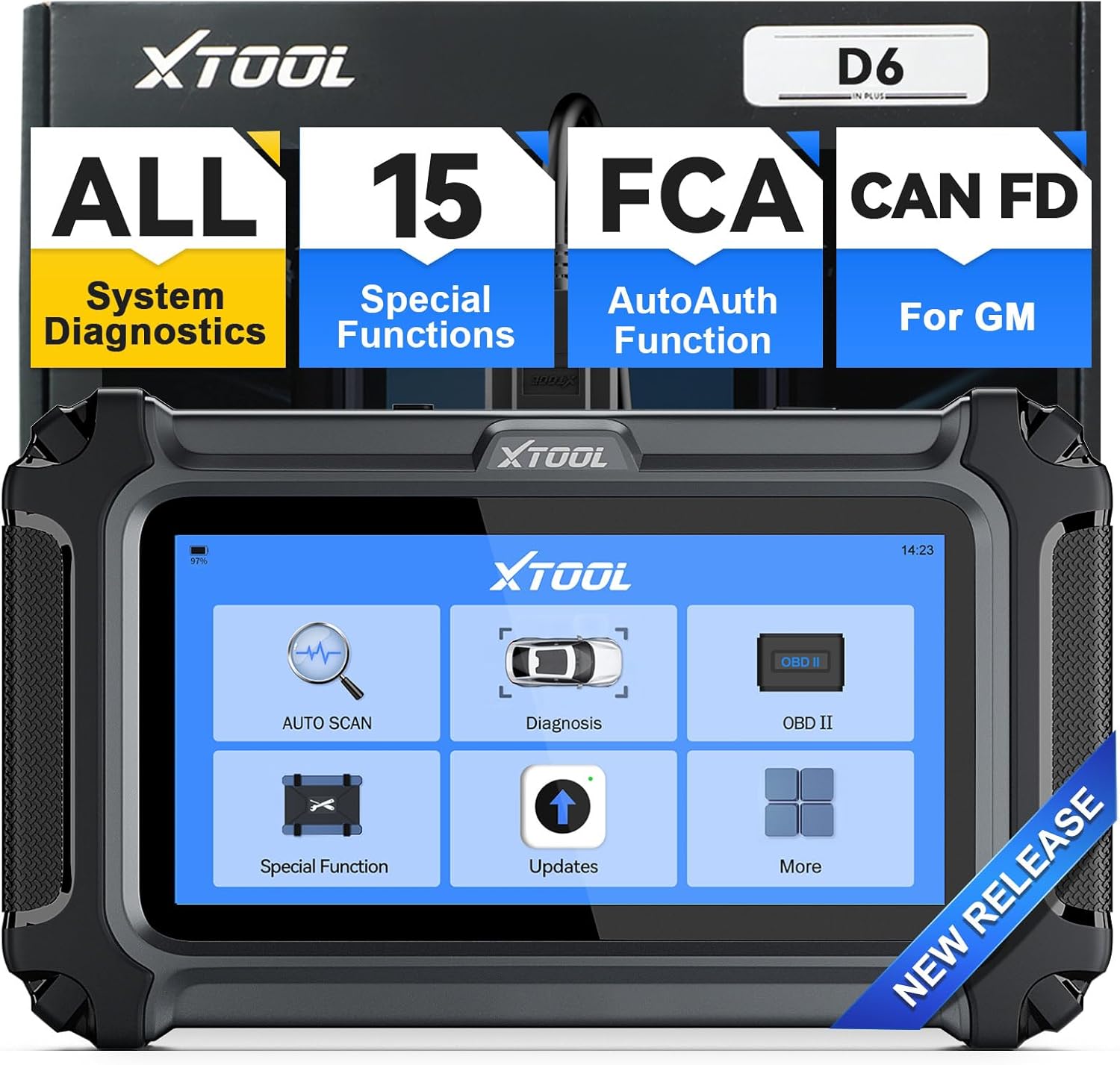 Abbildung: Das XTOOL D6-Gerät mit seiner Hauptmenüoberfläche, bereit für den Betrieb.
5.2 Softwareaktualisierungen
Das XTOOL D6 bietet lebenslange, kostenlose Updates über WLAN. Es wird empfohlen, die Software regelmäßig zu aktualisieren, um Zugriff auf die neuesten Funktionen und Fahrzeugkompatibilität zu gewährleisten.
- Wählen Sie im Hauptmenü „Updates“.
- Verbinden Sie das Gerät mit einem stabilen WLAN-Netzwerk.
- Folgen Sie den Anweisungen auf dem Bildschirm, um verfügbare Updates herunterzuladen und zu installieren.
 Abbildung: Das XTOOL D6 zeigt seine Update-Oberfläche, wobei die Ein-Klick-Online-Update-Funktion hervorgehoben wird.
5.3 Spracheinstellungen
Das Gerät verfügt über eine integrierte englische Sprachoption. Für andere Sprachen wenden Sie sich bitte an den XTOOL-Kundendienst.
- Navigieren Sie im Hauptmenü zu „Einstellungen“.
- Wählen Sie „Sprache“, um Ihre bevorzugte Sprache auszuwählen.
- Falls Ihre gewünschte Sprache nicht verfügbar ist, senden Sie Ihre Seriennummer (S/N) zusammen mit der gewünschten Sprache an xtoolofficial@hotmail.com, um eine Sprachänderung anzufordern.
6. Bedienungsanleitung
6.1 Allgemeine Navigation
Das XTOOL D6 verfügt über eine übersichtliche Touchscreen-Oberfläche. Navigieren Sie mit dem Touchscreen durch die Menüs und wählen Sie Funktionen aus. Das Hauptmenü bietet schnellen Zugriff auf die wichtigsten Diagnosefunktionen.
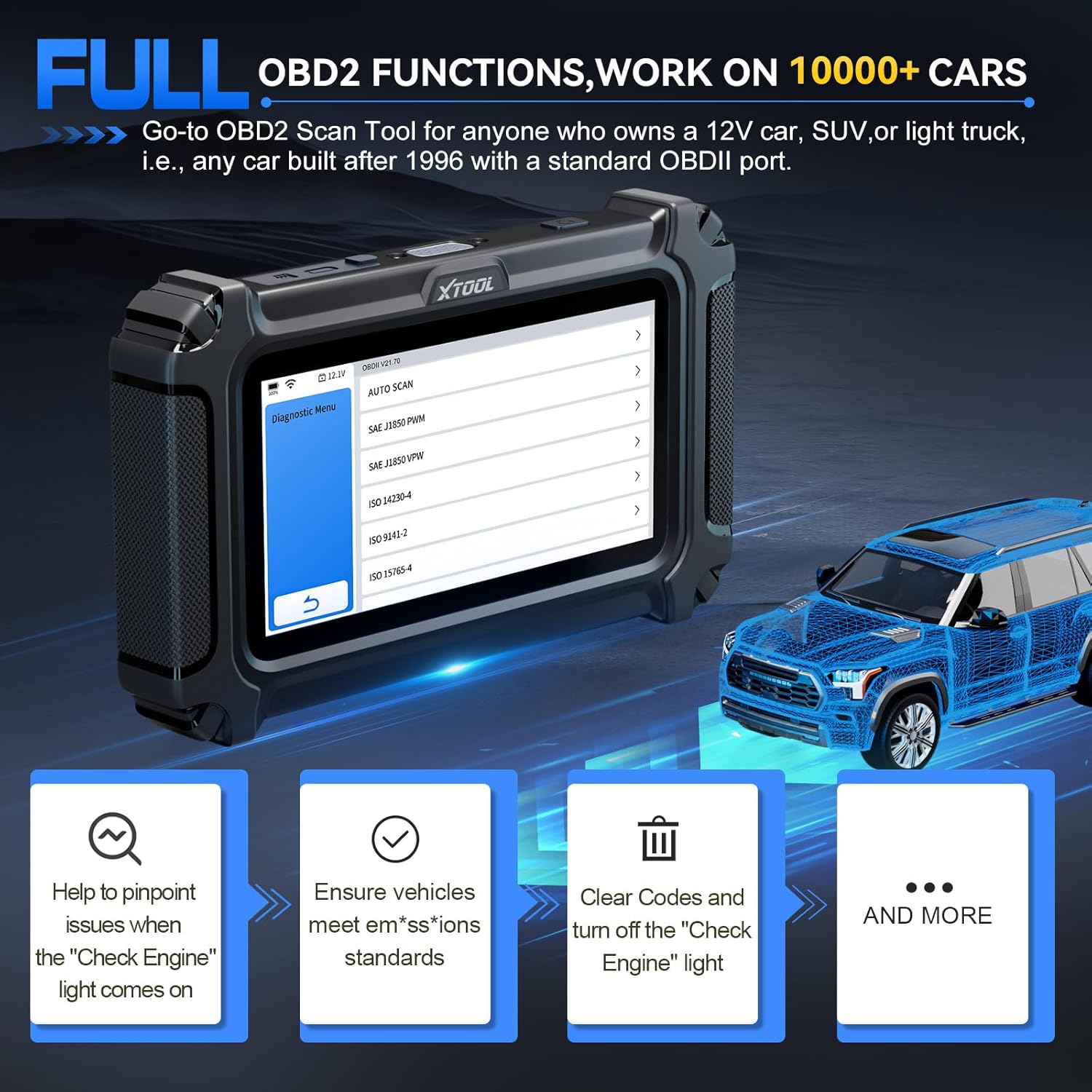 Abbildung: Die Benutzeroberfläche von XTOOL D6 mit übersichtlichen Navigationsoptionen für verschiedene Diagnoseaufgaben.
6.2 Systemdiagnose
Diese Funktion ermöglicht Ihnen den Zugriff auf und die Diagnose aller verfügbaren Systeme in Ihrem Fahrzeug, einschließlich Motor, Getriebe, ABS, Airbag und mehr.
- Wählen Sie im Hauptmenü „Diagnose“ oder „Automatischer Scan“.
- Das Tool erkennt Ihr Fahrzeug automatisch (sofern AutoVIN unterstützt wird) oder fordert Sie zur manuellen Auswahl auf.
- Sobald die Verbindung hergestellt ist, können Sie Diagnosefehlercodes (DTCs) lesen und löschen. view Live-Daten und Zugriff auf Fahrzeuginformationen.
 Abbildung: Das XTOOL D6 führt eine Systemdiagnose durch und demonstriert dabei seine Fähigkeit, Fehlercodes auszulesen. view Live-Daten und Zugriff auf Steuergeräteinformationen.
6.3 Sonderfunktionen (15 Reset-Dienste)
Das D6 bietet 15 wichtige Reset-Funktionen für verschiedene Wartungsarbeiten am Fahrzeug. Wählen Sie im Hauptmenü „Spezialfunktionen“, um auf diese Optionen zuzugreifen.
- Ölkontrollleuchte zurücksetzen: Setzt die Ölserviceanzeige nach einem Ölwechsel zurück.
- EPB (Elektronische Parkbremse) zurücksetzen: Setzt das elektronische Parkbremssystem zurück.
- TPMS-Reset: Setzt die Sensoren des Reifendruckkontrollsystems zurück.
- SAS-Kalibrierung (Lenkwinkelsensor): Kalibriert den Lenkwinkelsensor.
- Injektorcodierung: Codiert neue Einspritzdüsennummern an das Steuergerät.
- ABS-Blutung: Führt die Entlüftung des ABS-Bremssystems durch, um die Bremsempfindlichkeit wiederherzustellen.
- Gasanlernen: Passt das Drosselklappengehäuse nach der Reinigung oder dem Austausch an seine neue Position an.
- Getriebeübereinstimmung: Passt das Getriebesteuergerät an.
- Federungseinstellung: Passt das Federungssystem des Fahrzeugs an.
- Kurbelwellensensor-Anlernvorgang: Lernt den Kurbelwellenpositionssensor neu an.
- Scheinwerfereinstellung: Stellt die Scheinwerfereinstellungen ein.
- Fensterinitialisierung: Initialisiert Power Windows.
- Und weitere Möglichkeiten, abhängig von der Fahrzeugkompatibilität.
 Abbildung: Das XTOOL D6 zeigt seine 15 wichtigsten Wartungsfunktionen, wie z. B. das Anlernen der Drosselklappe und die ABS-Entlüftung.
6.4 Live-Datenüberwachung
Überwachen Sie Echtzeit-Live-Datenströme von verschiedenen Sensoren. Dies hilft bei der Diagnose von intermittierenden Problemen und der Überprüfung von Reparaturen.
- Nachdem Sie „Diagnose“ ausgewählt und eine Verbindung zum Fahrzeug hergestellt haben, wählen Sie „Live-Daten“.
- Sie können bis zu 4 Datenströme auswählen, die gleichzeitig zur vergleichenden Analyse angezeigt werden sollen.
 Abbildung: Das XTOOL D6 zeigt mehrere Live-Datenströme grafisch an und ermöglicht so die Überwachung und Analyse in Echtzeit.
6.5 DTC-Definition
Die integrierte DTC-Bibliothek bietet Definitionen für Diagnosefehlercodes und hilft Ihnen so, Fahrzeugprobleme zu verstehen, ohne dass Sie externe Ressourcen benötigen.
- Wenn Fehlercodes (DTCs) ausgelesen werden, wählen Sie den entsprechenden Code aus. view seine Definition und mögliche Ursachen.
6.6 Batterie-Voltage Anzeige
Der D6 verfügt über eine Echtzeit-Batteriestandsanzeige.tagDas Display dient zur Überwachung des elektrischen Systems Ihres Fahrzeugs und hilft so, unerwartete Modulausfälle zu vermeiden.
- Die Batterieladungtage wird üblicherweise in der oberen Leiste des Gerätebildschirms angezeigt.
6.7 Diagnosebericht
Speichern und teilen Sie Diagnoseberichte, um die Leistungs- und Wartungshistorie Ihres Fahrzeugs im Blick zu behalten.
- Nach Abschluss eines Diagnosescans sollten Sie nach Optionen zum „Speichern“ oder „Teilen“ des Berichts suchen.
7. Spezielle Operation: Drosselklappen-Neuanlernen
Dieser Vorgang ist nach der Reinigung oder dem Austausch der Drosselklappe unerlässlich, um einen einwandfreien Leerlauf und ein optimales Ansprechverhalten des Motors zu gewährleisten. Das XTOOL D6 vereinfacht diesen Prozess.
7.1 Voraussetzungen
- Stellen Sie sicher, dass das XTOOL D6 ordnungsgemäß an den OBD2-Anschluss des Fahrzeugs angeschlossen ist.
- Schalten Sie die Zündung des Fahrzeugs ein (Motor aus).
- Die Fahrzeugbatterie-Voltage muss mindestens 11.5V betragen.
- Der Motor sollte keine aktiven Fehlercodes aufweisen. Löschen Sie alle vorhandenen Fehlercodes, bevor Sie fortfahren.
- Betätigen Sie während des Vorgangs nicht das Gaspedal.
- Schalten Sie alle elektrischen Geräte und Zubehörteile aus (z. B. Radio, Lampen, Klimaanlage).
- Der Motor sollte Betriebstemperatur haben (aufgewärmt sein).
7.2 Schritt-für-Schritt-Anleitung
- Im Hauptmenü von XTOOL D6 wählen Sie „Spezialfunktion“.
- Wählen Sie „Drosselklappenanpassung“ oder „Drosselklappen-Neuanlernen“.
- Wählen Sie den Hersteller Ihres Fahrzeugs aus der Liste aus. Das Tool versucht, das Fahrzeug zu erkennen.
- Bestätigen Sie die auf dem Bildschirm angezeigten Voraussetzungen. Drücken Sie „OK“, um fortzufahren.
- Das Gerät verbindet sich und initialisiert das Diagnoseprogramm.
- Möglicherweise werden Sie aufgefordert, einen bestimmten Kanal für die Drosselklappenrückstellung auszuwählen. Schlagen Sie im Servicehandbuch Ihres Fahrzeugs oder in Online-Ressourcen nach, um den richtigen Kanal zu finden (z. B. könnte es sich bei einem Skoda Fabia um Kanal Typ 1, Kanal 060 handeln).
- Sobald der richtige Kanal ausgewählt ist, beginnt der Anlernvorgang der Drosselklappe. Dabei können Klick- oder Summengeräusche von der Drosselklappe zu hören sein. Dieser Vorgang dauert in der Regel weniger als eine Minute.
- Sobald der Vorgang abgeschlossen ist, verlassen Sie alle Menüs des XTOOL D6.
- Starten Sie den Fahrzeugmotor. Wenn der Reset erfolgreich war, sollte der Motor sofort anspringen und normal im Leerlauf laufen.
- Trennen Sie das XTOOL D6 vom OBD2-Anschluss.
- Es wird empfohlen, das Fahrzeug für eine kurze Probefahrt zu nutzen, um sich von der verbesserten Gasannahme und Motorleistung zu überzeugen.
Video: Eine detaillierte Demonstration der Drosselklappen-Anlernung mithilfe eines XTOOL-Diagnosegeräts. Das Video zeigt den Anschluss des Geräts, die Navigation durch das Menü mit den Sonderfunktionen, die Auswahl der Drosselklappenanpassungsoption, die Bestätigung der Voraussetzungen und die Beobachtung der physikalischen Bewegung der Drosselklappe während des Reset-Vorgangs.
8. Wartung
- Sauber halten: Wischen Sie das Gerät mit einem weichen, trockenen Tuch ab. Vermeiden Sie die Verwendung von scharfen Chemikalien oder Scheuermitteln.
- Richtig lagern: Um Beschädigungen zu vermeiden, bewahren Sie das XTOOL D6 bei Nichtgebrauch in der Originalverpackung oder einem Schutzkoffer auf.
- Software-Updates: Um optimale Leistung und Kompatibilität zu gewährleisten, sollten Sie regelmäßig Software-Updates gemäß Abschnitt 5.2 durchführen.
- Batteriepflege: Laden Sie das Gerät regelmäßig auf, auch wenn Sie es nicht häufig benutzen, um die Batterieleistung zu erhalten.
9. Fehlerbehebung
- Gerät lässt sich nicht einschalten: Stellen Sie sicher, dass das Gerät vollständig aufgeladen oder bei eingeschalteter Zündung an den OBD2-Anschluss des Fahrzeugs angeschlossen ist. Überprüfen Sie das OBD2-Kabel auf Beschädigungen.
- Kommunikationsfehler: Vergewissern Sie sich, dass das OBD2-Kabel fest mit dem Gerät und dem OBD2-Anschluss des Fahrzeugs verbunden ist. Stellen Sie sicher, dass die Zündung des Fahrzeugs eingeschaltet ist. Testen Sie nach Möglichkeit ein anderes Fahrzeug, um ein fahrzeugspezifisches Problem auszuschließen.
- Funktion funktioniert nicht: Stellen Sie sicher, dass Ihr Fahrzeugmodell und -baujahr mit der gewünschten Funktion kompatibel sind. Prüfen Sie, ob Software-Updates ausstehen.
- Falsche Messwerte/Fehlercodes: Stellen Sie sicher, dass die Fahrzeugidentifikationsnummer (VIN) korrekt identifiziert ist. Führen Sie einen vollständigen Systemscan durch, um einen umfassenden Überblick zu erhalten.view.
- Physikalische Haltbarkeit: Das XTOOL D6 ist robust konstruiert. Ein Falltestvideo demonstriert seine Fähigkeit, Stößen standzuhalten und weiterhin funktionsfähig zu bleiben, was auf eine gute physische Haltbarkeit hinweist.
Video: Eine Demonstration der Robustheit des XTOOL D6 anhand eines Falltests. Das Gerät wird mehrmals fallen gelassen und funktioniert weiterhin einwandfrei, was seine robuste Bauweise unterstreicht.
10. Garantie und Support
XTOOL steht mit einer 2-jährigen Garantie und fortlaufendem technischen Support hinter seinen Produkten.
- Garantie: Für das XTOOL D6 gilt eine zweijährige Garantie ab Kaufdatum. Bitte bewahren Sie Ihren Kaufbeleg für Garantieansprüche auf.
- Technische Unterstützung: Bei technischen Problemen, Fragen oder wenn Sie Unterstützung benötigen, können Sie sich an den technischen Support von XTOOL wenden unter xtoolofficial@hotmail.com.
- Online-Ressourcen: Besuchen Sie die offizielle XTOOL-Website. webWeitere Informationen, FAQs und Produktinformationen finden Sie auf dieser Website.