
Einführung
Thank you for choosing the OnePlus Nord Buds 3 Pro wireless earbuds. These earbuds are designed to provide an immersive audio experience with features like Hybrid Active Noise Cancellation, deep bass, and extended battery life. This manual provides detailed instructions for setting up, operating, maintaining, and troubleshooting your device to ensure optimal performance.
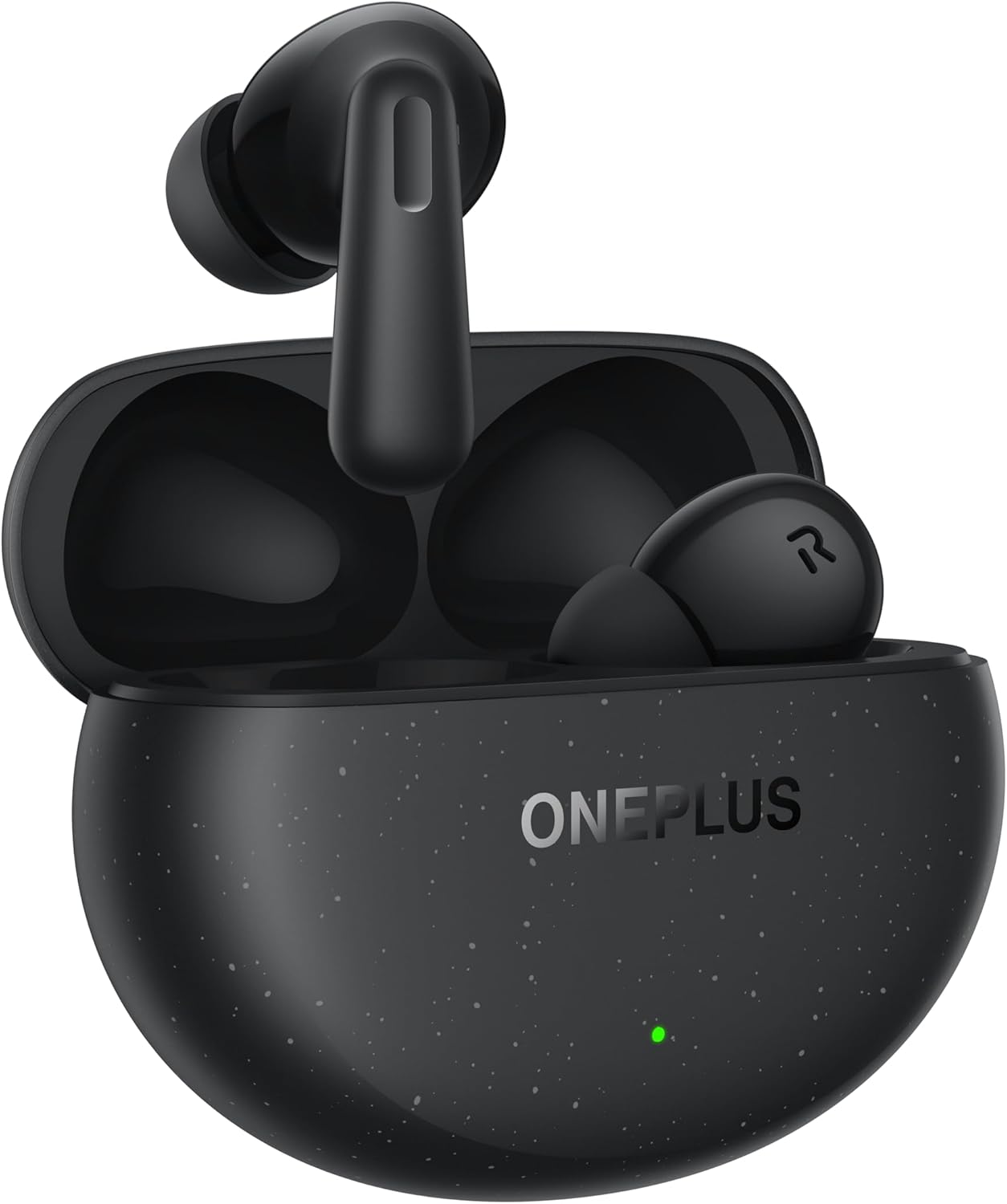
Image: The OnePlus Nord Buds 3 Pro earbuds, in Starry Black, are shown inside their open charging case. The case has a speckled finish and the OnePlus logo. A small green LED indicator is visible on the front of the case.
Lieferumfang
Carefully unpack your OnePlus Nord Buds 3 Pro and ensure all items are present:
- OnePlus Nord Buds 3 Pro earbuds (1 pair)
- OnePlus Nord Buds 3 Pro charging case (1 unit)
- Silicon eartips (3 pairs: S, M, L)
- USB Type-C charging cable (1 unit)
- Benutzerhandbuch (1 Stück)
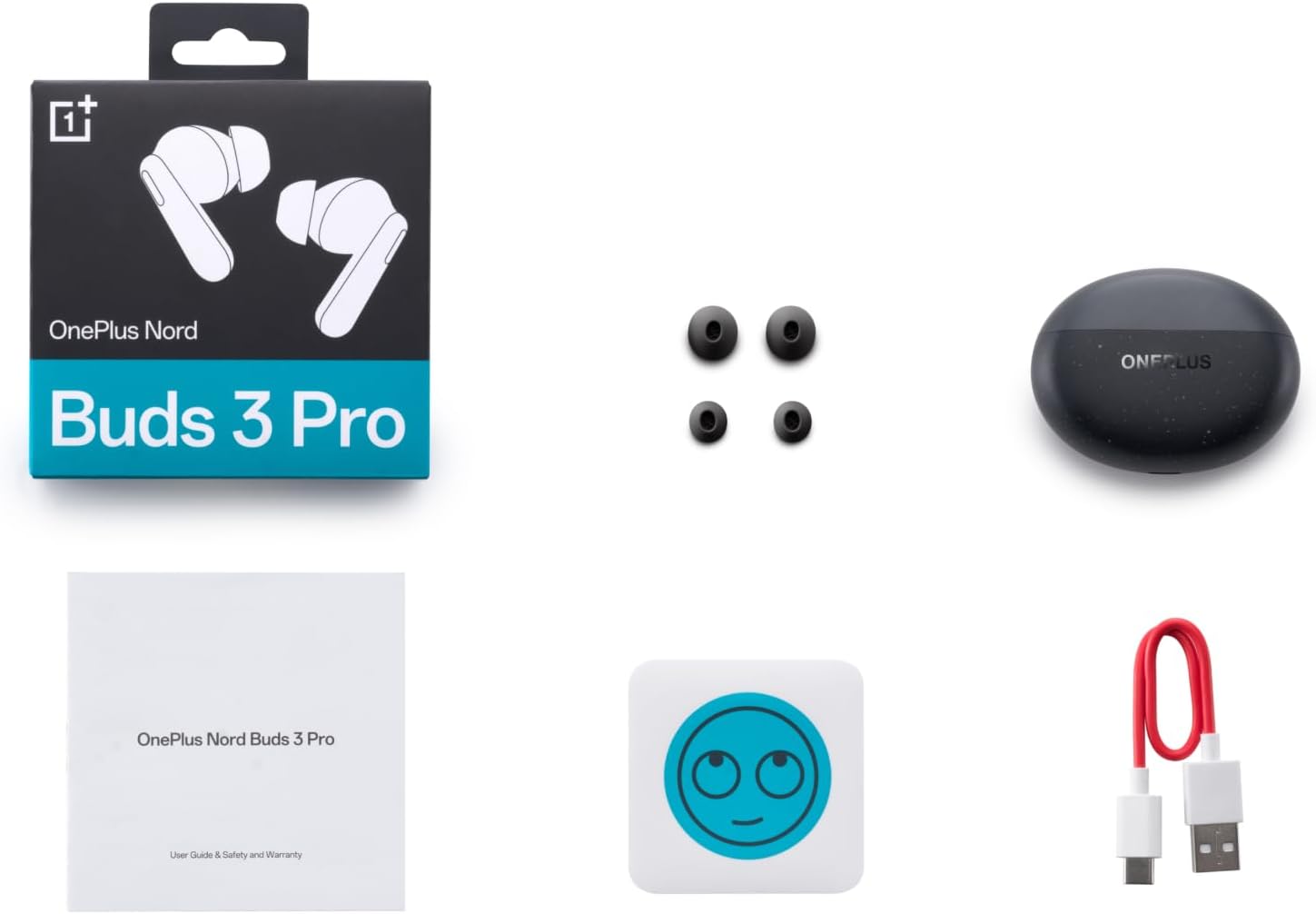
Image: A flat lay of the OnePlus Nord Buds 3 Pro package contents, including the retail box, the charging case, three pairs of silicone eartips, a USB Type-C charging cable, and the user guide.
Aufstellen
1. Erstes Aufladen
Laden Sie die Ohrhörer und das Ladecase vor der ersten Verwendung vollständig auf. Verbinden Sie das mitgelieferte USB-C-Kabel mit dem Ladeanschluss des Cases und einer Stromquelle. Die Kontrollleuchte am Case zeigt den Ladestatus an.
2. Koppeln mit Ihrem Gerät
- Stellen Sie sicher, dass sich die Ohrhörer im Ladecase befinden und der Deckel des Cases geöffnet ist.
- Press and hold the function button on the charging case for 2 seconds until the indicator light flashes white, indicating pairing mode.
- On your device (smartphone, tablet, etc.), go to Bluetooth settings and select "OnePlus Nord Buds 3 Pro" from the list of available devices.
- For Android devices, the earbuds support Google Fast Pair for quick connection. Simply open the case near your Android device and follow the on-screen prompts.

Image: A person holding a OnePlus Nord Buds 3 Pro charging case and a smartphone. The smartphone screen displays a prompt for Google Fast Pair, showing the earbuds ready to connect, illustrating the pairing process.
3. HeyMelody App
For enhanced features and customization, download the HeyMelody app from your device's app store. The app allows you to manage settings, update firmware, and locate your earbuds.
Bedienungsanleitung
Touch-Bedienelemente
The OnePlus Nord Buds 3 Pro feature intuitive touch controls on each earbud. Default controls are as follows, but can often be customized via the HeyMelody app:
- Einmaliges Tippen: Musik abspielen/pausieren, Anruf annehmen/beenden.
- Doppeltippen: Nächster Track: Anruf ablehnen.
- Dreifacher Tipp: Vorheriger Titel.
- Press and Hold (1 second): Switch between Active Noise Cancellation (ANC) and Transparency mode.
Aktive Geräuschunterdrückung (ANC) und Transparenzmodus
The earbuds offer Hybrid Active Noise Cancellation up to 49dB to minimize ambient noise. Transparency mode allows you to hear your surroundings without removing the earbuds. Toggle between these modes by pressing and holding the earbud touch area.

Image: An infographic detailing key features of the OnePlus Nord Buds 3 Pro, including up to 44 hours listening time, 49dB Hybrid Active Noise Cancellation, 12.4mm Titanized Diaphragm, and Basswave 2.0 technology.
Tonqualität
Equipped with a 12.4mm titanium-coated diaphragm and Basswave 2.0 technology, the Nord Buds 3 Pro deliver rich bass, clear vocals, and an immersive sound experience.
Akku und Laden
- Akkulaufzeit der Ohrhörer: Up to 44 hours with ANC off, up to 20 hours with ANC on (including charging case).
- Schnelles Laden: 10 minutes of charging provides up to 11 hours of playtime.
- Ladekoffer: Recharge the case using the provided USB Type-C cable.
Wartung
- Reinigung: Reinigen Sie die Ohrhörer und das Ladecase regelmäßig mit einem weichen, trockenen und fusselfreien Tuch. Verwenden Sie keine scharfen Chemikalien oder Scheuermittel.
- Ohrstöpsel: Remove and clean the silicone eartips with water and mild soap if necessary. Ensure they are completely dry before reattaching.
- Ladekontakte: Keep the charging contacts on both the earbuds and inside the case clean and free of debris to ensure proper charging.
- Lagerung: Bewahren Sie die Ohrhörer bei Nichtgebrauch im Ladecase auf, um sie zu schützen und geladen zu halten. Vermeiden Sie extreme Temperaturen.
Fehlerbehebung
Ohrhörer verbinden sich nicht oder lassen sich nicht koppeln:
- Stellen Sie sicher, dass die Ohrhörer aufgeladen sind.
- Legen Sie die Ohrhörer in das Ladecase, schließen Sie den Deckel und öffnen Sie ihn anschließend wieder, um den Kopplungsmodus erneut zu aktivieren.
- Überprüfen Sie die Bluetooth-Einstellungen Ihres Geräts und stellen Sie sicher, dass Bluetooth aktiviert ist.
- Versuchen Sie, das Gerät in Ihren Bluetooth-Einstellungen zu entkoppeln und es anschließend erneut zu koppeln.
- Starten Sie Ihr Gerät neu.
Kein Ton oder schlechte Tonqualität:
- Überprüfen Sie die Lautstärke sowohl auf Ihrem Gerät als auch an den Ohrhörern.
- Ensure the earbuds are properly seated in your ears and the correct size eartips are used.
- Entfernen Sie jeglichen Schmutz von den Lautsprechern der Ohrhörer und den Ladekontakten.
- Um Störungen zu vermeiden, gehen Sie näher an Ihr angeschlossenes Gerät heran.
Ohrhörer laden nicht:
- Stellen Sie sicher, dass das Ladekabel sowohl mit dem Gehäuse als auch mit der Stromquelle fest verbunden ist.
- Prüfen Sie, ob die Stromquelle aktiv ist.
- Reinigen Sie die Ladekontakte an den Ohrhörern und im Inneren des Etuis.
Technische Daten
| Besonderheit | Detail |
|---|---|
| Modellname | Nord Buds 3 Pro (E511A) |
| Marke | OnePlus |
| Konnektivitätstechnologie | Bluetooth |
| Bluetooth-Version | 5.4 |
| Lärmschutz | Hybride aktive Geräuschunterdrückung (bis zu 49 dB) |
| Treibergröße | 12.4mm Titanized Diaphragm |
| Frequenzbereich | 20 Hz – 20,000 Hz |
| Empfindlichkeit | 38 dB |
| Impedanz | 32 Ohm |
| Akkulaufzeit (Ohrhörer + Ladecase) | Bis zu 44 Stunden (ANC aus), bis zu 20 Stunden (ANC an) |
| Schnellladung | 10 Minuten Ladezeit für 11 Stunden Spielzeit |
| Ladeschnittstelle | USB Typ C |
| Platzierung des Ohrs | Im Ohr |
| Artikelgewicht | 3.52 Unzen (0.1 Kilogramm) |
| Technische Daten | 1.09 x 0.92 x 0.82 Zoll |
Garantie und Support
The OnePlus Nord Buds 3 Pro are covered by a limited warranty. Please refer to the warranty card included in your package for specific terms and conditions, or visit the official OnePlus webWebsite für detaillierte Garantieinformationen.
For technical support, troubleshooting assistance, or service inquiries, please visit the OnePlus-Support webWebsite oder kontaktieren Sie direkt deren Kundenservice.