
FiveWillowise B0DG2CCTBK
FiveWillowise Farmhouse Lift Top Coffee Table Instruction Manual
Model: B0DG2CCTBK
Einführung
This manual provides comprehensive instructions for the assembly, operation, and maintenance of your FiveWillowise 31.5"W Farmhouse Lift Top Coffee Table. Please read this manual thoroughly before beginning assembly and retain it for future reference. Proper assembly and care will ensure the longevity and optimal performance of your coffee table.

Image: The FiveWillowise Farmhouse Lift Top Coffee Table, featuring a white base with barn door design and a black lift-top, shown in a living room with the top partially raised for laptop use.
Produkteigenschaften
- Bauernhausstil: Combines flip-top and lift-type desktops for versatility, featuring classic farm barn shape design and metal corner decoration for a retro aesthetic.
- Safe Lifting Device: Equipped with a hydraulic lifting device that provides a buffering effect, allowing smooth height adjustment and ensuring stability and safety during use.
- Platzsparende Aufbewahrung: Features hidden storage space for books, blankets, and other daily items, helping to keep your living area clean and organized.
- Practical Power Outlets: Includes convenient power outlets and USB ports on the side for easy charging of devices.
- Einfache Montage: Comes with spare screws, detailed assembly instructions, clear labels, and pre-drilled holes for straightforward installation.
Einrichtung und Montage
Before beginning assembly, ensure all parts and hardware are present. Refer to the included assembly instructions for detailed, step-by-step guidance. It is recommended to assemble the table on a soft, clean surface to prevent scratches.
Package Contents Checklist:
- Table Panels (Top, Side, Bottom)
- Komponenten des Hebemechanismus
- Ladestationseinheit
- Legs/Base Supports
- Hardware-Paket (Schrauben, Dübel, Exzenterverbinder usw.)
- Montageanleitung
- Tools (if included, otherwise a screwdriver is recommended)
Schritte der Generalversammlung:
- Packen Sie alle Komponenten aus und überprüfen Sie sie anhand der Stückliste.
- Attach the base supports to the bottom panel.
- Assemble the side panels to the bottom panel, ensuring proper alignment with pre-drilled holes.
- Install the lift mechanism components according to the diagrams.
- Attach the lift-top panels to the lift mechanism.
- Secure the charging station unit into its designated slot on the side panel.
- Alle Schrauben und Verbindungen festziehen.
- Place the table in its desired location.

Image: Product Dimension diagram, illustrating the overall size of the coffee table (31.5"W x 31.5"D x 18.5"H) and the lift-top's range of motion.
Bedienungsanleitung
Using the Lift-Top Mechanism:
The coffee table features a smooth and safe hydraulic lift mechanism. To raise the tabletop, gently pull upwards on the front edge of the lift-top section. The hydraulic arms will assist in lifting and holding the top in place. To lower, gently push down on the lift-top, allowing the hydraulic arms to slowly guide it back into the closed position. Ensure no objects are obstructing the mechanism during operation.

Image: Lift-Top Design, showing the table in both open and closed configurations, highlighting its adjustable functionality.

Image: Smooth and Safe Lifting Mechanism, detailing the hydraulic piston and robust hinges that ensure stable and controlled movement of the tabletop.
Utilizing the Charging Station:
The integrated charging station provides convenient access to power. Simply plug the table's power cord into a standard wall outlet. The station includes two 125V/12A AC outlets and two 5V/2A USB ports. Connect your electronic devices to these ports for charging. Always ensure the power cord is not pinched or damaged.
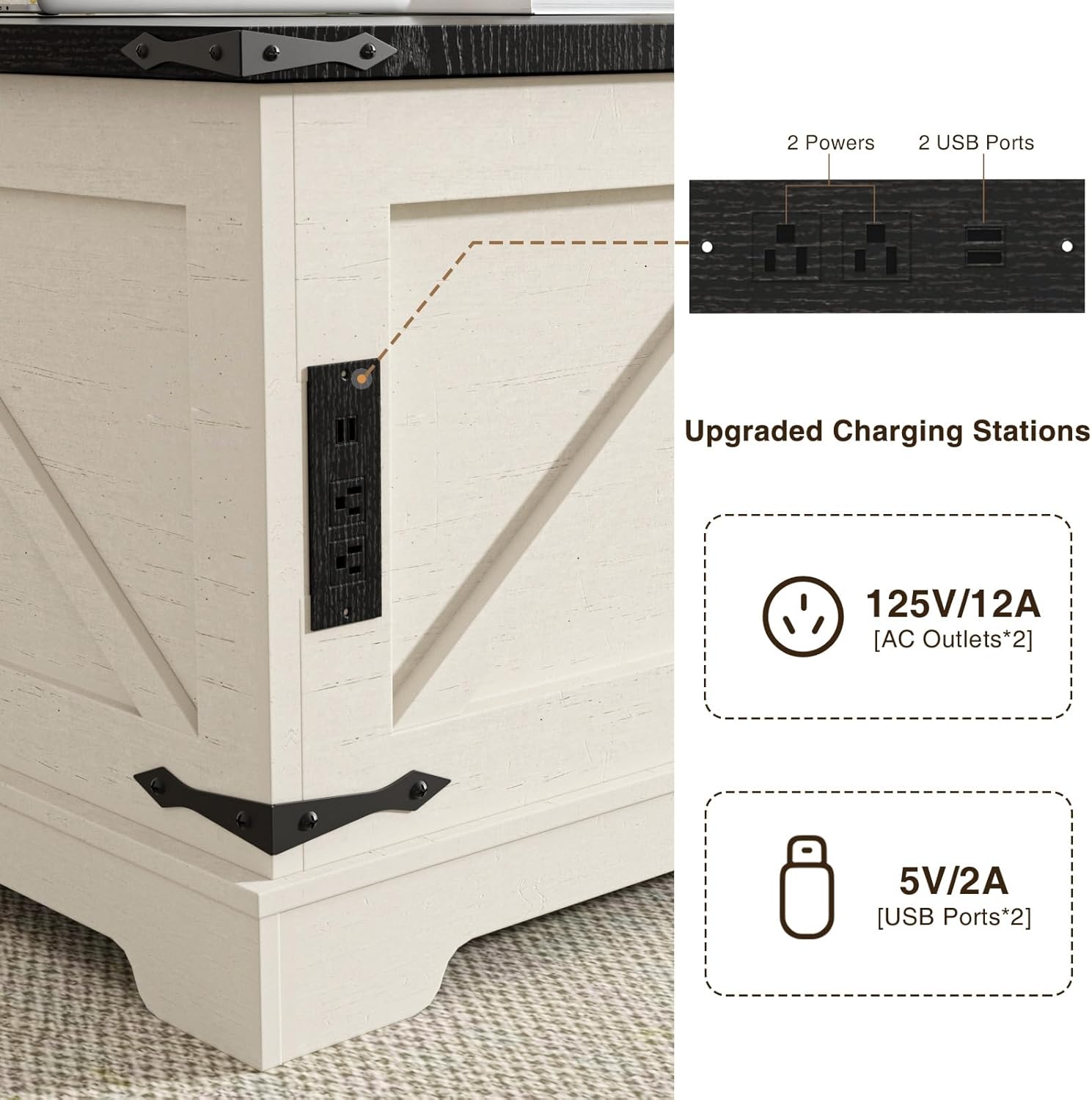
Image: Upgraded Charging Stations, illustrating the two AC outlets and two USB ports built into the side of the table for convenient device charging.

Image: Charge at any Time, showing a smartphone being charged directly from the table's power outlet, emphasizing convenience.
Zugriff auf versteckten Speicher:
Beneath the lift-top section, there is ample hidden storage space. To access it, simply lift the tabletop. This area is ideal for storing blankets, books, remote controls, and other items to keep your living space tidy and clutter-free.
Wartung und Pflege
- Reinigung: Wischen Sie die Tischoberflächen mit einem weichen, fusselfreien Tuch ab.amp Mit einem Tuch abwischen. Vermeiden Sie die Verwendung von scharfen Chemikalien, Scheuermitteln oder Polituren, die die Oberfläche beschädigen könnten.
- Verschüttungen: Verschüttete Flüssigkeiten sofort aufwischen, um Flecken oder Beschädigungen des Holzwerkstoffs zu vermeiden.
- Hitze und Feuchtigkeit: Stellen Sie keine heißen Gegenstände direkt auf die Oberfläche. Verwenden Sie Untersetzer für Getränke, um Feuchtigkeitsflecken zu vermeiden.
- Mechanismuspflege: Periodically check the lift mechanism and hinges for any loose screws. Tighten as necessary. Do not apply excessive force when operating the lift-top.
- Ladestation: Ensure the charging station is kept dry. Do not expose it to liquids.
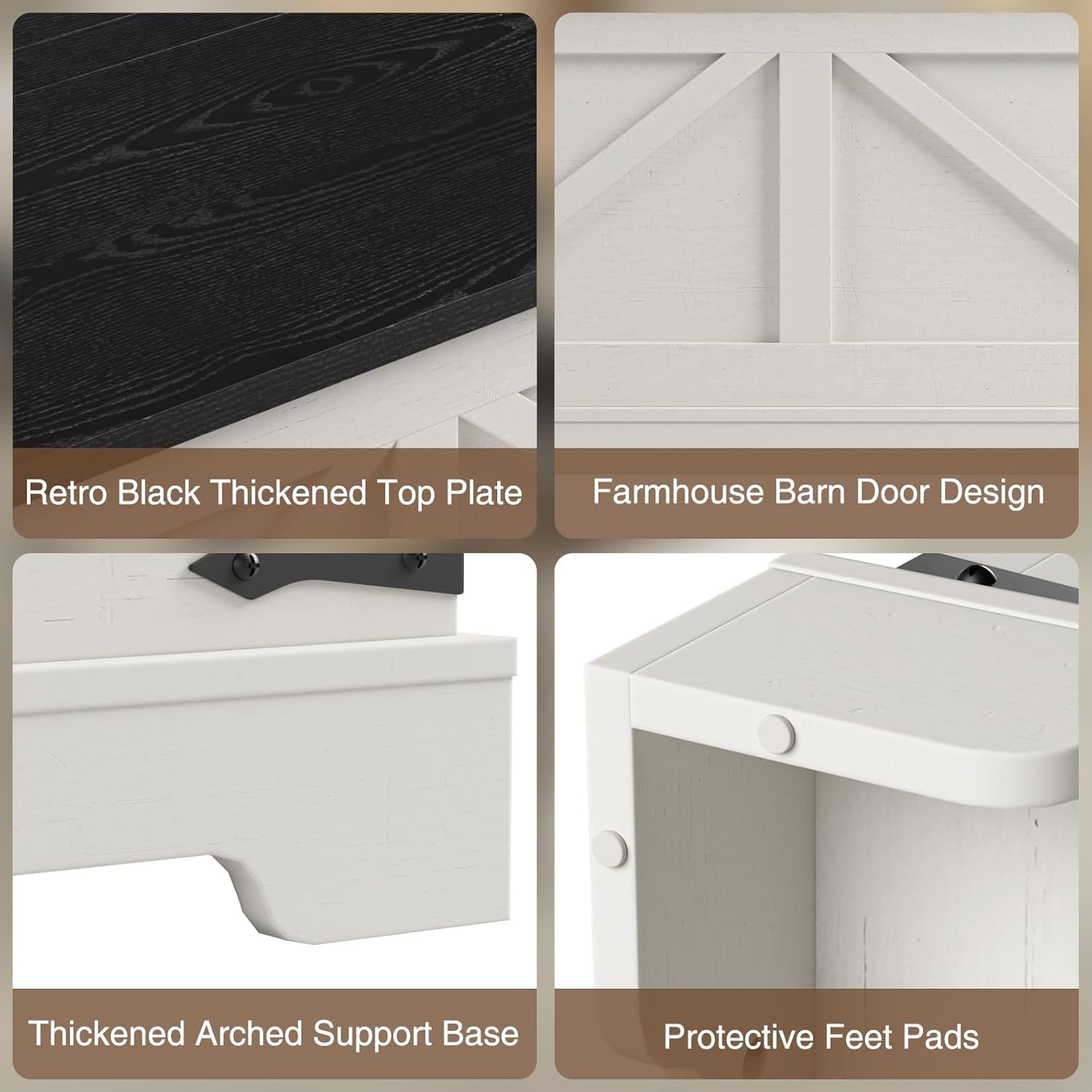
Bild: Detailliert view of the table's construction, including the Retro Black Thickened Top Plate, Farmhouse Barn Door Design, Thickened Arched Support Base, and Protective Feet Pads, highlighting material and design quality.
Fehlerbehebung
| Problem | Mögliche Ursache | Lösung |
|---|---|---|
| Lift-top is stiff or not moving smoothly. | Obstruction in the mechanism; loose screws; mechanism needs lubrication. | Check for and remove any obstructions. Ensure all screws on the lift mechanism are tightened. If necessary, apply a small amount of silicone lubricant to moving parts (avoiding wood surfaces). |
| Die Ladestation funktioniert nicht. | Power cord not plugged in; wall outlet issue; device not compatible; charging station malfunction. | Ensure the table's power cord is securely plugged into a working wall outlet. Test the wall outlet with another device. Verify your device is compatible with the provided voltage/amperage. If issues persist, contact customer support. |
| Tisch wackelt oder ist instabil. | Lose Montageschrauben; unebener Boden. | Check and tighten all assembly screws. Ensure the table is placed on a flat, level surface. Use furniture pads if necessary to level the table on uneven floors. |
Produktspezifikationen
| Attribut | Detail |
|---|---|
| Marke | FiveWillowise |
| Modellnummer | B0DG2CCTBK |
| Technische Daten | 31.5"T x 31.5"B x 18.5"H |
| Artikelgewicht | 69.5 Pfund |
| Maximalgewichtsempfehlung | 31.5 Kilogramm |
| Farbe | White (Base), Black (Top) |
| Materialtyp | Holzwerkstoff |
| Tischdesign | Coffee Table (Lift Top) |
| Im Lieferumfang enthaltene Komponenten | Spare screws, assembly instructions |
| Steckdosen | 2 x 125V/12A Wechselstromsteckdosen |
| USB-Anschlüsse | 2 x 5V/2A USB-Anschlüsse |
| Form | Quadrat |
| Verwendung im Innen- und Außenbereich | Innenbereich |
Garantie und Support
For any questions, concerns, or assistance with your FiveWillowise coffee table, please contact our customer service team. We are committed to providing thoughtful customer service and will assist you promptly.
Die genauen Garantiebedingungen entnehmen Sie bitte Ihrer Kaufdokumentation. Bewahren Sie Ihren Kaufbeleg für eventuelle Garantieansprüche auf.
Kontaktinformationen:
- Marke: FiveWillowise
- WebWebsite: Visit the FiveWillowise Store on Amazon
- Kundendienst: Refer to your purchase platform or included documentation for direct contact methods.
Ask a question about this manual
Ask about setup, troubleshooting, compatibility, parts, safety, or missing instructions. Manuals+ will review the question and use this page’s manual context to help answer it.