Einführung
This manual provides detailed instructions for the setup, operation, and maintenance of your CUIUIC 18.5-inch Dual Portable Monitor. This innovative device offers a 1080P FHD IPS display, designed for enhanced productivity and versatile use with laptops, PCs, Windows, and Mac systems. Its folding stacked design, built-in stand, and VESA mountable options provide flexibility for various work and entertainment environments.
Lieferumfang
- 18.5" Dual Monitor × 1
- USB Type C to USB Type C Cable × 2
- Mini HDMI to Standard HDMI Cable × 2
- Benutzerhandbuch × 1
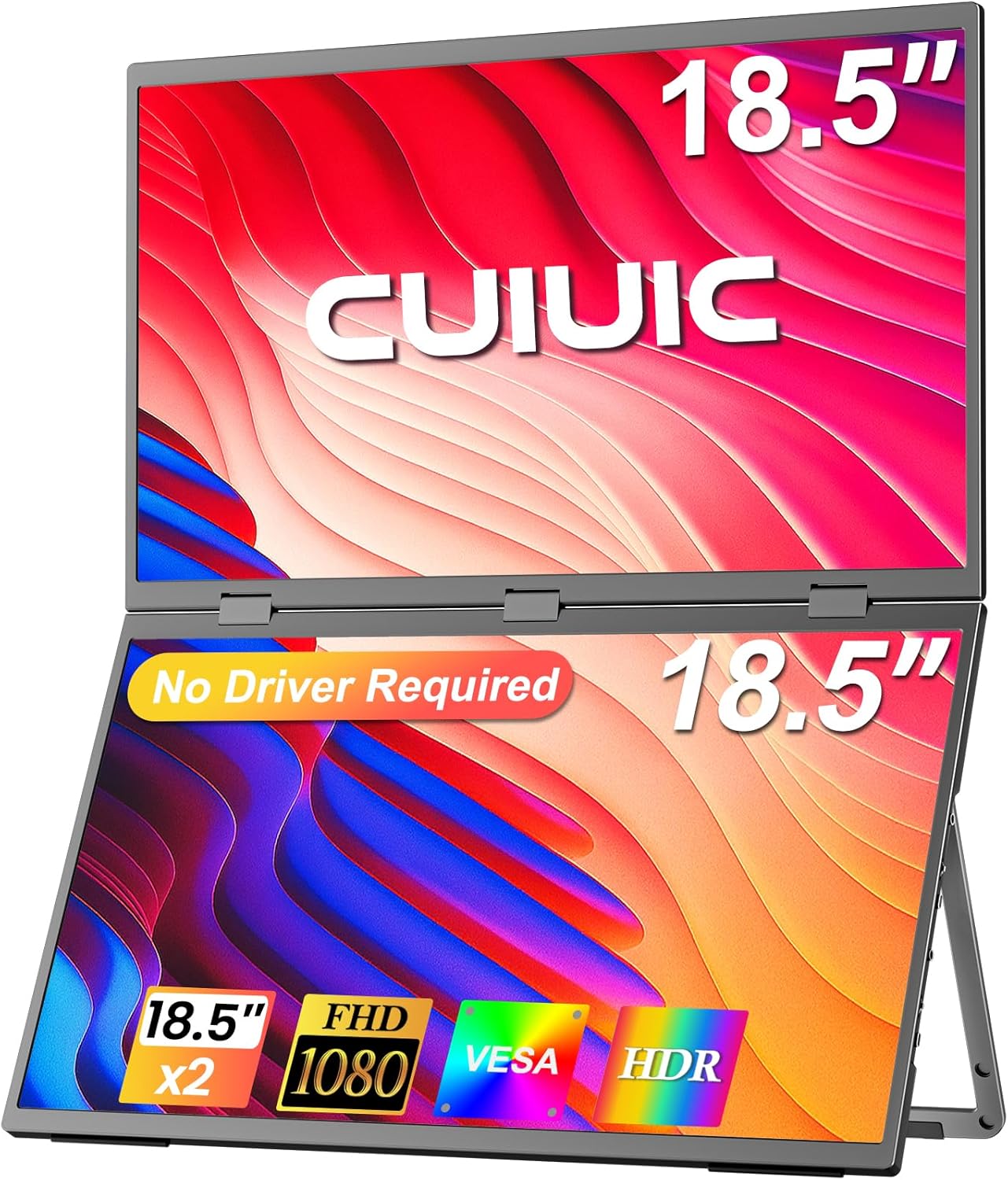
Image: The CUIUIC 18.5-inch Dual Portable Monitor, showcasing its stacked screen design and key features like 'No Driver Required', '18.5" x2', 'FHD 1080', 'VESA', and 'HDR'.
Hauptmerkmale
- Plug & Play, Easy Setup: Driver-free design allows for seamless dual-screen display with a single Type-C cable. Power supply connection is recommended for optimal performance.
- Unabhängige Verbindung: Supports simultaneous connection of two different devices, enabling multiple users to collaborate independently.
- Ergonomisches Design: The 18.5" dual stacked monitor expands workspace, minimizes scrolling, and reduces eye/neck strain. Features IPS matte screen, 100% sRGB color gamut, ΔE<2, anti-glare, flicker-free, and eye care.
- Folding Monitor: Offers effortless screen sharing with 360° rotation. Supports duplicate, expand, split, landscape, and portrait modes for versatile display options.
- Verstellbarer Ständer & VESA-Halterung: Built-in 180° adjustable stand for ergonomic positioning. VESA (75x75 mm, M4*4 mm) support allows for mounting to walls or monitor arms.
Aufstellen
Anschließen Ihres Monitors
The CUIUIC Dual Portable Monitor is designed for plug-and-play functionality, minimizing the need for driver installations. For optimal performance, it is recommended to connect the monitor to a power supply.
- Einzelne USB-C-Kabelverbindung: For ABC mode (three screens displaying different content), connect via a single USB-C cable.
- HDMI Cable Connection: For ABB mode (not ABC), connect via an HDMI cable.
- Dual HDMI Cables: For ABC mode, use two HDMI ports on your laptop with two HDMI cables.

Image: A laptop connected to the CUIUIC Dual Portable Monitor via a single USB-C cable, illustrating a triple-screen setup where each screen displays different content.
Understanding Display Modes
Your monitor supports various display modes to suit your needs:
- Erweiterungsmodus: Erweitert Ihren Desktop auf mehrere Bildschirme und bietet so mehr Arbeitsfläche.
- Duplizierter Modus: Spiegelt den Inhalt Ihres Hauptbildschirms auf den tragbaren Monitor.
- Link-Modus: Connects two different devices simultaneously, allowing independent use of each screen.
- Portraitmodus: Rotates the display to a vertical orientation, ideal for documents or coding.

Image: Visual representations of the monitor's multiple display modes, including Extend Mode, Duplicated Mode, Link Mode, and Portrait Mode.
Hafen überview
Der Monitor verfügt über mehrere Anschlüsse für vielseitige Verbindungsmöglichkeiten:
| Hafen | Funktion |
|---|---|
| Mini HDMI Port 1 (Upper Screen) | Video input for the upper display. |
| Typ-C-Anschluss 1 | Signal and power input. |
| Mini HDMI Port 2 (Main Screen) | Video input for the main (lower) display. |
| Typ-C-Anschluss 2 | Signal and power input. |
| Typ-C-Stromanschluss | Dedicated power input. |
| Audio-Buchse | Audioausgang für Kopfhörer oder externe Lautsprecher. |
| Riemenscheibenknopf | Navigation for OSD menu. |
| Power/Zurück-Taste | Power on/off and back function in OSD menu. |

Image: A detailed diagram illustrating the input/output ports and control buttons located on the sides of the dual portable monitor.
Monitor bedienen
Anpassen der Anzeige
The monitor features an IPS matte screen with 100% sRGB color gamut and 400 Nits brightness, ensuring accurate color reproduction and comfortable viewing. Use the OSD (On-Screen Display) menu, accessed via the Pulley Button and Power/Back Button, to adjust settings such as brightness, contrast, and color modes.

Image: An infographic detailing the monitor's display capabilities, including HDR, 100% sRGB, 2000:1 contrast ratio, 400 Nits brightness, IPS technology, and low blue light feature.
Stand and VESA Mounting
The integrated 180° adjustable stand allows you to tilt, swivel, and pivot the monitor for optimal ergonomic positioning. For a more permanent setup or to save desk space, the monitor is VESA mountable (75x75 mm, M4*4 mm).

Image: The CUIUIC Dual Portable Monitor displayed with its integrated adjustable stand and also demonstrating its compatibility with VESA mounts for alternative setups.
Folding and Rotation
The monitor's folding design supports 360° rotation, making it easy to share your screen with others or adjust for different viewing angles. This feature is particularly useful for collaborative work or mobile use.
Wartung
To ensure the longevity and optimal performance of your CUIUIC Dual Portable Monitor, follow these general maintenance guidelines:
- Reinigen des Bildschirms: Benutzen Sie ein weiches, fusselfreies Tuch, dampMit Wasser oder einem nicht scheuernden Bildschirmreiniger abspülen. Scharfe Chemikalien oder scheuernde Materialien vermeiden.
- Reinigung des Casing: Wischen Sie die Außenseite mit einem weichen, trockenen Tuch ab.
- Lagerung: When not in use, fold the monitor and store it in a dry, cool place away from direct sunlight and extreme temperatures.
- Handhabung: Always handle the monitor with care to avoid dropping or impacting the screens.
Fehlerbehebung
If you encounter issues with your CUIUIC Dual Portable Monitor, refer to the following common solutions:
- No Signal / Display Issues:
- Stellen Sie sicher, dass alle Kabel (USB-C, HDMI, Stromkabel) sowohl mit dem Monitor als auch mit Ihrem Gerät fest verbunden sind.
- Verify that your laptop or PC's display settings are configured to detect and extend/duplicate the display.
- Confirm that the monitor is receiving adequate power. It is recommended to connect the power supply for a better experience.
- If using USB-C, ensure your device's USB-C port supports video output (DisplayPort Alternate Mode).
- Try using different cables or ports if available, as a faulty cable can cause connection issues.
- Short USB-C Power Cord: The included USB-C power cord is 3 ft. If you require a longer reach, a separate 10 ft USB-C cable can be purchased for more flexible setup options.
- Screen Mirroring Instead of Extending: Adjust your operating system's display settings to 'Extend' rather than 'Duplicate' or 'Mirror' if you desire separate content on each screen.
Technische Daten
| Besonderheit | Detail |
|---|---|
| Technische Daten | 15.35 x 9.64 x 0.4 Zoll |
| Artikelgewicht | 7.54 Pfund |
| Hersteller | CUIUIC |
| ASIN | B0DGKSLMM3 |
| Artikelmodellnummer | GS185DS1 |
| Anzeigegröße des Standbildschirms | 18.5 Zoll |
| Seitenverhältnis | 16:9 |
| Auflösung | 1920 x 1080 Pixel (FHD 1080p) |
| Bildhelligkeit | 400 Candela |
| Anzahl USB-Anschlüsse | 3 |
| Beschreibung der Bildschirmoberfläche | Matt |
| Datum der ersten Verfügbarkeit | 10. September 2024 |
Garantie und Support
For warranty information and customer support, please refer to the documentation included with your product or contact CUIUIC directly. Additional protection plans may be available for purchase.