
1. Einleitung
Thank you for choosing the Gaimoo GM300 Mini Projector. This compact, lightweight, and powerful projector is designed to provide intelligent and comfortable entertainment. Featuring a native Full HD 1920x1080P resolution, Android TV 11.0 system, dual-band WiFi 6, and Bluetooth 5.2, the GM300 offers a versatile home cinema experience. Please read this manual carefully before use to ensure proper operation and to maximize your enjoyment of the product.

Image 1.1: The Gaimoo GM300 Mini Projector is suitable for various entertainment settings, including home theater, relaxing in bed, and outdoor movie nights.
2. Packungsinhalt
Bitte kreuzen Sie das Kästchen für die folgenden Elemente an:
- 1 x Gaimoo GM300 Projektor
- 1 x HDMI-Kabel
- 1 x Bluetooth Maus
- 1 x Mausempfänger
- 1 x Netzteil mit Kabel
- 1 x Fernbedienung
- 1 x Benutzerhandbuch
3. Produktmerkmale
- Native FHD 1080P Resolution: Experience stunning image quality with a native resolution of 1920 x 1080 pixels, supporting Full HD 1080P content for realistic, dynamic, and colorful projections.
- Android TV 11.0 System: Integrated smart system with official licensed applications like Netflix, YouTube, and access to the Play Store for downloading over 8000+ Android TV apps, including Prime Video.
- Dual Control Mode: Operate the projector conveniently using either the included Bluetooth mouse or the remote control.
- WiFi 6 & Bluetooth 5.2: Enjoy faster and more stable connectivity with the latest WiFi 6 technology for smooth video streaming. Bluetooth 5.2 allows connection to various external audio devices for an enhanced sound experience.
- 270° einstellbarer Winkel: The portable projector features a 270° rotatable stand, allowing you to adjust the projection angle to your optimal viewing position, whether lying down or standing.
- Automatische Trapezkorrektur: Equipped with manual focus and automatic keystone correction technology, the projector can automatically correct vertical image distortion. The built-in sensor helps quickly correct trapezoidal images even when the projector is moved. Supports 4-point correction and screen fit functions.
- Eye Protection & Low Noise: Features an eye protection function that effectively filters blue light. Optimized heat dissipation technology ensures quiet operation with a noise level of 28 dB(A).
- Integrierte Lautsprecher: Built-in speakers provide satisfactory sound quality for movies and music without the need for external speakers.
- Kompakt und tragbar: Its mini size and lightweight design make it easy to carry and use anywhere, indoors or outdoors.

Bild 3.1: Überview of key features including 4K input support, 1400 Lumen brightness, 180° rotatable stand, 35-100% zoom, automatic keystone correction, Bluetooth 5.2, WiFi 6, and Android TV 11.0 with access to numerous applications.
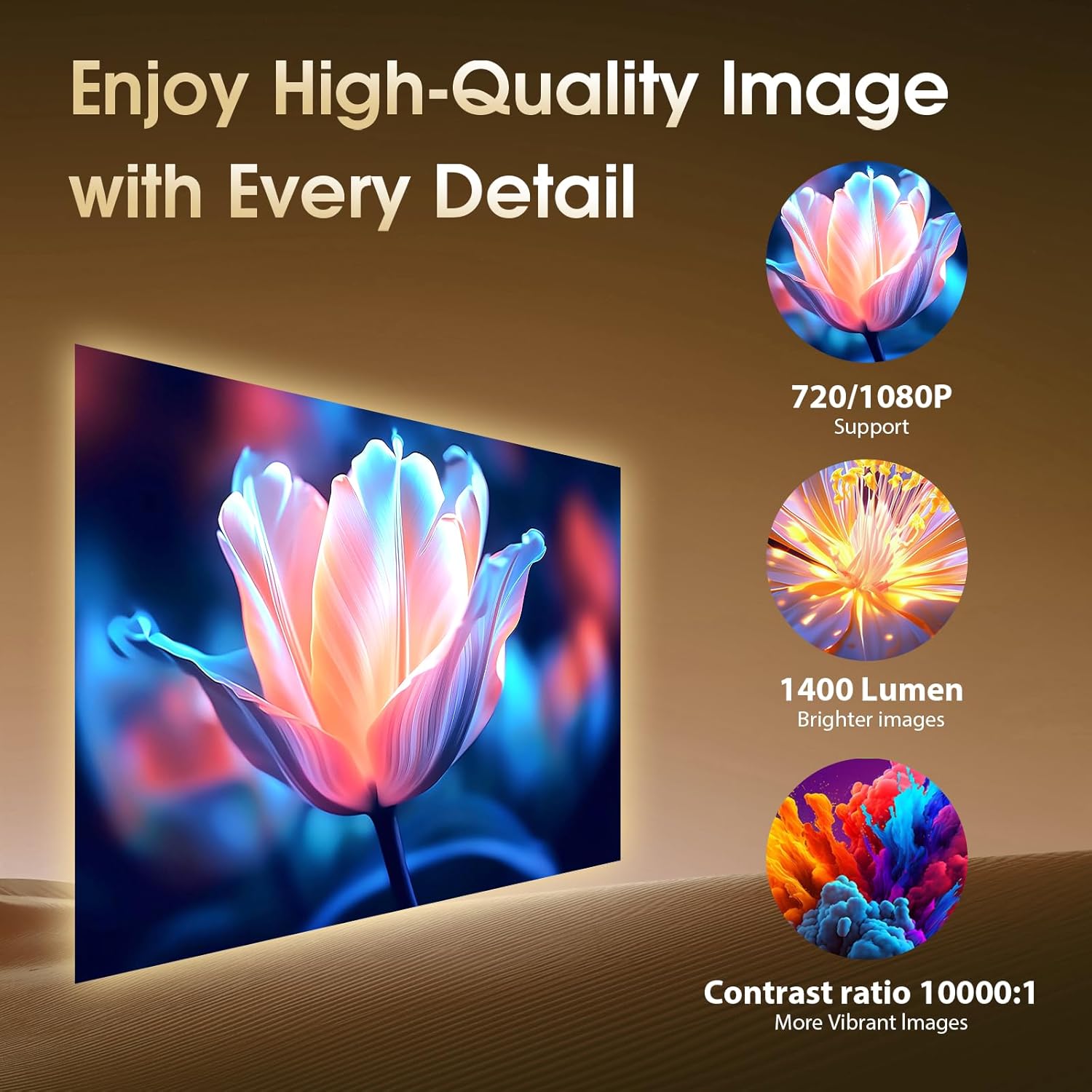
Image 3.2: Demonstrates high-quality image output with 720/1080P support, 1400 Lumen brightness, and a contrast ratio of 10000:1 (Note: Specifications list 1000:1 contrast ratio).
4. Einrichtung
4.1 Auspacken und Aufstellen
- Entnehmen Sie vorsichtig alle Komponenten aus der Verpackung.
- Stellen Sie den Projektor auf eine stabile, ebene Fläche.
- Adjust the 270° rotatable stand to achieve the desired projection angle on a wall or screen.

Image 4.1: The projector's compact size allows for easy portability, and its 180° rotatable design offers flexible placement options.
4.2 Stromanschluss
Connect the power adapter cable to the projector's power input port, then plug the adapter into a power outlet.
4.3 Fokuseinstellung
Manually adjust the focus ring on the projector lens until the projected image appears clear and sharp.
4.4 Automatische Trapezkorrektur
The projector features automatic vertical keystone correction. After initial placement, the image should automatically adjust to a rectangular shape. If further adjustment is needed, navigate to the settings menu to fine-tune 4-point correction or screen fit options.
4.5 Network and Device Connectivity
The GM300 offers versatile connectivity options:
- Wi-Fi-Verbindung: Go to the projector's settings menu, select 'Network', and connect to your desired 2.4G or 5G Wi-Fi network.
- Bluetooth-Pairing: In the settings menu, select 'Bluetooth' to pair with external Bluetooth speakers or headphones.
- HDMI-Verbindung: Use the provided HDMI cable to connect external devices such as laptops, TV sticks, or gaming consoles to the HDMI port.
- USB-Verbindung: Stecken Sie einen USB-Datenträger in den USB-Anschluss, um Medien abzuspielen. files direkt.
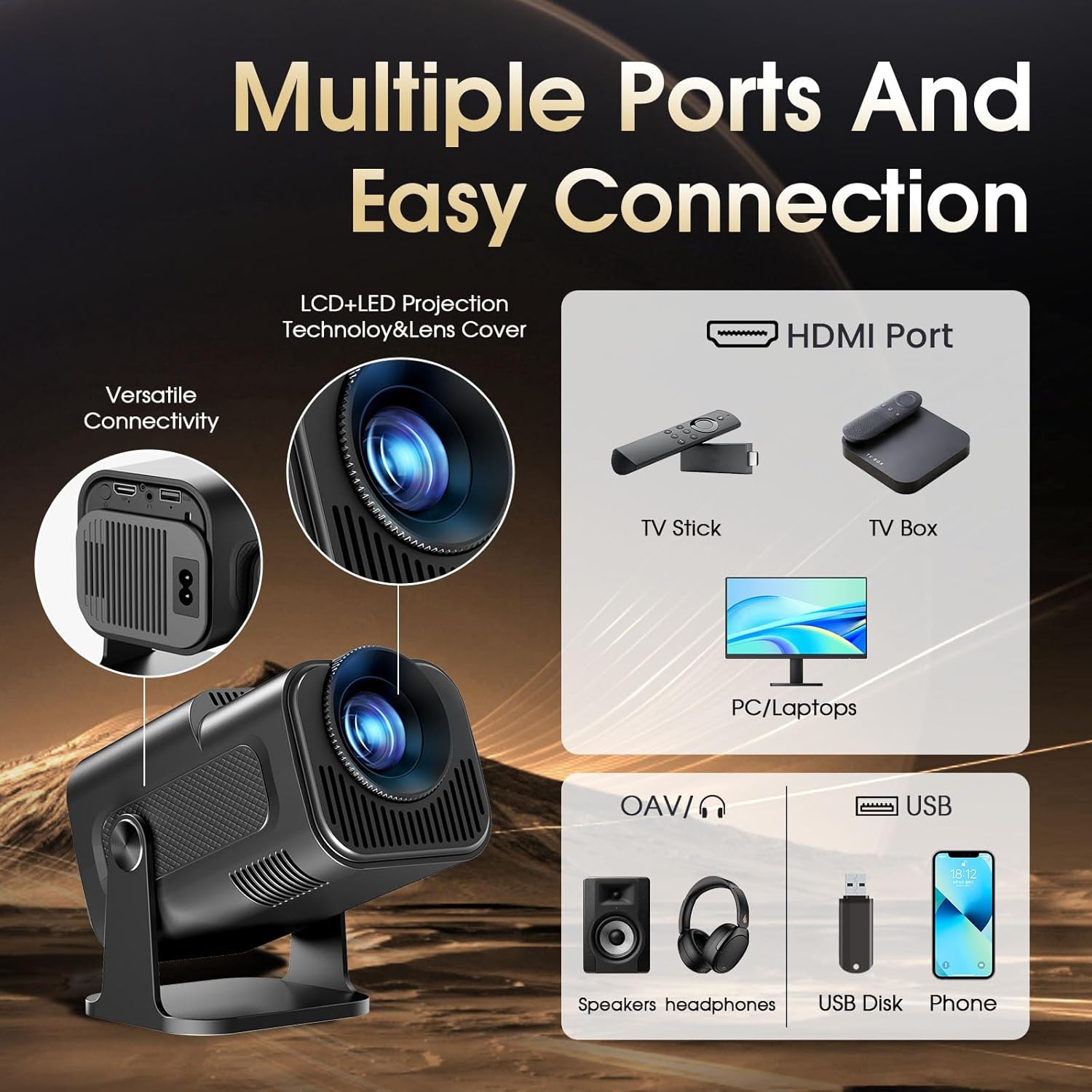
Image 4.2: The projector features multiple ports for easy connection to various devices, including HDMI for video sources and USB for media playback.
5. Bedienungsanleitung
5.1 Ein-/Ausschalten
Drücken Sie den Netzschalter am Projektor oder an der Fernbedienung, um das Gerät ein- oder auszuschalten.
5.2 Navigation auf der Android-Oberfläche
Use the remote control or the Bluetooth mouse to navigate the Android TV 11.0 interface. The mouse mode offers precise control for app selection and browsing.
5.3 Verwendung vorinstallierter Anwendungen
Access pre-installed applications such as Netflix and YouTube directly from the home screen. Ensure you are connected to Wi-Fi for streaming content.
5.4 Downloading Additional Apps
Open the Play Store from the home screen to download and install additional applications, including Prime Video and other entertainment apps.
5.5 Bildschirmspiegelung
The projector supports Airplay and MiraCast for screen mirroring from compatible smartphones and tablets. Refer to the on-screen instructions within the mirroring app for connection details.
5.6 Anpassen der Projektionsgröße (Zoomfunktion)
Utilize the digital zoom function, typically found in the display settings, to adjust the projection size from 35% to 100% without moving the projector.
6. Wartung
6.1 Reinigung der Linse
Reinigen Sie die Projektorlinse vorsichtig mit einem weichen, fusselfreien Tuch, das speziell für optische Oberflächen geeignet ist. Verwenden Sie keine Scheuermittel und üben Sie keinen übermäßigen Druck aus.
6.2 Reinigung der Lüftungsschlitze
Periodically clean the projector's ventilation openings to prevent dust buildup, which can affect performance and lead to overheating. Use a soft brush or compressed air.
6.3 Speicherung
Bei längerer Nichtbenutzung sollte der Projektor an einem kühlen, trockenen Ort, geschützt vor direkter Sonneneinstrahlung und extremen Temperaturen, aufbewahrt werden. Die Linse sollte mit einer Abdeckung vor Staub geschützt werden.
7. Fehlerbehebung
- Kein Bild:
- Stellen Sie sicher, dass der Projektor eingeschaltet und an eine Stromquelle angeschlossen ist.
- Check HDMI or USB connections for external devices.
- Verify the correct input source is selected in the projector settings.
- Verschwommenes Bild:
- Adjust the manual focus ring on the lens.
- Stellen Sie sicher, dass die Projektionsfläche eben ist und der Projektor stabil steht.
- Check if automatic keystone correction is enabled or manually adjust it.
- Kein Ton:
- Erhöhen Sie die Lautstärke am Projektor und am angeschlossenen Quellgerät.
- Check if external Bluetooth speakers are properly paired and connected.
- Ensure the audio output is not muted in the settings.
- Probleme mit der WLAN-/Bluetooth-Verbindung:
- Starten Sie den Projektor und Ihren Router/Ihr Bluetooth-Gerät neu.
- Stellen Sie sicher, dass das WLAN-Passwort richtig eingegeben wurde.
- Bringen Sie den Projektor näher an den WLAN-Router oder das Bluetooth-Gerät heran.
- Fernbedienung reagiert nicht:
- Ersetzen Sie die Batterien in der Fernbedienung.
- Stellen Sie sicher, dass sich keine Hindernisse zwischen Fernbedienung und Projektor befinden.
8. Spezifikationen
| Marke | Gaimoo |
| Modellnummer | GM300 |
| Bildschirmauflösung | Native 1920 x 1080 (FHD) |
| Maximale Bildschirmauflösung | 1920 x 1080 (Unterstützt 4K-Eingang) |
| Anzeigetyp | LCD |
| Konnektivitätstechnologie | HDMI, USB, WiFi 6 (2.4/5G), Bluetooth 5.2 |
| Kontrastverhältnis | 1000:1 |
| Maximale Bildgröße | 240 Zoll |
| Min Image Size | 120 Zoll |
| Formfaktor | Tragbar |
| Montagetyp | Tischmontage |
| Farbe | Schwarz |
| Kompatible Geräte | Smartphone, Laptop, Media Player |
| Besondere Merkmale | 180° Rotatable Stand, Automatic Keystone Correction, Built-in Speaker, Eye Protection, Low Noise |
9. Garantie und Support
Gaimoo is committed to providing high-quality products and customer satisfaction. If you have any questions or encounter any issues with your GM300 projector, please do not hesitate to contact Gaimoo customer support. Our team will assist you in resolving your problem and offer the best possible solution.
Please refer to the contact information provided on the Gaimoo official website or your purchase documentation for support details.