
Einführung
This manual provides detailed instructions for the setup, operation, and maintenance of your La Crosse Technology 314-1410 Battery Operated Digital Thermometer with Wired Probe. Please read these instructions carefully before using the device to ensure proper function and longevity.
The digital thermometer is designed to provide accurate temperature readings for both indoor and remote locations using its 6-foot water-resistant wired probe. It features a clear digital display, 24-hour high/low temperature records, and selectable Fahrenheit or Celsius display.
Packungsinhalt
- Digital Thermometer Unit (Model 314-1410)
- Wired Temperature Probe (6-foot length)
- Bedienungsanleitung
Aufstellen
- Batterien installieren:
Locate the battery compartment on the back of the thermometer unit. Insert two fresh AAA batteries, ensuring correct polarity (+ and -). Close the battery compartment cover securely.

Abbildung: Rückseite view of the thermometer, highlighting the battery compartment for two AAA batteries.
- Connect Wired Probe:
Plug the wired temperature probe into the designated port on the side of the thermometer unit. Ensure the connection is firm.

Bild: Abgewinkelt view of the thermometer with the wired probe connected to the side port.
- Erstplatzierung:
Place the main thermometer unit in your desired indoor location. Position the wired probe in the area where you wish to measure the remote temperature, such as a refrigerator, freezer, or outdoors. The probe is water-resistant.
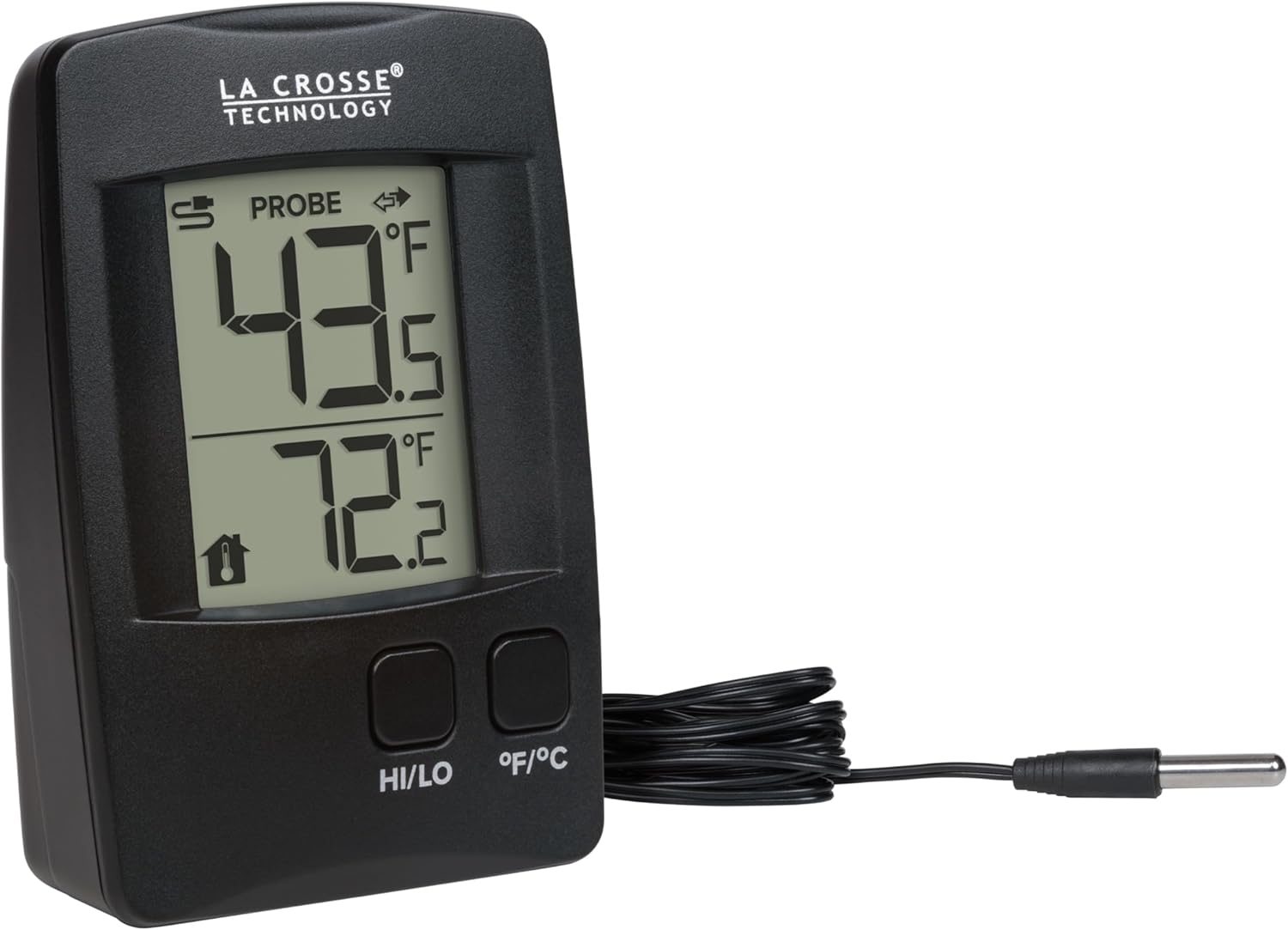
Bild: Vorderseite view of the thermometer, showing the main display with probe and indoor temperature readings.
Bedienungsanleitung
- Temperaturanzeige:
The top reading on the display shows the temperature from the wired probe. The bottom reading shows the indoor temperature measured by the main unit.

Image: The thermometer's display showing both probe and indoor temperature readings.
- Switching Fahrenheit/Celsius:
Press the "°F/°C" button on the front of the unit to toggle between Fahrenheit and Celsius temperature display.
- Viewing High/Low Records:
Press the "HI/LO" button to view the 24-hour high and low temperature records for both the probe and indoor sensors. Each press will cycle through High Probe, Low Probe, High Indoor, Low Indoor, and then return to current temperatures.
- Resetting High/Low Records:
Während viewing the high or low records, press and hold the "HI/LO" button for approximately 3 seconds to clear and reset the 24-hour high/low records.
- Decimal Point Readings:
The thermometer provides temperature readings with decimal-point precision. To turn decimal readings on/off, press and hold the "°F/°C" button.
Wartung
- Batteriewechsel:
When the low battery indicator appears on the display, replace the two AAA batteries with fresh ones. Ensure correct polarity.
- Reinigung:
Clean the thermometer unit and probe with a soft, damp Verwenden Sie kein scheuerndes Reinigungs- oder Lösungsmittel, da diese das Display oder die Elektronik beschädigen können.asing.
- Sondenpflege:
The wired probe is water-resistant and suitable for outdoor or damp environments. However, avoid prolonged submersion in water to prevent damage.
Fehlerbehebung
| Problem | Lösung |
|---|---|
| Keine oder nur schwache Anzeige | Check battery installation. Replace with fresh AAA batteries. |
| Falsche Temperaturwerte | Ensure the wired probe is securely connected. Verify the probe is placed correctly in the desired measurement area. Check battery power. |
| "LO" or "HI" displayed | The measured temperature is outside the device's operational range. |
Technische Daten
- Modell: 314-1410
- Marke: La Crosse-Technologie
- Innentemperaturbereich: Not explicitly stated, typically 32°F to 122°F (0°C to 50°C)
- Sondentemperaturbereich: Bis zu 140 ° C
- Strombedarf: 2 x AAA-Batterien (nicht im Lieferumfang enthalten)
- Sondenlänge: 6 Fuß (1.83 Meter)
- Abmessungen (Einheit): 3.74 inches (Length) x 2.56 inches (Width) x 1.11 inches (Depth)
- Besondere Merkmale: Fast Reading System, Fast Refresh, High Accuracy, Low Battery Indicator

Image: Dimensional drawing of the thermometer and probe, indicating measurements in inches and centimeters.
Garantie
La Crosse Technology products are designed for reliability. For specific warranty information, including duration and terms, please refer to the warranty card included with your product or visit the official La Crosse Technology webBewahren Sie Ihren Kaufbeleg als Kaufnachweis für eventuelle Garantieansprüche auf.
Unterstützung
For additional assistance, troubleshooting tips, or to access video tutorials, please visit the official La Crosse Technology website. You may also contact their USA-based support team for direct assistance.
Online-Ressourcen: www.lacrossetechnology.com